
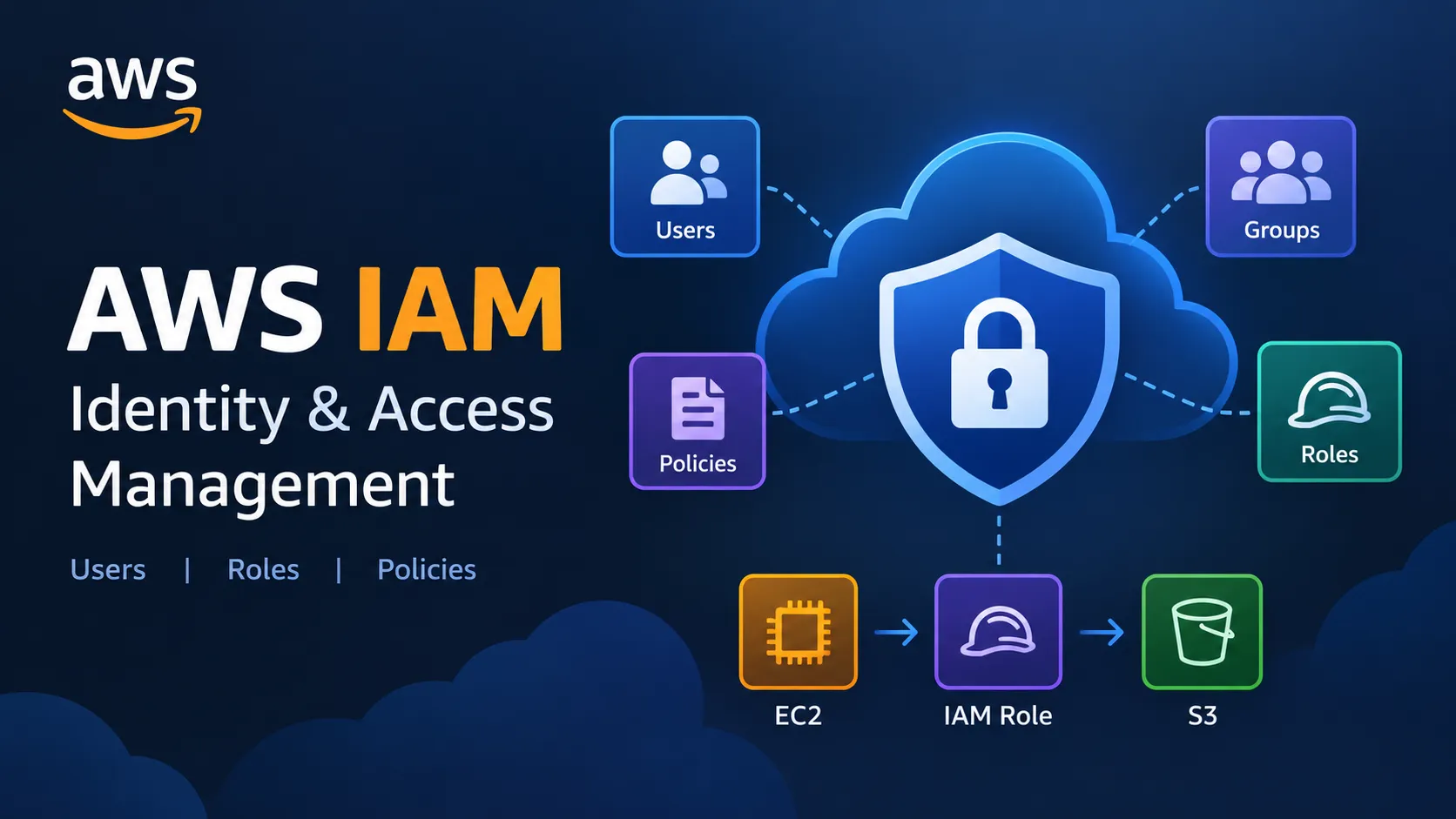
AWS IAM for Beginners: Understanding Users, Roles, and Policies
Learn the fundamentals of AWS Identity and Access Management (IAM), including users, groups, roles, policies, authentication, authorization, and the principle of least privilege, with a simple EC2-to-S3 example.

AWS IAM for Beginners: Understanding Users, Roles, and Policies
When starting with AWS, one of the first questions to understand is:
Who can access an AWS resource, and what are they allowed to do?
This is where AWS Identity and Access Management (IAM) becomes important.
As I continue learning AWS, IAM is one of the concepts I am focusing on because identity and access control are important parts of building secure cloud applications.
What is AWS IAM?
AWS Identity and Access Management (IAM) is an AWS service that helps you securely control access to AWS resources.
In simple terms, IAM helps answer two questions:
Authentication: Who are you?
Authorization: What are you allowed to do?
For example, a developer might need permission to upload files to an S3 bucket, while another user might only need permission to view those files.
IAM allows these permissions to be controlled instead of giving everyone complete access.
1. IAM Users
An IAM user represents an identity that can interact with AWS resources.
For example, an organization might have different users for:
- Developers
- Testers
- Administrators
- Data analysts
Each identity can have different permissions depending on its requirements.
For human users, AWS generally recommends using temporary credentials and centralized identity approaches where appropriate instead of relying on long-term access keys.
2. IAM Groups
An IAM group is a collection of IAM users.
Suppose a company has several developers who need similar permissions. Instead of managing permissions separately for every developer, users can be organized into a Developers group.
Example:
1
2
3
4
5
Developers Group
      |
      ├── User A
      ├── User B
      └── User C
This can make permission management easier when multiple users have similar responsibilities.
3. IAM Roles
An IAM role is an identity with permissions that can be assumed by a trusted entity.
Roles are particularly useful when AWS services need to communicate with each other.
For example, suppose an application running on an EC2 instance needs to read files from an S3 bucket.
Instead of storing AWS access keys inside the application, we can use an IAM role.
1
2
3
4
5
6
7
8
9
10
EC2 Instance
      |
      ↓
  IAM Role
      |
      ↓
 IAM Policy
      |
      ↓
  S3 Bucket
The role provides the required permissions to the EC2 instance without embedding long-term credentials in the application.
This is one of the AWS security concepts I found particularly useful while learning IAM.
4. IAM Policies
An IAM policy defines what actions an identity is allowed or denied to perform.
Policies are commonly written in JSON.
For example:
1
2
3
4
5
6
7
8
9
10
{
  "Version": "2012-10-17",
  "Statement": [
    {
      "Effect": "Allow",
      "Action": "s3:ListBucket",
      "Resource": "arn:aws:s3:::my-example-bucket"
    }
  ]
}
This example allows the specified identity to list the contents of a particular S3 bucket.
The important idea is that permissions should match the actual requirement.
If an application only needs to read data, it may not need permission to delete or modify that data.
Authentication vs Authorization
These two concepts are easy to confuse when starting with IAM.
Authentication
Authentication answers:
"Who are you?"
It verifies the identity of a user or entity trying to access a resource.
Authorization
Authorization answers:
"What are you allowed to do?"
It determines which actions that identity is permitted to perform.
So, in simple terms:
Authentication → Identity
Authorization → Permissions
Understanding this difference helped me understand why IAM is more than just a login system.
Principle of Least Privilege
One of the most important concepts in IAM is the principle of least privilege.
It means giving an identity only the permissions it actually needs.
For example, imagine an application only needs to read objects from an S3 bucket.
Giving it:
Full S3 Access
would provide more permissions than necessary.
A better approach would be:
Read-only access to the required S3 resources
Limiting permissions can reduce unnecessary access and help reduce the potential impact if an identity or credential is compromised.
Example: EC2 Accessing S3
Let's consider a simple web application running on an EC2 instance.
The application needs to read images stored in an S3 bucket.
Instead of putting AWS access keys directly inside the application, we can use an IAM role.
1
2
3
4
5
6
7
8
9
10
11
12
                AWS Cloud
                    |
             EC2 Instance
                    |
                    ↓
                IAM Role
                    |
                    ↓
               IAM Policy
                    |
                    ↓
                S3 Bucket
The IAM policy can specify exactly which S3 actions and resources the application needs.
This simple example combines three important IAM concepts:
IAM Role + IAM Policy + Least Privilege
It also shows why roles are useful for applications running on AWS.
IAM Security Practices
While learning IAM, I found these practices particularly important:
1. Enable MFA
Multi-factor authentication adds another layer of protection for appropriate identities, especially privileged access.
2. Follow Least Privilege
Give identities only the permissions required for their tasks.
3. Avoid Sharing Credentials
Users should not share passwords or access keys.
4. Prefer IAM Roles for AWS Workloads
When AWS services need to access other AWS services, use IAM roles where appropriate instead of storing long-term credentials in applications.
5. Protect the Root User
The AWS account root user has extensive privileges and should not be used for normal everyday activities.
6. Review Permissions
Permissions should be reviewed regularly as applications and responsibilities change.
What I Learned
Before learning IAM, concepts such as users, roles, policies, and permissions can seem like separate AWS topics.
The EC2-to-S3 example helped me connect them:
1
2
3
4
5
6
7
EC2
 ↓
IAM Role
 ↓
IAM Policy
 ↓
Required S3 Access
My biggest takeaway is that AWS security is not simply about giving access. It is also about deciding how much access is actually required.
The principle of least privilege is especially important because giving unnecessary permissions can increase security risks.
Conclusion
AWS IAM provides the foundation for managing identities and controlling access to AWS resources.
The main concepts I learned are:
- Users → identities
- Groups → collections of users
- Roles → permissions that can be assumed by trusted entities
- Policies → define permissions
- Authentication → verifies identity
- Authorization → determines allowed actions
- Least Privilege → provides only the required access
As I continue learning AWS, understanding IAM gives me a better foundation for working with services such as EC2, S3, Lambda, and other AWS services.
I am continuing my AWS learning journey by learning one concept at a time, practicing it, and trying to understand how different services work together.
Learn → Practice → Build → Share → Improve. ☁️🚀
Enjoyed reading this content? Let the author know!
Your likes, comments, shares, and saves help creators reach more builders.

Loading recommendations
Loading article