
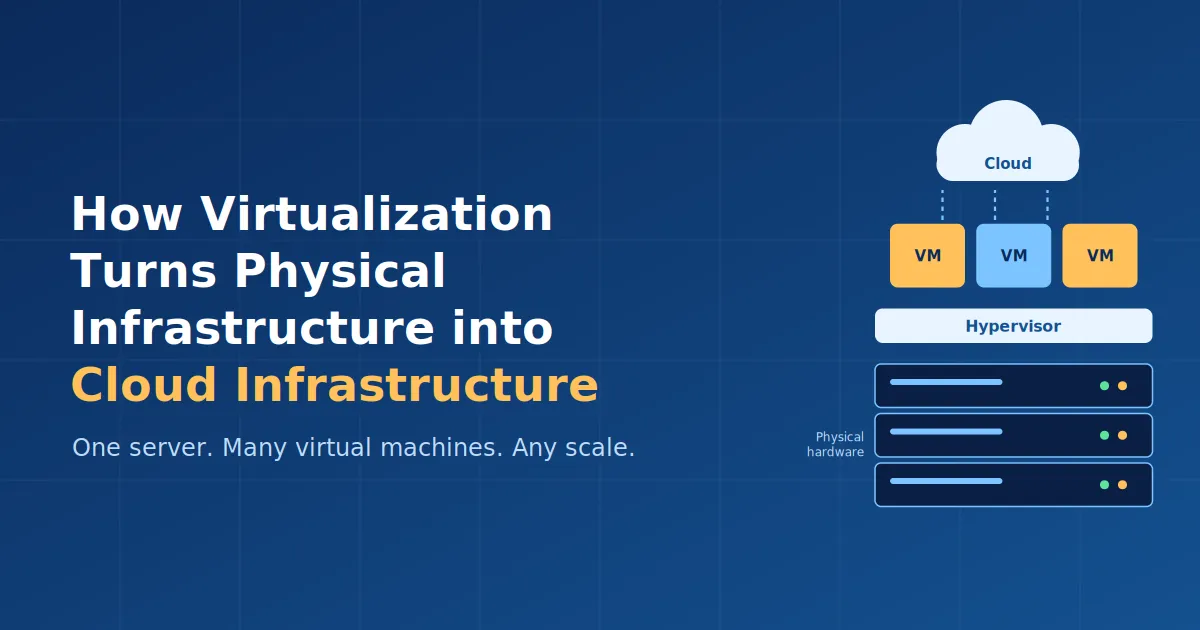
How Virtualization Turns Physical Infrastructure into Cloud Infrastructure
Explore server and network virtualization, how they work, why they matter, and how these concepts form the foundation of modern cloud computing.

How Virtualization Turns Physical Infrastructure into Cloud Infrastructure
Imagine a company running dozens of applications. Traditionally, each application could require its own physical server, network equipment, storage, and other infrastructure. As the number of applications grows, this approach quickly becomes expensive and difficult to manage.
A large portion of the physical resources may also remain unused. A server might have powerful processors and plenty of memory, but a particular application may use only a small fraction of them.
Virtualization provides a way to solve this problem.
Instead of treating physical hardware as a single indivisible resource, virtualization allows us to create multiple logical or virtual resources from the same physical infrastructure.
Two important forms of virtualization are server virtualization and network virtualization. Both play a major role in modern cloud computing.
What is Virtualization?
Virtualization is the process of creating a virtual version of a physical computing resource.
The physical hardware still exists, but software creates an abstraction layer that allows the hardware to be divided, shared, or managed as multiple logical resources.
For example, instead of using one physical server for one application, virtualization can allow that server to run several independent Virtual Machines (VMs).

One server, many isolated virtual machines.
Each VM can have its own:
- Operating system
- CPU allocation
- Memory allocation
- Storage
- Applications
From the perspective of the operating system and applications running inside the VM, it behaves much like an independent computer.
This is one of the fundamental ideas behind modern cloud infrastructure.
Server Virtualization 🖥️
Server virtualization is the process of dividing the resources of a physical server into multiple virtual servers or Virtual Machines.

A hypervisor enables multiple virtual machines to share the computing resources of a single physical server.
The key component that makes this possible is called a hypervisor.
What is a Hypervisor?
A hypervisor is software, firmware, or a combination of both that creates and manages virtual machines.
It sits between the physical hardware and the virtual machines and controls how resources such as CPU, memory, and storage are allocated.

Type 1 hypervisors run directly on physical hardware, while Type 2 hypervisors run on top of a host operating system.
A simplified architecture looks like this:
Physical Hardware → Hypervisor → Virtual Machines
For example, suppose a physical server has:
- 16 CPU cores
- 64 GB RAM
- 2 TB storage
Instead of dedicating the entire server to one application, the hypervisor could allocate resources to multiple VMs.
1
2
3
4
5
6
7
8
9
10
              Physical Server
        ┌────────────────────────┐
        │      CPU / RAM / Disk  │
        └───────────┬────────────┘
                    │
               Hypervisor
          ┌─────────┼─────────┐
          │         │         │
        VM 1      VM 2      VM 3
       Linux     Windows    Linux
Each VM can run its own operating system and applications while sharing the underlying physical hardware.
Types of Hypervisors
Hypervisors are generally divided into two types.
Type 1 — Bare-Metal Hypervisor
A Type 1 hypervisor runs directly on the physical hardware.
1
2
3
4
5
Hardware
   ↓
Hypervisor
   ↓
VMs
Because there is no conventional host operating system between the hardware and hypervisor, this architecture is commonly used in data centers and enterprise environments.
Type 2 — Hosted Hypervisor
A Type 2 hypervisor runs on top of a conventional operating system.
1
2
3
4
5
6
7
Hardware
   ↓
Host Operating System
   ↓
Hypervisor
   ↓
VMs
This approach is commonly useful for development, testing, and learning environments.
Why Server Virtualization Matters
Server virtualization provides several important benefits.
1. Better Resource Utilization
Instead of leaving large portions of a physical server unused, multiple workloads can share the same hardware.
2. Isolation
Applications running inside separate VMs can be isolated from one another. A problem inside one VM does not necessarily mean that every other VM on the server is affected.
3. Scalability
Virtual machines can be created, configured, and managed through software, making infrastructure easier to scale.
4. Reduced Infrastructure Costs
Running multiple workloads on fewer physical machines can reduce hardware, power, cooling, and maintenance requirements.
5. Easier Management
Virtual machines can be created from images, migrated, backed up, or managed through software instead of requiring physical hardware changes every time.
Network Virtualization 🌐
Server virtualization focuses primarily on compute resources.
But applications also need a network.
This is where network virtualization comes into the picture.
Network virtualization is the process of creating logical or virtual networks on top of physical networking infrastructure.

Network virtualization creates multiple isolated logical networks over shared physical networking infrastructure.
Instead of treating the physical network as one large environment, administrators can create multiple logically separated networks that share the same underlying infrastructure.
Think of it like this:
1
2
3
4
5
6
7
              Physical Network
                    │
       ┌────────────┼────────────┐
       │            │            │
   Virtual Net A  Virtual Net B  Virtual Net C
       │            │            │
    Servers       Servers       Servers
The physical infrastructure may be shared, but the virtual networks can provide different levels of isolation, connectivity, and access control.
How Does Network Virtualization Work?
Network virtualization can involve several technologies and concepts, including:
- Virtual switches
- Virtual routers
- VLANs
- Software-defined networking (SDN)
- Network overlays
- Logical network segmentation
For example, a company could have separate logical networks for:
Development → Testing → Production
Even if these environments use the same underlying physical infrastructure, network virtualization can help keep their traffic logically separated.
This provides greater flexibility than having to build completely separate physical networks for every environment.
Server Virtualization vs Network Virtualization
Although both are forms of virtualization, they solve different problems.
| Feature | Server Virtualization | Network Virtualization |
|---|---|---|
| Main focus | Computing resources | Networking resources |
| Creates | Virtual Machines | Virtual/logical networks |
| Main resources | CPU, RAM, storage | Connectivity, routing, traffic |
| Common technologies | Hypervisors, VMs | VLANs, virtual switches, SDN |
| Main purpose | Run multiple workloads on shared hardware | Create isolated and flexible networks |
| Example concept | Multiple VMs on one server | Multiple logical networks over shared infrastructure |
The important thing to remember is:
Server virtualization virtualizes the compute environment, while network virtualization virtualizes the networking environment.
How Do Server and Network Virtualization Work Together?
This is where virtualization becomes particularly important for cloud computing.
A virtual machine is useful only if it can communicate with other systems.
Consider a web application running on a virtual machine.
The application needs:
Compute → Network → Storage → Security
Server virtualization provides the virtual compute environment.
Network virtualization provides the logical networking environment through which that virtual machine can communicate with users, databases, APIs, and other services.
A simplified cloud environment might look like:
1
2
3
4
5
6
7
8
9
10
11
12
                Users
                  │
                  ▼
          Virtual Network
                  │
        ┌─────────┴─────────┐
        │                   │
     Web VM              App VM
        │                   │
        └─────────┬─────────┘
                  │
             Database
The physical infrastructure underneath all of this may be shared by many customers and workloads, while virtualization provides logical separation and controlled resource allocation.
This is one of the reasons cloud platforms can provide infrastructure to many customers without requiring every customer to own a completely separate physical data center.
How Does AWS Use These Concepts?
Virtualization is deeply connected to how cloud services are delivered.
For example, Amazon EC2 provides virtual compute capacity that users can configure and run as instances.
On the networking side, Amazon VPC allows users to create a logically isolated virtual network in AWS.

AWS combines virtualized compute and networking to provide scalable, isolated cloud infrastructure using services such as EC2, VPC, subnets, and RDS.
Within a VPC, users can create components such as:
- Subnets
- Route tables
- Security groups
- Network access controls
- Internet gateways
A simplified example could look like:
1
2
3
4
5
6
7
8
9
10
11
12
13
                 AWS Region
                     │
                    VPC
                     │
          ┌──────────┴──────────┐
          │                     │
    Public Subnet          Private Subnet
          │                     │
       EC2 Web             EC2 App
          │                     │
          └──────────┬──────────┘
                     │
                  Database
Here, EC2 represents the compute side, while VPC provides the networking environment around those resources.
This demonstrates an important cloud concept: compute and networking are not isolated from each other. They work together to create usable cloud infrastructure.
Why Virtualization Became So Important to Cloud Computing
Cloud computing is based on the idea of providing computing resources on demand, rather than requiring users to purchase and maintain all the physical infrastructure themselves.
Virtualization helps make this model practical by allowing physical resources to be abstracted and managed through software.
Instead of thinking only in terms of:
“Which physical server am I using?”
cloud infrastructure allows us to think in terms of:
“How much compute, networking, and storage do I need?”
The underlying physical infrastructure still exists, but virtualization creates an abstraction layer between the user and that hardware.
That abstraction is one of the key ideas that makes modern cloud infrastructure flexible and scalable.
Key Takeaways
If you are revising this topic for an exam, remember these five points:
1. Virtualization
Creates logical/virtual resources from physical infrastructure.
Creates logical/virtual resources from physical infrastructure.
2. Server Virtualization
Allows multiple virtual machines to share the resources of a physical server.
Allows multiple virtual machines to share the resources of a physical server.
3. Hypervisor
Creates and manages virtual machines.
Creates and manages virtual machines.
4. Network Virtualization
Creates logical networks over shared physical networking infrastructure.
Creates logical networks over shared physical networking infrastructure.
5. Cloud Connection
Virtualization helps cloud providers deliver flexible, scalable, isolated computing and networking resources.
Virtualization helps cloud providers deliver flexible, scalable, isolated computing and networking resources.
The simplest way to remember the difference is:
Server virtualization asks: “How can we divide and share computing resources?”
Network virtualization asks: “How can we create and manage multiple logical networks over shared infrastructure?”
Together, these technologies help transform physical infrastructure into the flexible, software-managed infrastructure that modern cloud computing depends on.
Enjoyed reading this content? Let the author know!
Your likes, comments, shares, and saves help creators reach more builders.

Loading recommendations
Loading article