
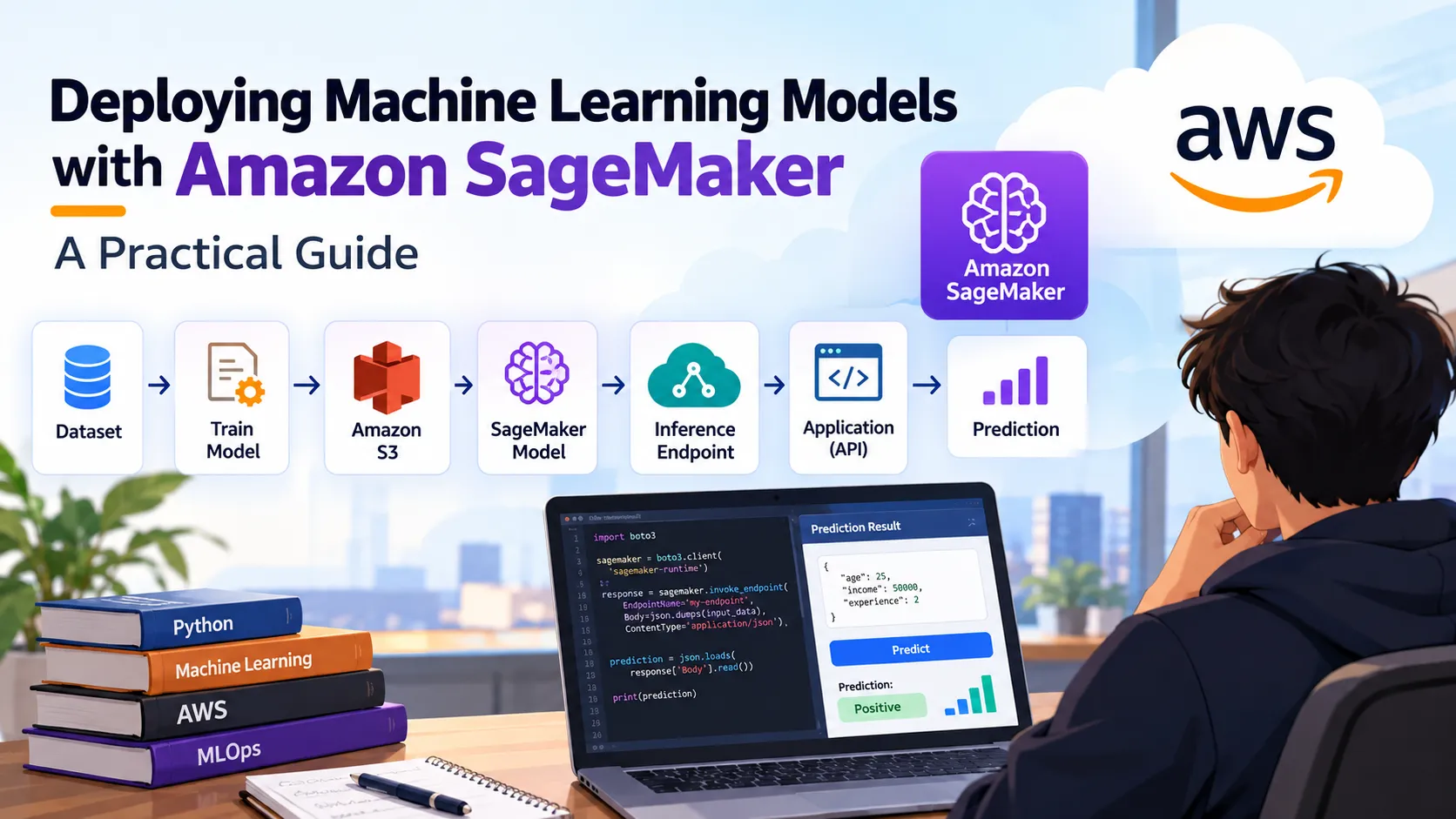
Deploying Machine Learning Models with Amazon SageMaker: A Practical Guide
Learn how Amazon SageMaker simplifies the process of taking a trained machine learning model from development to a production-ready inference endpoint.

Deploying Machine Learning Models with Amazon SageMaker: A Practical Guide
Building a machine learning model is only one part of an ML project. In a real-world application, the model also needs to be deployed so that other applications can send data to it and receive predictions.
This is where Amazon SageMaker can help.
SageMaker provides tools for building, training, deploying, and monitoring machine learning models without requiring developers to manage every part of the underlying infrastructure themselves.
In this article, we'll walk through the general workflow of deploying a machine learning model using SageMaker.
1. The Machine Learning Deployment Workflow
A typical ML deployment workflow looks like this:
1
2
3
4
5
6
7
8
9
10
11
12
13
14
15
16
17
18
19
Dataset

   ↓

Data Preprocessing

   ↓

Model Training

   ↓

Model Evaluation

   ↓

Save Model

   ↓

Upload Model Artifact

   ↓

SageMaker Model

   ↓

Endpoint

   ↓

Application/API

   ↓

Prediction
The important idea is that the model moves from an experimental environment into a service that can accept prediction requests.
2. Train Your Model
Let's assume we have trained a simple Scikit-learn model.
For example:
1
2
3
4
5
6
7
8
from sklearn.ensemble import RandomForestClassifier


model = RandomForestClassifier(

    n_estimators=100,

    random_state=42

)


model.fit(X_train, y_train)
After training, we need to save the model.
1
2
3
import joblib


joblib.dump(model, "model.joblib")
The saved model artifact contains the information required to make predictions later.
3. Package the Model
For deployment, the model and the code required to perform inference need to be packaged appropriately.
A common inference workflow is:
1
2
3
4
5
6
7
8
9
10
11
Input Data

    ↓

Deserialize Request

    ↓

Preprocess Input

    ↓

model.predict()

    ↓

Serialize Prediction

    ↓

Return Response
For example, an inference function may conceptually look like:
1
2
3
4
5
6
def predict(input_data):

    processed_data = preprocess(input_data)


    prediction = model.predict(processed_data)


    return prediction
The exact implementation depends on the framework and SageMaker deployment approach being used.
4. Store the Model Artifact
The trained model artifact can be stored in Amazon S3.
The architecture then becomes:
1
2
3
4
5
6
7
8
Training Environment

        │

        │ model artifact

        ▼

    Amazon S3

        │

        ▼

Amazon SageMaker
Amazon S3 acts as durable storage for the model artifact that will be used during deployment.
5. Deploy the Model
Once the model is prepared, SageMaker can be used to create a model and deploy it to an inference environment.
At a high level:
1
2
3
4
5
6
7
S3 Model Artifact

       ↓

SageMaker Model

       ↓

Inference Environment

       ↓

SageMaker Endpoint
The endpoint provides an interface through which an application can send input data and receive predictions.
6. Calling the Endpoint
Once an endpoint is available, an application can send prediction requests to it.
For example, imagine a FastAPI backend:
1
2
3
4
5
6
7
8
9
10
11
React Frontend

      ↓

FastAPI Backend

      ↓

SageMaker Endpoint

      ↓

ML Prediction

      ↓

FastAPI Response

      ↓

React Frontend
This architecture is particularly useful when building complete ML-powered applications.
For example, a user could enter information into a web application:
1
2
3
4
5
{

    "age": 25,

    "income": 50000,

    "experience": 2

}
The FastAPI backend can validate the request, send the relevant data to the SageMaker endpoint, and return the prediction to the frontend.
7. Why Separate the API and ML Model?
One common design is to keep the application API and the ML inference layer separate.
For example:
1
2
3
4
5
6
7
8
9
10
11
12
13
14
15
16
17
18
19
                 ┌─────────────────┐

                 │  React Frontend │

                 └────────┬────────┘

                          │

                          ▼

                 ┌─────────────────┐

                 │  FastAPI API    │

                 └────────┬────────┘

                          │

                          ▼

                 ┌─────────────────┐

                 │ SageMaker       │

                 │ Inference       │

                 └────────┬────────┘

                          │

                          ▼

                 ┌─────────────────┐

                 │ ML Model        │

                 └─────────────────┘
This separation allows the application layer and machine learning layer to evolve independently.
For example, the frontend can remain unchanged while the underlying model is retrained and replaced.
8. Important Things to Consider
Before deploying a model, several factors should be considered.
Model Size
Large models require more memory and computational resources than small traditional ML models.
Inference Latency
Applications such as real-time recommendations or computer vision may require low-latency predictions.
Scaling
The number of prediction requests can change over time. The deployment architecture should therefore match the expected workload.
Cost
Compute resources can become a significant part of the cost of an ML application.
It is important to select an appropriate deployment architecture and avoid running unnecessarily large resources when they are not required.
Monitoring
A production ML system should not simply be deployed and forgotten.
It is useful to monitor things such as:
- Request latency
- Errors
- Resource utilization
- Prediction behavior
- Model performance
9. From Notebook to Production
A major difference between learning ML and working on production ML systems is the deployment workflow.
A beginner might have:
1
2
3
Jupyter Notebook

      ↓

model.predict()
A production system may look more like:
1
2
3
4
5
6
7
8
9
10
11
12
13
14
15
Data

 ↓

Training Pipeline

 ↓

Model Artifact

 ↓

Model Registry/Storage

 ↓

SageMaker Deployment

 ↓

Inference Endpoint

 ↓

FastAPI

 ↓

Frontend
This is where concepts such as MLOps, model versioning, monitoring, CI/CD, and infrastructure management become important.
10. Final Thoughts
Machine learning does not end when
model.fit() finishes.A complete ML solution needs to consider how the model will be packaged, deployed, accessed, monitored, updated, and eventually replaced.
Amazon SageMaker provides a set of managed capabilities that can help developers move from experimentation toward production ML systems.
If you're learning machine learning, understanding this complete workflow is valuable because it connects traditional ML development with real-world software engineering and cloud deployment.
The ultimate goal is not just to build a model that works in a notebook, but to build a system where that model can reliably serve predictions to real users.
Enjoyed reading this content? Let the author know!
Your likes, comments, shares, and saves help creators reach more builders.

Loading recommendations
Loading article