
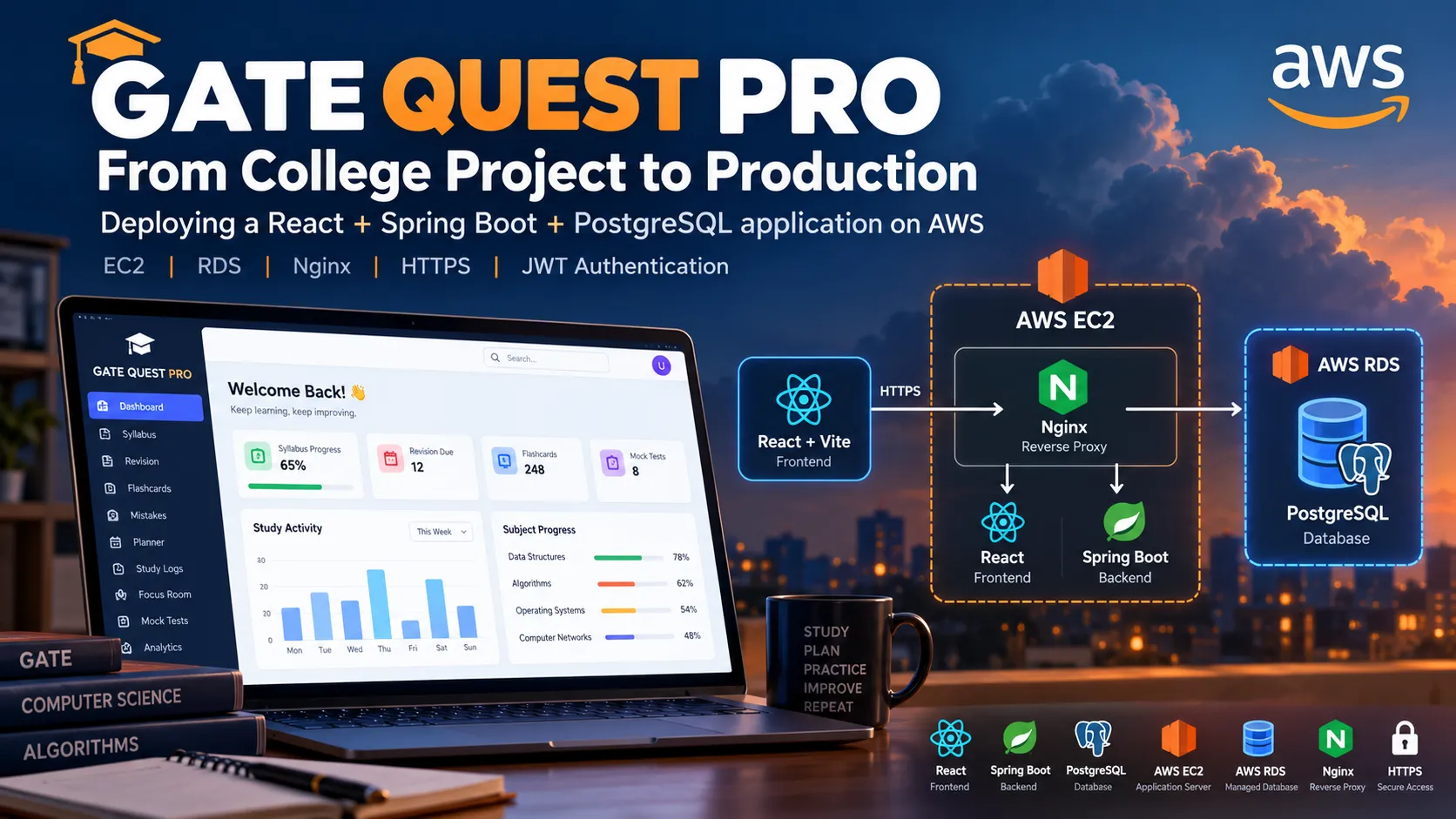
From College Project to Production: Deploying GATE QUEST PRO on AWS
How I deployed a React + Spring Boot + PostgreSQL application on AWS using EC2, RDS, Nginx, HTTPS, and JWT authentication.

A project doesn't really feel complete when it only works on localhost.
For my final-year project, I wanted to go one step further: take my application from a development environment and deploy it as a real production application.
That became my motivation for deploying GATE QUEST PRO, a GATE preparation and study-tracking platform built with React, Spring Boot, PostgreSQL, and JWT authentication.
In this article, I'll walk through how I deployed it using AWS EC2 and RDS, configured Nginx as a reverse proxy, enabled HTTPS, secured the application, and tested the production environment.
What is GATE QUEST PRO?
GATE QUEST PRO is a full-stack web application designed to help students organize and track their GATE preparation from a single platform.
The application provides features including:
- User registration and login
- Preparation dashboard
- Syllabus tracking
- Revision management
- Flashcards
- Mistake tracking
- Study planner
- Study logs
- Focus Room
- Mock tests
- Analytics
The frontend is built with React and Vite.
The backend is developed using Java and Spring Boot.
For authentication and authorization, I implemented Spring Security with JWT.
The application uses PostgreSQL for persistent data storage.
🛠️ Technology Stack
The main technologies used in the project are:
| Layer | Technology |
|---|---|
| Frontend | React.js + Vite |
| API Communication | Axios |
| Backend | Java + Spring Boot |
| Security | Spring Security + JWT |
| Database | PostgreSQL |
| ORM | Spring Data JPA + Hibernate |
| Build Tool | Maven |
| Web Server | Nginx |
| Cloud Server | Amazon EC2 |
| Database Hosting | Amazon RDS |
| Operating System | Ubuntu |
| HTTPS | Certbot |
| Domain | DuckDNS |
| Version Control | Git + GitHub |
🏗️ Application Architecture
Before deployment, I designed the application around a standard client-server architecture.
The overall flow is:
1
2
3
4
5
6
7
8
9
10
11
12
13
14
15
16
17
18
19
20
21
22
23
24
User Browser
      │
      │ HTTPS
      ▼
React + Vite Frontend
      │
      │ REST API
      ▼
Nginx Reverse Proxy
      │
      ▼
Spring Boot Backend
      │
      ├── Spring Security
      ├── JWT Authentication
      ├── Controllers
      ├── Services
      └── Repositories
              │
              ▼
       JPA / Hibernate
              │
              ▼
       PostgreSQL Database
The frontend is responsible for the user interface and interaction.
The Spring Boot backend handles authentication, business logic, REST APIs, and authorization.
PostgreSQL provides persistent storage.
Nginx acts as the web server and reverse proxy in production.
☁️ Why I Decided to Deploy on AWS
Initially, the application was running locally.
That was useful for development, but I wanted to understand what happens after the application leaves the development environment.
I wanted to learn how to:
- Run a backend on a cloud server
- Host a production frontend
- Use a managed PostgreSQL database
- Configure networking
- Secure application ports
- Configure HTTPS
- Manage environment variables
- Keep a backend process running
- Connect an application server to a production database
This turned the deployment itself into an important part of the learning experience.
🖥️ Deploying the Backend on Amazon EC2
I chose an Ubuntu-based EC2 instance as the application server.
The EC2 server became responsible for running:
1
2
3
Nginx
React production files
Spring Boot
I installed Java 17 because the backend was developed using Java and Spring Boot.
After building the backend locally, I generated the production JAR using Maven:
1
./mvnw clean package
The resulting JAR was transferred to the EC2 server.
The backend then runs internally on:
1
Port 8080
However, I did not expose port 8080 directly to the public internet.
Instead, Nginx handles incoming web traffic and forwards API requests to Spring Boot.
⚙️ Managing Spring Boot with systemd
One of the things I learned during deployment was that simply running:
1
java -jar application.jar
is not enough for a proper production setup.
If the process is tied to an SSH session, managing the application becomes inconvenient.
I therefore created a Linux systemd service for the Spring Boot application.
The architecture became:
1
2
3
4
5
6
7
8
9
10
EC2
 │
 ▼
systemd
 │
 ▼
GATE QUEST PRO Backend
 │
 ▼
Spring Boot :8080
The service is configured to start automatically and restart the application if it stops unexpectedly.
This made the backend independent of an active SSH terminal.
🗄️ Moving PostgreSQL to Amazon RDS
For local development, PostgreSQL was used as the application's database.
For production, I decided to use Amazon RDS for PostgreSQL instead of running PostgreSQL directly on the EC2 server.
The production architecture became:
1
2
3
4
5
6
7
8
AWS EC2
   │
   │ Private connection
   ▼
Amazon RDS
   │
   ▼
PostgreSQL
This separates the application server from the database server.
The backend connects to PostgreSQL using environment variables rather than hard-coded credentials.
The production configuration uses variables such as:
1
2
3
4
5
DB_URL
DB_USERNAME
DB_PASSWORD
JWT_SECRET
JWT_EXPIRATION
This was an important security improvement because sensitive production values do not need to be stored in the source code.
🔐 Implementing JWT Authentication
Security was an important part of GATE QUEST PRO.
The application uses JWT-based authentication.
The authentication flow is:
1
2
3
4
5
6
7
8
9
10
11
12
13
14
15
16
User
 │
 ▼
React Login Page
 │
 ▼
Spring Boot
 │
 ▼
Validate Credentials
 │
 ▼
Generate JWT
 │
 ▼
Frontend
For protected API requests, the frontend sends the JWT using the Authorization header:
1
Authorization: Bearer <JWT_TOKEN>
The Spring Security JWT filter validates the token before allowing access to protected APIs.
The backend also performs ownership validation for user-specific resources.
For example:
1
2
3
4
5
6
7
8
9
10
11
User A
  │
  ├── Syllabus A
  ├── Flashcards A
  └── Mock Tests A

User B
  │
  ├── Syllabus B
  ├── Flashcards B
  └── Mock Tests B
An authenticated user should not automatically be allowed to access another user's resources simply because they know a resource ID.
I therefore tested ownership protection through direct API requests as well as through the frontend.
🌐 Configuring Nginx
Once the frontend and backend were running on EC2, I needed a clean way to expose them through one domain.
I configured Nginx as a reverse proxy.
The routing structure is:
1
2
3
/       → React Frontend

/api    → Spring Boot Backend
So instead of exposing Spring Boot directly, users access the application through:
1
https://gatequestpro.duckdns.org
The production request flow becomes:
1
2
3
4
5
6
7
8
Browser
   │
   ▼
Nginx
   │
   ├── /       → React
   │
   └── /api    → Spring Boot :8080
This also allowed me to keep port 8080 away from public access.
🔒 Adding HTTPS
After getting the application working, I wanted the production application to use HTTPS.
I configured the domain:
1
gatequestpro.duckdns.org
and pointed it to the production server.
I then configured HTTPS using Certbot.
The final flow became:
1
2
3
4
5
6
7
8
User Browser
     │
     │ HTTPS
     ▼
   Nginx
     │
     ▼
Application
HTTP traffic is redirected to HTTPS.
I also tested certificate renewal with:
1
sudo certbot renew --dry-run
This was a useful lesson because configuring an SSL certificate is only one part of HTTPS management; certificate renewal also needs to be considered.
🛡️ Configuring AWS Security Groups
Network security was another important part of the deployment.
The EC2 instance needed to accept web traffic but should not expose every application port publicly.
The intended access was:
1
2
3
22   → SSH
80   → HTTP
443  → HTTPS
The application itself uses:
1
8080 → Spring Boot
and PostgreSQL uses:
1
5432 → PostgreSQL
Ports 8080 and 5432 were not opened to the public internet.
The resulting architecture is:
1
2
3
4
5
6
7
8
9
10
11
12
13
14
15
16
                    INTERNET
                       │
                  ┌────┴────┐
                  │         │
                 80        443
                  │         │
                  └────┬────┘
                       ▼
                     Nginx
                       │
                       ▼
                Spring Boot
                       │
                       │ Private connection
                       ▼
                  RDS PostgreSQL
This helped me understand an important cloud-security principle:
A port being required by an application does not mean that the port should be publicly accessible.
🔑 Production Secrets
One of the biggest differences between local development and production was configuration management.
I did not want production credentials inside GitHub.
The backend therefore uses environment variables:
1
2
3
4
5
DB_URL
DB_USERNAME
DB_PASSWORD
JWT_SECRET
JWT_EXPIRATION
The production environment configuration is stored separately on the EC2 server.
The application source code can therefore remain in GitHub without containing the production database password or JWT secret.
🧠 Managing Limited EC2 Resources
The EC2 instance I selected had limited memory.
During the deployment process, I checked the server's memory and noticed that there was no swap configured.
I created a 2 GB swap file and made it persistent.
The resulting memory configuration became:
1
2
3
4
5
EC2
 │
 ├── Physical RAM
 │
 └── 2 GB Swap
This gave the server additional virtual memory capacity.
This was another practical lesson that I wouldn't have encountered by simply running the application on my local development machine.
🧪 Testing the Production Application
After deployment, I did not consider the project complete simply because the website loaded.
I tested the application at multiple levels.
Functional Testing
I tested:
- Registration
- Login
- Logout
- Dashboard
- Syllabus
- Revision
- Flashcards
- Mistakes
- Planner
- Study Logs
- Focus Room
- Mock Tests
- Analytics
Authentication Testing
I tested:
- Login with valid credentials
- Protected API access
- Requests without JWT
- Invalid JWT requests
- Logout behavior
- Token removal
User Isolation Testing
I used separate users to verify that:
1
2
3
4
5
User A → User A data ✅
User A → User B data ❌

User B → User B data ✅
User B → User A data ❌
I also tested unauthorized update and delete operations through direct API requests.
Production Testing
Finally, I verified:
- HTTPS
- HTTP to HTTPS redirect
- Nginx reverse proxy
- CORS
- Frontend production build
- Spring Boot production JAR
- PostgreSQL persistence
- Backend service management
🧩 Challenges I Faced
The deployment process was not completely smooth.
Several issues appeared along the way.
1. Frontend and Backend Configuration
The application required different API configuration between local development and production.
I solved this using environment-based frontend configuration.
Development used:
1
http://localhost:8080/api
while production uses:
1
/api
2. CORS Configuration
The production frontend needed permission to communicate with the backend through the browser.
I configured explicit allowed origins in the backend and added the production domain.
After deployment, I verified the application through the production URL and confirmed that API requests worked without browser CORS errors.
3. Spring Security Configuration
The application uses its own JWT authentication flow.
During production configuration, I had to adjust Spring Boot's default security behavior so that it did not interfere with the application's intended JWT-based authentication architecture.
After rebuilding and redeploying the backend, the application started correctly.
4. Node.js and Vite Compatibility
During frontend development, I encountered a Node.js/Vite compatibility issue.
After updating Node.js to a compatible version, the Vite production build completed successfully.
5. EC2 Memory
The small EC2 instance had limited RAM.
I addressed this by configuring a persistent 2 GB swap file.
6. Production Process Management
Initially, it would have been possible to run Spring Boot manually through SSH.
Instead, I implemented a systemd service so that the backend could run independently and restart automatically.
📈 What I Learned
The biggest lesson from this project was that building an application and deploying an application are two different skills.
During development, I mainly focused on:
1
2
3
Frontend
Backend
Database
During deployment, I had to think about:
1
2
3
4
5
6
7
8
9
Networking
Security
HTTPS
Reverse Proxy
Environment Variables
Process Management
Cloud Infrastructure
Database Connectivity
Server Resources
I also developed a much clearer understanding of how the complete application works:
1
2
3
4
5
6
7
8
9
10
11
12
13
React
  ↓
Nginx
  ↓
Spring Boot
  ↓
Spring Security
  ↓
JPA / Hibernate
  ↓
PostgreSQL
  ↓
Amazon RDS
The deployment problems were actually some of the most valuable parts of the project because solving them required understanding how the individual components communicate with each other.
Taking GATE QUEST PRO from localhost to a production AWS environment taught me that cloud deployment is much more than uploading an application to a server.
I had to understand networking, security groups, HTTPS, reverse proxies, environment variables, database connectivity, process management, and production troubleshooting.
The most valuable part of the experience was solving the problems that appeared during deployment.
My next goal is to explore Docker, CI/CD, monitoring, and more AWS services to improve the deployment architecture further.
If you're also learning AWS, I'd encourage you to take one of your existing projects and try deploying it. The deployment challenges can teach you a lot about how software actually runs in the real world.
Enjoyed reading this content? Let the author know!
Your likes, comments, shares, and saves help creators reach more builders.

Loading recommendations
Loading article