
Understanding AWS Lambda: A Beginner's Guide
Learn the basics of AWS Lambda, how serverless functions work, common use cases, and how beginners can start building applications with Lambda.

Understanding AWS Lambda: A Beginner's Guide
AWS Lambda is a serverless compute service that allows developers to run code without managing servers.
Instead of setting up and maintaining a server, you can create a Lambda function and let AWS run it when it is needed.
What Is AWS Lambda?
AWS Lambda runs your code in response to events.
For example, a Lambda function can run when:
- A user sends an API request
- A file is uploaded to Amazon S3
- A scheduled event occurs
- Data changes in an application
- Another AWS service triggers the function
A simple flow looks like this:
Event
|
v
AWS Lambda
|
v
Your Code
|
v
Response
|
v
AWS Lambda
|
v
Your Code
|
v
Response
Why Use Lambda?
Lambda is useful because developers do not need to manage traditional servers.
Some important benefits are:
- No server management
- Automatic scaling
- Event-driven execution
- Pay for the compute used
- Easy integration with other AWS services
Example
Suppose you are building a website with a login system.
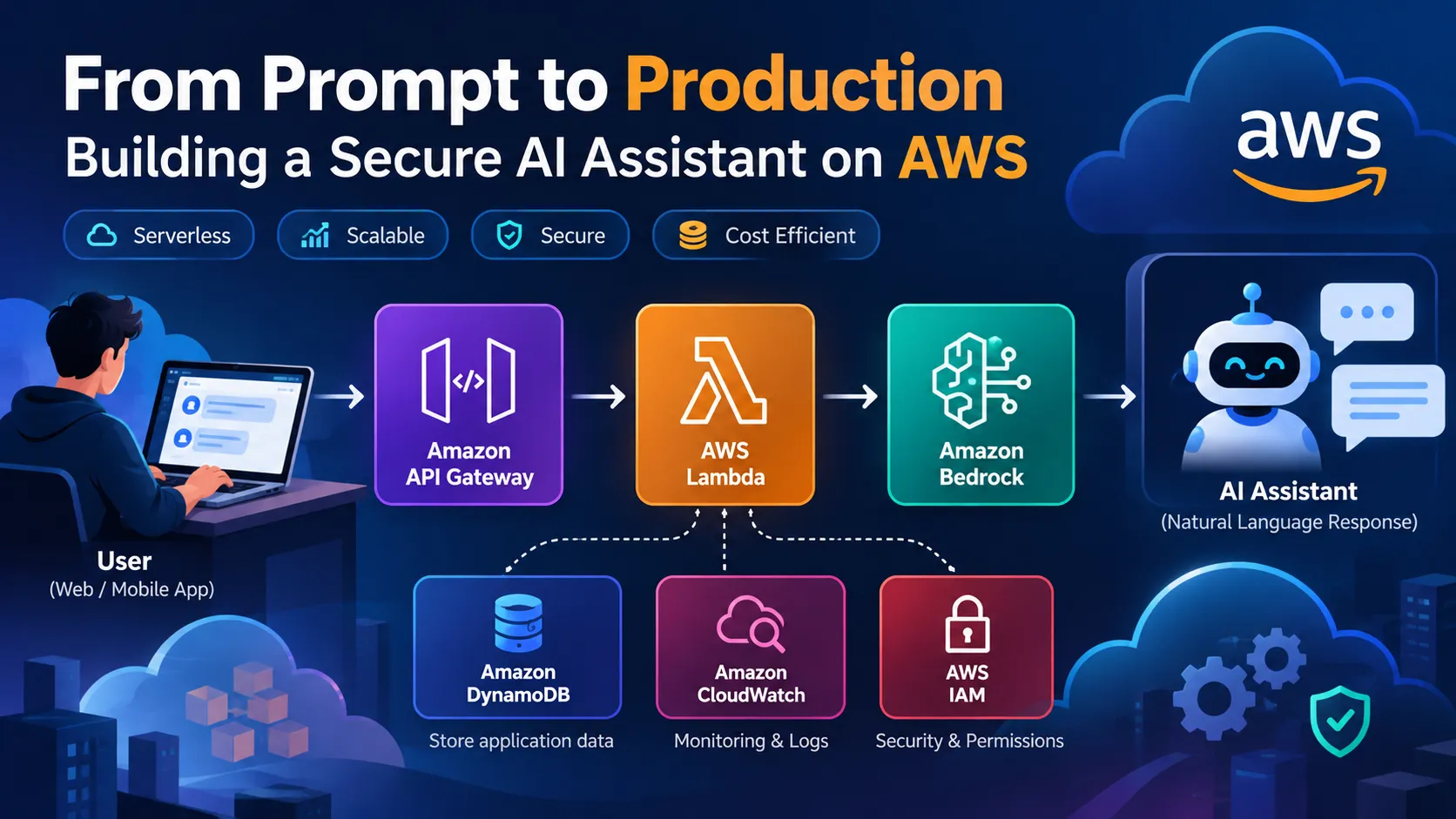
When a user submits a request, the application can send it to an API. The API can then trigger a Lambda function.
User
|
v
Web Application
|
v
API Gateway
|
v
AWS Lambda
|
v
Database
|
v
Web Application
|
v
API Gateway
|
v
AWS Lambda
|
v
Database
Lambda can process the request and return the result to the application.
Lambda and Programming Languages
AWS Lambda supports several programming languages and runtimes.
Developers can choose a runtime that fits their application and skills.
For example, a simple JavaScript Lambda function can look like:
1
2
3
4
5
6
7
8
export const handler = async (event) => {

    return {

        statusCode: 200,

        body: JSON.stringify({

            message: "Hello from AWS Lambda!"

        })

    };

};
The function receives an event and returns a response.
Common Use Cases
AWS Lambda can be used for many different tasks.
Web APIs
Lambda can work with API Gateway to create serverless APIs.
File Processing
A Lambda function can process files when they are uploaded to Amazon S3.
Automation
Lambda can automate repetitive cloud tasks.
Data Processing
Lambda can process data when events occur in an application.
Scheduled Tasks
Lambda can run code on a schedule for tasks such as generating reports or performing maintenance.
Lambda with Other AWS Services
Lambda becomes even more useful when combined with other AWS services.
For example:
1
2
3
4
5
6
              AWS Lambda
             /     |      \
            /      |       \
           v       v        v
        Amazon    Amazon   CloudWatch
          S3     DynamoDB
Each service performs a different role.
S3 can store files, DynamoDB can store application data, and CloudWatch can help monitor Lambda functions.
Things Beginners Should Remember
When starting with Lambda, keep a few things in mind:
- Keep functions focused on a specific task.
- Give functions only the permissions they need.
- Monitor errors and execution time.
- Avoid unnecessary function invocations.
- Keep sensitive information out of source code.
- Test functions before using them in production.
How to Start Learning Lambda
A good way to learn AWS Lambda is to build a small project.
For example, create a simple API using:
1
2
3
4
5
6
7
8
9
10
Frontend
   |
   v
API Gateway
   |
   v
AWS Lambda
   |
   v
Response
Once this works, you can add a database, authentication, logging, and other AWS services.
Conclusion
AWS Lambda makes it possible to run application code without managing traditional servers.
It is useful for APIs, automation, file processing, scheduled tasks, and event-driven applications.
For beginners, the best way to understand Lambda is to start with a small project and gradually add more AWS services.
Learn the basics, experiment with different use cases, and keep building with AWS.
1
2
3
4
5
6
7
8
9
10
11
12

### Recommended tags

Use these **if they are available in your AWS tag dropdown**:

- `aws-lambda`
- `serverless`
- `cloud-computing`
- `developer-tools`
- `all-builders-welcome`

This one is **shorter and easier to read** than your previous article, so it shEnjoyed reading this content? Let the author know!
Your likes, comments, shares, and saves help creators reach more builders.

Loading recommendations
Loading article