
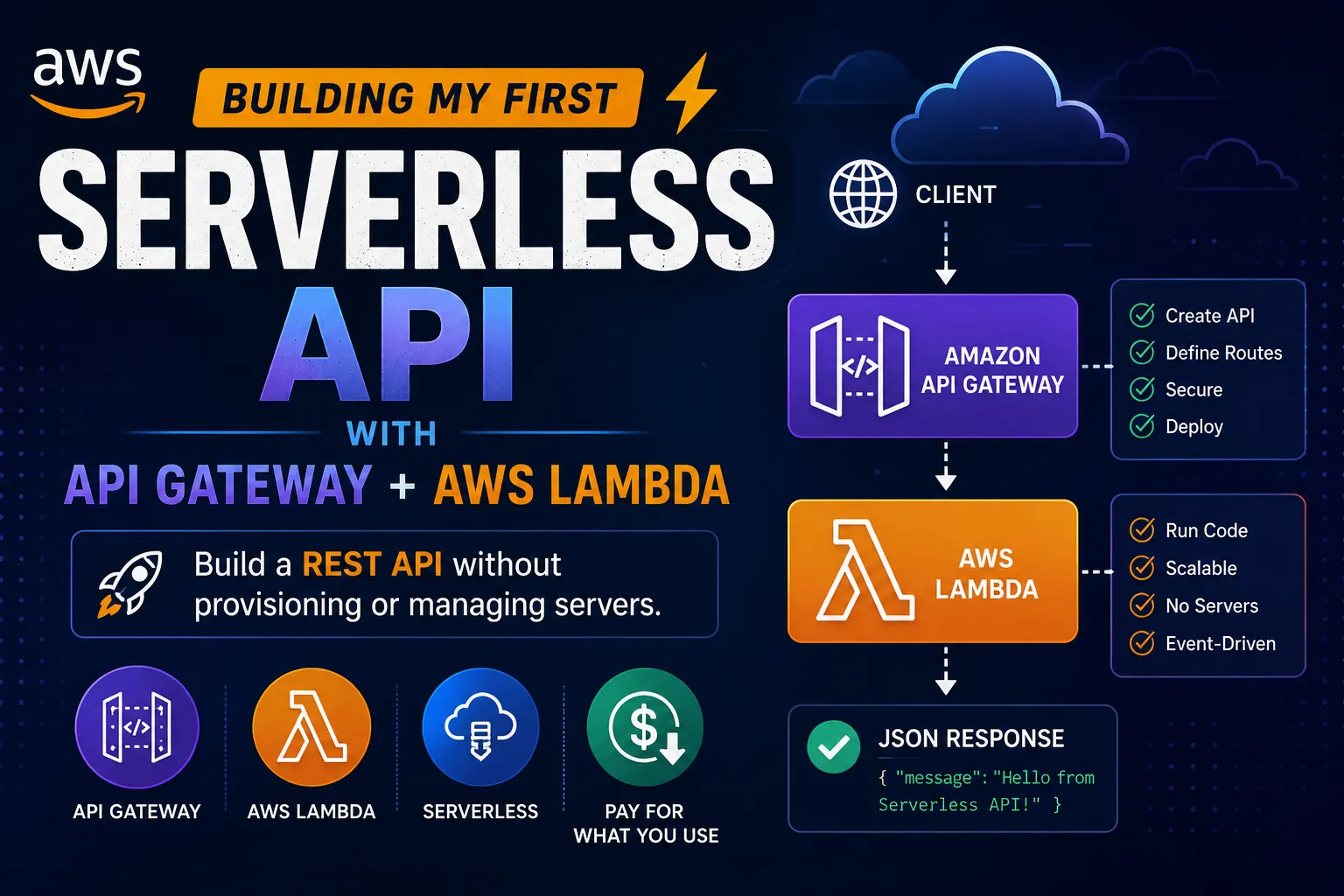
Building My First Serverless API with Amazon API Gateway + AWS Lambda
A beginner-friendly, hands-on introduction to building a serverless REST API using Amazon API Gateway and AWS Lambda — without provisioning or managing a server.


⚡ Building My First Serverless API with Amazon API Gateway + AWS Lambda
After learning how AWS Lambda can run code without managing servers, I wanted to answer a practical question:
How does a user actually call a Lambda function from the internet?
That's where Amazon API Gateway comes in.
Instead of exposing a server directly, I can create an API endpoint that receives an HTTP request and triggers my Lambda function.
The basic architecture looks like this:
1
2
3
4
5
6
7
8
9
10
11
12
13
14
15
16
17
18
19
20
21
22
23
🌍 Client
   │
   │ HTTP Request
   ▼
┌──────────────────┐
│  API Gateway     │
│                  │
│  GET /hello      │
└────────┬─────────┘
         │
         │ Invoke
         ▼
┌──────────────────┐
│   AWS Lambda     │
│                  │
│   Python Code    │
└────────┬─────────┘
         │
         ▼
      Response
         │
         ▼
      🌍 Client
No EC2 instance.
No operating system to maintain.
No web server to configure.
Just an API endpoint connected to a function.
🧠 What Is API Gateway?
Amazon API Gateway is an AWS service for creating and managing APIs.
It can receive HTTP requests such as:
1
2
3
4
GET /hello
POST /users
GET /products
DELETE /orders/123
and route them to the appropriate backend.
In this example, my backend will be AWS Lambda.
So the flow becomes:
1
2
3
4
5
6
7
Client
  ↓
API Gateway
  ↓
Lambda
  ↓
Response
⚡ What Is Lambda Doing?
AWS Lambda runs my application code in response to events.
For this project, I'll use Python.
A very simple Lambda function could look like:
1
import jsondef lambda_handler(event, context):    return {        "statusCode": 200,        "headers": {            "Content-Type": "application/json"        },        "body": json.dumps({            "message": "Hello from AWS Lambda!"        })    }
The function receives an event from API Gateway and returns a response.
🔗 Connecting API Gateway to Lambda
The architecture now looks like this:
1
2
3
4
5
6
7
8
9
10
11
12
13
14
15
16
17
18
19
20
21
22
                   🌍 Internet
                        │
                        ▼
              ┌──────────────────┐
              │   API Gateway    │
              │                  │
              │ GET /hello       │
              └────────┬─────────┘
                       │
                       │ Invoke
                       ▼
              ┌──────────────────┐
              │     Lambda       │
              │                  │
              │ Python Function  │
              └────────┬─────────┘
                       │
                       ▼
                    JSON
                       │
                       ▼
                   API Client
API Gateway handles the HTTP side.
Lambda handles the application logic.
This separation is one of the things I like most about serverless architecture.
🛠️ Step 1: Create the Lambda Function
I start by creating a Lambda function.
For this example:
1
2
3
4
5
Function name:
hello-api

Runtime:
Python
Then I add the Python code:
1
import jsondef lambda_handler(event, context):    return {        "statusCode": 200,        "body": json.dumps({            "message": "Hello from my first serverless API!"        })    }
The function doesn't need to know where the request came from.
Its job is simply to execute the application logic and return a response.
🌐 Step 2: Create an API
Next, I create an API using Amazon API Gateway.
I need an HTTP method and a route.
For example:
1
GET /hello
The request flow becomes:
1
2
3
4
5
6
7
GET /hello
     │
     ▼
API Gateway
     │
     ▼
Lambda
Now I have a public interface for my Lambda function.
📩 Step 3: Send a Request
Once the API is deployed, I can send an HTTP request to its endpoint.
Conceptually:
1
GET https://example-api-url/hello
API Gateway receives the request.
It invokes Lambda.
Lambda executes the Python function.
The response travels back through API Gateway to the client.
1
2
3
4
5
6
7
8
9
10
11
12
13
14
15
16
Client
  │
  │ GET /hello
  ▼
API Gateway
  │
  │ Invoke Lambda
  ▼
Lambda
  │
  │ JSON Response
  ▼
API Gateway
  │
  ▼
Client
That's a complete serverless API.
📦 What Does the Response Look Like?
My Lambda function can return JSON such as:
1
2
3
{
  "message": "Hello from my first serverless API!"
}
A client application could then consume this response.
For example:
1
2
3
4
5
6
7
8
9
10
Web Application
       │
       ▼
API Gateway
       │
       ▼
Lambda
       │
       ▼
JSON
This same pattern can be used to build APIs for websites, mobile applications, automation tools, and other systems.
🧩 Adding a Path Parameter
The API can become more useful when I introduce parameters.
For example:
1
GET /users/{id}
A request might look like:
1
GET /users/123
API Gateway can pass the request information to Lambda.
Lambda can then read the event and process the user ID.
For example:
1
import jsondef lambda_handler(event, context):    user_id = event.get("pathParameters", {}).get("id")    return {        "statusCode": 200,        "body": json.dumps({            "user_id": user_id,            "message": "User requested successfully"        })    }
Now the API isn't just returning a static message.
It's responding dynamically to the request.
📝 GET vs POST
APIs commonly use different HTTP methods for different operations.
For example:
1
2
3
4
5
6
7
8
9
10
11
GET
Retrieve information

POST
Create something

PUT
Update something

DELETE
Remove something
A simple API could look like:
1
2
3
4
5
GET     /users
GET     /users/{id}
POST    /users
PUT     /users/{id}
DELETE  /users/{id}
API Gateway can route these different requests to the appropriate backend logic.
🔐 What About Security?
Making an API available over the internet doesn't mean it should be completely open.
Depending on the application, I may need authentication and authorization.
Possible approaches include:
- IAM authorization
- Lambda authorizers
- Amazon Cognito
- API keys and usage controls where appropriate
The important lesson is:
An API endpoint is an entry point into an application, so authentication and authorization need to be designed deliberately.
For a learning project, I can start with a simple endpoint and then add security as the next step.
📊 Why Use API Gateway + Lambda?
One of the biggest advantages is that I don't have to manage traditional application servers.
With a traditional architecture, I might have:
1
2
3
4
5
6
7
8
9
10
Internet
   │
   ▼
Load Balancer
   │
   ▼
EC2
   │
   ▼
Application
With a serverless architecture:
1
2
3
4
5
6
7
Internet
   │
   ▼
API Gateway
   │
   ▼
Lambda
AWS handles much of the underlying infrastructure.
I can focus more on the application logic.
💰 A Useful Cost Lesson
Serverless doesn't mean "everything is automatically free."
API Gateway and Lambda have usage-based pricing models, and other resources connected to the application can also incur charges.
For learning projects, I should:
- Monitor AWS billing
- Check the resources I created
- Remove resources I no longer need
- Avoid unnecessary infrastructure running continuously
This is another AWS habit I'm trying to build early.
🧠 What I Learned
This project helped me understand the difference between three concepts:
Lambda
Runs the code.
1
Python Function
API Gateway
Receives and routes HTTP requests.
1
GET /hello
Client
Calls the API.
1
Browser / Application / Tool
Together:
1
2
3
4
5
6
7
8
9
10
Client
  │
  ▼
API Gateway
  │
  ▼
Lambda
  │
  ▼
Response
That's the core of a simple serverless API.
🚀 Where This Can Go Next
A simple "Hello World" API is only the beginning.
I can extend the architecture with:
1
2
3
4
5
6
7
8
             API Gateway
                  │
                  ▼
               Lambda
              /      \
             /        \
            ▼          ▼
       DynamoDB       S3
For example:
API Gateway → Lambda → DynamoDB
could become a serverless application that stores and retrieves data.
Or:
API Gateway → Lambda → S3
could process files and return information about them.
This is where individual AWS services start becoming an actual architecture.
🎯 Final Takeaway
The biggest thing I learned from this project is that building an API doesn't necessarily require managing a server.
With:
1
2
3
API Gateway
     +
  Lambda
I can create an HTTP endpoint that executes application code on demand.
The mental model I now use is:
API Gateway handles the request. Lambda handles the logic. The client receives the response.
And that's my first step toward building complete serverless applications on AWS. ⚡☁️
Enjoyed reading this content? Let the author know!
Your likes, comments, shares, and saves help creators reach more builders.

Loading recommendations
Loading article