
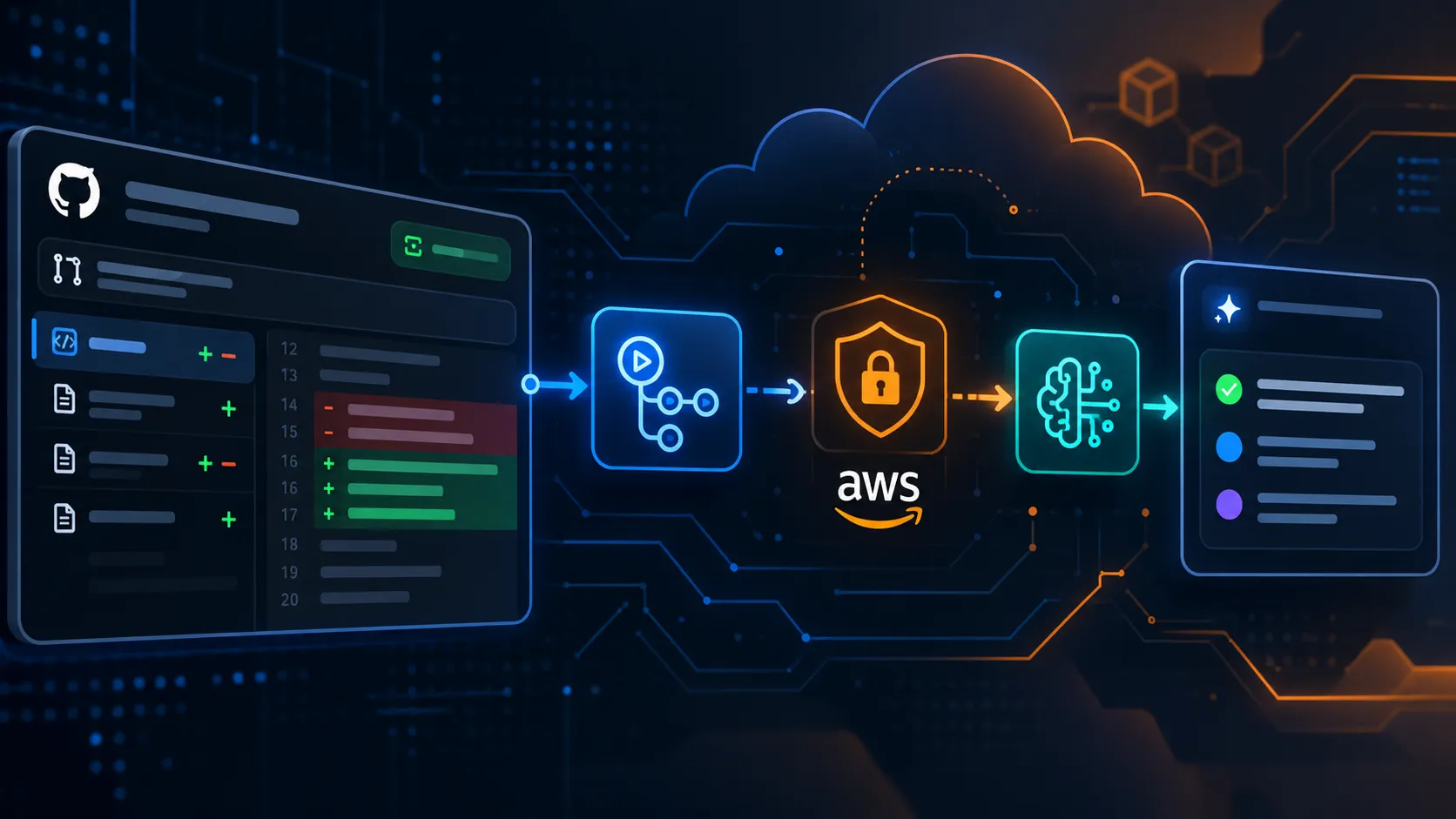
Build an AI Pull Request Summarizer with Amazon Bedrock and GitHub Actions
Automatically understand code changes before merging. In this hands-on tutorial, we connect GitHub Actions with Amazon Bedrock to generate AI-powered pull request summaries using secure AWS OIDC authentication.

Build an AI Pull Request Summarizer with Amazon Bedrock and GitHub Actions
Pull requests are one of the most important parts of modern software development.
But there is a familiar problem.
You open a pull request and see:
1
2
3
17 files changed
642 additions
213 deletions
Now someone has to understand what actually changed.
Was authentication modified?
Was a database query changed?
Did the PR introduce a new API?
Are there configuration changes that reviewers should notice?
Instead of making every reviewer inspect the entire diff before understanding the purpose of the change, what if GitHub could generate a short technical explanation automatically?
That is what we are going to build.
Our workflow will look like this:
Pull Request → GitHub Actions → Amazon Bedrock → AI Summary → Pull Request Comment
And we will do it without storing permanent AWS access keys inside GitHub.
What we are building
Whenever a pull request is opened or updated, GitHub Actions will:
- Read the pull request diff.
- Authenticate to AWS using GitHub OIDC.
- Send the code changes to Amazon Bedrock.
- Ask an Amazon Nova model to explain the changes.
- Post the generated summary directly on the pull request.
The final comment can look something like:
1
2
3
4
5
6
7
8
9
10
11
12
13
14
15
🤖 Amazon Bedrock PR Summary

Overview:
This pull request adds JWT-based authentication to the API.

Key Changes:
- Added login and token validation endpoints
- Added authentication middleware
- Protected the /profile endpoint
- Added environment configuration for JWT expiration

Reviewer Attention:
- Verify token expiration handling
- Check whether refresh tokens are required
- Confirm that authentication errors do not expose sensitive information
Instead of starting from hundreds of changed lines, the reviewer gets context immediately.
Architecture
The architecture is intentionally small.
1
2
3
4
5
6
7
8
9
10
11
12
13
14
15
16
17
18
19
20
Developer
   |
   | Opens Pull Request
   v
GitHub
   |
   v
GitHub Actions
   |
   | OIDC Authentication
   v
AWS IAM Role
   |
   | bedrock:InvokeModel
   v
Amazon Bedrock
   |
   | AI-generated explanation
   v
GitHub Pull Request Comment
There is no dedicated application server.
There is no database.
There are no permanent AWS credentials stored in GitHub.
GitHub supports OIDC authentication with AWS so workflows can obtain temporary credentials instead of keeping long-lived AWS access keys as repository secrets.
Why Amazon Bedrock?
Amazon Bedrock gives developers access to foundation models through managed AWS APIs.
For this project, we will use the Bedrock Converse API.
One useful part of Converse is that it provides a common interface for models that support conversational inference, which means the application logic does not need to be redesigned around every model's individual request format.
For this example, I will use Amazon Nova Lite:
1
amazon.nova-lite-v1:0
You can change the model later depending on your requirements and model availability in your AWS Region.
Step 1: Create the AWS IAM role
Our GitHub workflow needs permission to invoke Amazon Bedrock.
But I do not want to create something like:
1
2
AWS_ACCESS_KEY_ID
AWS_SECRET_ACCESS_KEY
and leave those credentials inside GitHub Secrets indefinitely.
Instead, we will create an IAM role that GitHub Actions can assume using OIDC.
GitHub generates an identity token for the workflow. AWS validates that identity and provides temporary credentials for the workflow run.
The GitHub workflow therefore receives AWS access only when it actually needs it.
Step 2: Configure GitHub as an OIDC provider
Inside AWS IAM, create an OpenID Connect identity provider for:
1
https://token.actions.githubusercontent.com
Use this audience:
1
sts.amazonaws.com
AWS can now recognize identity tokens issued by GitHub Actions.
The important part comes next: do not trust every GitHub repository.
The IAM role should restrict who is allowed to assume it.
For pull request workflows, GitHub's OIDC subject identifies that the job originated from a pull request. GitHub's current OIDC format can also include immutable owner and repository IDs for newer repositories.
A trust relationship can therefore look conceptually like this:
1
2
3
4
5
6
7
8
9
10
11
12
13
14
15
16
17
18
{
  "Version": "2012-10-17",
  "Statement": [
    {
      "Effect": "Allow",
      "Principal": {
        "Federated": "arn:aws:iam::<AWS_ACCOUNT_ID>:oidc-provider/token.actions.githubusercontent.com"
      },
      "Action": "sts:AssumeRoleWithWebIdentity",
      "Condition": {
        "StringEquals": {
          "token.actions.githubusercontent.com:aud": "sts.amazonaws.com",
          "token.actions.githubusercontent.com:sub": "repo:<OWNER>/<REPOSITORY>:pull_request"
        }
      }
    }
  ]
}
For repositories using GitHub's newer immutable OIDC subject format, the subject can contain the owner ID and repository ID as well.
Always match the trust policy with the OIDC subject format used by your repository.
This restriction is important because we want only the expected GitHub repository and workflow context to receive AWS credentials.
Step 3: Give the role permission to use Bedrock
Our workflow does not need administrator access.
It does not need S3.
It does not need EC2.
It only needs permission to invoke the Bedrock model.
The Converse API requires the
bedrock:InvokeModel permission.A minimal policy for this example can look like:
1
2
3
4
5
6
7
8
9
10
{
  "Version": "2012-10-17",
  "Statement": [
    {
      "Effect": "Allow",
      "Action": "bedrock:InvokeModel",
      "Resource": "arn:aws:bedrock:<AWS_REGION>::foundation-model/amazon.nova-lite-v1:0"
    }
  ]
}
Replace:
1
<AWS_REGION>
with the AWS Region you are using.
This follows an important security principle:
Give automation only the permissions it actually requires.
Step 4: Add the IAM role to GitHub
Inside your GitHub repository, go to:
1
2
3
4
Settings
→ Secrets and variables
→ Actions
→ Variables
Create:
1
AWS_ROLE_ARN
with the ARN of the IAM role we created.
For example:
1
arn:aws:iam::123456789012:role/github-bedrock-pr-summary
This is a role identifier, not a permanent AWS access key.
Step 5: Create the GitHub Actions workflow
Create:
1
.github/workflows/bedrock-pr-summary.yml
Now add:
1
2
3
4
5
6
7
8
9
10
11
12
13
14
15
16
17
18
19
20
21
22
23
24
25
26
27
28
29
30
31
32
33
34
35
36
37
38
39
40
41
42
43
44
45
46
47
48
49
50
51
52
53
54
55
56
57
58
59
60
61
62
63
64
65
66
67
68
69
70
71
72
73
74
75
76
77
78
79
80
81
82
83
84
85
86
87
88
89
90
91
92
93
94
95
96
97
98
99
100
101
102
103
104
105
106
107
108
109
110
111
112
113
114
115
116
117
118
119
120
121
122
123
124
125
126
127
128
129
130
131
132
133
134
135
name: Amazon Bedrock PR Summary

on:
  pull_request:
    types:
      - opened
      - synchronize
      - reopened

permissions:
  contents: read
  pull-requests: write
  id-token: write

jobs:
  summarize:
    # Do not provide AWS credentials to pull requests from forks.
    if: github.event.pull_request.head.repo.full_name == github.repository

    runs-on: ubuntu-latest

    env:
      AWS_REGION: us-east-1
      BEDROCK_MODEL_ID: amazon.nova-lite-v1:0
      PR_NUMBER: ${{ github.event.pull_request.number }}
      GH_TOKEN: ${{ github.token }}

    steps:
      - name: Configure AWS credentials
        uses: aws-actions/configure-aws-credentials@v6
        with:
          role-to-assume: ${{ vars.AWS_ROLE_ARN }}
          aws-region: ${{ env.AWS_REGION }}

      - name: Get pull request diff
        run: |
          gh pr diff "$PR_NUMBER" \
            --repo "$GITHUB_REPOSITORY" \
            > pr.diff

      - name: Install AWS SDK
        run: python -m pip install --quiet boto3

      - name: Generate AI summary with Amazon Bedrock
        run: |
          python <<'PY'
          import os
          from pathlib import Path

          import boto3

          diff = Path("pr.diff").read_text(
              encoding="utf-8",
              errors="replace"
          )

          # Keep the demo reasonably small.
          diff = diff[:30000]

          prompt = f"""
          You are reviewing a software pull request.

          Analyze the Git diff below and create a concise technical
          summary for another developer.

          Structure the response as:

          ### Overview
          Explain what this pull request does.

          ### Key Changes
          Describe the important code changes.

          ### Reviewer Attention
          Mention areas that deserve extra review.

          Do not invent changes that are not visible in the diff.

          Git Diff:

          {diff}
          """

          client = boto3.client(
              "bedrock-runtime",
              region_name=os.environ["AWS_REGION"]
          )

          response = client.converse(
              modelId=os.environ["BEDROCK_MODEL_ID"],
              messages=[
                  {
                      "role": "user",
                      "content": [
                          {
                              "text": prompt
                          }
                      ]
                  }
              ],
              inferenceConfig={
                  "maxTokens": 700,
                  "temperature": 0.2
              }
          )

          summary = response[
              "output"
          ][
              "message"
          ][
              "content"
          ][0][
              "text"
          ]

          output = f"""## 🤖 Amazon Bedrock PR Summary

          {summary}

          ---
          Generated automatically using Amazon Bedrock and GitHub Actions.
          """

          Path("summary.md").write_text(
              output,
              encoding="utf-8"
          )
          PY

      - name: Comment on pull request
        run: |
          gh pr comment "$PR_NUMBER" \
            --repo "$GITHUB_REPOSITORY" \
            --body-file summary.md
That is the complete automation.
Understanding the workflow
There are three permissions worth understanding.
1
2
3
4
permissions:
  contents: read
  pull-requests: write
  id-token: write
contents: read allows the workflow to work with repository information.pull-requests: write lets the workflow add its generated response to the pull request.id-token: write allows GitHub Actions to request the OIDC token used for AWS authentication.GitHub recommends defining the minimum permissions needed by
GITHUB_TOKEN rather than unnecessarily giving workflows broad repository access.From Git diff to AI context
The workflow gets the changes using:
1
gh pr diff "$PR_NUMBER"
That output becomes our AI context.
For example, imagine the pull request contains:
1
2
3
4
5
6
7
8
+ app.post("/login", authenticateUser)

+ function generateToken(user) {
+   return jwt.sign(
+     { id: user.id },
+     process.env.JWT_SECRET
+   )
+ }
Bedrock does not just need to repeat those lines.
Our prompt gives the model a job:
1
2
3
4
Explain what changed.
Identify the important changes.
Tell reviewers what deserves attention.
Do not invent changes.
This is an important difference between simply calling an LLM and building useful AI automation.
The model needs:
1
Context + Instructions + Expected Output
The result
After the workflow completes, the pull request receives a new comment:
1
2
3
4
5
6
7
8
9
10
11
12
13
14
15
16
17
18
🤖 Amazon Bedrock PR Summary

### Overview

This pull request introduces authentication support for the application.

### Key Changes

- Added a login endpoint
- Added JWT token generation
- Added authentication middleware
- Added protected API routes

### Reviewer Attention

- Validate JWT expiration behavior
- Confirm secrets are loaded securely
- Verify authentication failures return appropriate responses
Now the reviewer understands the purpose of the pull request before inspecting every changed file.
The AI is not replacing the reviewer.
It is reducing the amount of time required to understand the starting context.
Why OIDC matters
It would be easier to create an IAM user, generate an access key, and save it as:
1
2
AWS_ACCESS_KEY_ID
AWS_SECRET_ACCESS_KEY
But easier does not necessarily mean better.
With OIDC, the GitHub workflow can obtain temporary AWS credentials for the workflow run instead of relying on permanent credentials stored in the repository.
Our authentication flow becomes:
1
2
3
4
5
6
7
8
9
10
11
12
13
GitHub Workflow
      |
      v
GitHub OIDC Token
      |
      v
AWS STS
      |
      v
Temporary AWS Credentials
      |
      v
Amazon Bedrock
The credentials exist only for the automation session.
This is one of my favorite parts of this architecture because Generative AI is only one piece of the solution.
Identity and security matter too.
Protecting the workflow from forked pull requests
There is another small but important condition in our workflow:
1
if: github.event.pull_request.head.repo.full_name == github.repository
It means the Bedrock job only runs when the pull request originates from the same repository.
We should be careful when combining cloud credentials with code or content coming from untrusted contributors.
For a production implementation, review GitHub's fork workflow policies, OIDC trust configuration, IAM permissions, and the data you are sending to the model before enabling the workflow for external contributions.
What could we build next?
This small workflow can become much more powerful.
Instead of generating only a summary, Bedrock could help produce:
1
2
3
4
5
6
7
8
9
10
11
12
13
Pull Request
     |
     +--> Change Summary
     |
     +--> Risk Areas
     |
     +--> Documentation Reminder
     |
     +--> Suggested Test Cases
     |
     +--> Release Note Draft
     |
     +--> Breaking Change Detection
You could also connect the workflow to Amazon Bedrock Guardrails, save analysis results to Amazon S3, publish metrics to Amazon CloudWatch, or create different prompts for frontend, backend, infrastructure, and security changes.
At that point, the workflow begins to look less like a simple CI job and more like an AI-assisted software engineering pipeline.
One important limitation
An AI-generated pull request summary should never be treated as proof that the code is correct or secure.
The model is working from the information we provide.
Large diffs may need chunking.
Generated explanations can miss context.
Repositories can contain architecture decisions that are not visible in a single pull request.
So I see this system as:
1
AI assists the reviewer
not:
1
AI replaces the reviewer
That distinction matters.
Final thoughts
What I like about this project is that it combines several ideas that are often learned separately.
GitHub handles the development workflow.
GitHub Actions handles automation.
OIDC handles temporary authentication.
AWS IAM controls authorization.
Amazon Bedrock provides Generative AI.
Amazon Nova understands and summarizes the code changes.
And together, they create something genuinely useful for developers.
The architecture is still simple:
1
2
3
4
5
6
7
8
9
10
11
Code Change
   ↓
Pull Request
   ↓
GitHub Actions
   ↓
Secure AWS Authentication
   ↓
Amazon Bedrock
   ↓
Developer-friendly AI Summary
Sometimes the most interesting AI projects are not standalone chatbots.
They are small pieces of intelligence inserted into workflows developers already use every day.
And a pull request is a great place to start.
Enjoyed reading this content? Let the author know!
Your likes, comments, shares, and saves help creators reach more builders.

Loading recommendations
Loading article