
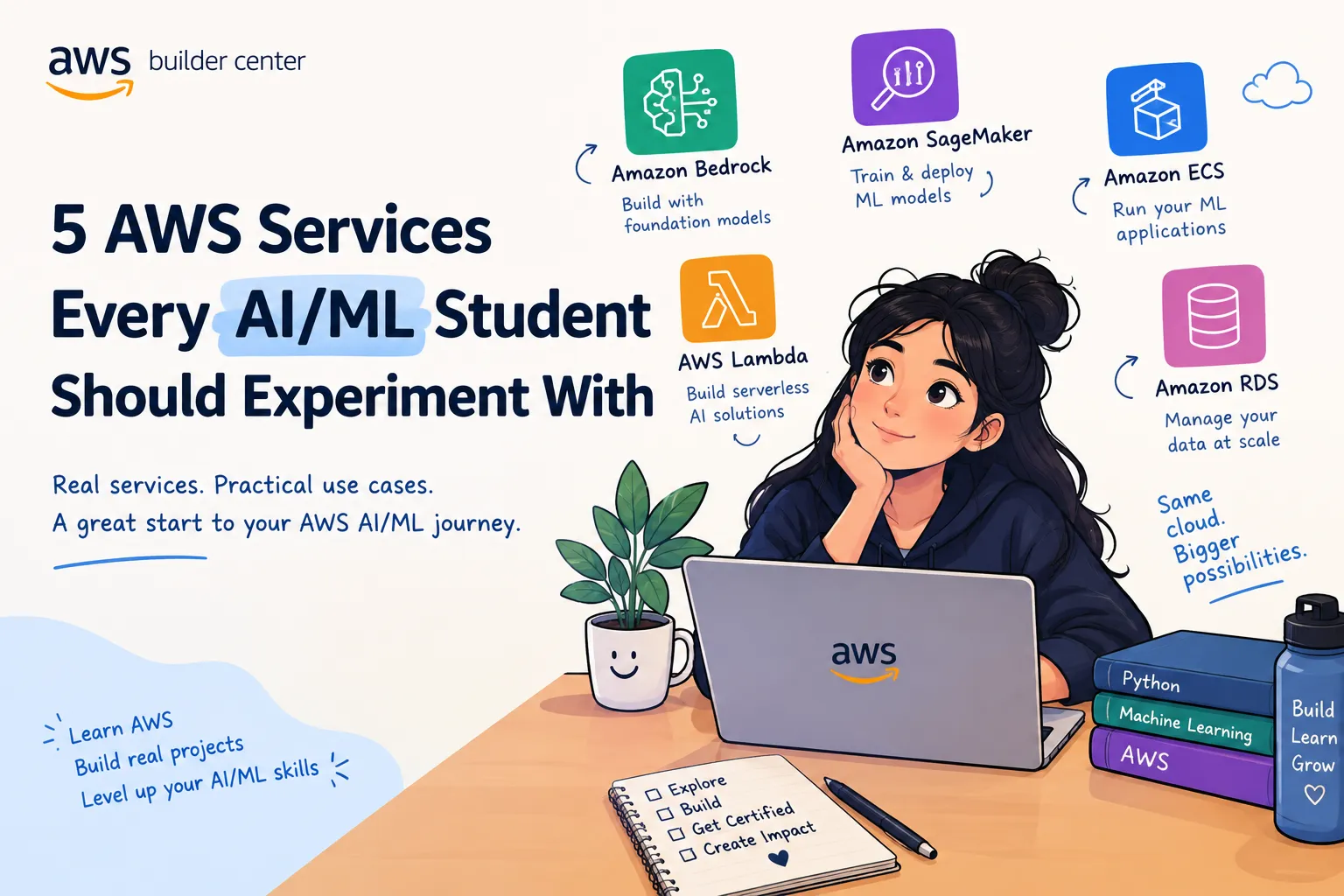
5 AWS Services Every AI/ML Student Should Experiment With
If you are an AI/ML student, learning Python and machine learning algorithms is only one part of the journey. Building and deploying those ideas in the cloud is where things start to feel like real-world engineering. Here are five AWS services I think AI/ML students should experiment with to understand how AI applications are actually built, deployed, and monitored.
1. Amazon SageMaker — Build and Deploy ML Models
If you are learning traditional machine learning, Amazon SageMaker is a great service to explore.
You can use it to work with the different stages of an ML workflow, from preparing data and training models to deploying models for inference.
If you are learning traditional machine learning, Amazon SageMaker is a great service to explore.
You can use it to work with the different stages of an ML workflow, from preparing data and training models to deploying models for inference.
Instead of stopping at:
Dataset → Model → Accuracy
you can start thinking about:
Data → Training → Model → Deployment → Monitoring
Dataset → Model → Accuracy
you can start thinking about:
Data → Training → Model → Deployment → Monitoring
A simple project to try:
Train a classification model on a dataset and deploy it as an endpoint that can receive new data and return predictions.
This helps connect what we learn in ML classes with how models are used in applications.
Train a classification model on a dataset and deploy it as an endpoint that can receive new data and return predictions.
This helps connect what we learn in ML classes with how models are used in applications.
2. Amazon Bedrock — Experiment With Generative AI
For students interested in Generative AI, Amazon Bedrock is one of the services worth exploring.
It provides access to foundation models through APIs, allowing you to build applications such as:
Chatbots
For students interested in Generative AI, Amazon Bedrock is one of the services worth exploring.
It provides access to foundation models through APIs, allowing you to build applications such as:
Chatbots
Question-answering applications
Text summarization tools
AI assistants
Retrieval-augmented generation (RAG) applications
AI agents
Text summarization tools
AI assistants
Retrieval-augmented generation (RAG) applications
AI agents
One of my favorite things about experimenting with GenAI is that you don't always need to train a model from scratch.
You can focus on the application layer—how your application provides context, uses tools, handles user requests, and produces useful results.
You can focus on the application layer—how your application provides context, uses tools, handles user requests, and produces useful results.
A beginner project could be:
Build a simple document Q&A application that answers questions based on your own study material.
Build a simple document Q&A application that answers questions based on your own study material.
3. Amazon S3 — Learn Where Your Data Lives
Machine learning projects are heavily dependent on data, which makes Amazon S3 an important service to understand.
S3 can be used to store datasets, model-related files, documents, images, logs, and other objects used by applications.
Machine learning projects are heavily dependent on data, which makes Amazon S3 an important service to understand.
S3 can be used to store datasets, model-related files, documents, images, logs, and other objects used by applications.
For example, you could structure a simple ML project like:
S3 → Dataset → Preprocessing → Training → Model
S3 → Dataset → Preprocessing → Training → Model
Even if you are just starting with AWS, experimenting with uploading a dataset to S3 and accessing it from your Python application can teach you an important cloud concept:
Your application doesn't always need to keep everything on your local computer.
This becomes especially useful when your datasets or application components grow.
This becomes especially useful when your datasets or application components grow.
4. AWS Lambda — Turn ML Logic Into an Application
You can build a machine learning model without knowing how to turn it into an application.
That's where AWS Lambda becomes interesting.
Lambda lets you run code without managing servers yourself. For an AI/ML student, this can be useful for building small event-driven or API-based components around an ML application.
You can build a machine learning model without knowing how to turn it into an application.
That's where AWS Lambda becomes interesting.
Lambda lets you run code without managing servers yourself. For an AI/ML student, this can be useful for building small event-driven or API-based components around an ML application.
For example:
User request → API → Lambda → ML/AI service → Response
User request → API → Lambda → ML/AI service → Response
A beginner experiment could be:
Create a Lambda function that receives text and sends it to a Generative AI service, then returns the generated response.
Create a Lambda function that receives text and sends it to a Generative AI service, then returns the generated response.
This teaches an important transition:
"I built a model" → "I built something people can use."
"I built a model" → "I built something people can use."
5. Amazon CloudWatch — Learn to Monitor What You Build
Building an AI/ML application is not the end.
You also need to know what happens after deployment.
Amazon CloudWatch helps you observe applications and AWS resources through metrics, logs, and monitoring capabilities.
Building an AI/ML application is not the end.
You also need to know what happens after deployment.
Amazon CloudWatch helps you observe applications and AWS resources through metrics, logs, and monitoring capabilities.
For students, this is an important mindset shift.
Instead of only asking:
"Does my model work?"
you can start asking:
Is my application producing errors?
How often are requests failing?
What does the application log show?
How is the application behaving after deployment?
What should I investigate when something goes wrong?
Instead of only asking:
"Does my model work?"
you can start asking:
Is my application producing errors?
How often are requests failing?
What does the application log show?
How is the application behaving after deployment?
What should I investigate when something goes wrong?
Even a small project becomes much more realistic when you learn to monitor it.
How I Would Learn These as a Student
How I Would Learn These as a Student
You don't need to learn all five services at once.
A simple progression could be:
Step 1: Start with S3 and learn cloud storage.
Step 2: Build a basic ML model and explore SageMaker.
Step 3: Experiment with Amazon Bedrock and build a small GenAI application.
Step 4: Use Lambda to connect your AI functionality to an application workflow.
Step 5: Add CloudWatch and learn how to monitor what you built.
A simple progression could be:
Step 1: Start with S3 and learn cloud storage.
Step 2: Build a basic ML model and explore SageMaker.
Step 3: Experiment with Amazon Bedrock and build a small GenAI application.
Step 4: Use Lambda to connect your AI functionality to an application workflow.
Step 5: Add CloudWatch and learn how to monitor what you built.
The important part is to build small projects instead of only reading documentation.
For example, rather than spending a week trying to learn every feature of Amazon Bedrock, build a small chatbot.
Rather than trying to learn everything about SageMaker, train and deploy one simple model.
Each project gives you a reason to learn the service.
For example, rather than spending a week trying to learn every feature of Amazon Bedrock, build a small chatbot.
Rather than trying to learn everything about SageMaker, train and deploy one simple model.
Each project gives you a reason to learn the service.
Final Takeaway
As AI/ML students, it is easy to spend most of our time learning algorithms, writing Python code, and preparing for exams.
Those fundamentals are important.
But experimenting with cloud services helps us understand what happens beyond the notebook.
SageMaker helps us explore ML workflows.
Bedrock opens the door to Generative AI applications.
S3 teaches us about cloud-based data storage.
Lambda helps us turn code into application components.
CloudWatch introduces us to monitoring and operating what we build.
You don't need to become an AWS expert overnight.
Pick one service, build something small, break it, fix it, and then move to the next one.
That's how cloud skills start becoming practical skills.
Those fundamentals are important.
But experimenting with cloud services helps us understand what happens beyond the notebook.
SageMaker helps us explore ML workflows.
Bedrock opens the door to Generative AI applications.
S3 teaches us about cloud-based data storage.
Lambda helps us turn code into application components.
CloudWatch introduces us to monitoring and operating what we build.
You don't need to become an AWS expert overnight.
Pick one service, build something small, break it, fix it, and then move to the next one.
That's how cloud skills start becoming practical skills.
Enjoyed reading this content? Let the author know!
Your likes, comments, shares, and saves help creators reach more builders.

Loading recommendations
Loading article