
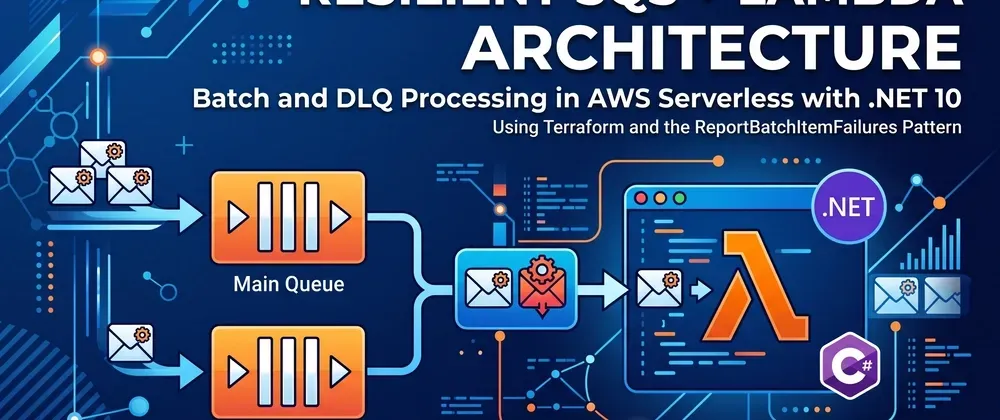
Building Resilient Serverless Architectures in SQS, Net Lambda and Dead Letter queues with Terraform
Build a cost-effective, resilient event pipeline using AWS Lambda (.NET 10), Amazon SQS, and Terraform. Learn how to isolate failed messages with ReportBatchItemFailures, configure DLQs, and handle SQS Redrive.

A classic mistake many developers make when working with architectures based on Amazon SQS and AWS Lambda is treating batch processing as "all or nothing." If a batch contains 10 messages and a single one fails, the Lambda runtime throws an unhandled exception by default. As a result, SQS returns the entire batch to the queue for reprocessing. This behavior leads to unnecessary compute costs, wasted resources, and a high risk of duplicate operations.
In this article, we will build a production-ready, resilient processing pipeline using Terraform, AWS Lambda (.NET 10 on Amazon Linux 2023), and Amazon SQS, covering:
- Partial Batch Failure Reporting (
ReportBatchItemFailures): Isolate problematic messages without reprocessing successful ones. - Dead Letter Queues (DLQ): Route persistent failures automatically after reaching a configured retry threshold.
- Hands-on Validation via AWS CLI: Trace message lifecycles and verify isolation behavior directly in CloudWatch Logs.
Step 1: Project Structure
Create the project workspace separating application source code from Infrastructure as Code (IaC):
1
2
mkdir -p aws-sqs-resilient-dotnet/src aws-sqs-resilient-dotnet/infra
cd aws-sqs-resilient-dotnet
The resulting directory structure should look like this:
1
2
3
4
5
6
7
8
9
aws-sqs-resilient-dotnet/
├── src/
│   └── SqsResilientProcessor/
│       ├── Function.cs
│       └── SqsResilientProcessor.csproj
└── infra/
    ├── main.tf
    ├── variables.tf
    └── outputs.tf
Step 2: Implementing the Lambda Function in .NET with Partial Batch Responses
When Lambda processes an SQS batch, throwing an unhandled exception rolls back every item in the batch. The native pattern recommended by AWS is enabling partial batch response reporting (
ReportBatchItemFailures) and returning a list containing only the failed message identifiers.Step 2.1: Bootstrap the .NET 10 Project
Navigate to the
src directory:1
cd srcInstall the official AWS Lambda templates (if not already present):
1
dotnet new install Amazon.Lambda.Templates
Generate the Lambda SQS project:
1
2
dotnet new lambda.SQS -n SqsResilientProcessor
cd SqsResilientProcessor
Add the required AWS Lambda packages (ensuring
Amazon.Lambda.Core is on version 3.3.0+ to prevent package downgrade warnings):1
2
3
4
dotnet add package Amazon.Lambda.Core
dotnet add package Amazon.Lambda.RuntimeSupport
dotnet add package Amazon.Lambda.SQSEvents
dotnet add package Amazon.Lambda.Serialization.SystemTextJsonOpen
SqsResilientProcessor.csproj and ensure it targets .NET 10 as an executable:1
2
3
4
5
6
7
8
9
10
11
12
13
14
15
<Project Sdk="Microsoft.NET.Sdk">
<PropertyGroup>
<TargetFramework>net10.0</TargetFramework>
<ImplicitUsings>enable</ImplicitUsings>
<Nullable>enable</Nullable>
<OutputType>Exe</OutputType>
</PropertyGroup>
<ItemGroup>
<PackageReference Include="Amazon.Lambda.Core" Version="3.3.0" />
<PackageReference Include="Amazon.Lambda.RuntimeSupport" Version="1.14.0" />
<PackageReference Include="Amazon.Lambda.SQSEvents" Version="3.0.1" />
<PackageReference Include="Amazon.Lambda.Serialization.SystemTextJson" Version="3.0.1" />
</ItemGroup>
</Project>Note on .NET 10 in AWS Lambda: AWS Lambda provides managed runtimes up to .NET 8. To run modern .NET 10 workloads, compile as a self-contained executable on the custom runtimeprovided.al2023usingAmazon.Lambda.RuntimeSupport.
Step 2.2: Implement the Logic with SQSBatchResponse
Replace the contents of
Function.cs with the following implementation:1
2
3
4
5
6
7
8
9
10
11
12
13
14
15
16
17
18
19
20
21
22
23
24
25
26
27
28
29
30
31
32
33
34
35
36
37
38
39
40
41
42
43
44
45
46
47
48
49
50
51
52
53
54
55
56
57
58
59
using Amazon.Lambda.Core;
using Amazon.Lambda.RuntimeSupport;
using Amazon.Lambda.Serialization.SystemTextJson;
using Amazon.Lambda.SQSEvents;
namespace SqsResilientProcessor;
public class Function
{
private static async Task Main()
{
Func<SQSEvent, ILambdaContext, SQSBatchResponse> handler = FunctionHandler;
await LambdaBootstrapBuilder.Create(handler, new DefaultLambdaJsonSerializer())
.Build()
.RunAsync();
}
public static SQSBatchResponse FunctionHandler(SQSEvent sqsEvent, ILambdaContext context)
{
var response = new SQSBatchResponse
{
BatchItemFailures = new List<SQSBatchResponse.BatchItemFailure>()
};
context.Logger.LogInformation($"Starting batch processing for {sqsEvent.Records.Count} message(s).");
foreach (var message in sqsEvent.Records)
{
try
{
ProcessMessage(message, context);
}
catch (Exception ex)
{
context.Logger.LogError($"Failed to process message {message.MessageId}: {ex.Message}");
// Register only the failed message ID for retry
response.BatchItemFailures.Add(new SQSBatchResponse.BatchItemFailure
{
ItemIdentifier = message.MessageId
});
}
}
context.Logger.LogInformation($"Batch completed. Total failures: {response.BatchItemFailures.Count}.");
return response;
}
private static void ProcessMessage(SQSEvent.SQSMessage message, ILambdaContext context)
{
// Simulate a poison pill: payloads containing "poison" trigger an unhandled error
if (message.Body.Contains("poison", StringComparison.OrdinalIgnoreCase))
{
throw new InvalidOperationException($"Invalid or poisoned payload detected: {message.Body}");
}
context.Logger.LogInformation($"Message {message.MessageId} processed successfully: {message.Body}");
}
}How this code works:
- Individual messages execute inside a dedicated
try/catchblock. - Successful messages exit the handler and are immediately acknowledged and deleted by SQS.
- Caught exceptions append the item's
MessageIdtoresponse.BatchItemFailures. SQS marks only those specific IDs as failed, leaving them invisible until the visibility timeout elapses for targeted reprocessing.
Step 2.3: Compile and Package Artifacts
Compile as a self-contained binary targeting
linux-x64, rename the executable to bootstrap for the custom runtime, and create the zip package:1
2
3
4
5
dotnet publish -c Release -r linux-x64 --self-contained true -o ./publish
cd publish
cp SqsResilientProcessor bootstrap
zip -r ../../../infra/bootstrap.zip .
cd ../../..Verify that
infra/bootstrap.zip has been created.Step 3: Provision Infrastructure with Terraform
Two configuration details are critical here:
- Visibility Timeout: Must be at least 6 times the Lambda function timeout to prevent premature retries while execution is still underway.
- Event Source Mapping: Must include
function_response_types = ["ReportBatchItemFailures"].
Step 3.1: Define Variables and Providers
Switch to the
infra directory:1
cd infraCreate
variables.tf:1
touch variables.tfPopulate
variables.tf:1
2
3
4
5
6
7
8
9
10
11
variable "aws_region" {
type = string
description = "Target AWS region"
default = "us-east-1"
}
variable "environment" {
type = string
description = "Environment identifier"
default = "dev"
}Step 3.2: Declare SQS, IAM, and Lambda Resources (main.tf)
Create
main.tf:1
touch main.tfPopulate
main.tf:1
2
3
4
5
6
7
8
9
10
11
12
13
14
15
16
17
18
19
20
21
22
23
24
25
26
27
28
29
30
31
32
33
34
35
36
37
38
39
40
41
42
43
44
45
46
47
48
49
50
51
52
53
54
55
56
57
58
59
60
61
62
63
64
65
66
67
68
69
70
71
72
73
74
terraform {
required_version = ">= 1.5.0"
required_providers {
aws = {
source = "hashicorp/aws"
version = "~> 5.0"
}
}
}
provider "aws" {
region = var.aws_region
}
# 1. Dead Letter Queue (DLQ)
resource "aws_sqs_queue" "dlq" {
name = "orders-queue-dlq-${var.environment}"
message_retention_seconds = 1209600 # 14 days retention
}
# 2. Main SQS Queue linked to DLQ
resource "aws_sqs_queue" "main" {
name = "orders-queue-${var.environment}"
visibility_timeout_seconds = 60 # 6x the 10s Lambda timeout
redrive_policy = jsonencode({
deadLetterTargetArn = aws_sqs_queue.dlq.arn
maxReceiveCount = 3 # Moved to DLQ on the 4th failure
})
}
# 3. IAM Role & Execution Policies
resource "aws_iam_role" "lambda_exec" {
name = "sqs_processor_lambda_role_${var.environment}"
assume_role_policy = jsonencode({
Version = "2012-10-17"
Statement = [{
Action = "sts:AssumeRole"
Effect = "Allow"
Principal = { Service = "lambda.amazonaws.com" }
}]
})
}
resource "aws_iam_role_policy_attachment" "lambda_basic" {
role = aws_iam_role.lambda_exec.name
policy_arn = "arn:aws:iam::aws:policy/service-role/AWSLambdaBasicExecutionRole"
}
resource "aws_iam_role_policy_attachment" "lambda_sqs" {
role = aws_iam_role.lambda_exec.name
policy_arn = "arn:aws:iam::aws:policy/service-role/AWSLambdaSQSQueueExecutionRole"
}
# 4. Lambda Function (.NET 10 on provided.al2023)
resource "aws_lambda_function" "processor" {
filename = "bootstrap.zip"
function_name = "SqsResilientProcessor-${var.environment}"
role = aws_iam_role.lambda_exec.arn
handler = "bootstrap"
runtime = "provided.al2023"
timeout = 10
memory_size = 256
source_code_hash = filebase64sha256("bootstrap.zip")
}
# 5. SQS Event Source Mapping with Partial Failure Reporting
resource "aws_lambda_event_source_mapping" "sqs_trigger" {
event_source_arn = aws_sqs_queue.main.arn
function_name = aws_lambda_function.processor.arn
batch_size = 10
function_response_types = ["ReportBatchItemFailures"]
}Step 3.3: Expose Outputs (outputs.tf)
Create
outputs.tf:1
touch outputs.tfPopulate
outputs.tf:1
2
3
4
5
6
7
8
9
10
11
12
13
14
output "main_queue_url" {
description = "URL of the primary SQS queue"
value = aws_sqs_queue.main.id
}
output "dlq_url" {
description = "URL of the Dead Letter Queue"
value = aws_sqs_queue.dlq.id
}
output "lambda_function_name" {
description = "Name of the provisioned Lambda function"
value = aws_lambda_function.processor.function_name
}Step 3.4: Deploy the Infrastructure
Initialize providers and apply the configuration:
1
2
terraform init
terraform apply -auto-approve
Verify that the terminal prints the three output values upon completion.
Step 1: Project Structure
Create the project workspace separating application source code from Infrastructure as Code (IaC):
1
2
mkdir -p aws-sqs-resilient-dotnet/src aws-sqs-resilient-dotnet/infra
cd aws-sqs-resilient-dotnet
The resulting directory structure should look like this:
1
2
3
4
5
6
7
8
9
aws-sqs-resilient-dotnet/
├── src/
│   └── SqsResilientProcessor/
│       ├── Function.cs
│       └── SqsResilientProcessor.csproj
└── infra/
    ├── main.tf
    ├── variables.tf
    └── outputs.tf
Step 2: Implementing the Lambda Function in .NET with Partial Batch Responses
When Lambda processes an SQS batch, throwing an unhandled exception rolls back every item in the batch. The native pattern recommended by AWS is enabling partial batch response reporting (
ReportBatchItemFailures) and returning a list containing only the failed message identifiers.Step 2.1: Bootstrap the .NET 10 Project
Navigate to the
src directory:1
cd srcInstall the official AWS Lambda templates (if not already present):
1
dotnet new install Amazon.Lambda.Templates
Generate the Lambda SQS project:
1
2
dotnet new lambda.SQS -n SqsResilientProcessor
cd SqsResilientProcessor
Add the required AWS Lambda packages (ensuring
Amazon.Lambda.Core is on version 3.3.0+ to prevent package downgrade warnings):1
2
3
4
dotnet add package Amazon.Lambda.Core
dotnet add package Amazon.Lambda.RuntimeSupport
dotnet add package Amazon.Lambda.SQSEvents
dotnet add package Amazon.Lambda.Serialization.SystemTextJsonOpen
SqsResilientProcessor.csproj and ensure it targets .NET 10 as an executable:1
2
3
4
5
6
7
8
9
10
11
12
13
14
15
<Project Sdk="Microsoft.NET.Sdk">
<PropertyGroup>
<TargetFramework>net10.0</TargetFramework>
<ImplicitUsings>enable</ImplicitUsings>
<Nullable>enable</Nullable>
<OutputType>Exe</OutputType>
</PropertyGroup>
<ItemGroup>
<PackageReference Include="Amazon.Lambda.Core" Version="3.3.0" />
<PackageReference Include="Amazon.Lambda.RuntimeSupport" Version="1.14.0" />
<PackageReference Include="Amazon.Lambda.SQSEvents" Version="3.0.1" />
<PackageReference Include="Amazon.Lambda.Serialization.SystemTextJson" Version="3.0.1" />
</ItemGroup>
</Project>Note on .NET 10 in AWS Lambda: AWS Lambda provides managed runtimes up to .NET 8. To run modern .NET 10 workloads, compile as a self-contained executable on the custom runtimeprovided.al2023usingAmazon.Lambda.RuntimeSupport.
Step 2.2: Implement the Logic with SQSBatchResponse
Replace the contents of
Function.cs with the following implementation:1
2
3
4
5
6
7
8
9
10
11
12
13
14
15
16
17
18
19
20
21
22
23
24
25
26
27
28
29
30
31
32
33
34
35
36
37
38
39
40
41
42
43
44
45
46
47
48
49
50
51
52
53
54
55
56
57
58
59
using Amazon.Lambda.Core;
using Amazon.Lambda.RuntimeSupport;
using Amazon.Lambda.Serialization.SystemTextJson;
using Amazon.Lambda.SQSEvents;
namespace SqsResilientProcessor;
public class Function
{
private static async Task Main()
{
Func<SQSEvent, ILambdaContext, SQSBatchResponse> handler = FunctionHandler;
await LambdaBootstrapBuilder.Create(handler, new DefaultLambdaJsonSerializer())
.Build()
.RunAsync();
}
public static SQSBatchResponse FunctionHandler(SQSEvent sqsEvent, ILambdaContext context)
{
var response = new SQSBatchResponse
{
BatchItemFailures = new List<SQSBatchResponse.BatchItemFailure>()
};
context.Logger.LogInformation($"Starting batch processing for {sqsEvent.Records.Count} message(s).");
foreach (var message in sqsEvent.Records)
{
try
{
ProcessMessage(message, context);
}
catch (Exception ex)
{
context.Logger.LogError($"Failed to process message {message.MessageId}: {ex.Message}");
// Register only the failed message ID for retry
response.BatchItemFailures.Add(new SQSBatchResponse.BatchItemFailure
{
ItemIdentifier = message.MessageId
});
}
}
context.Logger.LogInformation($"Batch completed. Total failures: {response.BatchItemFailures.Count}.");
return response;
}
private static void ProcessMessage(SQSEvent.SQSMessage message, ILambdaContext context)
{
// Simulate a poison pill: payloads containing "poison" trigger an unhandled error
if (message.Body.Contains("poison", StringComparison.OrdinalIgnoreCase))
{
throw new InvalidOperationException($"Invalid or poisoned payload detected: {message.Body}");
}
context.Logger.LogInformation($"Message {message.MessageId} processed successfully: {message.Body}");
}
}How this code works:
- Individual messages execute inside a dedicated
try/catchblock. - Successful messages exit the handler and are immediately acknowledged and deleted by SQS.
- Caught exceptions append the item's
MessageIdtoresponse.BatchItemFailures. SQS marks only those specific IDs as failed, leaving them invisible until the visibility timeout elapses for targeted reprocessing.
Step 2.3: Compile and Package Artifacts
Compile as a self-contained binary targeting
linux-x64, rename the executable to bootstrap for the custom runtime, and create the zip package:1
2
3
4
5
dotnet publish -c Release -r linux-x64 --self-contained true -o ./publish
cd publish
cp SqsResilientProcessor bootstrap
zip -r ../../../infra/bootstrap.zip .
cd ../../..Verify that
infra/bootstrap.zip has been created.Step 3: Provision Infrastructure with Terraform
Two configuration details are critical here:
- Visibility Timeout: Must be at least 6 times the Lambda function timeout to prevent premature retries while execution is still underway.
- Event Source Mapping: Must include
function_response_types = ["ReportBatchItemFailures"].
Step 3.1: Define Variables and Providers
Switch to the
infra directory:1
cd infraCreate
variables.tf:1
touch variables.tfPopulate
variables.tf:1
2
3
4
5
6
7
8
9
10
11
variable "aws_region" {
type = string
description = "Target AWS region"
default = "us-east-1"
}
variable "environment" {
type = string
description = "Environment identifier"
default = "dev"
}Step 3.2: Declare SQS, IAM, and Lambda Resources (main.tf)
Create
main.tf:1
touch main.tfPopulate
main.tf:1
2
3
4
5
6
7
8
9
10
11
12
13
14
15
16
17
18
19
20
21
22
23
24
25
26
27
28
29
30
31
32
33
34
35
36
37
38
39
40
41
42
43
44
45
46
47
48
49
50
51
52
53
54
55
56
57
58
59
60
61
62
63
64
65
66
67
68
69
70
71
72
73
74
terraform {
required_version = ">= 1.5.0"
required_providers {
aws = {
source = "hashicorp/aws"
version = "~> 5.0"
}
}
}
provider "aws" {
region = var.aws_region
}
# 1. Dead Letter Queue (DLQ)
resource "aws_sqs_queue" "dlq" {
name = "orders-queue-dlq-${var.environment}"
message_retention_seconds = 1209600 # 14 days retention
}
# 2. Main SQS Queue linked to DLQ
resource "aws_sqs_queue" "main" {
name = "orders-queue-${var.environment}"
visibility_timeout_seconds = 60 # 6x the 10s Lambda timeout
redrive_policy = jsonencode({
deadLetterTargetArn = aws_sqs_queue.dlq.arn
maxReceiveCount = 3 # Moved to DLQ on the 4th failure
})
}
# 3. IAM Role & Execution Policies
resource "aws_iam_role" "lambda_exec" {
name = "sqs_processor_lambda_role_${var.environment}"
assume_role_policy = jsonencode({
Version = "2012-10-17"
Statement = [{
Action = "sts:AssumeRole"
Effect = "Allow"
Principal = { Service = "lambda.amazonaws.com" }
}]
})
}
resource "aws_iam_role_policy_attachment" "lambda_basic" {
role = aws_iam_role.lambda_exec.name
policy_arn = "arn:aws:iam::aws:policy/service-role/AWSLambdaBasicExecutionRole"
}
resource "aws_iam_role_policy_attachment" "lambda_sqs" {
role = aws_iam_role.lambda_exec.name
policy_arn = "arn:aws:iam::aws:policy/service-role/AWSLambdaSQSQueueExecutionRole"
}
# 4. Lambda Function (.NET 10 on provided.al2023)
resource "aws_lambda_function" "processor" {
filename = "bootstrap.zip"
function_name = "SqsResilientProcessor-${var.environment}"
role = aws_iam_role.lambda_exec.arn
handler = "bootstrap"
runtime = "provided.al2023"
timeout = 10
memory_size = 256
source_code_hash = filebase64sha256("bootstrap.zip")
}
# 5. SQS Event Source Mapping with Partial Failure Reporting
resource "aws_lambda_event_source_mapping" "sqs_trigger" {
event_source_arn = aws_sqs_queue.main.arn
function_name = aws_lambda_function.processor.arn
batch_size = 10
function_response_types = ["ReportBatchItemFailures"]
}Step 3.3: Expose Outputs (outputs.tf)
Create
outputs.tf:1
touch outputs.tfPopulate
outputs.tf:1
2
3
4
5
6
7
8
9
10
11
12
13
14
output "main_queue_url" {
description = "URL of the primary SQS queue"
value = aws_sqs_queue.main.id
}
output "dlq_url" {
description = "URL of the Dead Letter Queue"
value = aws_sqs_queue.dlq.id
}
output "lambda_function_name" {
description = "Name of the provisioned Lambda function"
value = aws_lambda_function.processor.function_name
}Step 3.4: Deploy the Infrastructure
Initialize providers and apply the configuration:
1
2
terraform init
terraform apply -auto-approve
Verify that the terminal prints the three output values upon completion.
In the AWS you can go in the SQS and see the queues created:
In Lambda -> Functions -> SqsResilientProcessor-dev
Step 4: Practical Validation with AWS CLI and CloudWatch
Export the infrastructure outputs directly to your active shell session:
1
2
3
export MAIN_QUEUE_URL=$(terraform output -raw main_queue_url)
export DLQ_URL=$(terraform output -raw dlq_url)
export LAMBDA_NAME=$(terraform output -raw lambda_function_name)
Confirm the environment variables:
1
2
3
echo "Main Queue: $MAIN_QUEUE_URL"
echo "DLQ: $DLQ_URL"
echo "Lambda: $LAMBDA_NAME"
Scenario 1: Healthy Message (Happy Path)
Send a valid message:
1
2
3
aws sqs send-message \
     --queue-url "$MAIN_QUEUE_URL" \
     --message-body '{"orderId": "ORD-1001", "amount": 150.00}'
Inspect the CloudWatch execution log:
1
aws logs tail "/aws/lambda/$LAMBDA_NAME" --since 2m
Expected output:
Scenario 2: Mixed Batch and Failure Isolation (ReportBatchItemFailures)
Send a single batch containing one valid message and one poison-pill payload:
1
2
3
4
5
6
aws sqs send-message-batch \
     --queue-url "$MAIN_QUEUE_URL" \
     --entries '[
       {"Id": "msg1", "MessageBody": "{\"orderId\": \"ORD-1002\", \"status\": \"valid\"}"},
       {"Id": "msg2", "MessageBody": "{\"orderId\": \"ORD-9999\", \"status\": \"poison\"}"}
     ]'
Query the logs:
1
aws logs tail "/aws/lambda/$LAMBDA_NAME" --since 2m
Expected output:
Message
ORD-1002 is permanently acknowledged and deleted. Only message ORD-9999 remains in the queue for retries.Scenario 3: Retry Exhaustion and Automatic DLQ Routing
Because
maxReceiveCount is set to 3, message ORD-9999 retries across visibility timeouts until exceeding the threshold.Check queue depths:
1
2
3
4
5
6
7
8
9
# Check primary queue (should drop to 0 after retries exhaust)
aws sqs get-queue-attributes \
  --queue-url "$MAIN_QUEUE_URL" \
  --attribute-names ApproximateNumberOfMessages ApproximateNumberOfMessagesNotVisible

# Check DLQ (should register 1 message)
aws sqs get-queue-attributes \
  --queue-url "$DLQ_URL" \
  --attribute-names ApproximateNumberOfMessages
Once 3 attempts are exhausted, the primary queue reports
0 messages and the DLQ reports 1.Inspect the dead-lettered message:
1
2
3
4
aws sqs receive-message \
  --queue-url "$DLQ_URL" \
  --max-number-of-messages 1 \
  --attribute-names All
Step 5: Reprocessing with SQS Redrive and Cleanup
Once downstream issues or code bugs are resolved, redrive dead-lettered records back to the source queue without custom scripts.
Retrieve the Source Queue ARN:
1
2
3
4
5
SOURCE_ARN=$(aws sqs get-queue-attributes \
     --queue-url "$MAIN_QUEUE_URL" \
     --attribute-names QueueArn \
     --query "Attributes.QueueArn" \
     --output text)
Execute the native SQS redrive task:
1
2
3
aws sqs start-message-move-task \
     --source-arn $(aws sqs get-queue-attributes --queue-url "$DLQ_URL" --attribute-names QueueArn --query "Attributes.QueueArn" --output text) \
     --destination-arn "$SOURCE_ARN"
Track migration progress:
1
2
3
   aws sqs list-message-move-tasks \
     --source-arn $(aws sqs get-queue-attributes --queue-url "$DLQ_URL" --attribute-names QueueArn --query "Attributes.QueueArn" --output text)
Resource Cleanup
To avoid ongoing AWS charges, destroy all provisioned infrastructure:
1
2
cd infra
terraform destroy -auto-approve
Delete residual CloudWatch Log groups:
1
aws logs delete-log-group --log-group-name "/aws/lambda/SqsResilientProcessor-dev"
Conclusion
Resilient asynchronous design requires planning for failure at every boundary. Combining Dead Letter Queues, automated redrive policies, and native
ReportBatchItemFailures transforms basic SQS/Lambda integrations into robust, fault-tolerant enterprise pipelines that scale efficiently while minimizing compute overhead.Enjoyed reading this content? Let the author know!
Your likes, comments, shares, and saves help creators reach more builders.

Loading recommendations
Loading article