
Basic Networking Concepts for AWS
Before using AWS, it helps to understand some networking basics. Here are the essentials:

Before using AWS, it helps to understand some networking basics. Here are the essentials:
IP address: the "house number" of each device. It can be public (reachable from the internet) or private (only inside your network).
CIDR: the way to define a range of IPs, for example
10.0.0.0/16. The smaller the number after the slash, the more addresses the range contains.Ports: the "doors" of a server. Examples: 22 (SSH), 80 (HTTP), 443 (HTTPS).
DNS: the internet's "phone book," translating names like
google.com into an IP.How does it apply in AWS?
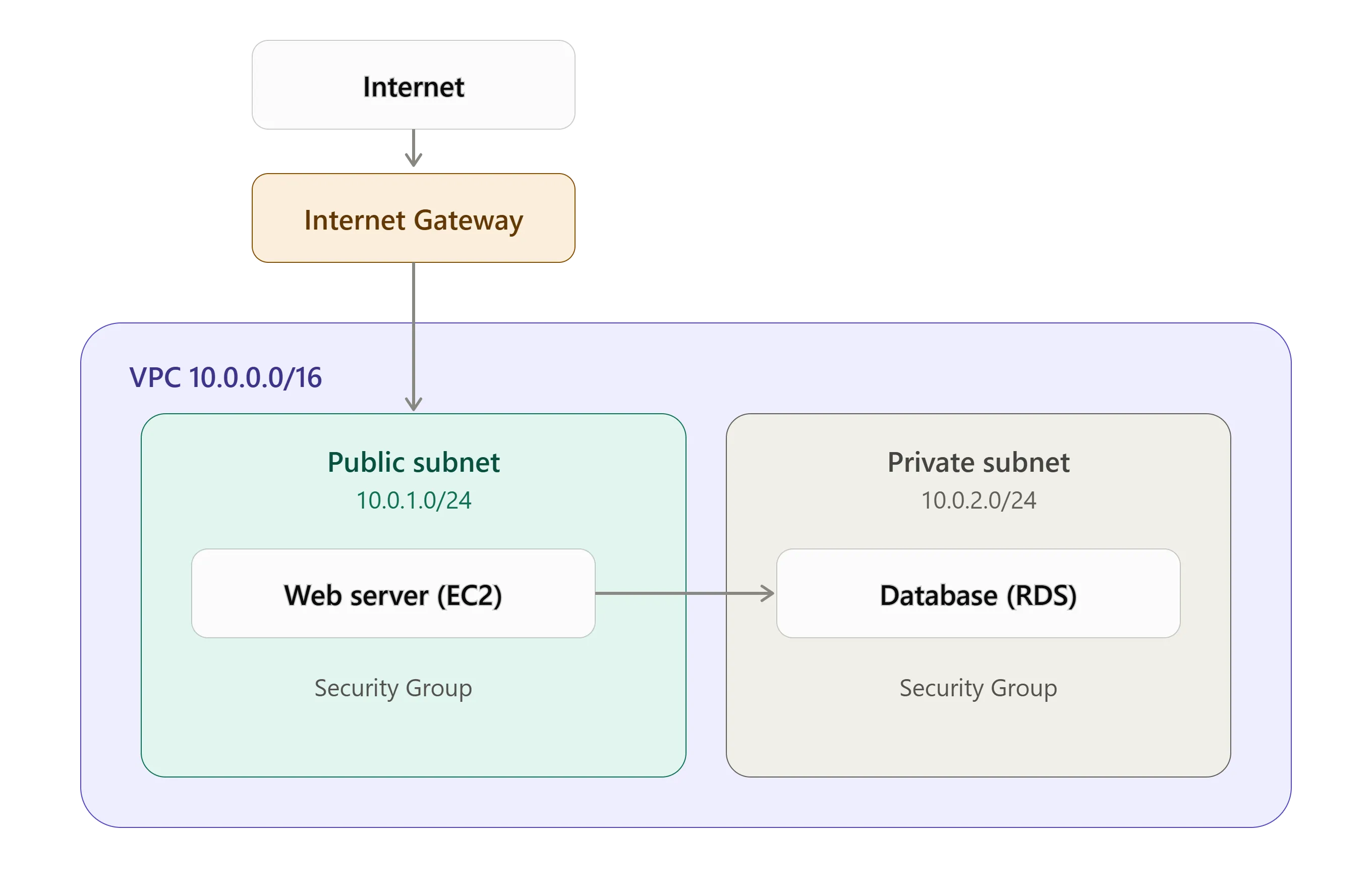
- VPC: your private network in the cloud.
- Subnets: divisions of the VPC (public or private).
- Internet Gateway: the way out to the internet.
- NAT Gateway: lets private resources reach the internet without being reachable from outside.
- Route Tables: define where traffic goes.
- Security Groups: instance-level firewall (stateful).
- NACLs: subnet-level firewall (stateless).
- Route 53: AWS's DNS service.
An analogy
Picture the VPC as an office building: subnets are the floors, the Internet Gateway is the main door, the Security Group is the guard at each office, and Route Tables are the signs showing the way.
Conclusion
For the Cloud Practitioner exam you don't need to configure networks in depth, but you should understand what a VPC is, the difference between public and private subnets, and what each service is for.
Enjoyed reading this content? Let the author know!
Your likes, comments, shares, and saves help creators reach more builders.

Loading recommendations
Loading article