
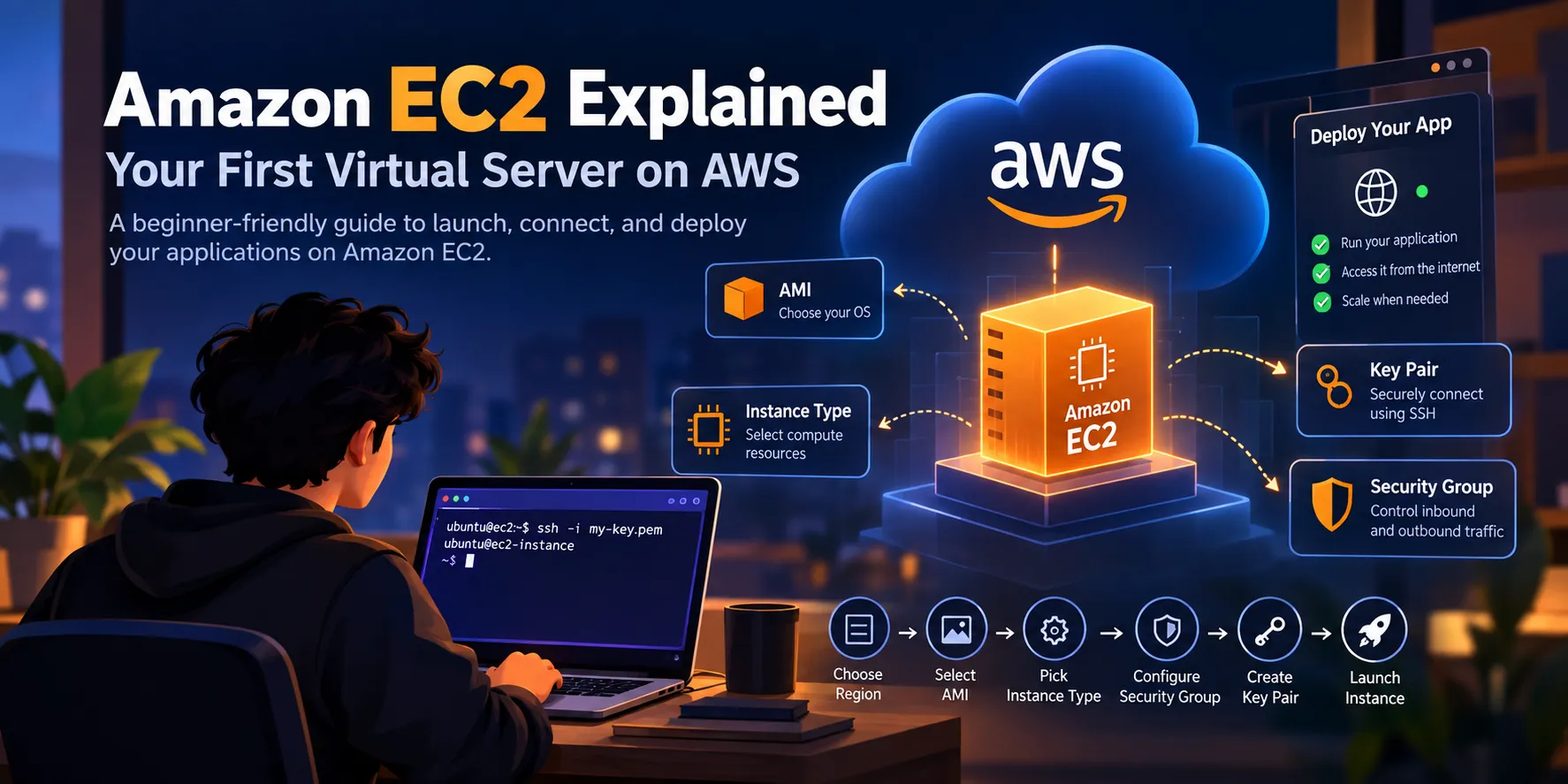
Amazon EC2 Explained: Your First Virtual Server on AWS
If you are just getting started with AWS, you have probably heard the term EC2 quite a lot. At first, it can sound complicated — instances, AMIs, security groups, key pairs, regions... 😅 But the basic idea is actually pretty simple: Amazon EC2 lets you rent a computer in the cloud and use it to run your applications. In this article, let's understand EC2 from a beginner's perspective and see what actually happens when you launch your first server.

So, What Exactly Is EC2?
Amazon EC2 (Elastic Compute Cloud) provides resizable computing capacity in the AWS Cloud.
Instead of buying a physical server, setting it up, connecting it to the internet, maintaining it, and worrying about hardware failures, you can simply create a virtual server on AWS.
Think of it like this:
Your laptop → Physical computer
EC2 instance → Virtual computer running in AWS
You can install software, run applications, start a backend server, deploy APIs, and do many of the things you would normally do on a physical machine.
🧩 Understanding the Important EC2 Terms
When you first open the EC2 console, you'll see quite a few new terms.
Here are the ones I found most important to understand:
1. Instance
An instance is basically your virtual server.
You can choose how powerful you want it to be depending on your application.
For example:
- Small application → smaller instance
- Production workload → more powerful instance
- Temporary testing → small instance that you can stop when finished
This is one of the reasons EC2 is useful — you don't have to purchase hardware upfront.
2. AMI
AMI stands for Amazon Machine Image.
An AMI is essentially a template used to create an EC2 instance.
It can contain things such as:
- Operating system
- Pre-installed software
- Configuration settings
For example, you might launch an EC2 instance using an Ubuntu-based AMI.
AWS then creates your virtual machine based on that image.
3. Instance Type
This determines the resources available to your instance.
Different instance types provide different combinations of:
- CPU
- Memory
- Networking
- Storage capabilities
You don't need to memorize all the instance types when you're starting out.
The important thing is to understand that different workloads need different amounts of computing resources.
4. Key Pair 🔑
This was one of the concepts I found important to understand early.
A key pair is used to securely connect to your EC2 instance.
For Linux instances, you commonly use an SSH client along with the private key associated with your key pair.
Important: Treat your private key like a password — don't upload it to GitHub or share it publicly.
What Is a Security Group?
Here's another important concept.
A security group acts like a virtual firewall for your EC2 instance.
You can specify which traffic is allowed to reach your server.
For example, you might allow:
1
2
3
SSH      → Port 22
HTTP     → Port 80
HTTPS    → Port 443
If you're running a Node.js application on port
3000, you might also need to configure access to that port depending on your setup.A simple way to think about it:
Security Group = Who is allowed to talk to my server?
And remember: don't open ports to the entire internet unless you actually need to.
🚀 What Happens When You Launch an EC2 Instance?
The overall process looks something like this:
1
2
3
4
5
6
7
8
9
10
11
12
13
14
15
Choose Region
      ↓
Choose AMI
      ↓
Choose Instance Type
      ↓
Configure Network & Security Group
      ↓
Create/Select Key Pair
      ↓
Launch Instance
      ↓
Connect to Your Server
      ↓
Deploy Your Application 🎉
Once your instance is running, AWS provides information such as its public IP address or DNS name.
You can then connect to the server and start working with it.
🧪 A Simple Real-World Example
Imagine you have built a Node.js backend.
Locally, you might run:
1
2
npm install
npm start
Everything works perfectly on your laptop.
But now you want other people to access your API.
One approach is:
1
2
3
4
5
6
7
8
9
User
  ↓
Internet
  ↓
EC2 Instance
  ↓
Node.js Application
  ↓
Database
Your EC2 instance provides the computing environment where your backend can run.
This is where EC2 starts becoming much more interesting than just "a virtual machine."
Things I Wish I Knew as a Beginner
Here are a few small lessons that can save beginners some trouble:
🔹 Don't expose everything
Just because you can open a port doesn't mean you should.
Only allow the traffic your application actually needs.
🔹 Stop instances you don't need
If you're experimenting or learning, remember to stop resources when you're finished with them.
Also, don't assume that stopping an instance means every associated AWS resource stops incurring charges. Always check the resources you're using and the current AWS pricing.
🔹 Keep your credentials safe
Never commit private keys, AWS access keys, passwords, or other secrets to GitHub.
This is especially important when you're learning cloud development.
🔹 Learn the basics before memorizing services
AWS has an enormous number of services.
You don't need to memorize them all.
Understanding concepts like compute, storage, networking, IAM, and databases will take you much further.
Where Should You Go From Here?
Once you're comfortable with EC2, a natural next step is to explore how it fits together with other AWS services.
For example:
1
2
3
4
5
6
EC2       → Compute
S3        → Object Storage
RDS       → Managed Database
IAM       → Access Management
VPC       → Networking
CloudWatch → Monitoring
Learning how these services work together is much more valuable than learning each service in isolation.
Final Thoughts
When I first started learning cloud computing, AWS felt like a huge collection of unfamiliar services.
EC2 was one of the concepts that helped make the cloud feel more understandable.
At its core, the idea is simple:
Instead of owning a physical server, you can create and manage a virtual server in the cloud.
Once that clicks, concepts like AMIs, instance types, security groups, networking, and deployment start making much more sense.
If you're learning AWS right now, don't worry about understanding everything at once.
Pick one service, build something small, break it, fix it, and learn from it. 😄
That's probably one of the best ways to learn cloud computing.
Happy building!
Enjoyed reading this content? Let the author know!
Your likes, comments, shares, and saves help creators reach more builders.

Loading recommendations
Loading article