
Building a Simple AI-Powerd Web Application on AWS
This article explains how AWS can be used to build a simple AI-powered web application. It uses services like Amazon S3, AWS Lambda, API Gateway, DynamoDB, and Amazon Bedrock. These services help developers create scalable, flexible, and serverless AI applications easily.

Introduction
Artificial Intelligence and cloud computing are two of the most important technologies in modern software development. Amazon Web Services (AWS) provides a wide range of cloud services that make it easier for developers and students to build, deploy, and scale applications.
In this article, we will understand how AWS services can be used to build a simple AI-powered web application.
Why AWS?
AWS provides cloud-based services for computing, storage, databases, security, and artificial intelligence. Instead of maintaining physical servers, developers can use AWS resources whenever they are needed.
Some commonly used AWS services include:
- Amazon S3 – Object storage
- AWS Lambda – Serverless computing
- Amazon API Gateway – Creating and managing APIs
- Amazon DynamoDB – NoSQL database
- Amazon Bedrock – Building generative AI applications
- AWS Lambda – Serverless computing
- Amazon API Gateway – Creating and managing APIs
- Amazon DynamoDB – NoSQL database
- Amazon Bedrock – Building generative AI applications
Proposed Application
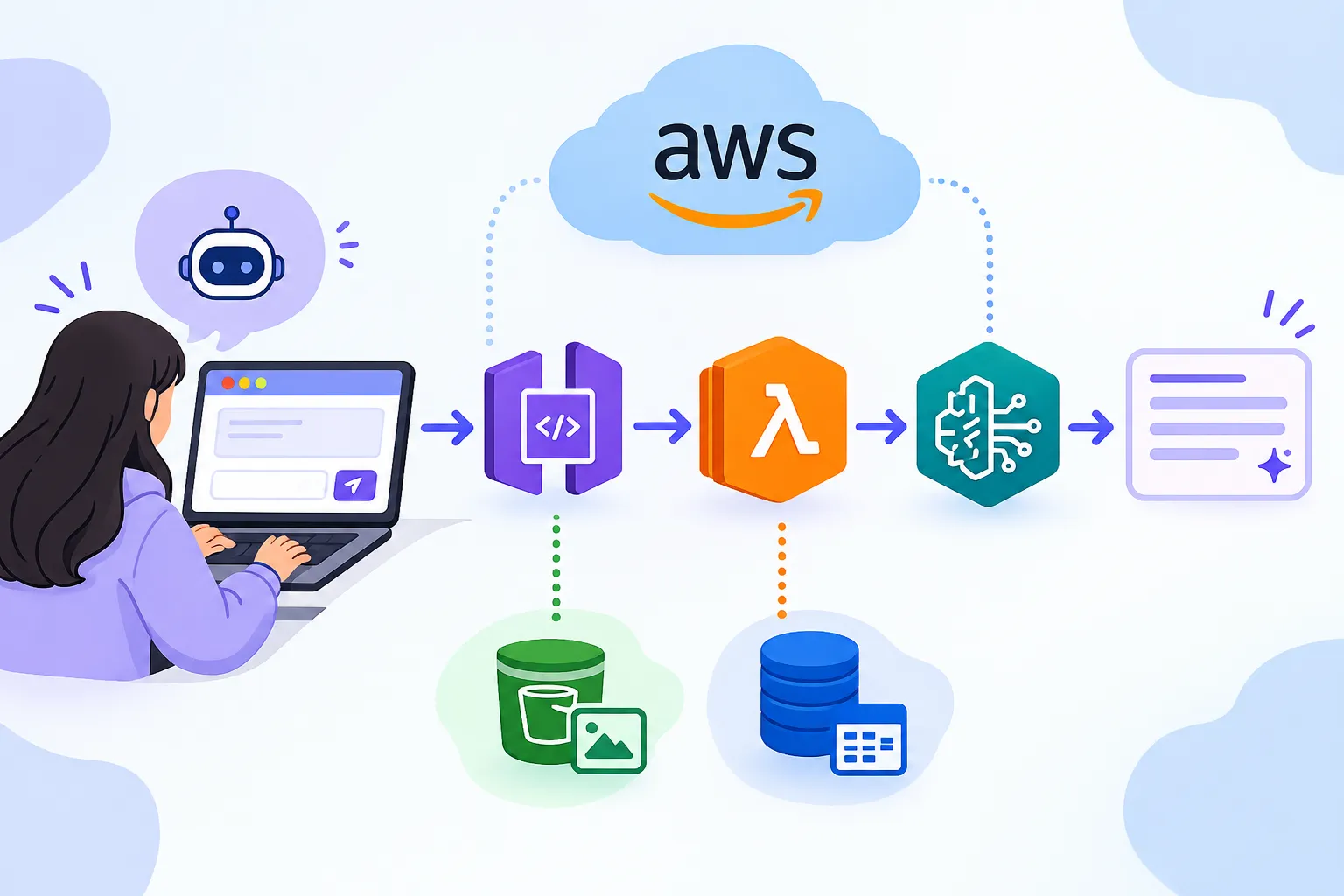
A simple application can be designed where a user enters a question or text through a web interface. The request is sent to a backend service, processed using an AI model, and the response is returned to the user.
Basic Architecture
User → Web Application → API Gateway → AWS Lambda → AI Service → Response
This architecture reduces the need to manage traditional servers and allows the application to scale based on demand.
Step 1: Create the Web Interface
The frontend can contain a simple text box where users enter their questions.
The website can be hosted using Amazon S3 for a basic static web application.
Step 2: Create the Backend
AWS Lambda can be used to process requests without managing a dedicated server.
When the user submits a question, API Gateway sends the request to the Lambda function. The Lambda function processes the request and communicates with the required AI service.
Step 3: Add AI Capabilities
An AI service such as Amazon Bedrock can be integrated to generate responses.
This allows the application to perform tasks such as:
- Question answering
- Text summarization
- Content generation
- Text classification
- Educational assistance
- Text summarization
- Content generation
- Text classification
- Educational assistance
Step 4: Store Data
If the application needs to store user information or application data, Amazon DynamoDB can be used as a NoSQL database.
DynamoDB provides a flexible and scalable way to store structured application data.
Benefits
Using AWS for an AI application provides several advantages:
1. Scalability – Applications can handle changing workloads.
2. Flexibility – Different AWS services can be combined based on requirements.
3. Serverless Development – Developers can focus on application logic instead of server management.
4. AI Integration – AI capabilities can be added using AWS AI services.
5. Cloud Accessibility – Applications can be accessed from anywhere with an internet connection.
2. Flexibility – Different AWS services can be combined based on requirements.
3. Serverless Development – Developers can focus on application logic instead of server management.
4. AI Integration – AI capabilities can be added using AWS AI services.
5. Cloud Accessibility – Applications can be accessed from anywhere with an internet connection.
Conclusion
AWS provides a powerful environment for building modern AI applications. By combining services such as Amazon S3, AWS Lambda, API Gateway, DynamoDB, and Amazon Bedrock, students and developers can create practical cloud-based applications without maintaining traditional servers.
Learning AWS along with Artificial Intelligence and Data Science can help students understand how AI applications are developed and deployed in real-world cloud environments.
Enjoyed reading this content? Let the author know!
Your likes, comments, shares, and saves help creators reach more builders.

Loading recommendations
Loading article