
Mastering Infrastructure as Code: A Beginner’s Guide to AWS CloudFormation
An introduction to AWS CloudFormation, explaining how it automates infrastructure provisioning using JSON or YAML templates, and why it is essential for scalable, reproducible, and maintainable cloud environments.

In the early days of cloud computing, setting up servers was a manual, error-prone process. Engineers would log into consoles, click through menus, and configure resources one by one. This "click-ops" approach didn’t scale well and often led to "configuration drift," where production environments differed from staging or development setups.
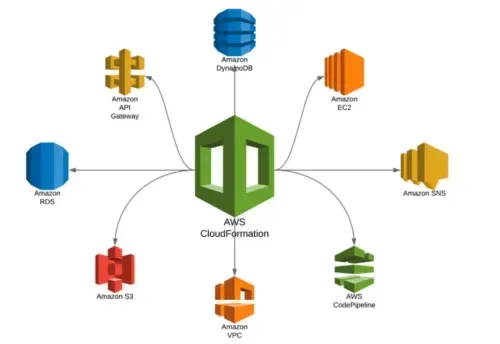
AWS CloudFormation changed this paradigm by introducing Infrastructure as Code (IaC). It allows you to define your entire infrastructure—servers, databases, networks, and security settings—in a simple text file called a template. Once defined, CloudFormation automatically provisions and configures these resources in the order you specify, ensuring consistency and repeatability.
What is CloudFormation?
CloudFormation is an AWS service that gives developers and systems administrators an easy way to create and manage a collection of related AWS resources, provisioning and updating them in an orderly and predictable fashion.
Key benefits include:
- Automation: Reduce manual effort and human error.
- Repeatability: Deploy the same infrastructure across multiple environments (dev, test, prod).
- Version Control: Store templates in Git to track changes over time.
- Rollback: If a deployment fails, CloudFormation can automatically roll back to the previous stable state.
The Anatomy of a CloudFormation Template
A CloudFormation template is written in JSON or YAML. YAML is generally preferred for its readability. A template consists of several major sections:
- AWSTemplateFormatVersion: Specifies the version of the template language.
- Description: A brief explanation of what the template does.
- Parameters: Inputs that users can specify when creating a stack (e.g., instance type, key pair name).
- Resources: The core section where you define AWS resources like EC2 instances, S3 buckets, IAM roles, and VPCs. Each resource has properties that dictate its configuration.
- Outputs: Values that the stack exports after creation, such as the Instance ID or DNS name, which can be used by other stacks.
- Mappings/Conditions/Transform: Advanced sections for conditional logic and code transformation (e.g., using AWS Cloud Development Kit or SAM).
Example: Launching an EC2 Instance
Here is a simple YAML template that launches a t2.micro EC2 instance:
1
2
3
4
5
6
7
8
9
10
11
12
13
14
15
16
17
18
19
20
21
22
23
AWSTemplateFormatVersion: '2010-09-09'
Description: 'A simple EC2 instance'

Parameters:
  KeyPairName:
    Description: Name of an existing EC2 KeyPair
    Type: AWS::EC2::KeyPair::KeyName

Resources:
  MyEC2Instance:
    Type: AWS::EC2::Instance
    Properties:
      InstanceType: t2.micro
      KeyName: !Ref KeyPairName
      ImageId: ami-0abcdef1234567890 # Replace with your AMI ID

Outputs:
  InstanceId:
    Description: ID of the newly created instance
    Value: !Ref MyEC2Instance
  PublicIP:
    Description: Public IP address of the instance
    Value: !GetAtt MyEC2Instance.PublicIp
Key Concepts: Stacks and Drift
- Stacks: A collection of AWS resources that you manage as a single unit. You create, update, or delete a stack by modifying its template.
- Drift Detection: Over time, manual changes to resources can cause them to diverge from their template definitions. CloudFormation’s drift detection feature identifies these discrepancies, helping you maintain infrastructure integrity.
Best Practices
- Use Parameterized Templates: Avoid hardcoding values like AMI IDs or instance types. Use parameters to make templates flexible.
- Modularize Templates: For large architectures, use nested stacks to break down complex templates into manageable components.
- Leverage Intrinsic Functions: Use functions like
!Ref,!GetAtt, and!Subto dynamically reference resource properties. - Test Before Deploying: Use the
ValidateTemplateAPI or the AWS Console to check for syntax errors before creating a stack. - Use IAM Roles: Attach IAM roles to resources instead of hardcoding access keys for better security.
Conclusion
AWS CloudFormation is a foundational service for anyone serious about working with AWS at scale. By treating infrastructure as code, teams can achieve greater agility, reliability, and security. Whether you are a startup launching your first app or an enterprise managing thousands of resources, CloudFormation provides the control and consistency needed to succeed in the cloud.
Enjoyed reading this content? Let the author know!
Your likes, comments, shares, and saves help creators reach more builders.

Loading recommendations
Loading article