
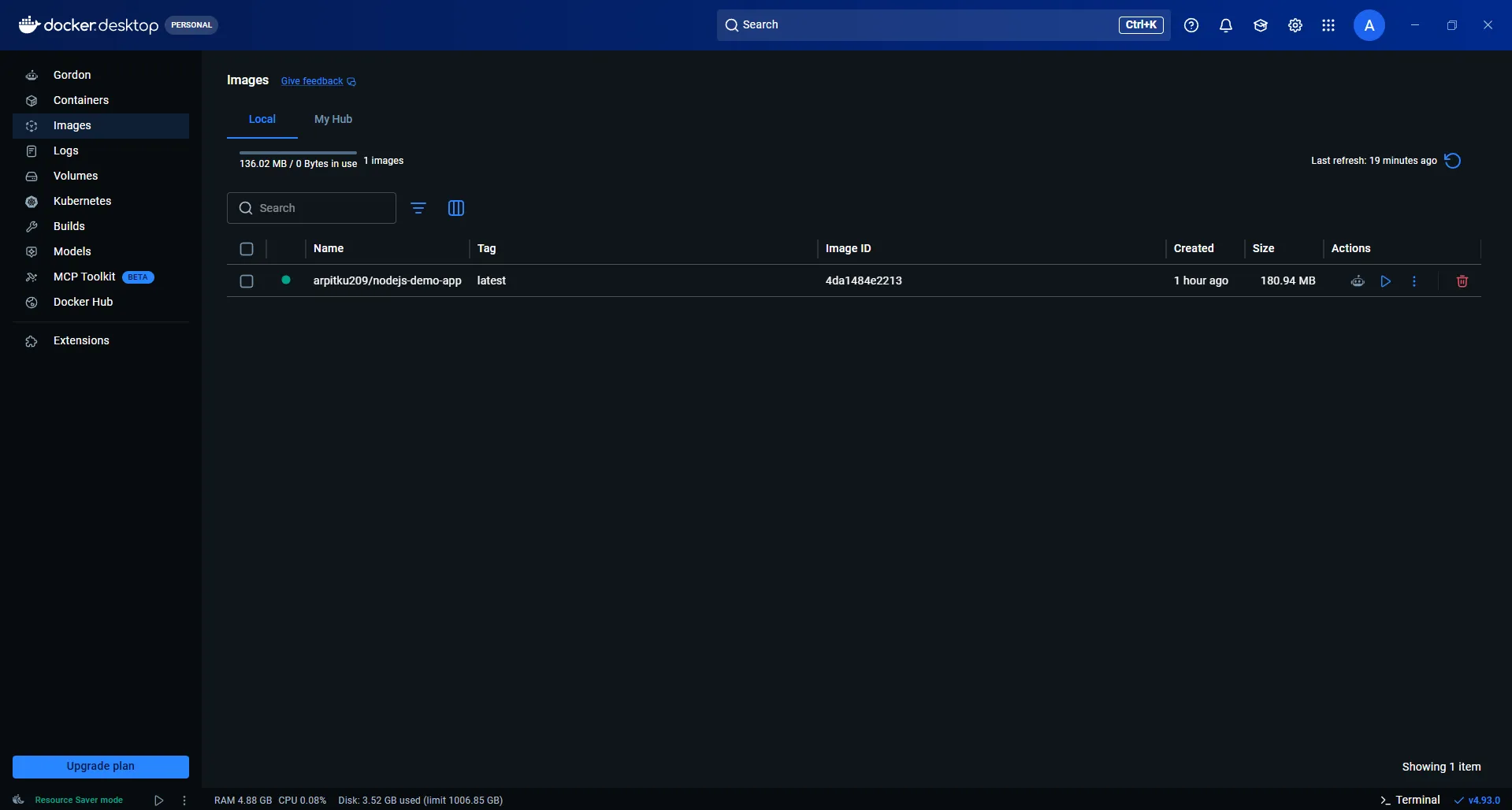

My name is Arpit Kumar, and coming from a Bachelor of Arts (BA) educational background, I achieved a massive milestone today in my technical journey to become an AWS Cloud Support Engineer. Today, I successfully set up my very first fully automated CI/CD pipeline!
When I first started learning about cloud networking and Linux command-line operations, terms like "Automation" and "CI/CD" felt incredibly complex. But after getting hands-on with this project today, I finally understand how an automated software delivery system actually works in the real world. This article is a quick breakdown of my learning and debugging journey.
🚀 Project Overview
My objective was to build a pipeline for a simple Node.js application (
nodejs-demo-app) that would automatically test the code upon every push, build a Docker image, and securely push that image to DockerHub.My Tech Stack:
- Code & Trigger: GitHub
- CI/CD Automation: GitHub Actions
- Containerization: Docker
- Image Registry: DockerHub
🛠️ How I Built It (Step-by-Step)
Step 1: Base Application & Dockerfile Setup First, I created a new GitHub repository and uploaded the basic code for my Node.js app (
server.js and package.json). To containerize the application, I wrote a simple Dockerfile:FROM node:18-alpine
WORKDIR /app
COPY server.js .
EXPOSE 3000
CMD ["node", "server.js"]
WORKDIR /app
COPY server.js .
EXPOSE 3000
CMD ["node", "server.js"]
Step 2: Security & Secrets Setup
To securely connect my GitHub workflow to my DockerHub account, I navigated to my GitHub repository settings and saved my DOCKER_USERNAME and DOCKER_PASSWORD as Action Secrets. This ensured my credentials were never exposed in the source code.
To securely connect my GitHub workflow to my DockerHub account, I navigated to my GitHub repository settings and saved my DOCKER_USERNAME and DOCKER_PASSWORD as Action Secrets. This ensured my credentials were never exposed in the source code.
Step 3: GitHub Actions Workflow (.yml)
The brain of the automation was the .github/workflows/main.yml file. I wrote a configuration that triggered automatically whenever new code was pushed to the main branch. This included steps for Checking out the code, setting up Node.js, running Tests, logging into DockerHub, and finally Building & Pushing the image.
The brain of the automation was the .github/workflows/main.yml file. I wrote a configuration that triggered automatically whenever new code was pushed to the main branch. This included steps for Checking out the code, setting up Node.js, running Tests, logging into DockerHub, and finally Building & Pushing the image.
🐛 Errors, Debugging, and Real Learnings
The real job of a Cloud Support Engineer is to understand logs and fix errors. My pipeline didn't go "Green" on the first try, and navigating those failures was my biggest learning moment today:
The real job of a Cloud Support Engineer is to understand logs and fix errors. My pipeline didn't go "Green" on the first try, and navigating those failures was my biggest learning moment today:
Authentication Error (Username & Password Required): My DockerHub login failed on the very first run. Upon debugging the logs, I realized there was a naming mismatch when setting up the GitHub secrets. I deleted the old secrets and carefully re-added my exact Docker ID (arpitku209) and password.
Server Misbehaving Error (Wrong Tagging): After fixing the login, the push step failed because the workflow file was generating an invalid format for the image tag (tags: Dockerfile/nodejs-demo-app:latest). I edited the YAML file and updated it to the correct format matching my repository (tags: arpitku209/nodejs-demo-app:latest).
After applying these fixes, I clicked "Re-run all jobs." Watching all the steps pass with a green tick and seeing my image successfully deployed to DockerHub was an incredible feeling!
🎯 Next Steps
This pipeline covered the CI (Continuous Integration) and packaging phase. My next target is to dive into Terraform and Kubernetes so I can automatically pull this image from DockerHub and deploy it onto AWS EC2 instances or EKS clusters (Continuous Deployment) to achieve zero-downtime updates.
This pipeline covered the CI (Continuous Integration) and packaging phase. My next target is to dive into Terraform and Kubernetes so I can automatically pull this image from DockerHub and deploy it onto AWS EC2 instances or EKS clusters (Continuous Deployment) to achieve zero-downtime updates.
If you are also coming from a non-IT background and planning to transition into Cloud or DevOps, don't let the jargon intimidate you! You will face errors, and your pipeline will turn red—but the confidence you build by debugging them yourself is unmatched.
Keep building, keep learning! ☁️🛠️
#AWS #DevOps #CICD #GitHubActions #Docker #CloudComputing #CareerTransition #AWSBuilder
Enjoyed reading this content? Let the author know!
Your likes, comments, shares, and saves help creators reach more builders.

Loading recommendations
Loading article