
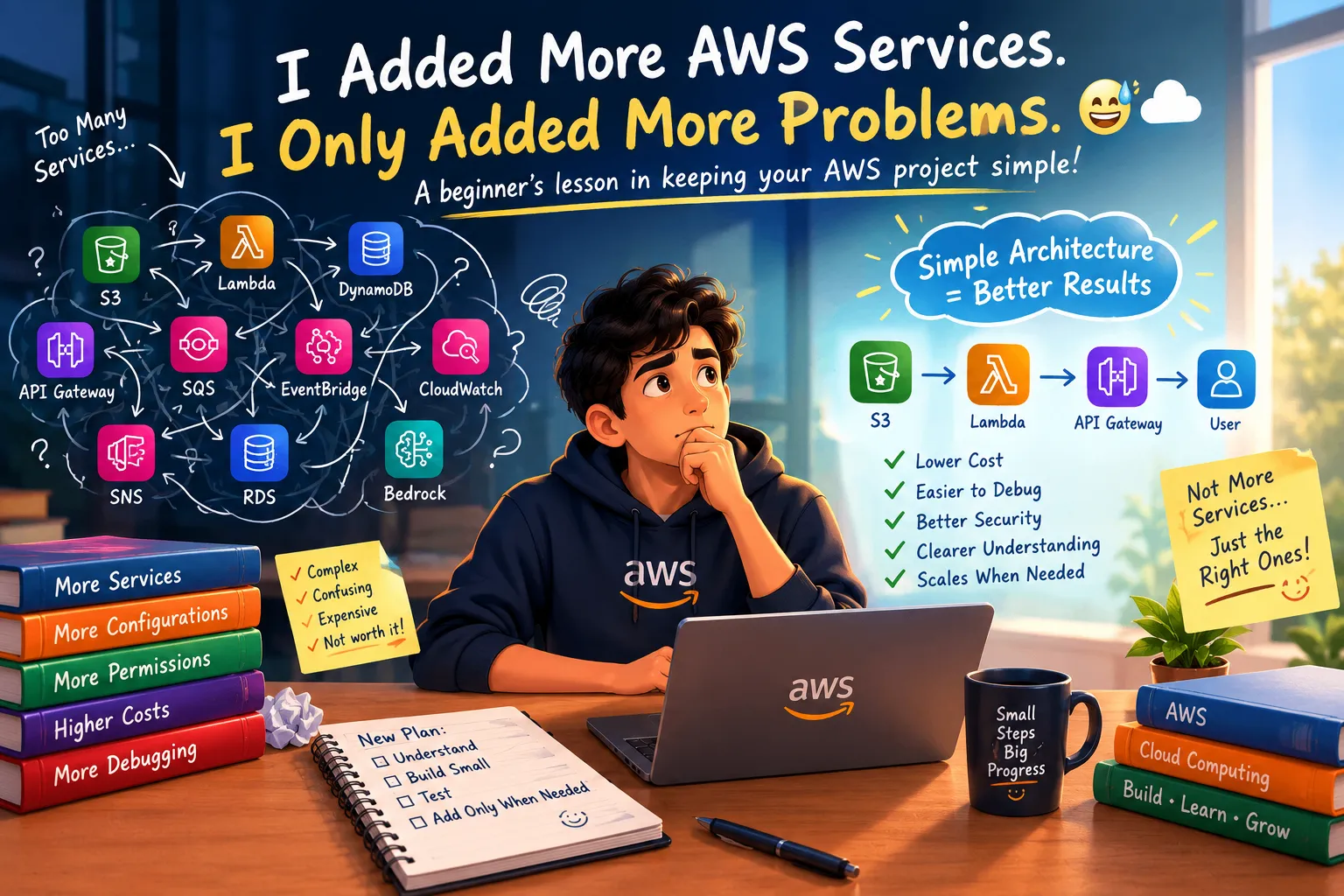
I Added More AWS Services. I Only Added More Problems. 😅☁️
A beginner-friendly lesson about why adding more AWS services does not always make a project better. I share what I learned about keeping cloud architecture simple, controlling costs, improving security, and understanding each service before adding another one.

I Added More AWS Services. I Only Added More Problems. 😅☁️
When I started learning AWS, I had a simple idea:
More AWS services = Better project.
If one service was useful, I thought adding another one would make the project even better.
Then another.
And another.
Soon, my simple project started looking like a complicated architecture diagram.
And that's when I learned an important lesson:
A good AWS project isn't the one that uses the most services. It's the one where every service has a reason to exist.
🚀 My First Instinct Was to Add More
As a beginner, seeing a large AWS architecture can be exciting.
You see services like:
- Amazon S3
- AWS Lambda
- Amazon DynamoDB
- Amazon API Gateway
- Amazon CloudWatch
- Amazon SQS
- Amazon EventBridge
- Amazon Bedrock
And you start thinking:
“Maybe I should use all of these in my project.”
It feels more advanced.
It looks impressive.
But there is a problem.
If I don't understand why I'm using a service, adding it doesn't make my project better.
It just makes the project harder to understand.
🧩 My Simple Project Became Complicated
Imagine starting with a simple requirement:
“I want users to upload a file and get a response.”
A simple architecture might be enough.
But then I started thinking:
“Maybe I need a queue.”
Then:
“Maybe I need an event bus.”
Then:
“Maybe I need another database.”
Then:
“Maybe I should add another Lambda.”
Suddenly, the project had many moving parts.
And when something stopped working...
I had to figure out which part was actually causing the problem.
That's when I realized I was adding complexity without adding real value.
🤯 More Services Means More Things to Understand
Every AWS service introduces something new.
A new service can mean:
- New configuration
- New permissions
- New pricing considerations
- New monitoring requirements
- New failure points
- New documentation
- New things to troubleshoot
For an experienced developer, these may be manageable.
For a beginner, they can quickly become overwhelming.
That's why I started asking a different question:
“What problem does this service solve?”
Instead of:
“Can I add this service?”
That small change made a big difference.
💰 Complexity Can Also Affect Cost
Another thing I started thinking about was cost.
Adding services means adding resources and usage that may need to be monitored.
For a learning project, I don't necessarily need a large architecture running all the time.
If a simple solution can solve the problem, starting with that solution can make it easier to understand what resources I'm actually using.
My new habit is:
Before adding a service, I ask:
Do I need it?
What problem does it solve?
Can I build this without it?
What will it cost?
These questions don't mean I should avoid AWS services.
They help me use them intentionally.
🔐 Security Gets More Important as Complexity Grows
There is another side I didn't think about enough at first:
Permissions.
Every additional service can introduce more configuration and access requirements.
As the architecture grows, understanding who or what can access which resource becomes more important.
That's why I'm trying to learn security alongside building.
Things like:
- IAM permissions
- Least privilege
- Resource access
- Secure configurations
- Protecting sensitive data
A project isn't really successful just because it works.
It should also be managed responsibly.
🐛 Debugging Taught Me the Biggest Lesson
This is probably where I noticed the difference most.
When a simple project breaks, there are fewer places to look.
But when a project has many connected services, troubleshooting can become much harder.
You start asking:
Is the problem with the API?
Is Lambda failing?
Is the permission incorrect?
Is the database configuration wrong?
Is the event not being triggered?
Is the service connected correctly?
The more unnecessary components I add, the more possibilities I have to investigate.
That's when I understood:
Complexity doesn't just make building harder. It can make learning harder too.
🧠 Simple Doesn't Mean Basic
I used to think a simple project meant a beginner project.
Now I see it differently.
A simple architecture can be a deliberate design choice.
If three services solve the problem properly, why use eight?
If one database is enough, why add another?
If a direct connection works, why introduce an additional layer without a reason?
The goal isn't to make the architecture look complicated.
The goal is to make the architecture appropriate for the problem.
☁️ Start Small and Add Only When Needed
I've started using a simple approach:
Step 1: Understand the problem
What am I actually trying to build?
Step 2: Choose the minimum required services
What is the simplest architecture that can solve it?
Step 3: Build it
Get the basic version working.
Step 4: Test it
Find the actual limitations.
Step 5: Identify what is missing
Only now should I consider adding another service.
Step 6: Improve
Add complexity when there is a real reason for it.
This feels much better than designing a huge architecture before I even understand the basic application.
🔄 My New AWS Learning Cycle
Instead of:
Learn → Add Everything → Get Confused
I'm trying:
Understand → Build Small → Test → Find a Problem → Add What Is Needed → Improve
This approach also helps me learn why each AWS service exists.
For example, if I eventually need a queue because my application has asynchronous workloads, then learning Amazon SQS has a clear purpose.
I'm not learning it just because it looks impressive on an architecture diagram.
I'm learning it because I have a problem that it can solve.
🎓 What I Learned as a Student
As a second-year AI & Data Science student, I'm still learning the basics of cloud computing.
There are so many AWS services that it can feel like I need to learn everything before building anything.
But I'm realizing that isn't necessary.
I don't need to memorize hundreds of services.
I need to understand the fundamentals and learn the right service when a problem requires it.
That makes AWS feel much less overwhelming.
💡 My Rule Before Adding an AWS Service
I now want to ask myself five questions:
1. What problem does this solve?
2. Do I actually have that problem?
3. Is there a simpler solution?
4. What will it add to cost and complexity?
5. Do I understand enough to manage it?
If I can't answer these questions, maybe I don't need to add the service yet.
🚀 The Bigger Lesson
AWS gives us hundreds of powerful building blocks.
That's one of the best things about cloud computing.
But having many options doesn't mean we need to use all of them.
A strong project isn't necessarily the one with the biggest architecture.
Sometimes the better learning experience comes from building something small and understanding it completely.
Then, when the project grows, the architecture can grow with it.
☁️ Build Less. Understand More.
My biggest takeaway is simple:
Don't add an AWS service because you can. Add it because you need it.
Start with the smallest useful architecture.
Understand it.
Test it.
Break it.
Fix it.
Then improve it.
That's how I'm trying to approach AWS now.
Because I'm slowly realizing that building a simple project that I completely understand can teach me more than building a complicated project that I only partially understand.
And maybe that's the real goal of learning cloud:
Not to use more services.
To understand why we use them. 🚀☁️
💬 What Do You Think?
When building AWS projects, what do you find more difficult?
🔹 Choosing the right services
🔹 Understanding AWS architecture
🔹 Managing costs
🔹 IAM and security
🔹 Debugging connected services
🔹 Understanding AWS architecture
🔹 Managing costs
🔹 IAM and security
🔹 Debugging connected services
I'd love to hear how other students and beginners approach this. 👇
Enjoyed reading this content? Let the author know!
Your likes, comments, shares, and saves help creators reach more builders.

Loading recommendations
Loading article