
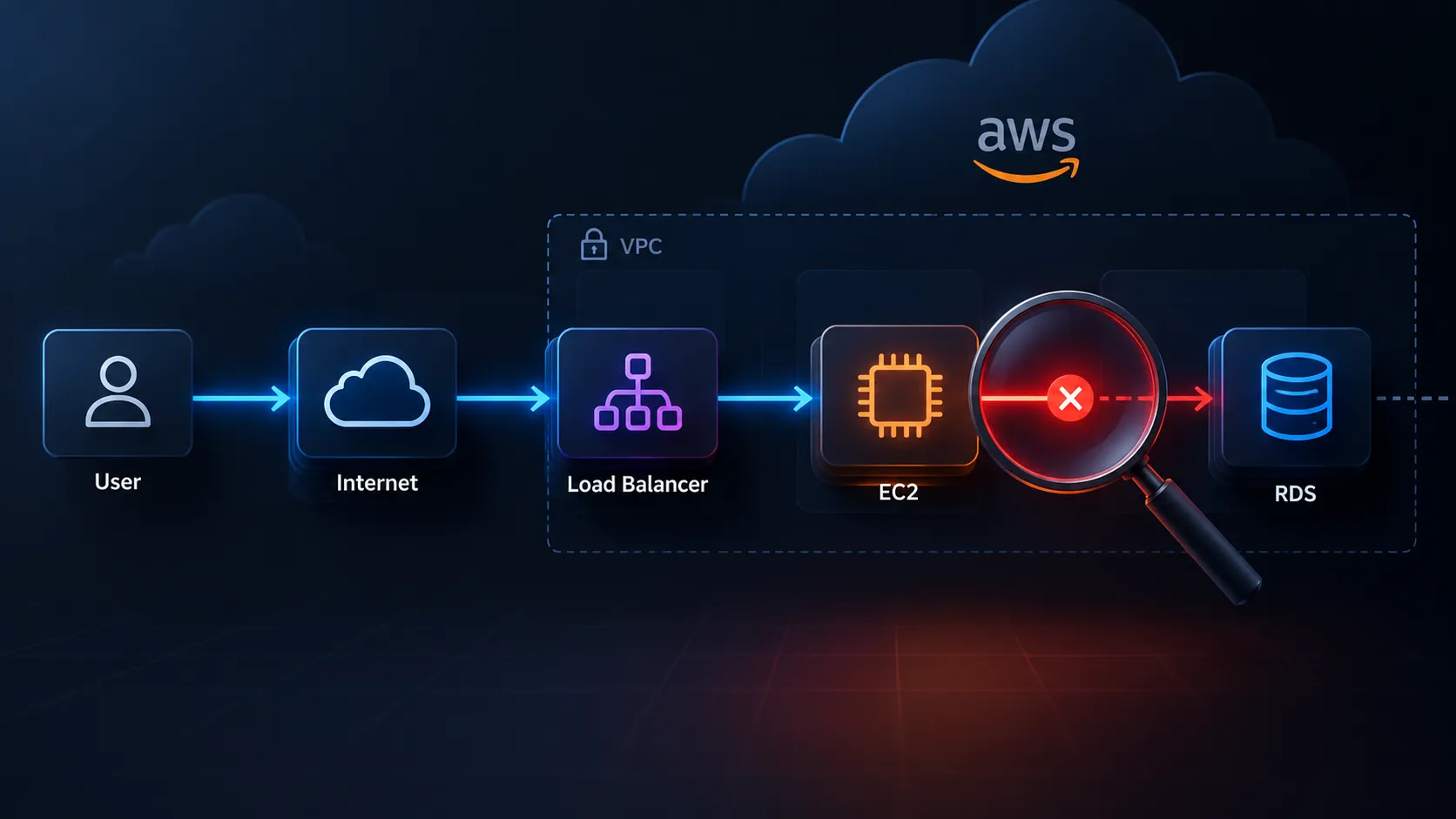
I Thought I Understood AWS… Until I Had to Debug a “Simple” Cloud Architecture
A practical look at the AWS troubleshooting mindset: how I approach failures across IAM, networking, compute, storage, and observability—and why knowing services isn't the same as knowing how to debug them.

I Thought I Understood AWS… Until I Had to Debug a “Simple” Cloud Architecture
There is a point in every cloud learning journey where something strange happens.
You can explain what EC2 is.
You know what an S3 bucket does.
You understand VPCs, IAM, CloudWatch, Lambda, and databases.
You can even draw an architecture diagram.
Then someone asks:
“The application is running, but users can't access it. What would you check first?”
Suddenly, knowing 30 AWS services doesn't feel nearly as useful.
I realized that learning AWS isn't only about learning services.
It is about learning how to think when something breaks.
And that completely changed the way I study cloud.
The AWS Skill Nobody Talks About Enough
When learning AWS, it's easy to fall into this pattern:
1
2
3
4
5
6
7
8
9
Learn Service

     ↓

Memorize Features

     ↓

Complete Lab

     ↓

Take Notes

     ↓

Move to Next Service
But production systems don't give you questions like:
"What is Amazon EC2?"
They give you questions like:
"The EC2 instance is healthy, the application process is running, but the API returns a timeout. Why?"
That's a completely different problem.
You need to reason about multiple layers:
1
2
3
4
5
6
7
8
9
10
11
12
13
14
15
User

  ↓

DNS

  ↓

Load Balancer

  ↓

Security Group

  ↓

Network

  ↓

EC2

  ↓

Application

  ↓

Database
The difficult part isn't knowing what each component does.
The difficult part is figuring out which layer is actually failing.
The Mental Model I Started Using
Instead of immediately asking:
"Which AWS service should I use?"
I started asking:
"What exactly is failing?"
Then I break the problem into five questions.
1. Is the resource running?
For example:
- Is the EC2 instance running?
- Is the ECS task running?
- Is the Lambda function executing?
- Is the RDS instance available?
If the resource isn't healthy, there's no point debugging the application layer yet.
2. Can the components communicate?
This is where networking becomes extremely important.
I started thinking about:
1
2
3
4
5
6
7
8
9
Source

  ↓

Route

  ↓

Security Group

  ↓

Network ACL

  ↓

Destination
For example, an application might be completely healthy but unable to connect to a database because the required traffic isn't allowed.
That means:
Application problem?
Maybe not.
Database problem?
Maybe not.
Connectivity problem?
Possibly.
This distinction saves a lot of debugging time.
3. Does IAM Allow the Action?
This was another major lesson.
An application can have:
- Correct code
- Correct networking
- Correct AWS service
- Correct configuration
…and still fail because an IAM policy doesn't allow an action.
For example:
1
2
3
4
5
6
7
8
9
Application

     |

     | "Read object from S3"

     ↓

IAM Evaluation

     |

     +---- Allowed → Continue

     |

     +---- Denied  → AccessDenied
So whenever I see an AWS error involving permissions, I don't immediately change the code.
I ask:
Who is making the request?
Then:
What IAM identity is being used?
Then:
Does that identity have permission for this specific action on this specific resource?
That small change in thinking makes IAM much easier to reason about.
4. Is the Application Actually Healthy?
This sounds obvious.
But infrastructure being healthy does not necessarily mean the application is healthy.
Imagine:
1
2
3
4
5
6
7
8
9
10
11
EC2 Instance

    ↓

Running ✅


Application Process

    ↓

Running ✅


Port 8080

    ↓

Listening ❌
From the AWS console, the instance might look perfectly fine.
But the application isn't accepting traffic.
This is why observability matters.
Logs, metrics, health checks, and application-level monitoring can tell a very different story from infrastructure status.
5. What Changed?
This question became one of my favorites.
When something suddenly stops working:
What changed?
Maybe:
- IAM policy changed
- Security group changed
- Route table changed
- Application version changed
- Environment variable changed
- AMI changed
- DNS record changed
- Deployment configuration changed
- Database credentials changed
Instead of staring at the entire architecture, I started looking for the last known good state.
That dramatically narrows the search space.
A Simple Troubleshooting Example
Imagine this architecture:
1
2
3
4
5
6
7
8
9
10
11
12
                Internet

                   |

                   v

              Application

                   |

             Load Balancer

                   |

                   v

                EC2

                   |

                   v

                RDS
Users suddenly report:
"The application is down."
What would you do?
My initial checklist would be:
1
2
3
4
5
6
7
8
9
10
11
12
13
14
15
16
17
18
19
1. Is DNS resolving?

       ↓

2. Is the Load Balancer healthy?

       ↓

3. Are target health checks passing?

       ↓

4. Is the EC2 instance healthy?

       ↓

5. Is the application process running?

       ↓

6. Is the application listening on the expected port?

       ↓

7. Are Security Groups allowing the traffic?

       ↓

8. Can EC2 reach the database?

       ↓

9. Are application logs showing errors?

       ↓

10. What changed recently?
Notice something important.
I didn't start by randomly changing AWS resources.
I started from the user's request and followed the traffic path.
The "Traffic Path" Trick
One of the most useful habits I've developed is tracing a request from beginning to end.
For example:
1
2
3
4
5
6
7
8
9
10
11
12
13
Client

  ↓

DNS

  ↓

Load Balancer

  ↓

Target Group

  ↓

EC2

  ↓

Application

  ↓

Database
At every step, I ask:
"Can the request successfully move from here to the next component?"
This creates a much more systematic debugging process.
Instead of:
1
Something is broken 😵
I get:
1
2
3
Client → DNS       ✅

DNS → ALB          ✅

ALB → EC2          ❌
Now I have a much smaller problem.
The Same Thinking Works for Serverless
This isn't only useful for EC2.
Consider a serverless architecture:
1
2
3
4
5
6
7
Client

  ↓

API Gateway

  ↓

Lambda

  ↓

DynamoDB
If the API returns an error, there are multiple possible failure points.
1
2
3
4
5
6
7
8
9
10
11
12
13
API Gateway

    ↓

Did the request reach Lambda?

    ↓

Did Lambda execute?

    ↓

Did Lambda have the required IAM permissions?

    ↓

Did Lambda receive the expected input?

    ↓

Could Lambda access DynamoDB?

    ↓

Did DynamoDB reject the request?
Again, the goal isn't to memorize more services.
It's to develop a debugging tree.
What About Observability?
This is where CloudWatch becomes much more than "the place where logs go."
I started thinking about observability in three categories:
Logs
What happened?
Metrics
How much / how often did it happen?
Alarms
When should I be alerted?
For example:
1
2
3
4
5
6
7
8
9
10
11
Application Error

      ↓

CloudWatch Logs

      ↓

Metric

      ↓

Alarm

      ↓

Notification

      ↓

Investigation
The goal isn't simply collecting data.
The goal is being able to answer:
"What happened, when did it happen, and why?"
The Biggest Mistake I Made While Learning AWS
I spent too much time asking:
"What does this service do?"
And not enough time asking:
"What problem does this service solve?"
There's a subtle difference.
For example:
Instead of memorizing:
"A Load Balancer distributes incoming traffic."
I try to think:
"If I have multiple application instances and need a single entry point for users, how can I distribute and monitor traffic across those instances?"
That turns a definition into a decision.
From Memorization to Decision Making
Here's how I now think about AWS.
Instead of:
1
2
3
4
EC2 = Virtual Server

S3 = Object Storage

RDS = Managed Database

Lambda = Serverless Compute
I try to build decision trees.
For example:
1
2
3
4
5
6
7
8
9
10
11
12
13
Need compute?

     |

     +-- Need full server control?

     |       ↓

     |      EC2

     |

     +-- Event-driven workload?

     |       ↓

     |      Lambda

     |

     +-- Container workload?

             ↓

            ECS/EKS
The important skill is not remembering the tree perfectly.
It's learning why one branch makes sense for a particular requirement.
A Small Challenge for AWS Learners
Let's make this practical.
Imagine you have:
1
2
3
4
5
6
7
8
9
10
Internet

   |

   v

Application Load Balancer

   |

   v

EC2

   |

   v

RDS
Everything was working yesterday.
Today:
Users receive HTTP 504 errors.
The EC2 instance is running.
The application process is running.
The database is also available.
What would you investigate first?
Would you check:
A. IAM
B. Security Groups / networking
C. DNS
D. Application configuration
E. Load Balancer target health
F. Something else
There isn't enough information here to diagnose the root cause with certainty.
And that's actually the point.
A good cloud engineer doesn't guess.
They collect evidence.
The Debugging Loop I Want to Keep Using
My current mental model looks like this:
1
2
3
4
5
6
7
8
9
10
11
12
13
14
15
16
17
18
19
20
21
22
23
24
25
26
27
28
29
30
31
32
33
34
           ┌───────────────┐

           │    Failure    │

           └───────┬───────┘

                   ↓

           ┌───────────────┐

           │ Define the    │

           │ exact symptom │

           └───────┬───────┘

                   ↓

           ┌───────────────┐

           │ Trace the     │

           │ request path  │

           └───────┬───────┘

                   ↓

           ┌───────────────┐

           │ Collect       │

           │ evidence      │

           └───────┬───────┘

                   ↓

           ┌───────────────┐

           │ Form a        │

           │ hypothesis    │

           └───────┬───────┘

                   ↓

           ┌───────────────┐

           │ Test it       │

           └───────┬───────┘

                   ↓

             Fixed? ────── No ──→ Repeat

                |

               Yes

                ↓

           Document the

           root cause
This feels much closer to how real cloud troubleshooting works than simply memorizing service definitions.
What I'm Focusing on Next
I'm now trying to make my AWS learning more scenario-driven.
Instead of only asking:
"What is VPC?"
I'm asking:
- Why can't these two resources communicate?
- Why does a private subnet need a NAT Gateway for certain outbound traffic?
- Why is this security group rule insufficient?
- Why is the load balancer marking a target unhealthy?
- Why does an application receive
AccessDenied? - Why does a deployment work in one environment but fail in another?
- What happens when an availability zone fails?
- How would I detect the failure?
- How would I recover?
These questions force me to connect multiple AWS services together.
And that's where AWS starts becoming much more interesting.
My Biggest Takeaway
You can memorize hundreds of AWS services and still struggle with a production incident.
You can know fewer services but understand:
networking + IAM + compute + storage + observability + troubleshooting
…and suddenly you can reason about much more complicated architectures.
For me, the shift was:
1
2
3
4
5
6
7
"Learn AWS services"

        ↓

"Understand AWS systems"

        ↓

"Diagnose AWS failures"

        ↓

"Design AWS systems"
I think that transition is one of the most important steps in becoming comfortable with cloud engineering.
Now I'm Curious About Your Experience 👇
If you work with AWS, what was the first AWS problem that genuinely forced you to stop guessing and start debugging systematically?
Was it:
- IAM?
- VPC/networking?
- Security Groups?
- EC2?
- Lambda?
- S3?
- RDS?
- EKS?
- CI/CD?
- Something completely unexpected?
And if you're currently learning AWS:
Which AWS concept feels the hardest to connect with everything else?
Share the scenario—even if it sounds like a beginner mistake.
Some of the best cloud lessons come from failures that looked "obvious" only after we found the root cause.
Let's compare debugging approaches and learn from each other's mistakes.
Enjoyed reading this content? Let the author know!
Your likes, comments, shares, and saves help creators reach more builders.

Loading recommendations
Loading article