
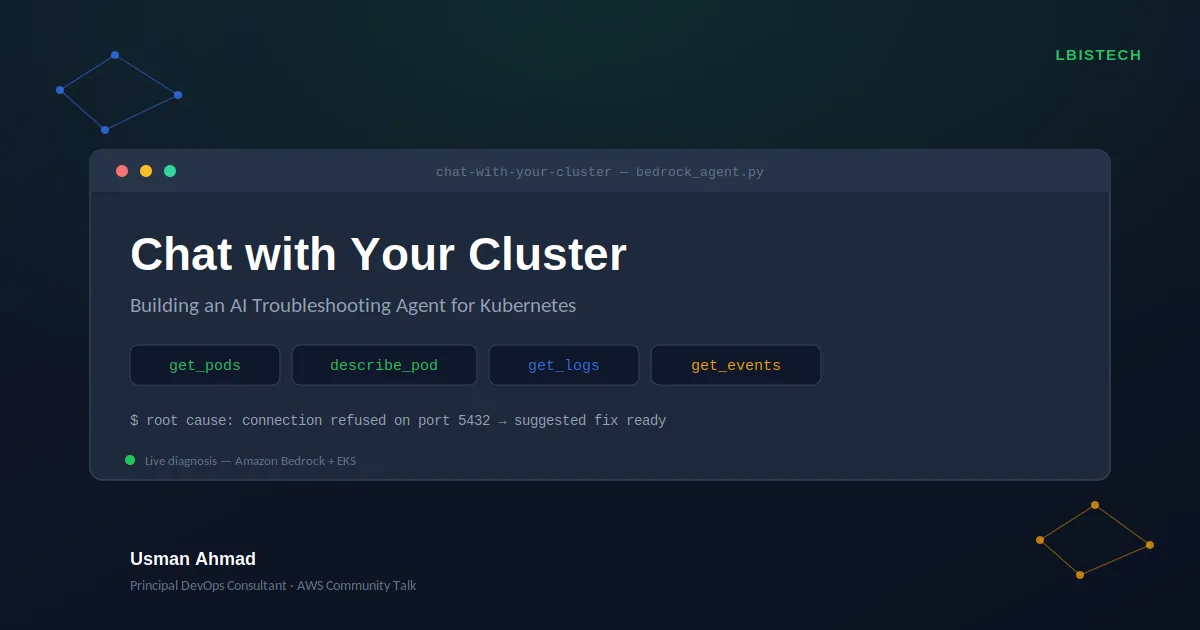
Chat with Your Cluster: Building an AI Troubleshooting Agent for Kubernetes
How I replaced the kubectl grind with a conversational agent that reasons over a live EKS cluster and what I learned building it for an AWS Community Talk.

The problem every DevOps engineer knows
An alert fires. Something’s wrong in production. What happens next is almost always the same ritual:
1
2
3
4
kubectl get pods -n my-namespace
kubectl describe pod broken-app-xxxx
kubectl logs broken-app-xxxx --previous
kubectl get events -n my-namespace
Then you sit there mentally stitching together pod status, container state, log lines, and event timestamps until a root cause falls out. It works, but it depends entirely on how comfortable you are with Kubernetes. A senior engineer does this in ninety seconds. A junior engineer escalates, because the correlation itself is the hard part, not any single command.
I wanted to see what happens when you hand that correlation step to a model instead of a person not by scripting a fixed sequence of checks, but by giving an LLM the same tools an engineer has and letting it decide how to use them.
That became the subject of my AWS Community Talk, and this article walks through how it’s built.
What “Chat with Your Cluster” actually does
At its simplest: you ask a question in plain English, and an AI agent investigates your EKS cluster the way a human would, checking pod status, digging into logs, correlating events before explaining what’s wrong and how to fix it.
1
2
3
4
5
6
7
8
9
10
11
You: Something seems wrong in the demo-app namespace, can you check?

Agent: [calls get_pods] → finds a CrashLoopBackOff pod
Agent: [calls describe_pod] → sees repeated restarts
Agent: [calls get_logs] → reads "connection refused on port 5432"
Agent: [calls get_events] → confirms the BackOff pattern

Agent: The pod is crash-looping because it can't reach a database
on port 5432. Likely causes: the database isn't running, or the
connection config is wrong. Suggested fix: verify the DB pod/service
exists and check the app's environment variables for host and port.
Four tool calls, in that exact order, made without being told to make them, because the model decided, at each step, that it needed more information before it could answer confidently.
Why this counts as “agentic” and not just a fancy script
It would be easy to hardcode this: always run
get_pods, then always run describe_pod, then always run get_logs. That's a script with extra steps, not an agent.The difference is that the model is given the tools, not the sequence. On a different failure say, a missing container image the same agent, with the same code, chains a different path: it checks pods, sees
ImagePullBackOff, and goes straight to events without ever calling get_logs, because logs are useless for a container that never started. Nobody told it to skip that step. It reasoned its way there.That’s the actual value of tool-use over a monitoring script: the investigation adapts to what it finds, the way a person’s would.
Architecture
The system has four pieces:
1
2
3
4
5
6
7
8
9
10
11
Browser (index.html)
      |  POST /chat
      v
FastAPI server (server.py) — streams progress via Server-Sent Events
      |
      v
Agent loop (bedrock_agent.py)
      |  \
      |   \--> Amazon Bedrock (Claude Sonnet 4.6) — reasons, decides next tool call
      |
      \--> k8s_tools.py --> EKS cluster (read-only)
k8s_tools.py: the agent’s hands. Four read-only functions built on the Kubernetes Python client:
get_pods, describe_pod, get_logs, and get_events. Nothing here can create, modify, or delete anything, which matters a lot once you're pointing this at a real cluster.bedrock_agent.py: the agent’s brain. This is where Amazon Bedrock’s Converse API and tool-use come in. The model is given a system prompt, a question, and a set of tool definitions. If it decides it needs data, it returns a tool-use request; the code executes the matching Python function and feeds the result back. This repeats sometimes once, sometimes four or five times until the model has enough signal to answer in plain English instead of asking for another tool.
server.py: a thin FastAPI layer that turns the agent’s step-by-step reasoning into a live stream (Server-Sent Events) so a browser can render each tool call as it happens, not just the final answer.
index.html: a chat interface that shows the investigation in progress: which tool is being called, with what arguments, and the formatted final diagnosis once the loop completes.
The part that actually took the longest: model access
If you’re trying this yourself, budget time for Bedrock model access. Listing an inference profile with
list-inference-profiles doesn't mean your account can invoke it, several newer Claude models returned AccessDeniedException until I either requested access through the model card in the Bedrock console or fell back to a model I'd already used successfully in an earlier project. If you hit this, don't burn your event-prep time on it: fall back to whatever model has already worked for you before, and revisit access requests separately.Read-only by design, on purpose
Every tool in this project only reads from the cluster. No
kubectl delete, no kubectl apply, nothing that mutates state. That wasn't a limitation I ran into it was a deliberate choice.An agent that can diagnose production safely is immediately useful. An agent that can act on production needs a much higher bar of trust, guardrails, and probably a human in the loop before every action. Building the read-only version first meant I could point this at a real cluster, in front of a live audience, without worrying about what happens if the model reasons its way into something destructive.
Auto-remediation is the obvious next step and also exactly why it isn’t the first step.
What I’d build next
- Auto-remediation for safe, pre-approved actions. Restarting a pod is low-risk; deleting a PVC is not. The interesting engineering problem is drawing that line correctly.
- Slack ChatOps. The same agent, reachable from the tool teams already live in during an incident.
- Multi-cluster support. Point the same reasoning loop at a fleet instead of a single kubeconfig context.
Build it yourself: step by step
The full source is on GitHub. Here’s everything needed to get it running on your own EKS cluster.
1. Prerequisites
- An EKS cluster you already have
kubectlaccess to - AWS credentials with Bedrock permissions (
bedrock:InvokeModel,bedrock:Converse) and EKS read access - Python 3.9+
- Model access enabled for an Anthropic model on Amazon Bedrock in your account and region (see the gotcha above check this first)
2. Clone the repo and set up a virtual environment
1
2
3
4
5
6
git clone https://github.com/engr-usman/aws-aiops-demo-repo.git
cd aws-aiops-demo-repo/demo-6-chat-with-your-cluster

python3 -m venv venv
source venv/bin/activate
pip install -r requirements.txt
3. Confirm your cluster access works
1
2
kubectl config current-context
kubectl get pods -A
If this doesn’t return a pod list, fix cluster access before going further, the agent depends entirely on this working.

4. Deploy the demo namespace and a failure scenario
The repo ships with three pre-built failure scenarios so you have something broken to diagnose:
1
2
3
4
5
cd demo-manifests
kubectl apply -f namespace.yaml
chmod +x switch_scenario.sh

./switch_scenario.sh crashloop
Check it deployed and is actually broken:
1
kubectl get pods -n demo-app
You should see a pod in
CrashLoopBackOff. Swap crashloop for imagepull or oom to try the other two failure modes at any point, the script tears down and redeploys automatically.5. Run the agent from the command line first
Before touching the web UI, confirm the core agent works end to end:
1
2
cd ..
python bedrock_agent.py
When prompted, ask something like:
1
Something seems wrong in the demo-app namespace, can you check?
You should see the tool calls print as they happen (
get_pods, describe_pod, get_logs, get_events), followed by a plain-English diagnosis. If this works, the hard part, Bedrock access, cluster permissions, tool wiring, is confirmed working.
6. Launch the web UI
1
uvicorn server:app --reload --port 8000
Open
localhost:8000 in a browser. Ask the same question, this time you'll see each tool call stream in live as a card, with a checkmark once it resolves, followed by the formatted final answer.


7. Try a different failure mode
Switch scenarios and ask again without changing anything else:
1
2
3
cd demo-manifests
./switch_scenario.sh imagepull
cd ..
Ask the agent the same generic question in the UI. Watch which tools it calls this time, it should skip
get_logs entirely, since a container that never pulled its image has nothing to log.If something breaks along the way, the most common failure point is Bedrock model access; see the gotcha section above before assuming it’s a code problem.
Enjoyed reading this content? Let the author know!
Your likes, comments, shares, and saves help creators reach more builders.

Loading recommendations
Loading article