
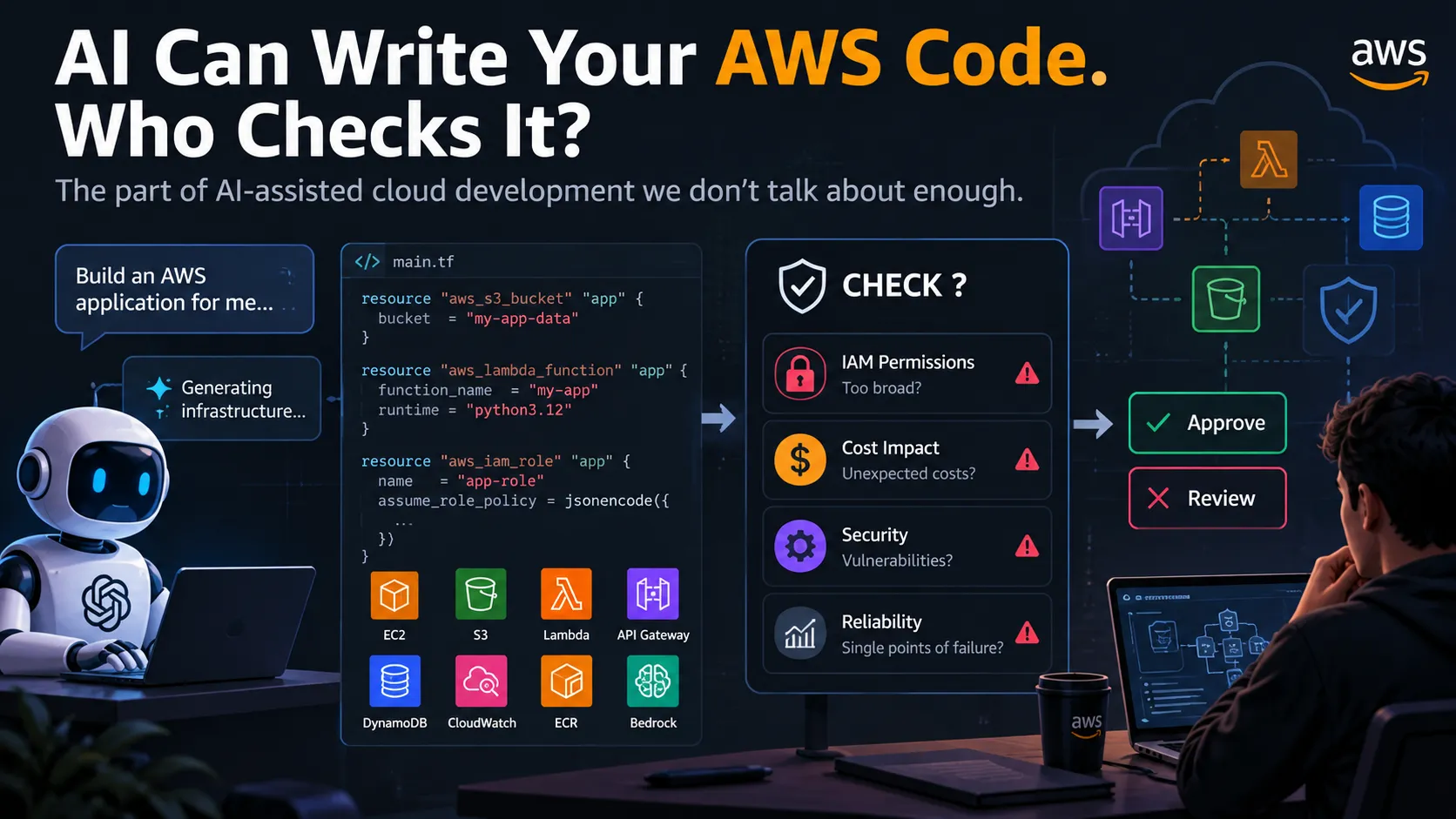
AI Can Write Your AWS Code. Who Checks It?
The part of AI-assisted cloud development we don’t talk about enough

The code looked perfect.
I asked an AI coding assistant to help design an AWS-based application.
It generated the infrastructure.
It suggested the services.
It wrote configuration.
It even produced IAM policies.
At first glance, everything looked reasonable.
Then I started asking different questions:
Does it need all these permissions?
What happens if something goes wrong?
Could this create unexpected AWS costs?
What happens if the AI-generated code is manipulated?
And that's where things became interesting.
Because we're entering a world where AI can help us write cloud infrastructure faster than ever.
But there's a problem:
Writing AWS code is becoming easier. Knowing whether that code should be deployed is still our responsibility.
AI IS BECOMING PART OF THE DEVELOPMENT WORKFLOW
AI coding tools can already help developers with things like:
• Writing Python and JavaScript
• Generating AWS CLI commands
• Creating infrastructure configuration
• Writing Lambda functions
• Creating IAM policies
• Explaining AWS errors
• Generating deployment scripts
• Connecting services together
And this is closely connected to where the AWS ecosystem is heading.
AI agents, Amazon Bedrock, generative AI, serverless and AI-assisted development are becoming increasingly important parts of the cloud development workflow.
The interesting part isn't simply that AI can generate code.
It's that AI is increasingly capable of interacting with tools and cloud environments.
That changes the security conversation.
THE DIFFERENCE BETWEEN GENERATING CODE AND EXECUTING IT
Imagine asking an AI:
"Create an S3 bucket for my application."
The AI might generate something like:
aws s3api create-bucket \
--bucket my-application-data
That's harmless enough.
But now imagine asking:
"Deploy my application automatically."
Suddenly, the AI might need to interact with:
• IAM
• S3
• Lambda
• API Gateway
• CloudWatch
• ECR
• EC2
• Amazon Bedrock
Now we're no longer talking about an AI that simply writes code.
We're talking about an AI that can potentially take actions.
And that's a completely different security problem.
GIVE AN AI TOO MANY PERMISSIONS AND THINGS GET INTERESTING
Consider an IAM policy like this:
{
"Effect": "Allow",
"Action": "*",
"Resource": "*"
}
Technically, this can make development incredibly convenient.
But it essentially says:
"You can do almost anything."
That's exactly what we don't want to casually give an AI agent.
Instead, imagine our application only needs to read objects from one S3 bucket.
We could scope the permission around that specific requirement:
{
"Effect": "Allow",
"Action": [
1
"s3:GetObject"
],
"Resource": "arn:aws:s3:::my-app-data/*"
}
Now the AI doesn't receive permission to modify unrelated AWS resources.
That's the principle of:
Give the AI exactly what it needs — and nothing more.
BUT PERMISSIONS AREN'T THE ONLY PROBLEM
Suppose an AI agent has access to AWS.
It receives a task:
"Optimize the application."
The agent might decide to:
- Inspect resources
- Modify configuration
- Create infrastructure
- Deploy code
- Check logs
- Try another configuration
That sounds useful.
But what happens if the instructions given to the agent are malicious?
Or if an external piece of data contains instructions designed to manipulate the agent?
This is where concepts such as prompt injection, privilege escalation, credential exposure and excessive permissions become important.
An AI agent doesn't just need to be intelligent.
It needs boundaries.
SO SHOULD AI GET AWS ACCESS?
Not necessarily.
The better question is:
What access does the AI actually need?
Imagine three levels.
LEVEL 1 — AI ONLY GENERATES CODE
Developer
AI-> Code-> Developer review-> Deployment—> The human remains in the loop.
LEVEL 2 — AI CAN SUGGEST ACTIONS
Developer-> AI-> Suggested AWS action-> Human approval-> AWS
The AI becomes more useful while the developer still controls execution.
LEVEL 3 — AI CAN EXECUTE ACTIONS
Developer-> AI Agent-> Tools-> IAM-> AWS Services
Now the architecture needs much stronger controls.
Because an AI that can reason + use tools + access cloud resources has a very different risk profile from a chatbot that simply generates text.
THIS IS WHERE AGENTCORE BECOMES INTERESTING
AWS Amazon Bedrock AgentCore is designed for building and operating AI agents with capabilities around runtime, identity, tools, memory and other agent infrastructure.
But an important detail is easy to miss:
The agent still needs permissions.
That's where IAM becomes extremely important.
An agent might be capable of reasoning about a task, but AWS permissions still determine what it can actually do.
AI can make the decision.
IAM should enforce the boundary.
THE AI SHOULDN'T BE THE FINAL SECURITY LAYER
This is probably the biggest lesson I took from exploring this topic.
We shouldn't think:
"The AI is smart enough to handle it."
Instead:
"The AI can make decisions, but the infrastructure should enforce the boundaries."
Those boundaries can include:
IAM
Controls what the workload can access.
Least privilege
Only provide the permissions actually required.
Resource restrictions
Avoid allowing access to every resource when a specific resource can be used.
Authentication
Make sure only authorized users or services can invoke the agent.
Logging
Track what the system actually did.
Human approval
Require confirmation before sensitive actions.
Monitoring
Detect unexpected behavior.
These controls become increasingly important as AI systems move from generating suggestions to actually interacting with cloud infrastructure.
WHAT I WOULD BUILD
This led me to an interesting project idea:
An AI AWS Deployment Reviewer.
Instead of asking AI:
"Deploy this application."
I'd ask:
"Review this deployment before I deploy it."
The workflow could look something like this:
Developer-> AI-generated AWS configuration-> Deployment Reviewer-> Security + Cost + IAM + Reliability checks-> Risk Report-> PASS / REVIEW-> Human-> approval-> Deploy
The AI could identify things such as:
Security:
"This policy grants access beyond the resources required."
Cost:
"This architecture may introduce continuously running resources."
IAM:
"This role contains broader permissions than required."
Reliability:
"This component has no obvious redundancy."
Instead of allowing AI to blindly deploy infrastructure, we're using AI to challenge the infrastructure first.
AND THIS IS WHERE AI BECOMES MORE INTERESTING
The future isn't necessarily:
"AI replaces developers."
It may look more like:
Developers + AI + automated guardrails.
The developer describes what they want.
AI generates an implementation.
Automated systems inspect it.
Security controls enforce boundaries.
The developer approves important changes.
And only then does the infrastructure get deployed.
That's a much more interesting workflow than simply asking an AI to "write some AWS code."
THE UNCOMFORTABLE QUESTION
We're getting very good at making AI agents do things.
But perhaps the harder engineering problem is deciding:
What should an AI agent be allowed to do?
Because once an AI can interact with AWS, the quality of its generated code isn't the only thing that matters.
Its identity, permissions, tools, boundaries and ability to recover from mistakes matter too.
And that's something I'm going to pay much more attention to as I build AI + AWS projects.
FINAL THOUGHT
AI can generate the code.
AI can suggest the architecture.
AI can even help operate the infrastructure.
But when that code touches a real AWS account:
Who checks it?
What permissions does it have?
And what happens when it gets something wrong?
That's where I think the next interesting chapter of AI-assisted cloud development begins.
WHAT DO YOU THINK?
Would you let an AI agent deploy directly to your AWS account, or would you always keep a human approval step before deployment?
#AWS #AmazonBedrock #AgenticAI #AIAgents #GenerativeAI #AWSBuilders #CloudComputing #AWSIAM #DevOps #A
Enjoyed reading this content? Let the author know!
Your likes, comments, shares, and saves help creators reach more builders.

Loading recommendations
Loading article