
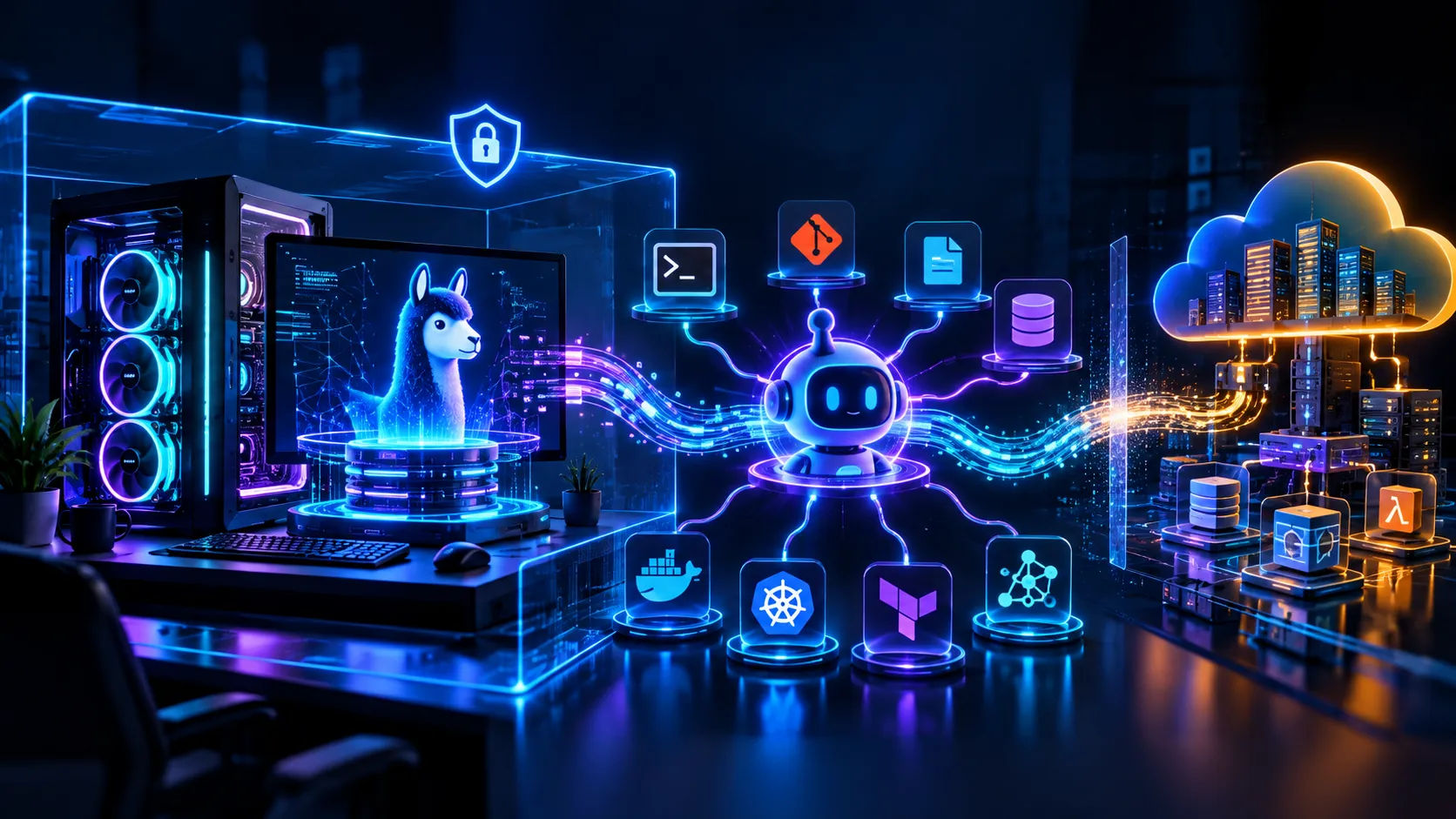
Local AI with Ollama + Hermes: Building a Private AI Agent on Your Own Machine
Local AI, Ollama, Hermes Agent, OpenAI-compatible APIs, Tool Calling, Privacy, DevOps

AWS Community Builder Article

Introduction
Generative AI does not always have to mean sending prompts to a cloud API.
A powerful alternative is Local AI: run an open-weight model on your own laptop, workstation, or server and expose it through a local inference API. Add an agent framework such as Hermes Agent and the architecture becomes much more interesting: the model can reason, use tools, maintain local state, and automate workflows while the inference endpoint stays on your machine.
A practical stack is:
1
2
3
4
5
6
7
8
9
10
11
12
13
14
15
16
17
18
                LOCAL AI STACK

+------------------------------------------------------+
|                  Your Computer                      |
|                                                      |
|  +----------------+       +-----------------------+ |
|  | Hermes Agent   | ----> | Ollama                | |
|  | Agent / Tools  | HTTP  | Local Model Runtime   | |
|  +----------------+       +-----------+-----------+ |
|                                      |               |
|                                      v               |
|                             +-----------------+      |
|                             | Qwen / Llama /  |      |
|                             | other model     |      |
|                             +-----------------+      |
|                                                      |
|  Local files | Git | Shell | MCP | Memory | Skills |
+------------------------------------------------------+
The key idea is simple:
Ollama provides local model inference. Hermes provides the agent layer.
Hermes can connect to Ollama through its OpenAI-compatible API, making the two tools a natural combination for local agent experimentation.
1. What Is Local AI?
Local AI means the AI model runs on infrastructure you control rather than requiring every prompt to travel to a hosted model provider.
Typical components are:
| Layer | Example |
|---|---|
| User interface | Terminal, web UI, desktop app |
| Agent | Hermes Agent |
| Model runtime | Ollama |
| Model | Qwen, Llama, Gemma, etc. |
| Tools | Shell, Git, MCP, browser, files |
| Storage | Local disk / local database |
| Hardware | CPU / NVIDIA GPU / Apple Silicon / other supported accelerators |
This architecture is particularly useful for:
- Learning LLM infrastructure
- Coding assistants
- Private experimentation
- Offline workflows after model download
- Prototyping AI agents
- Local DevOps automation
- RAG experiments
- Internal developer tooling
2. What Is Ollama?
Ollama is a local model runtime that makes running open-weight models relatively simple.
For example:
1
2
3
ollama list
ollama pull qwen2.5-coder:7b
ollama run qwen2.5-coder:7b
Ollama also exposes a local HTTP API and an OpenAI-compatible API, allowing applications such as Hermes to communicate with the local model.
3. What Is Hermes Agent?
Hermes Agent, from Nous Research, is an AI agent designed to go beyond a simple chat interface.
Think about the difference:
1
2
3
Normal LLM

User -> Prompt -> Model -> Answer
versus:
1
2
3
4
5
6
7
8
9
10
11
12
13
14
15
16
17
18
19
20
21
22
Agent

User
  |
  v
Hermes Agent
  |
  +--> Think / Plan
  |
  +--> Call Tool
  |      |
  |      +--> Shell
  |      +--> Git
  |      +--> MCP
  |      +--> Files
  |
  +--> Observe result
  |
  +--> Continue reasoning
  |
  v
Final answer
The agent layer is what makes local AI especially interesting for automation and DevOps workflows.
4. Ollama + Hermes
The architecture separates two responsibilities:
Ollama
- Runs the model locally
- Manages model downloads
- Provides the inference API
- Handles local model execution
Hermes
- Provides the agent interface
- Coordinates tool calls
- Manages agent workflows
- Supports skills and memory
- Connects to local or cloud model providers
Therefore:
1
2
3
4
5
6
7
8
9
10
                Ollama + Hermes

        Hermes = Agent / Orchestration
                    |
                    | OpenAI-compatible API
                    v
             Ollama = Inference
                    |
                    v
             Local LLM Model
5. Local AI Architecture
1
2
3
4
5
6
7
8
9
10
11
12
13
14
15
16
17
18
19
20
21
22
23
24
25
26
27
28
29
30
31
32
                           USER
                            |
                            v
                    +----------------+
                    | Hermes Agent   |
                    +-------+--------+
                            |
              +-------------+-------------+
              |             |             |
              v             v             v
           Skills         Memory         Tools
              |             |             |
              +-------------+-------------+
                            |
                            v
                  OpenAI-Compatible API
                            |
                            v
                    +---------------+
                    |    Ollama     |
                    | localhost     |
                    | :11434        |
                    +-------+-------+
                            |
                            v
                    +---------------+
                    | Local LLM     |
                    | Qwen/Llama/...|
                    +---------------+
                            |
                            v
                    CPU / GPU / RAM
6. Install Ollama
After installing Ollama, verify it:
1
ollama --version
Check existing models:
1
ollama list
If you already installed Ollama and want to know which models are available locally,
ollama list is the first command to use.7. Download a Local Model
For example:
1
ollama pull qwen2.5-coder:7b
Then:
1
ollama run qwen2.5-coder:7b
Test it:
1
Explain Kubernetes Deployment vs StatefulSetExit:
1
/bye
Then inspect your models again:
1
ollama list
8. Model Size vs Hardware
The biggest limitation of Local AI is usually hardware.
A model may be described as 7B, 14B, 32B, 70B, etc. Actual resource usage depends on:
- Quantization
- Context length
- KV cache
- Runtime implementation
- GPU offloading
- Model architecture
- Concurrent requests
1
2
3
4
5
6
7
8
9
10
11
Smaller model
   |
   +--> Lower memory requirement
   +--> Usually faster
   +--> Easier to run locally

Larger model
   |
   +--> Higher memory requirement
   +--> Potentially stronger reasoning/coding
   +--> More demanding hardware
9. Start Ollama's API Server
Ollama normally exposes its local service on port
11434.1
ollama serveThe endpoint used by Hermes is:
1
http://localhost:11434/v110. Install Hermes Agent
For Windows PowerShell:
1
iex (irm https://hermes-agent.nousresearch.com/install.ps1)For Linux/macOS/WSL2:
1
curl -fsSL https://hermes-agent.nousresearch.com/install.sh | bashVerify:
1
hermes --help11. Connect Hermes to Ollama
Run:
1
hermes modelSelect the custom/self-hosted endpoint.
Use:
1
2
3
4
5
API base URL:
http://localhost:11434/v1
Model:
qwen2.5-coder:7bThe model name should match the model installed in Ollama.
12. Direct Configuration
A representative Hermes configuration is:
1
2
3
4
5
model:
default: qwen2.5-coder:7b
provider: custom
base_url: http://localhost:11434/v1
context_length: 6400013. The Most Important Setting: Context Length
This is one of the most important details when connecting Hermes to a local model.
Current Hermes documentation states that Hermes Agent requires at least 64,000 tokens of context for agent use.
Ollama may use a much smaller context by default depending on available VRAM.
For example:
1
OLLAMA_CONTEXT_LENGTH=64000 ollama serveThen:
1
ollama psWhy does an agent need more context?
1
2
3
4
5
6
7
8
9
10
11
12
13
System instructions
+
Conversation history
+
Tool definitions
+
Tool results
+
Files / code snippets
+
Intermediate state
+
Current taskA simple chatbot can work with a small context window. A tool-using agent often cannot.
14. End-to-End Request Flow
Suppose you ask:
1
"Check my project, identify the Docker issue, and explain how to fix it."Flow:
1
2
3
4
5
6
7
8
9
10
11
12
13
14
15
16
17
18
19
20
21
22
23
24
25
26
27
28
29
30
31
32
User request
|
v
Hermes Agent
|
v
Ollama API
|
v
Local LLM
|
+----> Decide to inspect project
|
v
Tool call
|
+----> shell / files / git / MCP
|
v
Tool result
|
v
Ollama API
|
v
Local LLM
|
v
Hermes
|
v
Final response15. Why This Is Interesting for DevOps Engineers
Local AI can become an engineering assistant for:
- Docker troubleshooting
- Kubernetes YAML analysis
- Terraform review
- Git workflow assistance
- CI/CD debugging
- Log summarization
- Shell command generation
- Documentation generation
- Repository exploration
- Incident investigation
- Configuration analysis
Example:
1
2
3
4
5
6
7
8
9
10
11
12
13
Developer
|
v
Hermes
|
+--> inspect git diff
+--> inspect Kubernetes YAML
+--> inspect Dockerfile
+--> analyze logs
+--> propose fix
|
v
Developer reviews changes16. Local AI Security Model
Local inference can reduce exposure of prompts to external model APIs, but local security still matters.
1
2
3
4
5
6
7
8
9
10
11
12
13
14
15
LOCAL MACHINE
+---------------------------------------------+
| |
| Hermes |
| | |
| +-----> Ollama :11434 |
| | |
| +-----> Controlled tools |
| | |
| +--> Read-only workspace |
| +--> Limited shell |
| +--> Approved Git commands |
| |
+---------------------------------------------+Recommended controls:
- Bind local services appropriately
- Do not expose Ollama publicly without authentication and network controls
- Use least-privilege tool permissions
- Separate personal data from test data
- Review destructive commands
- Protect model files and configuration
- Keep cloud API keys outside prompts
- Review MCP servers carefully
Local inference is a privacy architecture, not a complete security architecture.
17. Privacy
When Hermes is configured to use your local Ollama endpoint, inference requests can be directed to the local machine rather than a cloud LLM provider.
However:
1
2
3
Local model inference
!=
Everything is automatically localFor example, a web-search tool, external MCP server, cloud API or remote Git operation may still communicate externally.
Always audit the complete data path.
18. Ollama + Hermes + MCP
MCP can extend the agent with additional tools and data sources.
1
2
3
4
5
6
7
8
9
Hermes
|
+-----------+-----------+
| | |
v v v
Ollama MCP Local Tools
| | |
v v v
Local LLM Services Shell / GitA useful security principle is:
1
2
Model = decides
Tool = performsHigh-impact actions should have validation or approval.
19. Local AI + Git
1
2
3
4
5
6
7
8
9
10
11
12
13
14
15
git status
|
v
Hermes
|
+--> inspect changed files
+--> explain diff
+--> identify possible bugs
+--> suggest tests
|
v
Developer approval
|
v
commit / push20. Local AI + Docker
A local agent can inspect:
1
2
3
4
5
Dockerfile
compose.yaml
.env.example
application logs
package.json / requirements.txtand help identify issues such as:
1
2
3
4
5
1. Container starts correctly.
2. Application cannot connect to database.
3. DATABASE_HOST is missing.
4. Add the variable.
5. Restart and test.The agent should distinguish evidence from assumptions.
21. Local AI + Kubernetes
A Kubernetes troubleshooting assistant can analyze:
1
2
3
4
kubectl get pods
kubectl describe pod <pod>
kubectl logs <pod>
kubectl get eventsArchitecture:
1
2
3
4
5
6
7
8
9
10
11
12
13
14
Hermes
|
v
Ollama
|
v
Local LLM Model
|
v
Approved Tooling
|
+--------+--------+
| | |
kubectl helm gitPotential use cases:
- CrashLoopBackOff analysis
- ImagePullBackOff diagnosis
- Service/Ingress troubleshooting
- Resource-limit analysis
- Deployment YAML review
- HPA configuration review
22. Local AI + Terraform
1
2
3
4
5
6
7
8
9
10
11
12
13
14
15
16
17
18
19
Terraform files
|
v
Hermes
|
+--> inspect modules
+--> inspect variables
+--> inspect IAM
+--> inspect networking
+--> explain plan
|
v
terraform plan
|
v
Human review
|
v
terraform applyA strong principle is:
AI proposes. Terraform validates. Human approves.
23. Local AI + CI/CD
1
2
3
4
5
6
7
8
9
10
11
12
13
GitHub Actions YAML
|
v
Hermes + Ollama
|
+--> syntax review
+--> action version review
+--> environment analysis
+--> secret exposure checks
+--> deployment-flow explanation
|
v
Developer24. Practical Project: Local DevOps AI Assistant
Build a project using:
1
2
3
4
5
6
7
8
Hermes Agent
Ollama
Qwen coding model
Git
Docker
Kubernetes
Terraform
MCPGoal:
Build a local AI assistant that can inspect a DevOps project and help diagnose infrastructure and deployment issues without sending the source repository to a hosted LLM by default.
Architecture:
1
2
3
4
5
6
7
8
9
10
11
12
13
14
15
16
17
18
19
20
21
22
23
24
25
Developer
|
v
+---------------+
| Hermes Agent |
+-------+-------+
|
v
Ollama :11434
|
v
Local Qwen Model
|
+--------------+--------------+
| | |
v v v
Git Docker Kubernetes
| | |
+--------------+--------------+
|
v
Terraform
|
v
AWS / Cloud25. Project Workflow
1
2
3
4
5
6
7
8
9
10
11
12
13
14
15
16
17
18
19
20
21
22
Developer
|
v
"Why is my Kubernetes backend deployment failing?"
|
v
Hermes
|
+--> Git diff
+--> kubectl get pods
+--> kubectl logs
+--> kubectl describe
+--> inspect manifests
|
v
Local Ollama reasoning
|
v
Diagnosis
|
v
Human approvalThis demonstrates:
AI + DevOps + Kubernetes + Security + Local Inference
26. Production-Style Architecture
1
2
3
4
5
6
7
8
9
10
11
12
13
14
15
16
17
Developer
|
v
+------------------+
| Hermes Agent |
| Policy / Tools |
+---------+--------+
|
+--------------+--------------+
| |
v v
Local Ollama MCP Gateway
| |
v +---- Git
Local LLM +---- K8s
+---- AWS
+---- DocsThe agent should not directly become an administrator. It should operate through controlled tools.
27. Observability
Track:
| Metric | Why it matters |
|---|---|
| GPU utilization | Detect idle GPU capacity |
| VRAM usage | Avoid memory exhaustion |
| RAM usage | Detect system pressure |
| Tokens/sec | Measure inference speed |
| Time to first token | User experience |
| Context length | Agent reliability |
| Model load time | Startup performance |
| Tool-call latency | Workflow performance |
| Error rate | Reliability |
| Disk usage | Model storage |
28. Cost Model
Cloud API:
1
2
3
4
5
Pay per usage
|
+--> input tokens
+--> output tokens
+--> tool/API usageLocal:
1
2
3
4
5
6
7
Hardware cost
|
+--> GPU
+--> RAM
+--> Storage
+--> Electricity
+--> MaintenanceLocal AI is therefore not automatically cheaper in every situation.
29. Offline AI
Once the model and required runtime components are downloaded, a local workflow can operate without continuously calling a hosted LLM provider.
1
2
3
4
5
6
7
8
9
10
11
12
INTERNET
X
|
+-------------------+
| Local Workstation |
| |
| Hermes |
| Ollama |
| Local Model |
| Git repository |
| Local tools |
+-------------------+Any external tool such as cloud Git hosting, web search, package downloads or remote APIs changes the data path.
30. Troubleshooting: Hermes Cannot Connect to Ollama
Check:
1
ollama listStart Ollama:
1
ollama serveCheck running models:
1
ollama psVerify:
1
http://localhost:11434/v1Also verify the model name.
31. Model Works in Ollama but Hermes Fails
Check:
- OpenAI-compatible endpoint
- Model name
- Context length
- Tool-calling support
- Available VRAM/RAM
- Hermes configuration
- Ollama server state
The 64K context requirement is especially important for Hermes agent workflows.
32. Context Troubleshooting
Try:
1
OLLAMA_CONTEXT_LENGTH=64000 ollama serve
Then:
1
ollama psDo not blindly increase context length because larger contexts can increase memory consumption.
33. Performance Troubleshooting
Possible causes:
1
2
3
4
5
6
7
8
Slow inference
   |
   +--> Model too large
   +--> CPU-only inference
   +--> Insufficient VRAM
   +--> Large context
   +--> Tool latency
   +--> Disk/model loading
Measure first.
34. Security Checklist
- Ollama is not unnecessarily exposed to the internet
- Agent tools use least privilege
- Cloud credentials are protected
- Kubernetes permissions are restricted
- AWS IAM permissions are restricted
- Destructive commands require approval
- Sensitive files are excluded where possible
- MCP servers are trusted and reviewed
- Git credentials are protected
- Logs do not contain secrets
- External tools are identified
- Model and agent configuration directories are protected
35. DevOps Implications
Traditional:
1
2
3
4
5
6
7
Developer
   |
   v
CLI / IDE
   |
   v
Cloud infrastructure
AI-assisted:
1
2
3
4
5
6
7
8
9
10
11
12
Developer
   |
   v
AI Agent
   |
   +--> Local LLM
   +--> Tools
   +--> Policies
   +--> Observability
   |
   v
Cloud infrastructure
DevOps teams increasingly need to consider:
- AI runtime management
- Model lifecycle
- GPU capacity
- Agent permissions
- Prompt/tool security
- Observability
- Evaluation
- Cost control
- Reproducibility
The AI agent itself becomes another workload to operate.
36. Local AI vs Cloud AI
| Area | Local AI | Cloud AI |
|---|---|---|
| Data path | Can remain local | Usually remote |
| Internet dependency | Can be offline after setup | Usually required |
| Hardware | User-managed | Provider-managed |
| Scaling | Limited by local hardware | Easier elastic scaling |
| Model choice | Open/local models | Provider catalog |
| Operational burden | Higher | Lower for inference infrastructure |
| Cost model | Hardware + electricity | Usage/subscription |
| Privacy control | Strong potential | Depends on provider/configuration |
| Agent tools | Local + configured remote tools | Local + remote tools |
37. Hybrid Architecture
1
2
3
4
5
6
7
8
9
                    AI Router
                       |
             +---------+---------+
             |                   |
             v                   v
       Local Ollama         Cloud Provider
             |                   |
             v                   v
       Private tasks        Large / specialized tasks
For example:
1
2
3
4
5
6
7
8
9
10
11
Sensitive source code
       -> Local model

General research
       -> Cloud model

Large complex reasoning
       -> Cloud model

Offline DevOps troubleshooting
       -> Local model
38. Learning Roadmap
Level 1 — Local LLM
1
2
3
4
5
6
Ollama
  |
  +--> pull model
  +--> run model
  +--> list models
  +--> inspect running models
Level 2 — API
1
2
3
4
Ollama
  |
  v
HTTP API
Level 3 — Agent
1
2
3
4
Hermes
  |
  v
Ollama
Level 4 — Tools
1
2
3
4
5
6
7
Hermes
 |
 +--> Git
 +--> Shell
 +--> Docker
 +--> Kubernetes
 +--> MCP
Level 5 — Platform Engineering
1
2
3
4
5
6
7
8
Local AI
   |
   +--> Containers
   +--> GPU scheduling
   +--> Observability
   +--> Security
   +--> CI/CD
   +--> Model evaluation
Level 6 — Production AI Platform
1
2
3
4
5
6
7
8
AI Gateway
   |
   +--> Local models
   +--> vLLM
   +--> Ollama
   +--> Cloud models
   +--> Policy
   +--> Observability
39. Portfolio Project
Local DevOps AI Agent — Ollama + Hermes + MCP
Features:
1
2
3
4
5
6
7
8
9
10
11
12
13
14
15
16
17
18
19
20
21
22
23
24
+------------------------------------------------+
|            Local DevOps AI Agent              |
+------------------------------------------------+
| Hermes Agent                                  |
|                                                |
| Local Ollama Model                             |
|                                                |
| MCP Tools                                      |
|  - Git                                         |
|  - Docker                                      |
|  - Kubernetes                                  |
|  - Terraform                                   |
|  - AWS read-only diagnostics                   |
|                                                |
| Security                                       |
|  - Approval gates                              |
|  - Least privilege                             |
|  - Local inference                             |
|                                                |
| Observability                                  |
|  - Token latency                               |
|  - Tool latency                                |
|  - GPU/RAM usage                               |
+------------------------------------------------+
Example:
1
"Analyze why my EKS deployment is failing."
Workflow:
1
2
3
4
5
6
7
8
9
10
11
12
13
14
15
16
17
18
Hermes
  |
  +--> Git diff
  |
  +--> kubectl get pods
  |
  +--> kubectl logs
  |
  +--> kubectl describe
  |
  +--> inspect manifests
  |
  +--> local Ollama reasoning
  |
  +--> produce diagnosis
  |
  v
Human approval
40. Key Lessons
Lesson 1
Ollama is the inference layer.
Lesson 2
Hermes is the agent layer.
Lesson 3
OpenAI-compatible APIs make integrations easier.
Lesson 4
Context length matters enormously for agents.
Lesson 5
Local inference does not mean every tool call is local.
Lesson 6
Tool permissions matter more than model location.
Lesson 7
Human approval is valuable for infrastructure changes.
Lesson 8
The best DevOps AI assistant is not just a chatbot; it is an observable, permission-controlled engineering system.
41. Final Architecture Mindset
1
2
3
4
5
6
7
8
9
10
11
12
13
14
15
16
17
18
19
20
21
22
23
24
25
26
27
Chatbot
   |
   v
Local LLM
   |
   v
LLM + API
   |
   v
AI Agent
   |
   +--> Tools
   +--> Memory
   +--> Skills
   +--> MCP
   |
   v
DevOps AI Agent
   |
   +--> Git
   +--> Docker
   +--> Kubernetes
   +--> Terraform
   +--> AWS
   |
   v
AI-Powered Developer Platform
You are no longer just asking a model questions.
You are building a local AI control plane for engineering workflows.
42. Final Takeaway
Ollama + Hermes is a practical way to explore local, agentic AI without starting with a large cloud architecture.
Ollama gives you a simple local model runtime and API. Hermes adds the agent layer: tools, skills, memory and multi-step workflows.
For DevOps engineers, the opportunity is not simply:
“I can run an LLM on my laptop.”
It is:
“I can build a private AI engineering assistant that understands my repositories, analyzes my infrastructure, interacts with controlled tools, and keeps the reasoning workload local when the architecture allows it.”
The next step is to combine this stack with:
MCP + Kubernetes + Terraform + GitHub Actions + AWS
while keeping permissions, observability and human approval at the center of the design.
One-Line Summary
Ollama runs the brain locally. Hermes turns that brain into an agent. MCP and DevOps tools give the agent hands. Security and human approval decide what those hands are allowed to do.
Enjoyed reading this content? Let the author know!
Your likes, comments, shares, and saves help creators reach more builders.

Loading recommendations
Loading article