
From Container to Cloud: Deploying Your First Application with Amazon ECS
Learn how Amazon ECS and AWS Fargate run containerized applications and how ECS connects Amazon ECR with a modern CI/CD workflow.
Series: From Code to Cloud: My DevOps Journey on AWS (5 articles)
- …
- 3From Container to Cloud: Deploying Your First Application with Amazon ECS This article

From Container to Cloud: Deploying Your First Application with Amazon ECS
Introduction
In my previous article, I explored how Docker can package an application into a container and how Amazon ECR can store the resulting container image.
The next question is:
How do we actually run that container in AWS?
This is where Amazon Elastic Container Service (ECS) comes in.
In this article, I'll explore the basic concepts behind Amazon ECS and how it fits into the journey from a container image to a running application.
What Is Amazon ECS?
Amazon ECS is a managed container orchestration service provided by AWS.
It allows us to run and manage containerized applications without having to manually manage every part of the underlying infrastructure.
At a high level, the workflow is:
Container Image → ECS → Running Container
ECS takes the container image and uses it to run the application as a service or task.
Understanding the Main ECS Components
When I first started learning ECS, the terminology was one of the confusing parts.
A few concepts are especially important.
Cluster
An ECS cluster is a logical grouping of resources used to run containerized applications.
It provides a place where our ECS workloads can run.
Task Definition
A task definition describes how a container should run.
It can define information such as:
- Container image
- CPU and memory requirements
- Network configuration
- Environment variables
- Ports
- Logging configuration
You can think of a task definition as a blueprint for running a container.
Task
A task is a running instance of a task definition.
When ECS starts a container based on the task definition, it creates a task.
Service
An ECS service helps keep the desired number of tasks running.
For example, if an application should always have a certain number of container instances available, the service can help maintain that desired state.
ECS and Amazon ECR
ECS and ECR work together closely.
ECR stores the container image, while ECS uses that image to run the application.
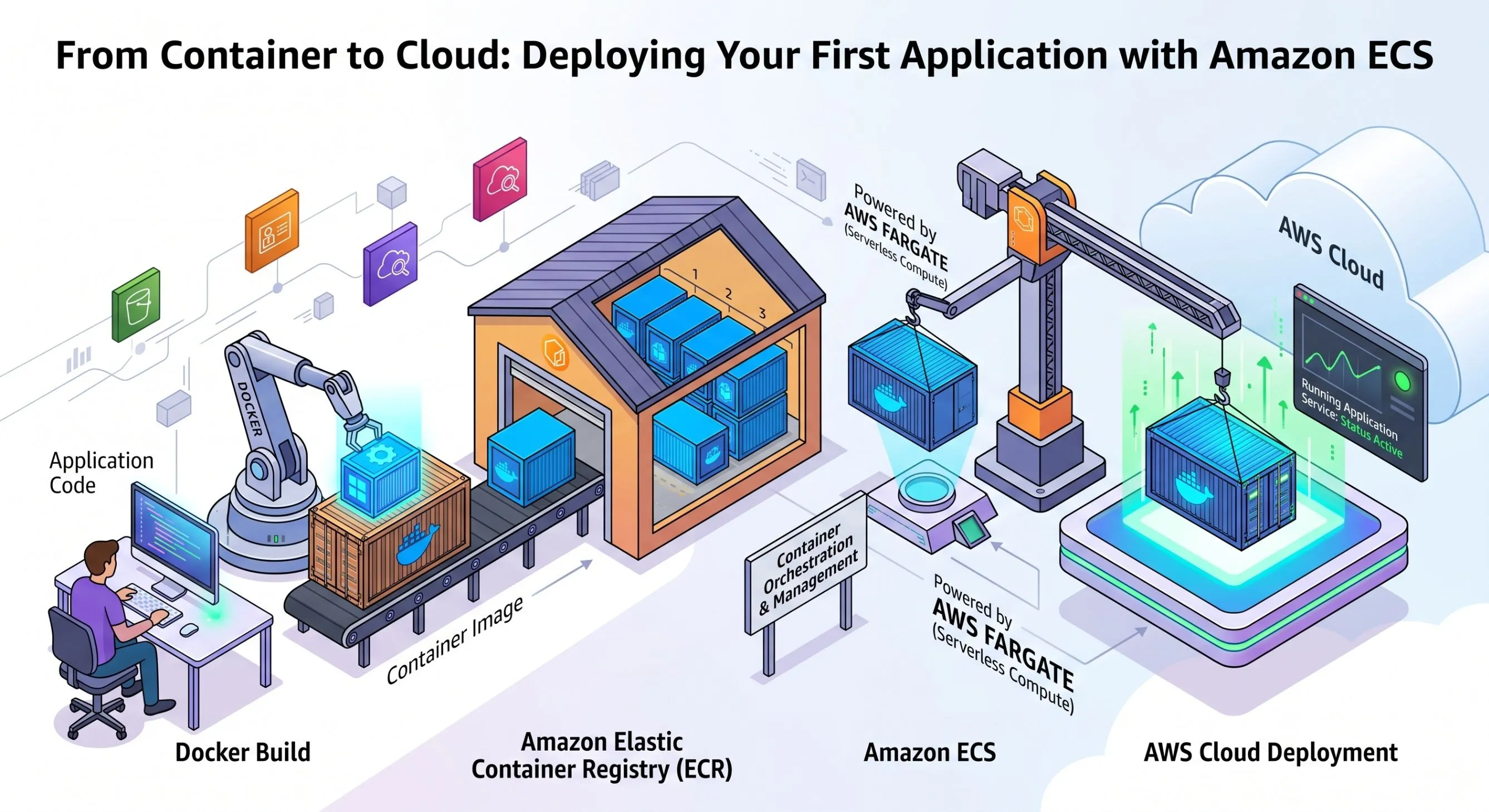
The relationship can be visualized as:
Docker
↓
Container Image
↓
Amazon ECR
↓
Amazon ECS
↓
Running Application
This separation makes the workflow easier to understand.
ECR is responsible for storing the image.
ECS is responsible for running the container.
How Does ECS Run the Application?
A simplified deployment process looks like this:
1. Build the application
The application source code is prepared for deployment.
2. Create a Docker image
Docker packages the application and its dependencies.
3. Push the image to ECR
The container image is stored in an Amazon ECR repository.
4. Create an ECS task definition
The task definition tells ECS which image to use and how the container should run.
5. Create an ECS service
The service manages the running application and maintains the desired number of tasks.
6. Application becomes available
The container starts running and can serve application traffic.
This gives us a complete path from source code to a running container in AWS.
Fargate and ECS
One concept I found particularly useful when learning ECS is AWS Fargate.
Fargate is a serverless compute engine for containers.
Instead of managing the underlying servers ourselves, we can let AWS handle the infrastructure required to run the containers.
This allows us to focus more on the application and container configuration.
The simplified relationship is:
ECS = Container Orchestration
Fargate = Serverless Compute for Containers
Together, they provide a way to run containers without managing the underlying servers directly.
Connecting ECS to CI/CD
This is where the previous articles in this series start coming together.
The workflow can now look like:
GitHub
↓
AWS CodePipeline
↓
AWS CodeBuild
↓
Docker Image
↓
Amazon ECR
↓
Amazon ECS / Fargate
↓
Running Application
A change pushed to the source repository can eventually result in a new container image being deployed to ECS.
This is one of the key ideas behind a modern CI/CD workflow.
What's Next?
At this point, the application deployment process is becoming more automated.
But there is still an important question:
How do we create and manage all these AWS resources without manually configuring them?
That's where Infrastructure as Code (IaC) comes in.
Instead of manually creating resources through the AWS Console, we can describe infrastructure using configuration files.
My next step is to explore Terraform and understand how Infrastructure as Code can make AWS environments more reproducible and easier to manage.
The journey continues:
Code → Container → Registry → Deployment → Infrastructure as Code
Conclusion
Amazon ECS provides a practical way to run containerized applications on AWS.
By combining Docker, Amazon ECR, ECS, and Fargate, we can create a workflow that moves an application from a container image to a running cloud service.
More importantly, this helped me connect the concepts from my previous articles into one bigger DevOps workflow.
The journey from code to cloud is becoming clearer:
Build → Package → Store → Deploy → Run
And the next step is making the infrastructure itself automated.
Series: From Code to Cloud: My DevOps Journey on AWS (5 articles)
- …
- 3From Container to Cloud: Deploying Your First Application with Amazon ECS This article
Enjoyed reading this content? Let the author know!
Your likes, comments, shares, and saves help creators reach more builders.

Loading recommendations
Loading article