
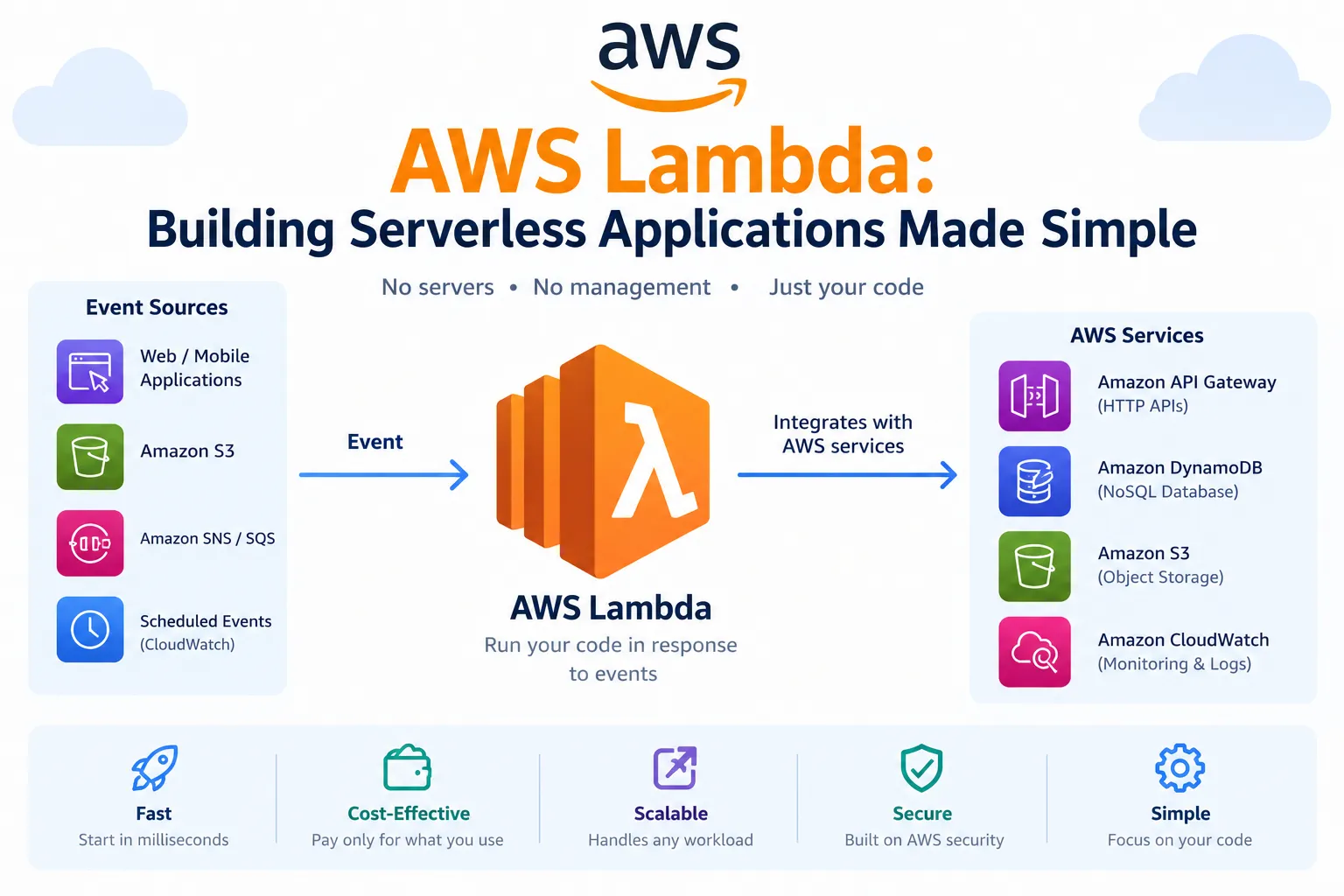
AWS Lambda: Building Serverless Applications Made Simple
Explore how AWS Lambda works and learn how to build event-driven applications without managing servers.

Yes. For the 1st topic — AWS Lambda: Building Serverless Applications Made Simple — you can paste this into the Body section:
AWS Lambda: Building Serverless Applications Made Simple
Introduction
Building applications traditionally requires managing servers, operating systems, infrastructure, and scaling. AWS Lambda provides a serverless approach that allows developers to run code without managing servers.
With Lambda, you can focus on writing application logic while AWS handles infrastructure management, scaling, and availability.
What is AWS Lambda?
AWS Lambda is a serverless compute service that runs your code in response to events. You upload your code as a Lambda function, configure how it should run, and AWS automatically executes it when the function is triggered.
Common Lambda triggers include:
- Amazon S3 events
- Amazon API Gateway requests
- Amazon EventBridge events
- Amazon SQS messages
- Scheduled events
How AWS Lambda Works
A typical Lambda workflow looks like this:
1
2
3
4
5
6
7
8
9
10
Event Source
     |
     v
AWS Lambda
     |
     v
Lambda Function
     |
     v
Application Response
For example, when a user uploads an image to an Amazon S3 bucket, the upload can trigger a Lambda function. The function can then process the image automatically.
Creating a Lambda Function
To create a Lambda function:
- Open the AWS Lambda console.
- Choose Create function.
- Select Author from scratch.
- Enter a function name.
- Choose a runtime such as Python or Node.js.
- Configure the required permissions.
- Choose Create function.
- Add your application code.
- Deploy and test the function.
A simple Python Lambda function looks like this:
1
2
3
4
5
def lambda_handler(event, context):
    return {
        "statusCode": 200,
        "body": "Hello from AWS Lambda!"
    }
Benefits of AWS Lambda
AWS Lambda can simplify application development by providing:
- No server management – AWS manages the underlying infrastructure.
- Automatic scaling – Lambda can scale based on incoming requests and events.
- Pay-for-use pricing – You generally pay based on the compute resources and requests your functions use.
- Event-driven execution – Functions can respond automatically to events from other AWS services.
- Easy integration – Lambda works with many AWS services.
Common Use Cases
Lambda can be used for many different workloads, including:
- Building serverless APIs
- Processing files uploaded to Amazon S3
- Running scheduled tasks
- Processing messages from queues
- Automating cloud operations
- Creating event-driven applications
Best Practices
When working with Lambda, consider the following practices:
- Keep functions focused on a specific task.
- Store sensitive configuration in AWS Secrets Manager or environment variables rather than hard-coding credentials.
- Use appropriate IAM permissions and follow the principle of least privilege.
- Monitor functions using Amazon CloudWatch.
- Configure appropriate memory and timeout settings.
- Test functions before deploying them to production.
Conclusion
AWS Lambda makes it possible to build event-driven applications without directly managing servers. By combining Lambda with services such as Amazon S3, API Gateway, Amazon SQS, and Amazon EventBridge, developers can create scalable and flexible cloud applications.
For beginners exploring serverless computing, creating a small Lambda function is a practical way to understand how event-driven applications work on AWS.
Enjoyed reading this content? Let the author know!
Your likes, comments, shares, and saves help creators reach more builders.

Loading recommendations
Loading article