
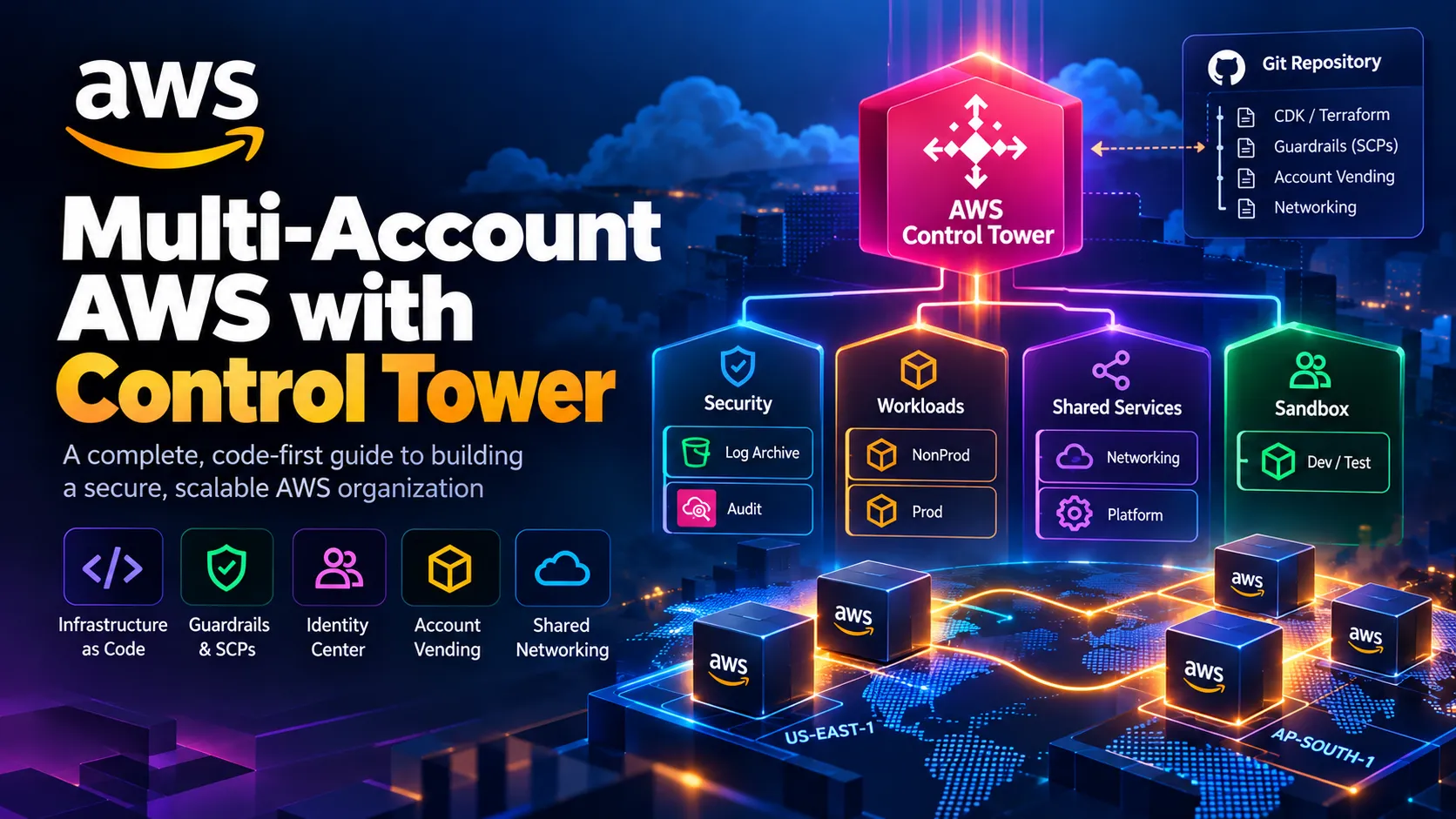
Building a Governed Multi-Account AWS Landing Zone with Organizations, Control Tower, and CDK
Build a secure multi-account AWS landing zone with Organizations, Control Tower, and CDK: guardrails, SCPs, Identity Center, and account vending as code.

A single AWS account works until someone deploys a test stack next to production data, or an auditor asks who could have deleted your CloudTrail logs and the honest answer is "everyone with admin." A multi-account structure fixes this at the boundary that matters most: the account is the hardest isolation line AWS offers for IAM, billing, quotas, and blast radius.
This guide builds the foundation end to end. We launch Control Tower via API, define OUs, enable guardrails as code, layer on custom SCPs, wire up Identity Center, delegate security services, vend accounts, and lay down shared networking. Script every step so the whole thing is reviewable in Git.
The mental model: who owns what
The most useful design decision is deciding what Control Tower owns and what your code owns.
Control Tower owns the baseline. That covers the Log Archive and Audit accounts, the organization CloudTrail, Config aggregation, the mandatory controls, and the enrollment machinery. Don't hand-edit these resources. If you do, you get drift.
Your CDK code owns everything layered on top. That covers OU registration, optional controls, custom SCPs, permission sets, delegated administrators, account vending, and networking.
Control Tower is opinionated on purpose. Fight it only where you have a reason, and write the reason down.
1
2
3
4
5
6
7
Root (management account: keep it empty of workloads)
├── Security OU            (Log Archive, Audit)
├── Infrastructure OU      (Network, Shared Services)
├── Sandbox OU             (developer accounts)
└── Workloads OU
    ├── NonProd OU
    └── Prod OU
Prerequisites and decisions you can't undo
Pick your home Region deliberately. It cannot be changed without decommissioning the landing zone and starting over. I use
ap-south-1 as home in this guide because it's close to my users, and I also govern us-east-1 because several global services anchor there. Govern as few Regions as you can. You can add Regions later, but each governed Region adds Config recorders and cost.You also need:
- A fresh management account with no workloads.
- Three unique email addresses that have never been used for an AWS account (plus-addressing works, for example
aws+logarchive@yourco.com). - The AWS CLI v2 and CDK v2 installed.
- If you plan to use Identity Center, remember it is Region-bound. Don't have an instance in a different Region than your home Region.
Phase 1: Organization, shared accounts, and service roles
Console setup does all of this for you. The API path does not, which is why it's worth understanding.
1
2
3
4
5
6
7
8
9
10
11
12
13
14
15
16
17
18
19
# In the management account
aws organizations create-organization --feature-set ALL

# Create the two shared accounts. The role name is what Control Tower
# expects to assume during enrollment.
aws organizations create-account \
  --email aws+logarchive@yourco.com \
  --account-name "Log Archive" \
  --role-name AWSControlTowerExecution

aws organizations create-account \
  --email aws+audit@yourco.com \
  --account-name "Audit" \
  --role-name AWSControlTowerExecution

# Poll until State = SUCCEEDED, then capture the IDs
aws organizations list-accounts \
  --query "Accounts[?Name=='Log Archive' || Name=='Audit'].[Name,Id]" \
  --output table
Control Tower also needs four IAM service roles to exist before an API launch. Here they are as a CDK stack. The trust principals and policies follow AWS's documented prerequisites, so compare against the current docs when you deploy.
1
2
3
4
5
6
7
8
9
10
11
12
13
14
15
16
17
18
19
20
21
22
23
24
25
26
27
28
29
30
31
32
33
34
35
36
37
38
39
40
41
42
43
44
45
46
47
48
49
50
51
52
53
54
// lib/ct-prereq-stack.ts
import * as cdk from 'aws-cdk-lib';
import * as iam from 'aws-cdk-lib/aws-iam';
import { Construct } from 'constructs';

export class ControlTowerPrereqStack extends cdk.Stack {
  constructor(scope: Construct, id: string, props?: cdk.StackProps) {
    super(scope, id, props);

    const admin = new iam.Role(this, 'Admin', {
      roleName: 'AWSControlTowerAdmin',
      path: '/service-role/',
      assumedBy: new iam.ServicePrincipal('controltower.amazonaws.com'),
      managedPolicies: [
        iam.ManagedPolicy.fromAwsManagedPolicyName(
          'service-role/AWSControlTowerServiceRolePolicy'),
      ],
    });
    admin.addToPolicy(new iam.PolicyStatement({
      actions: ['ec2:DescribeAvailabilityZones'],
      resources: ['*'],
    }));

    const trail = new iam.Role(this, 'CloudTrailRole', {
      roleName: 'AWSControlTowerCloudTrailRole',
      path: '/service-role/',
      assumedBy: new iam.ServicePrincipal('cloudtrail.amazonaws.com'),
    });
    trail.addToPolicy(new iam.PolicyStatement({
      actions: ['logs:CreateLogStream', 'logs:PutLogEvents'],
      resources: [`arn:aws:logs:*:*:log-group:aws-controltower/CloudTrailLogs:*`],
    }));

    const stackSet = new iam.Role(this, 'StackSetRole', {
      roleName: 'AWSControlTowerStackSetRole',
      path: '/service-role/',
      assumedBy: new iam.ServicePrincipal('cloudformation.amazonaws.com'),
    });
    stackSet.addToPolicy(new iam.PolicyStatement({
      actions: ['sts:AssumeRole'],
      resources: ['arn:aws:iam::*:role/AWSControlTowerExecution'],
    }));

    new iam.Role(this, 'ConfigAggregatorRole', {
      roleName: 'AWSControlTowerConfigAggregatorRoleForOrganizations',
      path: '/service-role/',
      assumedBy: new iam.ServicePrincipal('config.amazonaws.com'),
      managedPolicies: [
        iam.ManagedPolicy.fromAwsManagedPolicyName(
          'service-role/AWSConfigRoleForOrganizations'),
      ],
    });
  }
}
Phase 2: Launch the landing zone from code
The manifest describes the desired landing zone. The two account IDs are the ones you captured above.
1
2
3
4
5
6
7
8
9
10
11
12
13
14
15
16
17
18
19
20
21
22
23
24
25
26
27
28
29
30
31
32
33
34
35
36
37
38
39
40
41
// lib/landing-zone-stack.ts
import * as cdk from 'aws-cdk-lib';
import * as ct from 'aws-cdk-lib/aws-controltower';
import { Construct } from 'constructs';

interface LzProps extends cdk.StackProps {
  logArchiveAccountId: string;
  auditAccountId: string;
}

export class LandingZoneStack extends cdk.Stack {
  constructor(scope: Construct, id: string, props: LzProps) {
    super(scope, id, { ...props, terminationProtection: true });

    const lz = new ct.CfnLandingZone(this, 'LandingZone', {
      version: '3.3', // check the latest supported version before publishing
      manifest: {
        governedRegions: ['ap-south-1', 'us-east-1'],
        organizationStructure: {
          security: { name: 'Security' },
          sandbox: { name: 'Sandbox' },
        },
        centralizedLogging: {
          accountId: props.logArchiveAccountId,
          enabled: true,
          configurations: {
            loggingBucket: { retentionDays: 365 },
            accessLoggingBucket: { retentionDays: 365 },
            // kmsKeyArn: '<optional CMK ARN>'
          },
        },
        securityRoles: { accountId: props.auditAccountId },
        accessManagement: { enabled: true },
      },
      tags: [{ key: 'Owner', value: 'platform-team' }],
    });

    // Deleting this stack would decommission the landing zone. Retain it.
    lz.applyRemovalPolicy(cdk.RemovalPolicy.RETAIN);
  }
}
Termination protection plus a retain policy matters more than it looks. A stray
cdk destroy shouldn't be able to tear down your governance layer.The CLI equivalent, if you prefer to launch by hand:
1
2
3
4
5
6
aws controltower create-landing-zone \
  --version 3.3 \
  --manifest file://landing_zone_manifest.json

# Returns an operationIdentifier. Poll it:
aws controltower get-landing-zone-operation --operation-identifier <id>
Phase 3: Create and register the remaining OUs
OUs you create in Organizations are not governed until they're registered with Control Tower. Registration is done by enabling the Control Tower baseline on the OU. Look up the baseline identifiers rather than hard-coding them:
1
2
3
4
5
6
7
8
9
10
11
12
13
14
15
16
17
18
19
20
21
22
23
REGION=ap-south-1
ROOT_ID=$(aws organizations list-roots --query 'Roots[0].Id' --output text)

for OU in Infrastructure Workloads; do
  aws organizations create-organizational-unit --parent-id $ROOT_ID --name $OU
done

BASELINE_ARN=$(aws controltower list-baselines \
  --query "baselines[?name=='AWSControlTowerBaseline'].arn | [0]" --output text)

IDC_ENABLED_ARN=$(aws controltower list-enabled-baselines \
  --query "enabledBaselines[?contains(baselineIdentifier,'IdentityCenter')].arn | [0]" \
  --output text)

OU_ARN=$(aws organizations list-organizational-units-for-parent \
  --parent-id $ROOT_ID \
  --query "OrganizationalUnits[?Name=='Infrastructure'].Arn | [0]" --output text)

aws controltower enable-baseline \
  --baseline-identifier "$BASELINE_ARN" \
  --baseline-version "<version from list-baselines>" \
  --target-identifier "$OU_ARN" \
  --parameters "[{\"key\":\"IdentityCenterEnabledBaselineArn\",\"value\":\"$IDC_ENABLED_ARN\"}]"
Repeat for each OU, including nested
NonProd and Prod under Workloads. If your CDK version hasCfnEnabledBaseline, you can model this in code, using the same identifiers.Phase 4: Guardrails as code
Control Tower controls come in three behaviors, and it helps to keep them straight.
- Preventive controls are implemented with SCPs (and, increasingly, RCPs). They block the API call.
- Detective controls are Config rules. They report non-compliance after the fact.
- Proactive controls are CloudFormation hooks. They stop a non-compliant resource before it is provisioned.
The native construct is
CfnEnabledControl. A control's ARN isarn:aws:controltower:<region>::control/<identifier>, and the target is an OU ARN.1
2
3
4
5
6
7
8
9
10
11
12
13
14
15
16
17
18
19
20
21
22
23
24
25
26
27
28
29
30
31
32
33
34
35
36
37
38
39
40
41
42
43
44
45
46
47
48
49
50
51
52
53
54
// lib/controls-stack.ts
import * as cdk from 'aws-cdk-lib';
import * as ct from 'aws-cdk-lib/aws-controltower';
import { Construct } from 'constructs';
interface ControlSpec {
id: string;
parameters?: { key: string; value: any }[];
}
interface ControlsProps extends cdk.StackProps {
ouArns: Record<string, string>;
}
const POLICY: Record<string, ControlSpec[]> = {
Workloads: [
{ id: 'AWS-GR_ENCRYPTED_VOLUMES' },
{ id: 'AWS-GR_RESTRICTED_SSH' },
{ id: 'AWS-GR_RDS_INSTANCE_PUBLIC_ACCESS_CHECK' },
{ id: 'AWS-GR_S3_BUCKET_PUBLIC_READ_PROHIBITED' },
{ id: 'AWS-GR_S3_BUCKET_PUBLIC_WRITE_PROHIBITED' },
{
id: 'CT.MULTISERVICE.PV.1', // Region deny
parameters: [{ key: 'AllowedRegions', value: ['ap-south-1', 'us-east-1'] }],
},
],
Sandbox: [
{
id: 'CT.MULTISERVICE.PV.1',
parameters: [{ key: 'AllowedRegions', value: ['ap-south-1'] }],
},
],
};
export class ControlsStack extends cdk.Stack {
constructor(scope: Construct, id: string, props: ControlsProps) {
super(scope, id, props);
for (const [ouName, controls] of Object.entries(POLICY)) {
let previous: ct.CfnEnabledControl | undefined;
for (const c of controls) {
const enabled = new ct.CfnEnabledControl(this, `${ouName}-${c.id}`.replace(/[^A-Za-z0-9-]/g, ''), {
controlIdentifier: `arn:aws:controltower:${this.region}::control/${c.id}`,
targetIdentifier: props.ouArns[ouName],
parameters: c.parameters,
});
// Control Tower processes control operations sequentially per target.
// Chain them so CloudFormation doesn't fire them all at once and hit conflicts.
if (previous) enabled.addDependency(previous);
previous = enabled;
}
}
}
}Two practical notes. First, identifiers vary by control and change over time, so pull the authoritative list with
aws controltower list-controls and check it against the Controls reference. Second, Region deny is the single highest-value control here, but it needs the AllowedRegions parameter, and you'll want to review its exempted global services before you turn it on in production.Verify what's enabled:
1
aws controltower list-enabled-controls --target-identifier "$OU_ARN"
Phase 5: Custom SCPs for what controls don't cover
Controls cover a lot, but you'll want a few org-specific rules. Here's a policy that protects your security tooling, blocks leaving the organization, and denies the root user in member accounts.
1
2
3
4
5
6
7
8
9
10
11
12
13
14
15
16
17
18
19
20
21
22
23
24
25
26
27
28
29
30
31
32
33
34
35
36
37
38
39
40
41
42
43
44
45
46
47
48
49
50
51
52
53
54
55
// lib/scp-stack.ts
import * as cdk from 'aws-cdk-lib';
import * as org from 'aws-cdk-lib/aws-organizations';
import { Construct } from 'constructs';

export class ScpStack extends cdk.Stack {
  constructor(scope: Construct, id: string, props: cdk.StackProps & { targetOuIds: string[] }) {
    super(scope, id, props);

    const exempt = [
      'arn:aws:iam::*:role/AWSControlTowerExecution',
      'arn:aws:iam::*:role/aws-controltower-*',
      'arn:aws:iam::*:role/stacksets-exec-*',
    ];

    new org.CfnPolicy(this, 'BaselineGuardrails', {
      name: 'baseline-guardrails',
      type: 'SERVICE_CONTROL_POLICY',
      targetIds: props.targetOuIds,
      content: {
        Version: '2012-10-17',
        Statement: [
          {
            Sid: 'ProtectSecurityServices',
            Effect: 'Deny',
            Action: [
              'guardduty:DeleteDetector',
              'guardduty:DisassociateFromMasterAccount',
              'securityhub:DisableSecurityHub',
              'config:StopConfigurationRecorder',
              'config:DeleteConfigurationRecorder',
              'cloudtrail:StopLogging',
              'cloudtrail:DeleteTrail',
            ],
            Resource: '*',
            Condition: { ArnNotLike: { 'aws:PrincipalArn': exempt } },
          },
          {
            Sid: 'DenyLeaveOrganization',
            Effect: 'Deny',
            Action: 'organizations:LeaveOrganization',
            Resource: '*',
          },
          {
            Sid: 'DenyRootUser',
            Effect: 'Deny',
            Action: '*',
            Resource: '*',
            Condition: { StringLike: { 'aws:PrincipalArn': 'arn:aws:iam::*:root' } },
          },
        ],
      },
    });
  }
}
Four things to know before you ship this:
- SCPs never restrict the management account. That's the strongest reason to keep it free of workloads.
- There's an attachment limit (five SCPs per target, including the default
FullAWSAccess), and Control Tower's own SCPs use some of those slots. Consolidate statements into fewer policies. - The root-user deny blocks root-only recovery tasks in member accounts. AWS's centralized root access management is the cleaner way to handle those, so set that up first.
- Attaching your own SCPs is fine, but don't edit the
aws-guardrails-*policies Control Tower manages.
Phase 6: Identity Center as code
Never hand out IAM users across accounts. Define permission sets once and assign groups to accounts.
1
2
3
4
5
6
7
8
9
10
11
12
13
14
15
16
17
18
19
20
21
22
23
24
25
26
27
28
29
30
31
32
33
34
35
36
37
38
39
40
41
42
43
44
45
46
47
48
// lib/identity-stack.ts
import * as cdk from 'aws-cdk-lib';
import * as sso from 'aws-cdk-lib/aws-sso';
import { Construct } from 'constructs';

interface IdProps extends cdk.StackProps {
  instanceArn: string;  // aws sso-admin list-instances
  groupIds: Record<string, string>; // from the identity store
  accountIds: Record<string, string>;
}

export class IdentityStack extends cdk.Stack {
  constructor(scope: Construct, id: string, props: IdProps) {
    super(scope, id, props);

    const readOnly = new sso.CfnPermissionSet(this, 'ReadOnly', {
      instanceArn: props.instanceArn,
      name: 'ReadOnly',
      sessionDuration: 'PT4H',
      managedPolicies: ['arn:aws:iam::aws:policy/ReadOnlyAccess'],
    });

    const developer = new sso.CfnPermissionSet(this, 'Developer', {
      instanceArn: props.instanceArn,
      name: 'Developer',
      sessionDuration: 'PT8H',
      managedPolicies: ['arn:aws:iam::aws:policy/PowerUserAccess'],
    });

    new sso.CfnAssignment(this, 'DevsToSandbox', {
      instanceArn: props.instanceArn,
      permissionSetArn: developer.attrPermissionSetArn,
      principalType: 'GROUP',
      principalId: props.groupIds['Developers'],
      targetType: 'AWS_ACCOUNT',
      targetId: props.accountIds['sandbox-shared'],
    });

    new sso.CfnAssignment(this, 'AuditorsToAll', {
      instanceArn: props.instanceArn,
      permissionSetArn: readOnly.attrPermissionSetArn,
      principalType: 'GROUP',
      principalId: props.groupIds['Auditors'],
      targetType: 'AWS_ACCOUNT',
      targetId: props.accountIds['prod-app'],
    });
  }
}
Assign to groups, not individuals, and keep production permission sets narrower than
PowerUserAccess. Start from the ReadOnly set and grant write access deliberately.Phase 7: Security services with delegated administrators
Register the Audit account as delegated admin so security services aggregate there instead of in the management account. Some of these registrations have no CloudFormation resource, so scripting them is the honest option.
1
2
3
4
5
6
7
8
9
10
11
AUDIT=222222222222   # your Audit account ID

# From the management account
aws guardduty enable-organization-admin-account --admin-account-id $AUDIT
aws securityhub enable-organization-admin-account --admin-account-id $AUDIT
aws inspector2 enable-delegated-admin-account --delegated-admin-account-id $AUDIT

# From the Audit account: create a detector, then auto-enable for members
DET=$(aws guardduty create-detector --enable --query DetectorId --output text)
aws guardduty update-organization-configuration \
  --detector-id $DET --auto-enable-organization-members ALL
Treat the Audit account as the security tooling account, as AWS's Security Reference Architecture does, or create a dedicated Security Tooling account. The dedicated route separates Control Tower's audit role from your detection engineering. Either is defensible, so decide and write it down.
Control Tower already gives you an organization CloudTrail in the Log Archive account and Config aggregation. Detective controls deploy Config rules into each governed account, so "centralized" describes the aggregation, not the rules.
Phase 8: Account vending
There are three realistic options.
| Approach | Best for | Tooling |
|---|---|---|
| Account Factory (Service Catalog) | Low volume, console-driven | Built into Control Tower |
| Account Factory for Terraform (AFT) | GitOps, high volume, heavy customization | Terraform module plus CodePipeline |
| Provisioned product via CDK | CDK-only teams | Service Catalog API |
Pure CDK provisions the Account Factory product directly:
1
2
3
4
5
6
7
8
9
10
11
12
13
14
15
import * as sc from 'aws-cdk-lib/aws-servicecatalog';

new sc.CfnCloudFormationProvisionedProduct(this, 'NetworkAccount', {
  productName: 'AWS Control Tower Account Factory',
  provisioningArtifactName: '<latest version name>',
  provisionedProductName: 'network-account',
  provisioningParameters: [
    { key: 'AccountEmail', value: 'aws+network@yourco.com' },
    { key: 'AccountName', value: 'network' },
    { key: 'ManagedOrganizationalUnit', value: 'Infrastructure' },
    { key: 'SSOUserEmail', value: 'platform@yourco.com' },
    { key: 'SSOUserFirstName', value: 'Platform' },
    { key: 'SSOUserLastName', value: 'Team' },
  ],
});
The deploying principal needs access to the Control Tower Account Factory portfolio in Service Catalog, or provisioning fails with a permissions error. Provision accounts one at a time, since Account Factory throttles concurrent requests.
AFT is the better answer once you're vending many accounts. The flow is: deploy the AFT module into a dedicated AFT management account, then request accounts through a Git file.
1
2
3
4
5
6
7
8
9
10
11
12
13
14
15
16
17
module "sandbox_alice" {
  source = "./modules/aft-account-request"

  control_tower_parameters = {
    AccountEmail              = "aws+sbx-alice@yourco.com"
    AccountName               = "sandbox-alice"
    ManagedOrganizationalUnit = "Sandbox"
    SSOUserEmail              = "alice@yourco.com"
    SSOUserFirstName          = "Alice"
    SSOUserLastName           = "Example"
  }

  account_tags                = { Owner = "alice", CostCenter = "eng" }
  change_reason               = "New sandbox for Alice"
  custom_fields               = {}
  account_customizations_name = "sandbox"
}
AFT creates the account through Control Tower and runs your global and account-level customizations. I'd choose it when account requests come through a pull-request workflow.
Phase 9: Shared networking
Create the Network account in the Infrastructure OU, then share a Transit Gateway through RAM. First, enable RAM sharing across the organization once, from the management account:
bash
1
aws ram enable-sharing-with-aws-organization
Then, in the Network account (bootstrap it with
cdk bootstrap aws://NETWORK_ACCT/ap-south-1 --trust MGMT_ACCT --cloudformation-execution-policies arn:aws:iam::aws:policy/AdministratorAccess, where --trust takes the deploying account's ID):1
2
3
4
5
6
7
8
9
10
11
12
13
14
15
16
17
import * as ec2 from 'aws-cdk-lib/aws-ec2';
import * as ram from 'aws-cdk-lib/aws-ram';
const tgw = new ec2.CfnTransitGateway(this, 'Tgw', {
amazonSideAsn: 64512,
autoAcceptSharedAttachments: 'enable',
defaultRouteTableAssociation: 'disable',
defaultRouteTablePropagation: 'disable',
description: 'Org hub TGW',
});
new ram.CfnResourceShare(this, 'TgwShare', {
name: 'org-tgw',
allowExternalPrincipals: false,
resourceArns: [`arn:aws:ec2:${this.region}:${this.account}:transit-gateway/${tgw.ref}`],
principals: [`arn:aws:organizations::${MGMT_ACCOUNT_ID}:organization/${ORG_ID}`],
});Disabling default route table association and propagation is what lets you build separate route tables for Prod and NonProd. That way the two can't reach each other by default, which is the whole point of the segmentation.
Phase 10: Verify and test
Never assume a guardrail works. Prove it.
1
2
3
4
5
6
7
8
aws controltower list-landing-zones
aws controltower get-landing-zone --landing-zone-identifier <arn>
aws controltower list-enabled-controls --target-identifier "$OU_ARN"

# From a workload account, try a denied Region. Expect AccessDenied:
aws s3api create-bucket --bucket test-denied-$RANDOM \
  --region eu-west-1 \
  --create-bucket-configuration LocationConstraint=eu-west-1
Try the security-service SCP too:
aws cloudtrail stop-logging from a non-exempt role should fail. A guardrail you have never seen block something is only an assumption.Operating it: drift, updates, and cost
Drift happens when someone changes a Control Tower-managed resource by hand, such as moving an account between OUs outside Control Tower or editing a managed SCP. Watch for it in the dashboard, and use the landing zone's Repair action when it appears. Landing zone updates are opt-in by version, so schedule them the way you'd schedule any infrastructure upgrade.
Cost: Control Tower itself is free. You pay for what it provisions: CloudTrail, Config, S3, and KMS. Config recording across every governed account and Region is usually the largest line item. Log Archive storage grows with retention and account count. Set retention deliberately in the manifest, and turn on Budgets and Cost Anomaly Detection early.
Decommissioning is deliberate but self-service through the console or
DeleteLandingZone. Afterward, the Log Archive and Audit accounts remain and must be closed manually. Don't do that casually, since they hold your audit history.Production checklist
- Home Region documented and locked
- Governed Regions minimal, with Region deny enabled
- Management account holds no workloads
- Log Archive and Audit accounts restricted to break-glass access
- Identity Center permission sets follow least privilege
- Strongly recommended controls enabled on every OU
- Custom SCPs tested and within attachment limits
- Landing zone stack retained and termination-protected
- Drift monitoring active
- Account vending pipeline tested end-to-end
- Delegated admins registered for GuardDuty, Security Hub, and Inspector
- Backups defined with AWS Backup
- Budgets, tags, and Cost Anomaly Detection active
- Emergency access and decommission runbooks written
Closing thought
The value of this setup isn't any single control. It's that governance becomes reviewable: every guardrail, permission set, and account request lives in a pull request, so "who changed the rules and why" has an answer.
Enjoyed reading this content? Let the author know!
Your likes, comments, shares, and saves help creators reach more builders.

Loading recommendations
Loading article