
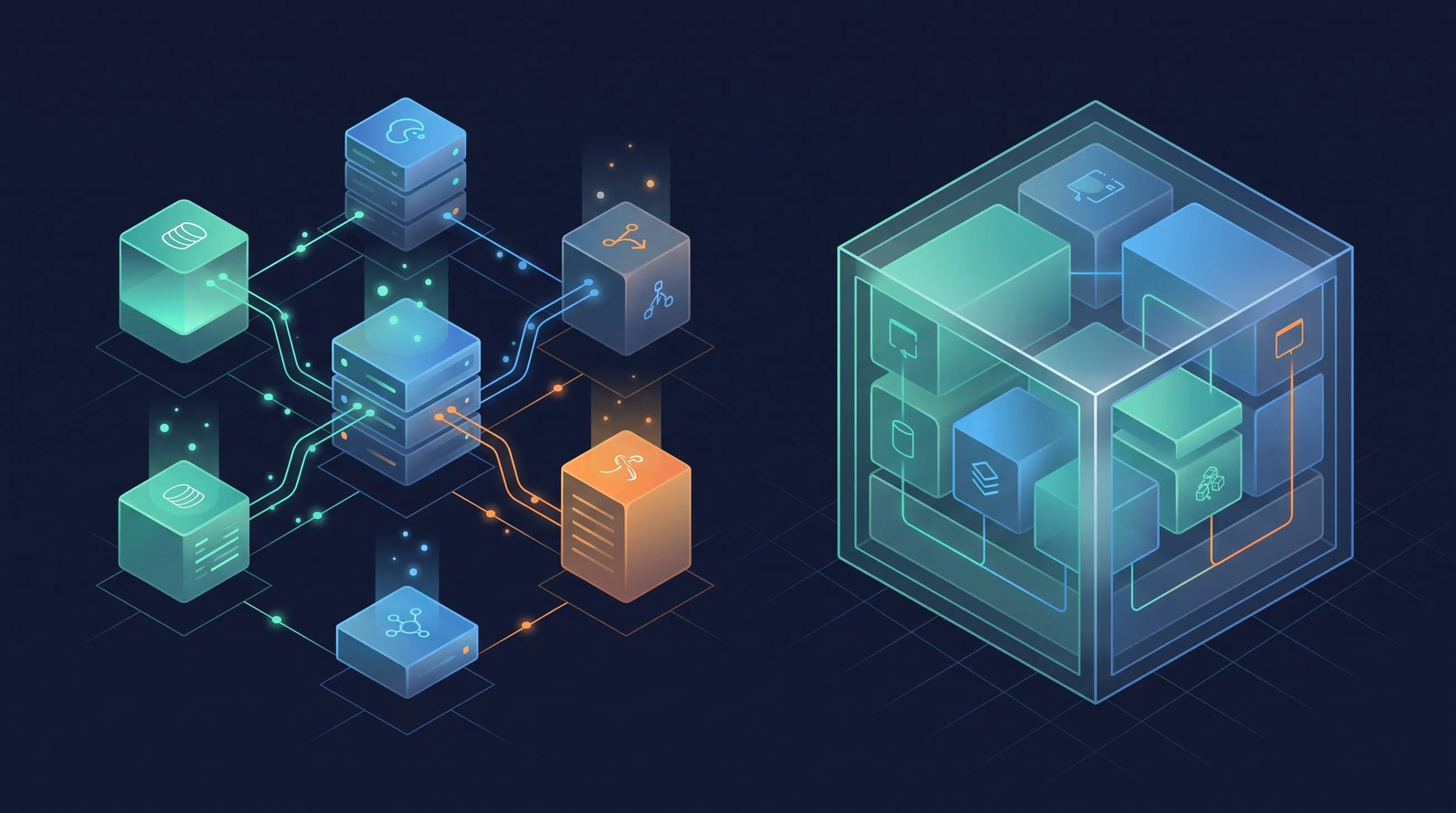
Advanced CloudFormation: Cross-Stack References and Nested Stacks
Compose CloudFormation infrastructure beyond one stack: cross-stack references with Export/ImportValue and nested stacks. When to use each, with examples.

A single CloudFormation stack can only take you so far. Real-world infrastructure spans multiple stacks — networking, compute, data, application — each owned by different teams with different release cadences. At some point you hit the walls: 500 resources per stack, team ownership boundaries, and resources with fundamentally different lifecycles that shouldn't be coupled in the same deployment.
CloudFormation provides two composition patterns for multi-stack architectures:
- Cross-stack references — independent stacks sharing values via
ExportandFn::ImportValue. Different lifecycles, different teams, but shared data. - Nested stacks — a parent stack that deploys child stacks as resources. Same lifecycle, same team, deployed together.
These patterns are not interchangeable. Cross-stack references give you independence at the cost of manual dependency tracking. Nested stacks give you coordinated deployment at the cost of coupling. Choosing wrong creates tight coupling where you want freedom, or fragmentation where you want coordination.
This post assumes you have the VPC stack from the CloudFormation from Scratch post deployed with the stack name
dev-vpc. We'll import its exports to build layered infrastructure on top.Cross-Stack References — Export and ImportValue
How Exports Work
When a stack declares an output with an
Export block, that value becomes available Region-wide to any other stack in the same account. Think of it as publishing a value to a shared registry that lives at the Region level.The rules are straightforward:
- Export names must be unique within a Region — across all stacks in the account, not just yours
- The naming convention
${AWS::StackName}-ResourceNameprevents collisions because stack names are already unique per account/Region - Exports are read-only — you cannot modify or delete an export that's currently being imported by another stack
- Exports are same-Region only — a stack in
us-east-1cannot import from a stack ineu-west-1
Our VPC stack from Post #1 already exports four values:
| Export Name | Value |
|---|---|
dev-vpc-VpcId | The VPC ID |
dev-vpc-PublicSubnetIds | Comma-separated public subnet IDs |
dev-vpc-PrivateSubnetIds | Comma-separated private subnet IDs |
dev-vpc-NatGatewayId | NAT Gateway ID (conditional) |
You can verify these exports exist with:
1
2
3
aws cloudformation list-exports \
  --query 'Exports[?starts_with(Name, `dev-vpc`)].{Name:Name,Value:Value}' \
  --output table
Expected output:
1
2
3
4
5
6
7
8
9
-----------------------------------------------------------
|                       ListExports                       |
+----------------------------+----------------------------+
|           Name             |           Value            |
+----------------------------+----------------------------+
|  dev-vpc-VpcId             |  vpc-0a1b2c3d4e5f67890     |
|  dev-vpc-PublicSubnetIds   |  subnet-aaa111,subnet-bbb222 |
|  dev-vpc-PrivateSubnetIds  |  subnet-ccc333,subnet-ddd444 |
+----------------------------+----------------------------+
Note that
dev-vpc-NatGatewayId is absent — we deployed the VPC with EnableNatGateway=false, so the conditional output doesn't exist.Building a Security Group Stack That Imports the VPC
Now we'll create an independent stack that consumes the VPC exports. This stack defines layered security groups: a public-facing
WebServerSG allowing HTTP/HTTPS from the internet, and an internal AppServerSG that only accepts traffic on port 8080 from the web tier.The template uses
Fn::ImportValue to retrieve the VPC ID from the VPC stack's exports. Because export names include the stack name, we use Fn::Sub inside Fn::ImportValue to build the export name dynamically from a parameter — this lets the same template import from any VPC stack by changing the parameter value:1
2
3
4
5
6
7
8
9
10
11
12
13
14
15
16
17
18
19
20
21
22
23
24
25
26
27
28
29
30
31
32
33
34
35
36
37
38
39
40
41
42
43
44
45
46
47
48
49
50
51
52
53
54
55
56
57
58
59
60
61
62
63
64
65
AWSTemplateFormatVersion: '2010-09-09'
Description: >
Layered security groups that import VPC ID from an existing stack.
Demonstrates cross-stack references with Fn::ImportValue.
Parameters:
# The name of the VPC stack whose exports we consume
# This makes the template flexible — works with any VPC stack that follows the export naming convention
NetworkStackName:
Type: String
Default: dev-vpc
Description: Name of the VPC stack to import from
Resources:
# Web-tier security group — allows HTTP and HTTPS from anywhere
# Uses Fn::ImportValue with Fn::Sub to dynamically resolve the export name
WebServerSG:
Type: AWS::EC2::SecurityGroup
Properties:
GroupDescription: Allow HTTP/HTTPS from the internet
VpcId: !ImportValue
Fn::Sub: '${NetworkStackName}-VpcId'
SecurityGroupIngress:
- IpProtocol: tcp
FromPort: 80
ToPort: 80
CidrIp: '0.0.0.0/0'
- IpProtocol: tcp
FromPort: 443
ToPort: 443
CidrIp: '0.0.0.0/0'
Tags:
- Key: Name
Value: WebServerSG
# App-tier security group — only accepts traffic from the web tier on port 8080
# The SourceSecurityGroupId reference creates a chain: internet → WebServerSG → AppServerSG
AppServerSG:
Type: AWS::EC2::SecurityGroup
Properties:
GroupDescription: Allow port 8080 from web tier only
VpcId: !ImportValue
Fn::Sub: '${NetworkStackName}-VpcId'
SecurityGroupIngress:
- IpProtocol: tcp
FromPort: 8080
ToPort: 8080
SourceSecurityGroupId: !Ref WebServerSG
Tags:
- Key: Name
Value: AppServerSG
Outputs:
# Export SG IDs so further downstream stacks can reference them
WebServerSecurityGroupId:
Description: Web server security group ID
Value: !Ref WebServerSG
Export:
Name: !Sub '${AWS::StackName}-WebServerSGId'
AppServerSecurityGroupId:
Description: App server security group ID
Value: !Ref AppServerSG
Export:
Name: !Sub '${AWS::StackName}-AppServerSGId'Deploy the security group stack:
1
2
3
4
5
6
aws cloudformation create-stack \
  --stack-name dev-security-groups \
  --template-body file://security-groups.yaml \
  --parameters ParameterKey=NetworkStackName,ParameterValue=dev-vpc

aws cloudformation wait stack-create-complete --stack-name dev-security-groups
This creates a dependency chain: the SG stack imports from the VPC stack, and future stacks (ALB, ECS, etc.) can import from the SG stack. Each stack is independently deployable, owned by different teams, and updated on its own schedule.

Each stack exports values that downstream stacks import, forming a dependency chain. The VPC stack feeds both the security groups and the future application stack, while the security groups stack layers its own exports on top — every stack independently deployable and separately owned.
The Deletion Dependency
Cross-stack references create an implicit protection mechanism. If you attempt to delete the VPC stack while the SG stack is still importing its exports, CloudFormation rejects the request up front with a
ValidationError.CloudFormation prevents deleting a stack whose exports are consumed by other stacks. This is a feature, not a bug — it stops someone from accidentally pulling the network out from under running application infrastructure.
You also cannot modify an exported value while it's being imported. If you try to update the VPC stack in a way that changes the exported VPC ID, CloudFormation rejects the update.
To find which stacks are consuming a specific export:
1
aws cloudformation list-imports --export-name dev-vpc-VpcId
1
2
3
4
5
{
"Imports": [
"dev-security-groups"
]
}To delete the VPC stack, you must first either delete the importing stack or update it to remove the
!ImportValue references:1
2
3
4
5
6
7
# Delete in dependency order — consumers first, then the provider
aws cloudformation delete-stack --stack-name dev-security-groups
aws cloudformation wait stack-delete-complete --stack-name dev-security-groups
# Now the VPC stack can be deleted
aws cloudformation delete-stack --stack-name dev-vpc
aws cloudformation wait stack-delete-complete --stack-name dev-vpcLimitations
Fn::ImportValue has constraints that matter in practice:- Same-Region only — you cannot import an export from another Region. A VPC stack in
us-east-1cannot share its outputs with a stack ineu-west-1through this mechanism. - Same-account only — cross-account references are not supported.
- Cannot use inside
!IforFn::If—!ImportValuedoesn't work inside condition expressions. You can't conditionally import a value. - Creates hard coupling — the import/export contract is rigid. Renaming an export requires coordinating with all consumers.
Nested Stacks — Same Lifecycle Composition
When to Use Nested Stacks
Nested stacks solve a different problem than cross-stack references. Where cross-stack references connect independent stacks, nested stacks group related resources that should deploy together as a unit.
Use nested stacks when:
- You have reusable components — a VPC module, a standard logging setup, or a security baseline that multiple parent stacks include
- You're hitting the 500-resource limit — each nested stack gets its own 500-resource quota
- The same team owns parent and children — they deploy together, update together, and delete together
- You want encapsulation — internal resources of the child are hidden from the parent
The parent-child relationship is key: the parent creates, updates, and deletes children. You don't deploy nested stacks independently — you deploy the parent and it handles the rest.
Creating a Nested Stack
The parent template uses the
AWS::CloudFormation::Stack resource type to declare a child. The TemplateURL must point to an S3 URL — CloudFormation doesn't support local file paths for nested templates. Parameters flow from parent to child, and outputs flow back via !GetAtt.
The parent stack drives everything: it passes parameters down to each nested child and receives their outputs back. Note how the VPC child's VpcId output flows through the parent into the Security Groups child — this parent-mediated wiring is how nested stacks coordinate, in contrast to the direct export/import of cross-stack references.
Example: VPC + Security Groups as Nested Stacks
The VPC template from before already works as a nested child — it accepts parameters and produces outputs. But the security groups template needs a small change for nested use: instead of
!ImportValue (which creates a cross-stack reference), it receives the VPC ID as a parameter from the parent. Save this as security-groups-nested.yaml:1
2
3
4
5
6
7
8
9
10
11
12
13
14
15
16
17
18
19
20
21
22
23
24
25
26
27
28
29
30
31
32
33
34
35
36
37
38
39
40
41
42
43
44
45
46
47
AWSTemplateFormatVersion: '2010-09-09'
Description: Security groups child template (for nested stack use)
Parameters:
# VPC ID passed from the parent stack
VpcId:
Type: AWS::EC2::VPC::Id
Description: VPC to create security groups in
Resources:
WebServerSG:
Type: AWS::EC2::SecurityGroup
Properties:
GroupDescription: Allow HTTP/HTTPS from the internet
VpcId: !Ref VpcId
SecurityGroupIngress:
- IpProtocol: tcp
FromPort: 80
ToPort: 80
CidrIp: '0.0.0.0/0'
- IpProtocol: tcp
FromPort: 443
ToPort: 443
CidrIp: '0.0.0.0/0'
Tags:
- Key: Name
Value: WebServerSG
AppServerSG:
Type: AWS::EC2::SecurityGroup
Properties:
GroupDescription: Allow port 8080 from web tier only
VpcId: !Ref VpcId
SecurityGroupIngress:
- IpProtocol: tcp
FromPort: 8080
ToPort: 8080
SourceSecurityGroupId: !Ref WebServerSG
Tags:
- Key: Name
Value: AppServerSG
Outputs:
WebServerSecurityGroupId:
Value: !Ref WebServerSG
AppServerSecurityGroupId:
Value: !Ref AppServerSGNow upload both child templates to S3. Nested stack templates must be accessible via HTTPS URL — CloudFormation fetches them during deployment:
1
2
3
4
5
6
7
8
# Create an S3 bucket for templates (one-time setup)
aws s3 mb s3://cfn-templates-$(aws sts get-caller-identity --query Account --output text)

# Upload the VPC template from Post #1
aws s3 cp vpc.yaml s3://cfn-templates-$(aws sts get-caller-identity --query Account --output text)/nested/vpc.yaml

# Upload the security groups template
aws s3 cp security-groups-nested.yaml s3://cfn-templates-$(aws sts get-caller-identity --query Account --output text)/nested/security-groups.yaml
Now the parent template that wires everything together. It deploys both children as
AWS::CloudFormation::Stack resources, passes the VPC output from the first child into the second, and surfaces the final outputs:1
2
3
4
5
6
7
8
9
10
11
12
13
14
15
16
17
18
19
20
21
22
23
24
25
26
27
28
29
30
31
32
33
34
35
36
37
38
39
40
41
42
43
44
AWSTemplateFormatVersion: '2010-09-09'
Description: >
Parent stack that deploys VPC and Security Groups as nested stacks.
Demonstrates same-lifecycle composition.
Parameters:
Environment:
Type: String
AllowedValues: [dev, staging, prod]
Default: dev
Description: Target environment
TemplateBucket:
Type: String
Description: S3 bucket containing the nested stack templates
Resources:
# Nested VPC stack — deploys the full VPC infrastructure
# Parameters flow from parent to child via the Parameters property
VPCStack:
Type: AWS::CloudFormation::Stack
Properties:
TemplateURL: !Sub 'https://${TemplateBucket}.s3.amazonaws.com/nested/vpc.yaml'
Parameters:
Environment: !Ref Environment
EnableNatGateway: 'false'
# Nested Security Groups stack — receives VPC ID from the VPC child's output
# !GetAtt retrieves outputs from the nested stack using Outputs.OutputName syntax
SecurityGroupsStack:
Type: AWS::CloudFormation::Stack
Properties:
TemplateURL: !Sub 'https://${TemplateBucket}.s3.amazonaws.com/nested/security-groups.yaml'
Parameters:
VpcId: !GetAtt VPCStack.Outputs.VpcId
Outputs:
VpcId:
Description: VPC ID from the nested VPC stack
Value: !GetAtt VPCStack.Outputs.VpcId
WebServerSGId:
Description: Web server security group from the nested SG stack
Value: !GetAtt SecurityGroupsStack.Outputs.WebServerSecurityGroupIdDeploy the parent stack:
1
2
3
4
5
6
7
8
9
10
ACCOUNT_ID=$(aws sts get-caller-identity --query Account --output text)

aws cloudformation create-stack \
  --stack-name dev-infrastructure \
  --template-body file://parent-stack.yaml \
  --parameters \
    ParameterKey=Environment,ParameterValue=dev \
    ParameterKey=TemplateBucket,ParameterValue=cfn-templates-${ACCOUNT_ID}

aws cloudformation wait stack-create-complete --stack-name dev-infrastructure
When you deploy the parent, CloudFormation creates the children in dependency order —
VPCStack first (because SecurityGroupsStack references its output), then SecurityGroupsStack. Deleting the parent deletes children in reverse order automatically.Nested vs. Cross-Stack — Decision Framework
| Aspect | Cross-Stack References | Nested Stacks |
|---|---|---|
| Lifecycle | Independent — each stack deployed separately | Same — parent controls all children |
| Ownership | Different teams can own different stacks | Same team owns parent and children |
| Deployment | Separate create-stack calls | Single parent deployment |
| Deletion order | Manual — you track dependencies | Automatic — parent handles order |
| Template storage | Local or S3 | Must be in S3 |
| Resource limit | 500 per stack | 500 per stack, but distributed |
| Coupling | Export/import contract | Parameter/output contract |
| Visibility | Each stack visible in console | Children nested under parent |
Rule of thumb: If different teams own the stacks or they update on different schedules, use cross-stack references. If the same team owns everything and it deploys as a unit, use nested stacks.
Clean Up
Delete resources in dependency order — consumers first, then providers:
1
2
3
4
5
6
7
8
9
10
11
12
13
14
15
ACCOUNT_ID=$(aws sts get-caller-identity --query Account --output text)

# 1. Delete the nested stack parent (deletes children automatically)
aws cloudformation delete-stack --stack-name dev-infrastructure
aws cloudformation wait stack-delete-complete --stack-name dev-infrastructure

# 2. Delete cross-stack demo stacks in dependency order if not done already
aws cloudformation delete-stack --stack-name dev-security-groups
aws cloudformation wait stack-delete-complete --stack-name dev-security-groups

aws cloudformation delete-stack --stack-name dev-vpc
aws cloudformation wait stack-delete-complete --stack-name dev-vpc

# 3. Delete the S3 bucket used for nested stack templates
aws s3 rb s3://cfn-templates-${ACCOUNT_ID} --force
Conclusion
We've covered the two patterns CloudFormation provides for composing infrastructure beyond a single stack:
Cross-stack references connect independent stacks within a Region. The VPC stack exports its IDs, the security group stack imports them. Each stack has its own lifecycle, owned by different teams, updated independently. The export/import contract creates a deletion dependency that prevents accidental breakage.
Nested stacks group related resources under a parent. Same team, same lifecycle, deployed as a unit. The parent handles creation order, parameter passing, and deletion. Templates must live in S3. Use nested stacks for reusable modules and for exceeding the 500-resource limit.
The decision between them comes down to ownership and lifecycle. If different teams own the stacks or they update independently, use cross-stack references. If the same team owns everything and it deploys as a unit, use nested stacks.
Looking into re-using cloudformation stacks or distributing across management across multiple teams? Let's talk !
Enjoyed reading this content? Let the author know!
Your likes, comments, shares, and saves help creators reach more builders.

Loading recommendations
Loading article