AWS Builder Center
Getting Started with AWS: EC2, S3, and IAM Explained

Getting Started with AWS: EC2, S3, and IAM Explained

If you're new to the cloud, AWS's 200+ services can feel overwhelming. The good news is that three of them show up in almost everything you'll build: EC2 for compute, S3 for storage, and IAM for security. Learn these first and the rest of AWS makes much more sense.

Amazon EC2: Virtual Servers on Demand

Amazon Elastic Compute Cloud (EC2) lets you rent virtual servers, called instances, in minutes. Instead of buying hardware, you choose what you need and pay for what you use.


Key concepts:

  • AMI (Amazon Machine Image): a template with the operating system and software for your instance.
  • Instance type: the CPU, memory, and network capacity, such as t3.micro for light workloads.
  • Security group: a virtual firewall controlling traffic in and out.
  • Key pair: the credentials you use to connect securely.

Beginner tip: Stop or terminate instances you're not using. A forgotten instance is one of the most common causes of surprise bills.


Amazon S3: Storage That Scales

Amazon Simple Storage Service (S3) stores any amount of data as objects (files plus metadata) inside buckets. It's built for durability, so your data is stored redundantly across multiple facilities.

Common uses:
  • Hosting static websites
  • Backups and archives
  • Data lakes for analytics
  • Storing images, videos, and logs

S3 also offers different storage classes, such as S3 Standard for frequent access and S3 Glacier for long-term archives, so you can match cost to how often you need the data. Beginner tip: New buckets block public access by default. Keep it that way unless you have a specific, deliberate reason to open it.


AWS IAM: Who Can Do What

AWS Identity and Access Management (IAM) controls who can access your resources and what they can do with them. It's free, and it's the foundation of AWS security.

Core building blocks:

  1. Users: individual people or applications.
  1. Groups: collections of users that share permissions.
  1. Roles: temporary permissions that services or users can assume.
  1. Policies: JSON documents that define allowed or denied actions.


Two habits to adopt from day one:

  1. Follow least privilege. Grant only the permissions a task required.
  1. Protect your root account. Enable multi-factor authentication (MFA) and avoid using root for daily work.


How They Work Together

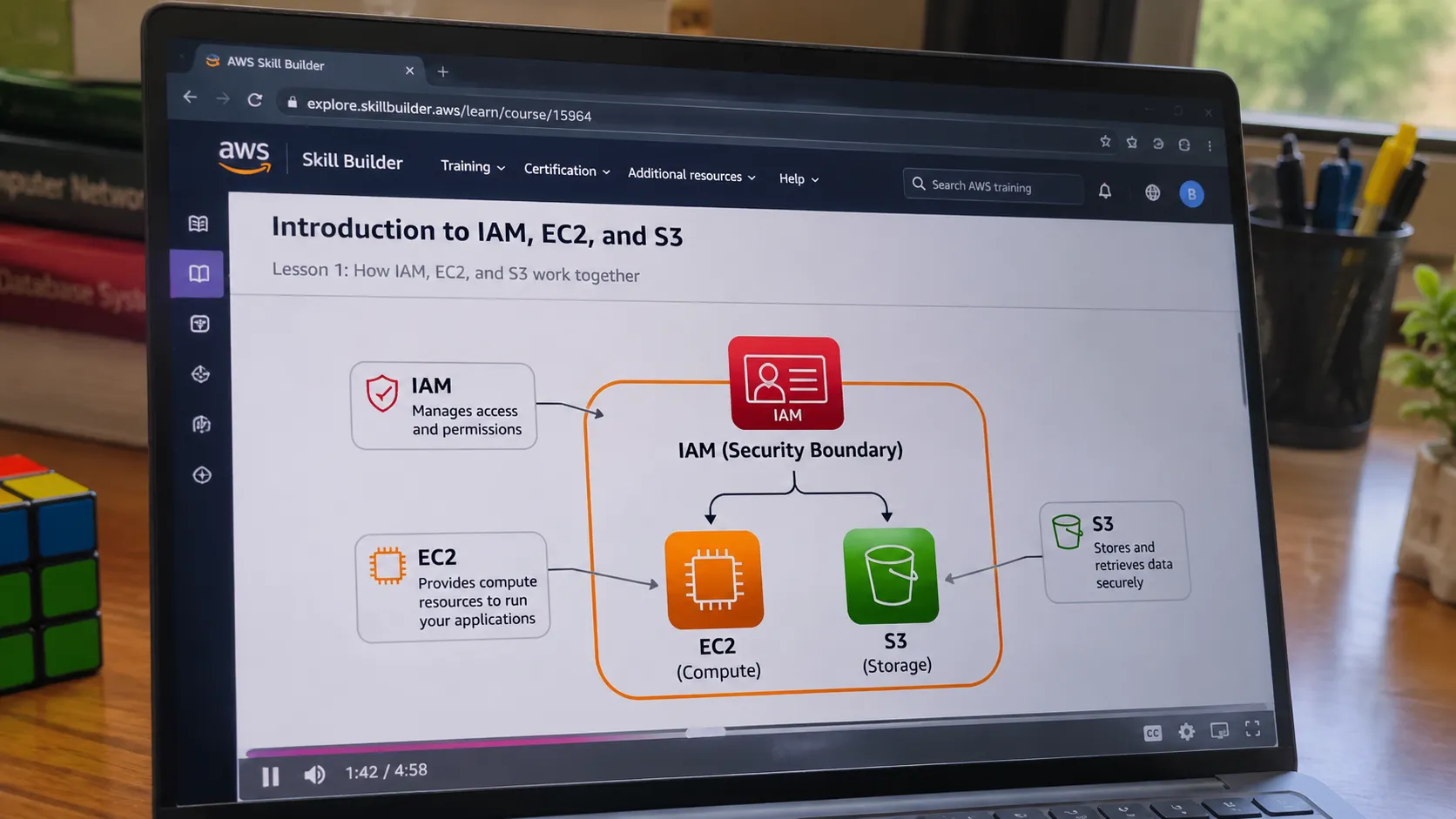
Imagine a simple web app. An EC2 instance runs your application code. It reads and writes user uploads to an S3 bucket. An IAM role attached to the instance gives it permission to access that bucket, with no hard-coded passwords needed. Compute, storage, and security working as one is the pattern you'll see again and again on AWS.


Where to Go Next

Try this hands-on path:
  1. Create an AWS account and set up MFA.
  1. Launch a free-tier EC2 instance and connect to it.
  1. Create an S3 bucket and upload a file.
  1. Write an IAM policy that grants read-only access to that bucket.

Then build on it with the AWS Cloud Practitioner Essentials course on AWS Skill Builder, which covers these services and more in a guided format.
The best way to learn AWS is to build. Start small, experiment in the free tier, and keep an eye on your billing dashboard.
What was the first AWS service you ever used? Share it in the comments!
Any opinions in this article are those of the individual author and may not reflect the opinions of AWS.
Enjoyed reading this content? Let the author know!

Your likes, comments, shares, and saves help creators reach more builders.

Loading recommendations

Loading article