
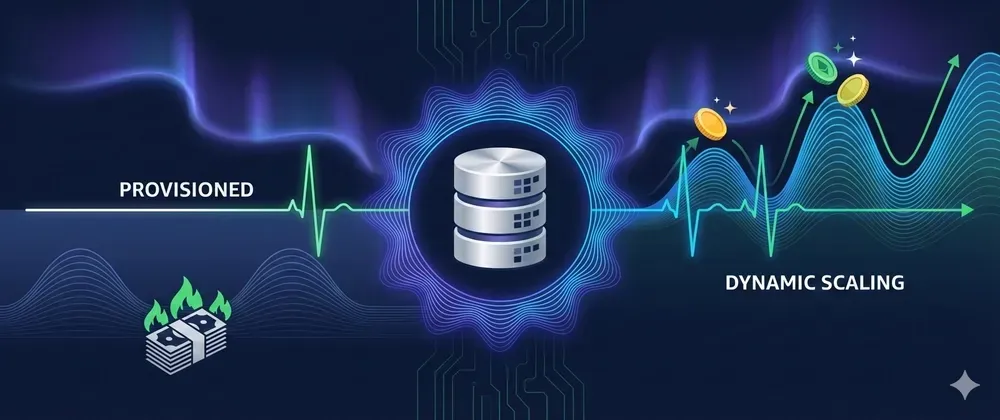
Your Aurora Database Runs at 10% Capacity Most of the Day - Let It Scale to Match 🎢
Provisioned Aurora runs at full power 24/7 even when nobody's using it. Aurora Serverless v2 scales down to 0.5 ACU during quiet hours saving you lot of money. Simple Terraform setup.
Series: Save on AWS with Terraform (21 articles)
- …
- 19Your Aurora Database Runs at 10% Capacity Most of the Day - Let It Scale to Match 🎢 This article

Provisioned Aurora runs at full power 24/7 even when nobody's using it. Aurora Serverless v2 scales down to 0.5 ACU during quiet hours and saves you 60%+. Here's the Terraform setup.
Open CloudWatch right now and look at your Aurora CPU utilization graph.
See that pattern? Spikes during business hours, flatline at night and weekends. You're paying the same amount for both.
Provisioned Aurora doesn't care that it's 3 AM on a Sunday. You're paying for a
db.r6g.xlarge whether it's handling 5,000 queries/sec or 5.Aurora Serverless v2 fixes this. It scales down to 0.5 ACU when idle and up to 128 ACU when traffic spikes — and you only pay for what you use. ⚡
💸 The Math That Hurts
A typical provisioned Aurora setup:
1
2
3
4
5
6
7
8
9
db.r6g.xlarge (4 vCPU, 32GB RAM)

Provisioned: $0.58/hour × 730 hours = $423/month
             Running 24/7 regardless of usage

Aurora Serverless v2:
  Night/weekends (0.5 ACU × 16 hrs/day): ~$0.06/hour
  Business hours (4 ACU × 8 hrs/day):    ~$0.48/hour
  Average monthly cost:                   ~$170/month
That's 60% savings — same database, same queries, same performance when you need it. 💰
Scale it across environments:
| Environment | Provisioned/Month | Serverless v2/Month | Annual Savings |
|---|---|---|---|
| Dev | $423 (db.r6g.xlarge 24/7) | ~$45 (mostly idle) | $4,536 |
| Staging | $423 (db.r6g.xlarge 24/7) | ~$85 (sporadic use) | $4,056 |
| Production | $423 (db.r6g.xlarge 24/7) | ~$250 (variable traffic) | $2,076 |
| Total | $1,269/mo | $380/mo | $10,668/yr 🤯 |
Dev and staging environments are where the savings are insane — because they sit idle 80%+ of the time.
🤔 What Is an ACU?
ACU = Aurora Capacity Unit. Each ACU is roughly 2GB of RAM + proportional CPU.
| ACU | ~RAM | ~CPU | Cost/Hour |
|---|---|---|---|
| 0.5 | 1GB | Minimal | ~$0.06 |
| 1 | 2GB | ~0.25 vCPU | ~$0.12 |
| 4 | 8GB | ~1 vCPU | ~$0.48 |
| 8 | 16GB | ~2 vCPU | ~$0.96 |
| 16 | 32GB | ~4 vCPU | ~$1.92 |
| 128 | 256GB | ~32 vCPU | ~$15.36 |
You set a min and max ACU. Aurora handles everything in between automatically. No restarts, no downtime, no manual scaling. 🎯
🏗️ Terraform Implementation
Option 1: New Serverless v2 Cluster
1
2
3
4
5
6
7
8
9
10
11
12
13
14
15
16
17
18
19
20
21
22
23
24
25
26
27
28
29
30
31
32
33
34
35
36
37
38
39
40
41
42
43
44
45
46
47
48
49
50
51
52
53
54
55
56
57
58
59
60
61
62
63
64
65
66
67
68
69
70
71
72
73
74
75
76
77
78
79
80
81
82
83
84
85
86
87
88
89
90
91
92
93
94
95
96
# modules/aurora-serverless-v2/main.tf

variable "environment" {
  type = string
}

variable "database_name" {
  type = string
}

variable "master_username" {
  type = string
}

variable "master_password" {
  type      = string
  sensitive = true
}

locals {
  # Scale based on environment
  scaling = {
    dev = {
      min_capacity = 0.5   # Nearly free when idle
      max_capacity = 2     # Cap costs in dev
    }
    staging = {
      min_capacity = 0.5
      max_capacity = 4
    }
    prod = {
      min_capacity = 2     # Never go below 2 ACU in prod
      max_capacity = 32    # Scale up for traffic spikes
    }
  }
}

resource "aws_rds_cluster" "serverless" {
  cluster_identifier = "${var.environment}-aurora-serverless"
  engine             = "aurora-postgresql"
  engine_mode        = "provisioned"  # Yes, "provisioned" — Serverless v2 uses this
  engine_version     = "16.4"
  database_name      = var.database_name
  master_username    = var.master_username
  master_password    = var.master_password

  # Serverless v2 scaling configuration 👇
  serverlessv2_scaling_configuration {
    min_capacity = local.scaling[var.environment].min_capacity
    max_capacity = local.scaling[var.environment].max_capacity
  }

  # Storage
  storage_encrypted = true

  # Backup
  backup_retention_period = var.environment == "prod" ? 14 : 1
  preferred_backup_window = "03:00-05:00"

  # Maintenance
  preferred_maintenance_window = "sun:05:00-sun:07:00"

  # Protection
  deletion_protection = var.environment == "prod"
  skip_final_snapshot = var.environment != "prod"
  final_snapshot_identifier = var.environment == "prod" ? "${var.environment}-final-snapshot" : null

  tags = {
    Environment = var.environment
    CostCenter  = "serverless-v2"
    ManagedBy   = "terraform"
  }
}

# The instance must be db.serverless class
resource "aws_rds_cluster_instance" "serverless" {
  count              = var.environment == "prod" ? 2 : 1  # Multi-AZ for prod
  identifier         = "${var.environment}-aurora-serverless-${count.index}"
  cluster_identifier = aws_rds_cluster.serverless.id
  instance_class     = "db.serverless"  # 👈 This is what makes it Serverless v2
  engine             = aws_rds_cluster.serverless.engine
  engine_version     = aws_rds_cluster.serverless.engine_version

  tags = {
    Environment = var.environment
    ManagedBy   = "terraform"
  }
}

output "cluster_endpoint" {
  value = aws_rds_cluster.serverless.endpoint
}

output "reader_endpoint" {
  value = aws_rds_cluster.serverless.reader_endpoint
}
⚠️ Note:engine_mode = "provisioned"is correct. Aurora Serverless v2 uses the provisioned engine mode withserverlessv2_scaling_configuration. This is different from Serverless v1 which usedengine_mode = "serverless".
Option 2: Migrate Existing Provisioned → Serverless v2
Already have a provisioned Aurora cluster? You can add Serverless v2 instances alongside existing ones, then swap:
1
2
3
4
5
6
7
8
9
10
11
12
13
14
15
16
17
18
19
20
21
22
23
24
25
26
27
28
# Step 1: Add a Serverless v2 instance to your existing cluster
resource "aws_rds_cluster" "existing" {
  cluster_identifier = "my-existing-cluster"
  # ... existing config ...

  # Add this block to enable Serverless v2 scaling
  serverlessv2_scaling_configuration {
    min_capacity = 0.5
    max_capacity = 16
  }
}

# Step 2: Add a Serverless v2 instance
resource "aws_rds_cluster_instance" "serverless_new" {
  identifier         = "my-cluster-serverless-0"
  cluster_identifier = aws_rds_cluster.existing.id
  instance_class     = "db.serverless"  # 👈 Serverless v2
  engine             = aws_rds_cluster.existing.engine
  engine_version     = aws_rds_cluster.existing.engine_version
}

# Step 3: After verifying, remove the old provisioned instance
# (Do this in a separate apply after confirming Serverless v2 works)

# resource "aws_rds_cluster_instance" "old_provisioned" {
#   identifier     = "my-cluster-provisioned-0"
#   instance_class = "db.r6g.xlarge"  # Remove this
# }
Migration is zero-downtime. Aurora handles failover between provisioned and serverless instances automatically. 🔄
Step 3: Monitor Scaling Behavior
1
2
3
4
5
6
7
8
9
10
11
12
13
14
15
16
17
18
19
20
21
22
23
24
25
26
27
28
29
30
31
32
33
34
35
36
37
38
39
40
41
# monitoring/aurora-scaling.tf

resource "aws_cloudwatch_metric_alarm" "acu_high" {
  alarm_name          = "${var.environment}-aurora-acu-high"
  comparison_operator = "GreaterThanThreshold"
  evaluation_periods  = 3
  metric_name         = "ServerlessDatabaseCapacity"
  namespace           = "AWS/RDS"
  period              = 300
  statistic           = "Average"
  threshold           = local.scaling[var.environment].max_capacity * 0.8
  alarm_description   = "Aurora hitting 80% of max ACU — consider raising max_capacity"

  dimensions = {
    DBClusterIdentifier = aws_rds_cluster.serverless.cluster_identifier
  }

  alarm_actions = [aws_sns_topic.db_alerts.arn]
}

resource "aws_cloudwatch_metric_alarm" "acu_stuck_high" {
  alarm_name          = "${var.environment}-aurora-acu-stuck-high"
  comparison_operator = "GreaterThanThreshold"
  evaluation_periods  = 12  # 1 hour sustained
  metric_name         = "ServerlessDatabaseCapacity"
  namespace           = "AWS/RDS"
  period              = 300
  statistic           = "Minimum"
  threshold           = local.scaling[var.environment].max_capacity * 0.5
  alarm_description   = "Aurora sustained above 50% max ACU — may be cheaper as provisioned"

  dimensions = {
    DBClusterIdentifier = aws_rds_cluster.serverless.cluster_identifier
  }

  alarm_actions = [aws_sns_topic.db_alerts.arn]
}

resource "aws_sns_topic" "db_alerts" {
  name = "${var.environment}-aurora-scaling-alerts"
}
The second alarm is key — if your database never scales down, Serverless v2 might actually cost more than provisioned. The alert tells you when to switch back. Honest optimization. ✅
⚠️ When Serverless v2 is NOT Cheaper
Be honest with yourself about your workload:
Serverless v2 wins when:
- ✅ Traffic varies significantly (business hours vs nights/weekends)
- ✅ Dev/staging environments that sit idle most of the day
- ✅ Batch processing with bursty database usage
- ✅ New apps with unpredictable traffic patterns
- ✅ Seasonal workloads (e-commerce holidays, tax season)
Provisioned wins when:
- ❌ Consistent 24/7 high utilization (>70% CPU constantly)
- ❌ You can commit to Reserved Instances (additional 30-60% off provisioned)
- ❌ Workloads that never dip below 8+ ACU
The break-even rule: If your database would consistently use more than ~6 ACU 24/7, provisioned with Reserved Instances is likely cheaper. Below that? Serverless v2 wins. 🎯
⚡ Quick Check: Should You Switch?
1
2
3
4
5
6
7
8
9
10
11
# Check your Aurora CPU utilization over the past week
aws cloudwatch get-metric-statistics \
  --namespace AWS/RDS \
  --metric-name CPUUtilization \
  --dimensions Name=DBClusterIdentifier,Value=YOUR-CLUSTER-ID \
  --start-time $(date -u -d '7 days ago' +%Y-%m-%dT%H:%M:%S) \
  --end-time $(date -u +%Y-%m-%dT%H:%M:%S) \
  --period 3600 \
  --statistics Average Minimum Maximum \
  --query 'sort_by(Datapoints,&Timestamp)[].{Time:Timestamp,Avg:Average,Min:Minimum,Max:Maximum}' \
  --output table
If you see Average CPU under 30% with big swings between min and max — Serverless v2 will save you money. 💰
💡 Pro Tips
- Start with dev/staging — Lowest risk, highest savings percentage. Migrate prod only after you trust the scaling behavior
- Set min_capacity = 0.5 for non-prod — This is the lowest and cheapest setting. Your dev database will cost pennies when idle
- Set min_capacity ≥ 2 for prod — Scaling from 0.5 takes a moment. A minimum of 2 ACU keeps prod responsive
- Monitor
ACUUtilization— This CloudWatch metric shows what percentage of your max_capacity is being used. If it's consistently 90%+, raise max_capacity - MySQL and PostgreSQL both supported — Works with
aurora-mysqlandaurora-postgresql - Mixed clusters work — You can run provisioned + serverless instances in the same cluster during migration
📊 TL;DR
| Environment | Savings vs Provisioned | Effort |
|---|---|---|
| Dev (mostly idle) | 80-90% | 15 minutes |
| Staging (sporadic) | 60-80% | 15 minutes |
| Production (variable) | 30-60% | 30 minutes + monitoring |
| Production (constant high load) | ❌ May cost more | Don't switch |
Bottom line: If your Aurora database has a heartbeat pattern — busy during the day, quiet at night — Serverless v2 lets you stop paying for the quiet hours. Your dev database sitting at 0.5 ACU overnight costs roughly $0.06/hour instead of $0.58/hour. That adds up fast. 📉
Check your CloudWatch CPU graph. If it looks like a heartbeat, you're overpaying for the flatline parts. Serverless v2 fixes that. 💓
Found this helpful? Follow for more AWS cost optimization with Terraform! 💬
Series: Save on AWS with Terraform (21 articles)
- …
- 19Your Aurora Database Runs at 10% Capacity Most of the Day - Let It Scale to Match 🎢 This article
Enjoyed reading this content? Let the author know!
Your likes, comments, shares, and saves help creators reach more builders.

Loading recommendations
Loading article