
How a Pizza Order Explains SNS, SQS, Lambda and DynamoDB
Learn how SNS, SQS, Lambda and DynamoDB work together through one pizza order. Includes diagrams, an animated flow, working code and a 10-minute hands-on build. That's about 160 characters. If the description box has a tighter limit, use this shorter version: Understand SNS, SQS, Lambda and DynamoDB through a pizza shop, with diagrams, code and a 10-minute build.
Series: How to complete certification... (5 articles)
- 2How a Pizza Order Explains SNS, SQS, Lambda and DynamoDB This article

Level: Beginner | Reading time: 5 minutes | Services: SNS, SQS, Lambda, DynamoDB
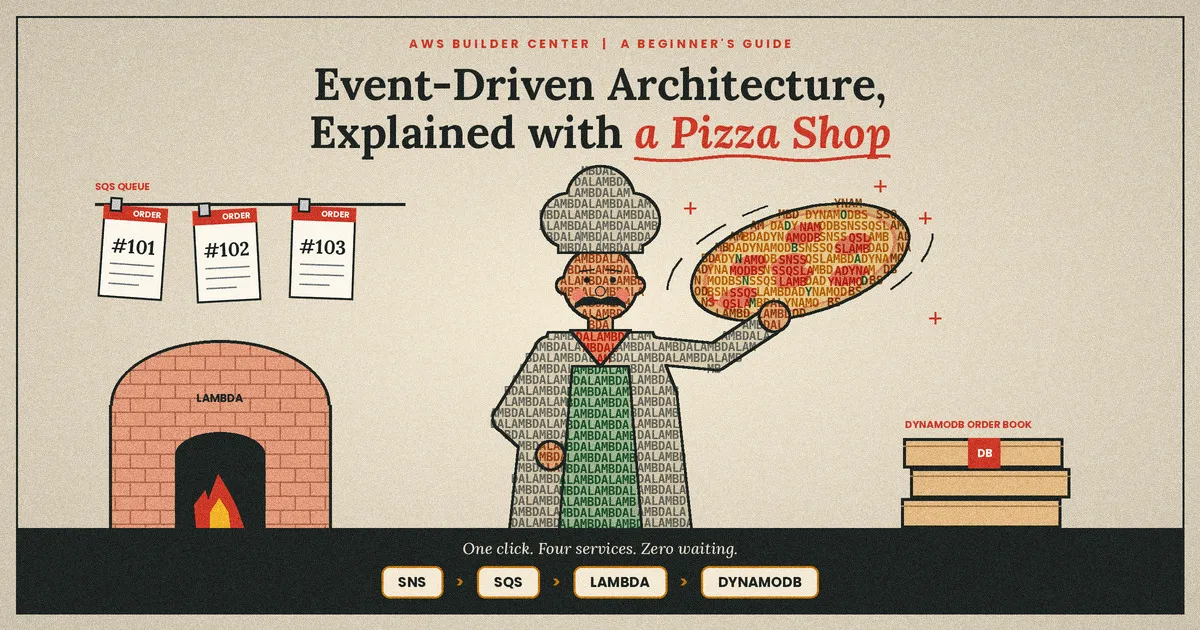
One click, four AWS services, and a customer who never has to wait. The pizza above is made of letters: the names of the services in this article.
1. The Problem
Imagine a pizza shop where one person does everything: takes the order, charges the card, bakes the pizza and sends the text. The customer waits at the counter until it is all done.
Many first-version apps work the same way:
1
2
3
4
5
6
CUSTOMER --> ONE BIG API --> save order      (200 ms)
                             charge card     (900 ms)
                             notify kitchen  (300 ms)
                             send SMS        (600 ms)
                             ------------------------
                             2.0 s wait. If SMS fails, everything fails.
This causes three problems:
- Slow. The customer waits for every step.
- Fragile. One failure breaks the whole order.
- Hard to change. Every new feature means editing the core API.
Key idea - Do not call every system. Announce what happened, and let each system react on its own.
2. The Cast
Each role in the shop is one AWS service with one job.
- Amazon SNS, the announcer. Broadcasts "new order" to every subscriber.
- Amazon SQS, the ticket rail. Holds messages until a worker is ready.
- AWS Lambda, the chef. Runs code only when there is work.
- Amazon DynamoDB, the order book. Stores every order, fast.
--Nobody does two jobs. That is the whole secret.
3. One Click, Step by Step
Follow the (@) marker. This animation is drawn entirely with text characters.

The customer gets a confirmation in about 50 ms. The real work continues in the background.
4. Why SNS and SQS Together
They sound alike but solve different problems.
- SNS pushes. It sends one message to many subscribers at once. Its strength is fan-out.
- SQS waits. Workers pull messages when they are ready. Its strength is buffering and retries.
SNS gives you reach. SQS gives you patience. Together, one announcement feeds many independent queues:
1
2
3
                       +--> SQS: kitchen-queue --> Lambda: prepare pizza
Order --> SNS topic --+--> SQS: billing-queue --> Lambda: charge card
                       +--> SQS: notify-queue  --> Lambda: send SMS
If the SMS provider is down for an hour, pizzas are still made and cards are still charged. To add loyalty points later, subscribe a fourth queue. No existing code changes.
5. When the Chef Burns a Pizza
After a set number of failed attempts, SQS moves the message to a dead-letter queue (DLQ). It is a quarantine where you can inspect and replay the message. No order is silently lost.
1
kitchen-queue --> Lambda fails 3 times --> Dead-letter queue --> CloudWatch alarm
6. The Chef's Recipe
A minimal Lambda that reads orders from the queue and saves them to DynamoDB:
1
2
3
4
5
6
7
8
9
10
11
12
13
14
15
16
17
import json, boto3

table = boto3.resource("dynamodb").Table("PizzaOrders")

def handler(event, context):
    failed = []
    for record in event["Records"]:
        try:
            order = json.loads(record["body"])
            table.put_item(Item={
                "orderId": order["orderId"],
                "pizza": order["pizza"],
                "status": "PROCESSED",
            })
        except Exception:
            failed.append({"itemIdentifier": record["messageId"]})
    return {"batchItemFailures": failed}
Returning batchItemFailures retries only the message that failed, not the whole batch. Turn on Report batch item failures on the trigger.
7. Four Pitfalls to Avoid
- Duplicate messages. Standard SQS delivers at least once. Make your handler idempotent, for example by using orderId as the DynamoDB key.
- Messages reappear mid-processing. Set the queue's visibility timeout to at least 6 times the Lambda timeout.
- SNS cannot reach the queue. Add a queue access policy that allows the SNS topic to send messages.
- Order is not guaranteed. Use a FIFO queue when order matters.
8. Try It in 10 Minutes
- Create a DynamoDB table named PizzaOrders with partition key orderId.
- Create SQS queues kitchen-queue and kitchen-dlq, and set the redrive policy to 3 receives.
- Create an SNS topic named order-placed and subscribe kitchen-queue to it.
- Deploy the Lambda above, add the queue as its trigger, and give it SQS and DynamoDB permissions.
- Publish {"orderId": "1", "pizza": "pepperoni"} from the SNS console, then check DynamoDB.
--Free tiers apply, so this typically costs very little. Delete the resources when you finish.
Takeaway
Before connecting two services, ask: am I calling other systems, or announcing what happened? Announce, and your systems become faster, more resilient and easier to change.
Let's Support Each Other
If this article helped you, please like it and leave a comment. I will do my best to return the favour on your articles and posts, though replies may take a little time.
We are all working towards the 21-badge milestone, and genuine engagement makes that easier for everyone. Please read each other's articles, leave meaningful comments, and vote for good Wishlist ideas. I only have 5 Wishlist votes per day, so I cannot vote for everyone.
Learn, Build, Share, Connect, Earn, Get Certified. If that goal resonates with you, a vote means a lot. Thank you, and good luck with your own AWS goals.
@lley_candy signing off :)
#serverless #amazon-sqs #amazon-sns #aws-lambda #amazon-dynamodb #event-driven #AWSStudentRewards #AWSBuilderCenter #AWSCommunity #CloudComputing #AWSCertification
Series: How to complete certification... (5 articles)
- 2How a Pizza Order Explains SNS, SQS, Lambda and DynamoDB This article
Enjoyed reading this content? Let the author know!
Your likes, comments, shares, and saves help creators reach more builders.

Loading recommendations
Loading article