

I set out to make one AWS service easier to use. I ended up building three Kiro powers, and two of them are now in the gallery at kiro.dev/powers
I set out to make one AWS service easier to use and ended up building three Kiro powers. Two are now live on kiro.dev/powers. Here's what each one taught me.
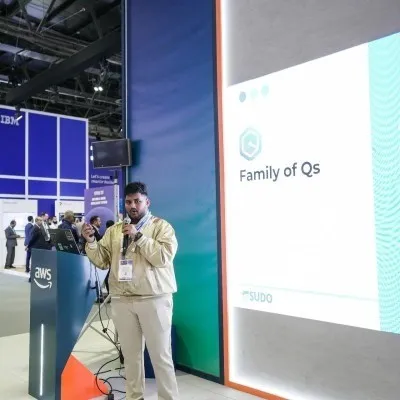
I built the first power to scratch an itch: Resilience Hub was good, but it lived in the console and my IaC lived in the editor, and the distance between them meant I never fixed anything. I built the second because the first one taught me the pattern. I built the third because by then building a power had become the default way I reach for an AWS service at all.
Two of the three — Resilience Hub and Security Analyzer — are now published in the Kiro gallery at kiro.dev/powers . This is how that happened, and what each one taught me before the next.
| Power | Scope | Where it is |
|---|---|---|
| aws-resilience-hub | 4 MCP servers, 4 skills, 3 steering files | Live on kiro.dev/powers |
| aws-security-analyzer | 194 checks, 43 services, 3 scan modes, 5 frameworks | Live on kiro.dev/powers |
| aws-inventory | 109 service categories, Excel output, read-only | Built, running against my own accounts |
Same skeleton three times:
plugin.json + mcp.json + skills/ + steering/ + context-templates/. The interesting part is what changed between them.Power #1 — Resilience Hub, and the itch that started it
I've written the Resilience Hub story in full elsewhere , so I'll keep it short here. The service was never the problem. The problem was where the service lives: leave your editor, open the console, create a policy, register an app, import resources, publish a version, run an assessment, wait, read the findings, translate them back into the CloudFormation in the tab you left twenty minutes ago. Every one of those steps is a place to stop. So the findings stayed in the console and my IaC stayed unresilient.
A power closes that distance. I built one, then pointed it at my own account, and it told me ten of sixteen components had no regional recovery path — one app scoring a 30-day RTO against a 4-hour target — all fixable for $11.06 a month I'd never spent because nothing had ever put the number in front of me.
But the thing that mattered for everything after wasn't the finding. It was the shape I landed on to get it.
One MCP server was not enough. v1 wrapped Resilience Hub in a single server, and raw API access produces findings, not decisions. "Enable cross-Region replication" is a to-do. "Enable CRR, here's the Config rule, here's the CFN property, here's the known issue on re:Post, it costs $0.43/month" is a change I'll make that afternoon. By v4 there were four servers, each answering a different part of one question:
| Server | What it brings |
|---|---|
aws-mcp | Every AWS API operation — the raw finding |
aws-docs | The Config rule and CFN property that fix it |
aws-repost | What broke for the people who tried it before me |
aws-pricing | The number, live from the Price List API |
The split matters. Any one of them on its own just leaves me with homework.
And skills are the part people underrate. An MCP server gives the agent capability. A skill gives it a procedure. Without
skills/assess/SKILL.md, asking Kiro to "assess my app" produces a plausible-looking sequence of API calls that skips publishing the app version and then fails. With it, the ordering is pinned and the agent knows what a breached policy actually means.That's the lesson I carried into #2: servers for capability, skills for procedure, steering for the judgment that doesn't belong in either, and context-templates for the things no API can tell you.
Power #2 — Security Analyzer, where the pattern scaled
Security was the obvious next target, and it's where I found out whether the shape from #1 actually generalized or just fit one service. It generalized — but only after I threw away my first instinct.
My first instinct was to wrap service-screener-v2 , a tool I already trusted. The problem: that makes the power depend on a runtime it doesn't own. A power that only works if you've also installed and configured a separate CLI isn't a power, it's a wrapper with prerequisites. So I rebuilt it standalone — 194 checks across 43 services, encoded directly in the steering, no external screener dependency.
The bigger design decision was refusing to collapse everything into one "scan." Security questions aren't one question, so the power has three modes, and it will not guess which one you want:
| Mode | Trigger | What it does |
|---|---|---|
| General Security Scan | "run a security scan" | Discovers resources, asks which to scan, runs 194 best-practice checks, PASS/WARN/FAIL with a risk score |
| Compliance Scan | "run a CIS scan" / "check HIPAA" | Only when you name a framework — maps checks to controls, produces a compliance rate |
| Well-Architected Security | "run a WA security assessment" | Assesses against the Security Pillar via the dedicated MCP server |
That middle row is the design decision I'm proudest of. Compliance mapping only fires when you explicitly name a framework — CIS, HIPAA, SOC 2, PCI DSS, FSBP. A general scan never pretends to be a compliance audit. A confidently-wrong "you're CIS compliant" is worse than an honest "here are your security findings," and I'd rather the tool stay quiet than overclaim. That instinct came straight from the "stateless is sometimes a false positive" lesson in the resilience power.
Four MCP servers again, but a different four —
aws-mcp and iam-mcp-server both running read-only (--read-only on the proxy, --readonly on the IAM server), so write-capable tools are hidden and every call is describe/list/get. IAM policy documents get summarized, never pasted. Lambda env-var values and secret values are never emitted. The report stays on your machine. For a tool whose whole job is to look at your account, "read-only by design" isn't a feature line, it's the entire trust model.This is the second one that went live on kiro.dev/powers.
Power #3 — Inventory, the one that closed the loop
By the third one I wasn't scratching an itch anymore. I'd assessed resilience and I'd scanned security, and both of them kept running into the same upstream question: what do I actually have? You can't assess what you haven't registered — the resilience power taught me that when its account-scan found three CloudFormation workloads that had never been near Resilience Hub. So #3 answers the question the other two assume: a complete, read-only inventory of the account.
It's the widest of the three by surface area — 109 service categories across 13 groups, from IAM and EC2 down to Timestream, Neptune, and OpenSearch Serverless — and the most conservative by behaviour. It never creates, modifies, or deletes anything, handles access-denied and throttling gracefully, and writes the result to a formatted Excel workbook, one sheet per service category, with a Summary sheet and a ScanNotes sheet recording every skipped or throttled call. Three scan modes — Full (all 109), Category (targeted groups), Quick (12 core services in 1–3 minutes) — because a complete audit and a fast morning sanity-check are different jobs.
It started as a rebuild of aws-auto-inventory , reworked as a Kiro-native power with no external tool dependencies — the same "own your runtime" lesson from the security power, applied on purpose this time instead of after a false start.
This is the one still running against my own accounts rather than sitting in the gallery. Not because it's less finished — because inventory output is where I keep finding the resources that feed the other two.
What building three of them actually taught me
The skeleton is boring, and that's the point.
plugin.json, mcp.json, skills/, steering/, context-templates/. Once you've built one power, the structure stops being a decision. What you spend your time on is the judgment inside the steering files and the procedures inside the skills — the parts that don't come from any API.Own your runtime. Both times I leaned on an existing tool — service-screener for security, aws-auto-inventory for inventory — I ended up rebuilding it standalone. A power that depends on a separately-installed CLI isn't self-contained, and self-contained is the whole promise. Learned it the hard way on #2, applied it deliberately on #3.
Read-only until proven otherwise. All three default to read-only. Resilience's failover skill is gated behind explicit confirmation and goes through the data plane, never the control plane (REL11-BP04). Security runs both its servers read-only. Inventory can't write to AWS at all. The one place a power is allowed to touch production is behind a hard gate, never a warning.
Let the tool refuse to guess. The resilience power flags a suspicious "stateless" classification instead of trusting the score. The security power won't claim compliance unless you name the framework. The inventory power records what it couldn't reach in ScanNotes instead of silently dropping it. A tool that admits what it doesn't know is one I'll actually believe.
One power teaches you the next. I didn't design three powers. I designed one, learned what the shape was really for, and the second and third were mostly that lesson applied twice more. The gallery listings are nice. The part worth writing about is that the pattern held.
Two are live — install them from kiro.dev/powers , or straight from source:
- Resilience Hub — github.com/aquavis12/power-aws-resilience-hub · 4 servers, 4 skills, 3 steering files · MIT
- Security Analyzer — github.com/aquavis12/power-aws-security-analyzer · 194 checks, 43 services, 3 modes · MIT
- Inventory — github.com/aquavis12/power-aws-inventory · 109 categories, Excel output, read-only · MIT
Kiro → Powers → Add Custom Power → Import from GitHub, paste the URL. Point one at your own account and see what it finds. My guess is you already suspect what it'll say, and haven't looked.
Enjoyed reading this content? Let the author know!
Your likes, comments, shares, and saves help creators reach more builders.

Loading recommendations
Loading article