
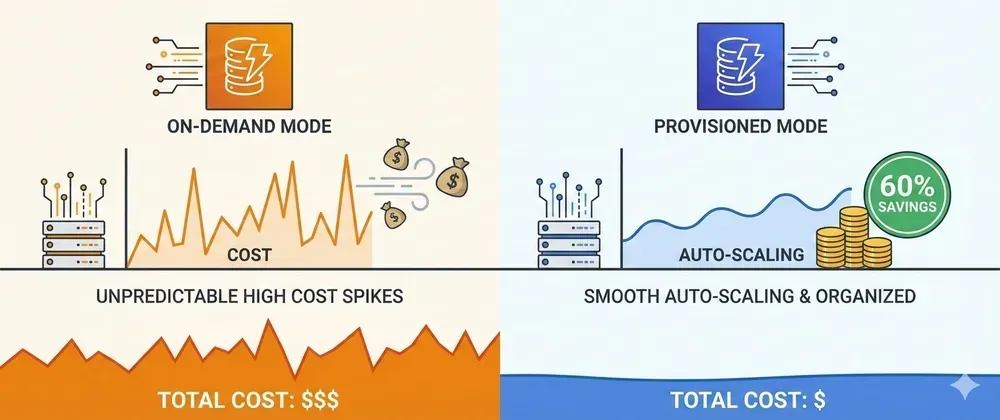
DynamoDB On-Demand is Expensive: Switch to Provisioned and Save 60% 💰
DynamoDB On-Demand costs 6x more per request than Provisioned. If your traffic is predictable, you’re massively overpaying and you can switch to Provisioned and save a lot.
Series: Save on AWS with Terraform (21 articles)
- …
- 14DynamoDB On-Demand is Expensive: Switch to Provisioned and Save 60% 💰 This article

DynamoDB On-Demand costs 6x more per request than Provisioned. If your traffic is predictable, you’re massively overpaying. Here’s the Terraform switch with auto-scaling.
On-Demand mode sounds great: No capacity planning, pay per request, automatic scaling.
On-Demand mode is expensive: $1.25 per million writes, $0.25 per million reads.
Provisioned mode with auto-scaling: $0.00065 per write unit-hour, $0.00013 per read unit-hour.
For predictable workloads, On-Demand costs 6x more.
1
2
3
4
5
6
7
8
9
10
11
12
13
10M writes/month + 50M reads/month:

On-Demand:
  Writes: 10M × $1.25/1M   = $12.50
  Reads:  50M × $0.25/1M   = $12.50
  Total:                    $25.00/month

Provisioned (100 WCU, 500 RCU):
  Writes: 100 × $0.00065 × 730hrs = $4.75
  Reads:  500 × $0.00013 × 730hrs = $4.75
  Total:                            $9.50/month

Savings: $15.50/month = $186/year (62% reduction!) 🎉
Let me show you how to switch with Terraform — including auto-scaling so you never over-provision.
💸 When On-Demand Hurts You
On-Demand is designed for:
- Unpredictable, spiky traffic
- New tables (unknown patterns)
- Low-traffic tables (< 1M requests/month)
But most production tables have:
- Predictable traffic patterns
- Consistent daily/weekly cycles
- Known peak and off-peak periods
If your traffic is consistent, you’re donating money to AWS.
🎯 The Smart Strategy
Use Provisioned + Auto-Scaling:
- Set min/max capacity
- Auto-scales based on utilization target (70%)
- Handles traffic spikes automatically
- Costs 60-70% less than On-Demand
Best of both worlds: automatic scaling + predictable pricing.
🛠️ Terraform Implementation
Switch from On-Demand to Provisioned + Auto-Scaling
1
2
3
4
5
6
7
8
9
10
11
12
13
14
15
16
17
18
19
20
21
22
23
24
25
26
27
28
29
30
31
32
33
34
35
36
37
38
39
40
41
42
43
44
45
46
47
48
49
50
51
52
53
54
55
56
57
58
59
60
61
62
63
64
65
66
67
68
69
70
71
72
73
74
# dynamodb-provisioned.tf

resource "aws_dynamodb_table" "orders" {
  name         = "orders"
  billing_mode = "PROVISIONED"  # Changed from PAY_PER_REQUEST

  read_capacity  = 50   # Starting point
  write_capacity = 20   # Starting point

  hash_key  = "orderId"
  range_key = "createdAt"

  attribute {
    name = "orderId"
    type = "S"
  }

  attribute {
    name = "createdAt"
    type = "S"
  }

  tags = {
    Name = "orders-table"
  }
}

# Auto-scaling for reads
resource "aws_appautoscaling_target" "read" {
  max_capacity       = 500
  min_capacity       = 10
  resource_id        = "table/${aws_dynamodb_table.orders.name}"
  scalable_dimension = "dynamodb:table:ReadCapacityUnits"
  service_namespace  = "dynamodb"
}

resource "aws_appautoscaling_policy" "read" {
  name               = "orders-read-scaling"
  policy_type        = "TargetTrackingScaling"
  resource_id        = aws_appautoscaling_target.read.resource_id
  scalable_dimension = aws_appautoscaling_target.read.scalable_dimension
  service_namespace  = aws_appautoscaling_target.read.service_namespace

  target_tracking_scaling_policy_configuration {
    predefined_metric_specification {
      predefined_metric_type = "DynamoDBReadCapacityUtilization"
    }
    target_value = 70.0  # Scale when 70% utilized
  }
}

# Auto-scaling for writes
resource "aws_appautoscaling_target" "write" {
  max_capacity       = 200
  min_capacity       = 5
  resource_id        = "table/${aws_dynamodb_table.orders.name}"
  scalable_dimension = "dynamodb:table:WriteCapacityUnits"
  service_namespace  = "dynamodb"
}

resource "aws_appautoscaling_policy" "write" {
  name               = "orders-write-scaling"
  policy_type        = "TargetTrackingScaling"
  resource_id        = aws_appautoscaling_target.write.resource_id
  scalable_dimension = aws_appautoscaling_target.write.scalable_dimension
  service_namespace  = aws_appautoscaling_target.write.service_namespace

  target_tracking_scaling_policy_configuration {
    predefined_metric_specification {
      predefined_metric_type = "DynamoDBWriteCapacityUtilization"
    }
    target_value = 70.0
  }
}
Reusable Module
1
2
3
4
5
6
7
8
9
10
11
12
13
14
15
16
17
18
19
20
21
22
23
24
25
26
27
28
29
30
31
32
33
34
35
36
37
38
39
40
41
42
43
44
45
46
47
48
49
50
51
52
53
54
55
56
57
58
59
60
61
62
63
64
65
66
67
68
69
70
71
72
73
74
75
76
77
78
79
80
81
82
83
84
85
86
87
88
89
90
91
92
93
94
95
96
97
98
99
100
101
102
103
104
105
106
107
108
109
110
111
112
113
114
115
116
117
118
119
120
121
122
123
124
125
126
127
128
129
130
131
132
133
134
135
136
137
138
139
140
141
# modules/dynamodb-with-autoscaling/main.tf

variable "table_name" {
  description = "DynamoDB table name"
  type        = string
}

variable "hash_key" {
  description = "Hash key attribute name"
  type        = string
}

variable "range_key" {
  description = "Range key attribute name (optional)"
  type        = string
  default     = null
}

variable "attributes" {
  description = "List of attribute definitions"
  type = list(object({
    name = string
    type = string
  }))
}

variable "read_capacity" {
  description = "Initial read capacity units"
  type        = number
  default     = 10
}

variable "write_capacity" {
  description = "Initial write capacity units"
  type        = number
  default     = 5
}

variable "read_max_capacity" {
  description = "Maximum read capacity"
  type        = number
  default     = 100
}

variable "write_max_capacity" {
  description = "Maximum write capacity"
  type        = number
  default     = 50
}

variable "scaling_target" {
  description = "Target utilization % before scaling"
  type        = number
  default     = 70
}

resource "aws_dynamodb_table" "this" {
  name           = var.table_name
  billing_mode   = "PROVISIONED"
  read_capacity  = var.read_capacity
  write_capacity = var.write_capacity
  hash_key       = var.hash_key
  range_key      = var.range_key

  dynamic "attribute" {
    for_each = var.attributes
    content {
      name = attribute.value.name
      type = attribute.value.type
    }
  }

  point_in_time_recovery {
    enabled = true
  }

  tags = {
    Name      = var.table_name
    ManagedBy = "terraform"
  }
}

# Read auto-scaling
resource "aws_appautoscaling_target" "read" {
  max_capacity       = var.read_max_capacity
  min_capacity       = var.read_capacity
  resource_id        = "table/${aws_dynamodb_table.this.name}"
  scalable_dimension = "dynamodb:table:ReadCapacityUnits"
  service_namespace  = "dynamodb"
}

resource "aws_appautoscaling_policy" "read" {
  name               = "${var.table_name}-read-scaling"
  policy_type        = "TargetTrackingScaling"
  resource_id        = aws_appautoscaling_target.read.resource_id
  scalable_dimension = aws_appautoscaling_target.read.scalable_dimension
  service_namespace  = aws_appautoscaling_target.read.service_namespace

  target_tracking_scaling_policy_configuration {
    predefined_metric_specification {
      predefined_metric_type = "DynamoDBReadCapacityUtilization"
    }
    target_value       = var.scaling_target
    scale_in_cooldown  = 300   # 5 mins before scaling in
    scale_out_cooldown = 60    # 1 min before scaling out
  }
}

# Write auto-scaling
resource "aws_appautoscaling_target" "write" {
  max_capacity       = var.write_max_capacity
  min_capacity       = var.write_capacity
  resource_id        = "table/${aws_dynamodb_table.this.name}"
  scalable_dimension = "dynamodb:table:WriteCapacityUnits"
  service_namespace  = "dynamodb"
}

resource "aws_appautoscaling_policy" "write" {
  name               = "${var.table_name}-write-scaling"
  policy_type        = "TargetTrackingScaling"
  resource_id        = aws_appautoscaling_target.write.resource_id
  scalable_dimension = aws_appautoscaling_target.write.scalable_dimension
  service_namespace  = aws_appautoscaling_target.write.service_namespace

  target_tracking_scaling_policy_configuration {
    predefined_metric_specification {
      predefined_metric_type = "DynamoDBWriteCapacityUtilization"
    }
    target_value       = var.scaling_target
    scale_in_cooldown  = 300
    scale_out_cooldown = 60
  }
}

output "table_name" {
  value = aws_dynamodb_table.this.name
}

output "table_arn" {
  value = aws_dynamodb_table.this.arn
}
Usage
1
2
3
4
5
6
7
8
9
10
11
12
13
14
15
16
17
18
19
20
21
22
23
24
25
26
27
28
29
30
31
32
33
34
module "orders_table" {
  source = "./modules/dynamodb-with-autoscaling"

  table_name = "orders"
  hash_key   = "orderId"
  range_key  = "createdAt"

  attributes = [
    { name = "orderId",   type = "S" },
    { name = "createdAt", type = "S" }
  ]

  read_capacity      = 50
  write_capacity     = 20
  read_max_capacity  = 500
  write_max_capacity = 200
  scaling_target     = 70
}

module "products_table" {
  source = "./modules/dynamodb-with-autoscaling"

  table_name = "products"
  hash_key   = "productId"

  attributes = [
    { name = "productId", type = "S" }
  ]

  read_capacity      = 100
  write_capacity     = 10
  read_max_capacity  = 1000
  write_max_capacity = 100
}
📊 Right-Sizing Your Capacity
How to find the right starting values:
1
2
3
4
5
6
7
8
9
10
11
12
13
# Check current On-Demand consumption
aws cloudwatch get-metric-statistics \
  --namespace AWS/DynamoDB \
  --metric-name ConsumedReadCapacityUnits \
  --dimensions Name=TableName,Value=orders \
  --start-time $(date -d '7 days ago' -Iso) \
  --end-time $(date -Iso) \
  --period 3600 \
  --statistics Average,Maximum

# Use Maximum to determine your peak
# Set min_capacity = average usage
# Set max_capacity = 2x peak
Rule of thumb:
1
2
3
min_capacity = average hourly consumption
max_capacity = 2× peak hourly consumption
scaling_target = 70%
💡 Pro Tips
1. Use Reserved Capacity for Extra Savings
Once on Provisioned, buy Reserved Capacity for an additional 50%+ discount:
1
2
3
# Purchase in AWS Console: DynamoDB → Reserved Capacity
# 1-year: up to 50% off
# 3-year: up to 76% off
Combined with Provisioned: total savings up to 80% vs On-Demand! 🚀
2. Monitor Throttling
1
2
3
4
5
6
7
8
9
10
11
12
13
14
resource "aws_cloudwatch_metric_alarm" "throttle" {
  alarm_name          = "${var.table_name}-throttling"
  comparison_operator = "GreaterThanThreshold"
  evaluation_periods  = 2
  metric_name         = "SystemErrors"
  namespace           = "AWS/DynamoDB"
  period              = 60
  statistic           = "Sum"
  threshold           = 5

  dimensions = {
    TableName = var.table_name
  }
}
If you see throttling, increase
min_capacity or lower scaling_target.3. Global Secondary Indexes Need Their Own Scaling
1
2
3
4
5
6
7
8
# GSI auto-scaling - must be done separately
resource "aws_appautoscaling_target" "gsi_read" {
  max_capacity       = 100
  min_capacity       = 5
  resource_id        = "table/${aws_dynamodb_table.this.name}/index/status-index"
  scalable_dimension = "dynamodb:index:ReadCapacityUnits"
  service_namespace  = "dynamodb"
}
4. Keep Low-Traffic Tables On-Demand
1
2
3
4
5
6
7
# On-Demand still makes sense for:
resource "aws_dynamodb_table" "config" {
  name         = "app-config"
  billing_mode = "PAY_PER_REQUEST"  # < 1M requests/month

  # Not worth provisioning for low-traffic tables
}
⚠️ Common Gotchas
1. Scaling Has a Delay (~2 Minutes)
Auto-scaling reacts in ~2 minutes. For sudden spikes:
1
2
3
# Buffer capacity to handle initial spikes
read_capacity  = 50   # Set 20-30% above average
write_capacity = 20
2. Can Only Switch Billing Mode Once Per Day
Plan your migration carefully — you can’t switch back and forth rapidly.
3. Burst Traffic Needs Buffer
1
2
3
# If you have predictable daily spikes, set higher min
# Example: Daily batch job at 9 AM doubles write load
write_capacity = 40  # Set to handle the batch
📈 Real-World Savings
SaaS app with 5 DynamoDB tables:
Before (all On-Demand):
1
2
3
4
5
6
7
8
Users table:    30M reads/mo  = $7.50
Sessions table: 50M reads/mo  = $12.50
Orders table:   20M writes/mo = $25.00
Products table: 80M reads/mo  = $20.00
Events table:   40M writes/mo = $50.00

Total: $115.50/month
Annual: $1,386
After (Provisioned + Auto-Scaling):
1
2
3
4
5
6
7
8
9
10
Users:    200 RCU × $0.00013 × 730hrs = $19.00
Sessions: 300 RCU × $0.00013 × 730hrs = $28.00
Orders:   100 WCU × $0.00065 × 730hrs = $47.45
Products: 500 RCU × $0.00013 × 730hrs = $47.45
Events:   200 WCU × $0.00065 × 730hrs = $94.90

Total: $47.80/month
Annual: $573.60

Savings: $67.70/month = $812.40/year (58% reduction!) 🎉
🎯 Quick Decision Guide
| Scenario | Billing Mode |
|---|---|
| New table, unknown traffic | On-Demand |
| Traffic < 1M requests/month | On-Demand |
| Consistent, predictable traffic | Provisioned ✅ |
| Production tables > 3 months old | Provisioned ✅ |
| Cost optimization is priority | Provisioned ✅ |
| Traffic spikes 10x+ randomly | On-Demand |
🎯 Summary
On-Demand: Great for starting out, expensive at scale.
Provisioned + Auto-Scaling: 60-70% cheaper, equally flexible, just requires initial setup.
The math is simple:
- Predictable traffic? → Provisioned
- Add auto-scaling → peace of mind
- Optional: Reserved Capacity → even more savings
Implementation:
- 5 minutes to update Terraform
- Auto-scaling handles the rest
- Monitor throttling for first week
Stop overpaying for On-Demand DynamoDB. Switch to Provisioned + Auto-Scaling and save 60%. 🚀
Switched from On-Demand to Provisioned? Share your savings in the comments! 💬
Follow for more AWS cost optimization with Terraform! ⚡
Series: Save on AWS with Terraform (21 articles)
- …
- 14DynamoDB On-Demand is Expensive: Switch to Provisioned and Save 60% 💰 This article
Enjoyed reading this content? Let the author know!
Your likes, comments, shares, and saves help creators reach more builders.

Loading recommendations
Loading article