
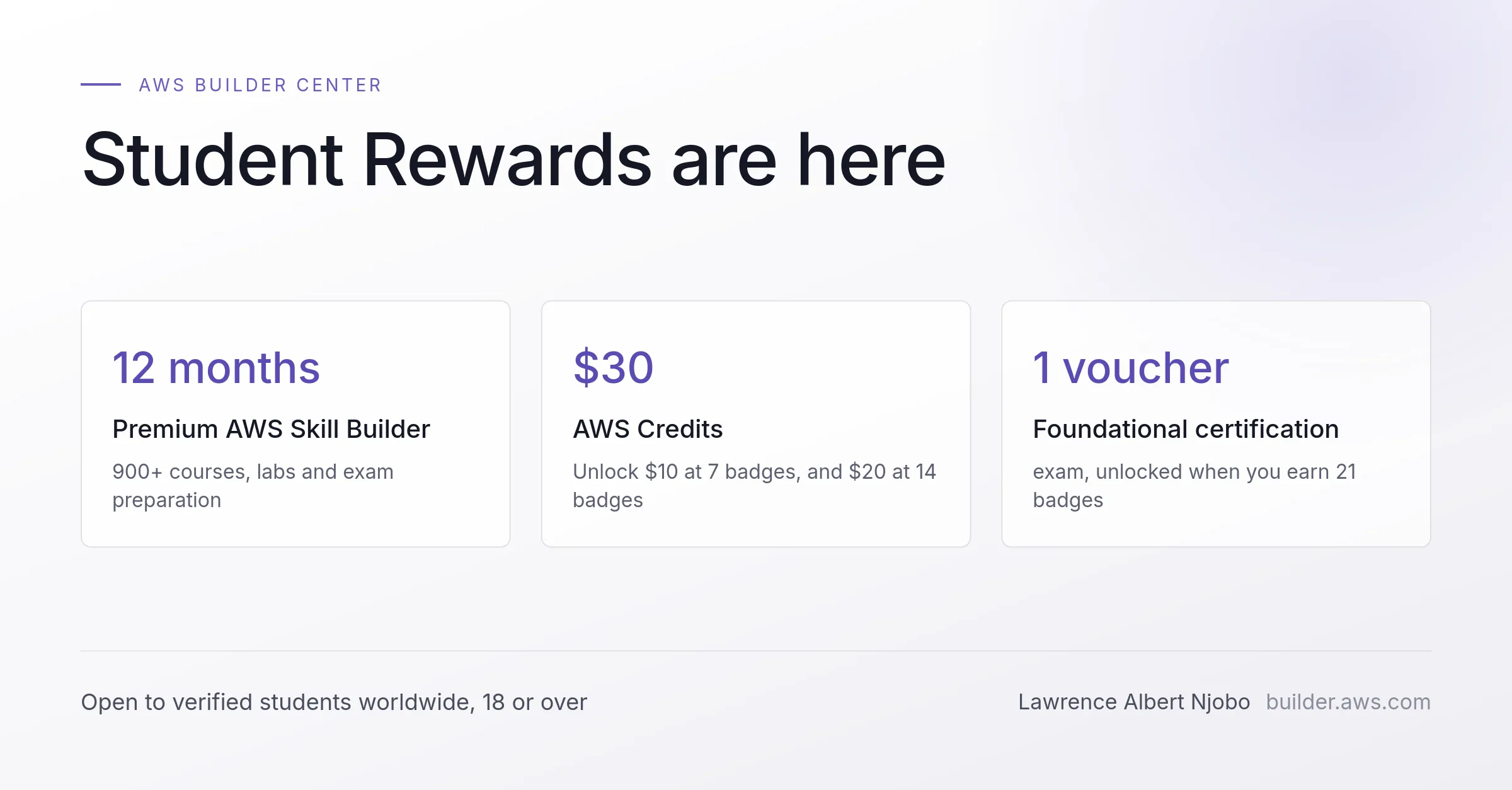
AWS Student Rewards: how to claim all $579
A field guide to the programme from the document-verification route, which is the path most students outside the big indexed universities will actually take.

AWS launched Student Rewards on Builder Center on 20 August 2026. If you are enrolled at a
university anywhere in the world, it is worth about thirty minutes of your time, and most of that
is waiting.
I have watched a lot of student programmes get announced and then turn out to be for one country,
or one partner institution, or one cohort of forty people. This one is not that. It is open to
verified higher education students aged 18 or over at accredited institutions worldwide, which
includes Zimbabwe, and your university does not need to be an AWS Academy or AWS Partner
institution. It sits inside a stated commitment of more than $500 million that AWS is putting
into student cloud and AI training.
Here is what is on the table, how to actually claim it, and the one thing that is tripping almost
everybody up.
What you get
What you do | What you get | Value |
|---|---|---|
Verify as a student and complete your Builder Center profile | 12 months of AWS Skill Builder Premium | $449 |
Earn 7 Builder Center badges | AWS credits | $10 |
Earn 14 Builder Center badges | A further tranche of AWS credits | $20 |
Earn 21 Builder Center badges | AWS Foundational Certification exam voucher | $100 |
| Total, per AWS | $579 |
Who qualifies
Three conditions. You are 18 or over. You are enrolled at an accredited higher education institution. You can prove it.
That third one is the whole game, and it is where the rest of this article goes.
Sign in with a Builder ID you will still have after you graduate
If you already have a Builder ID, use it. Do not create a second account. This matters more than
it sounds: your Builder ID is the identity that carries your badges, your published content and
your reward history, and you want it attached to an email you will still control in three years.
Use a personal email for the Builder ID itself. Your university email comes in later, at the
verification step, where it belongs. Plenty of people get this backwards, build a profile on a
university address, and lose access to the account the month their student mail is deactivated.

Complete your profile, properly

This is the step people skip, and it is a hard blocker. The Premium subscription does not unlock on verification alone. It unlocks on verification plus a completed profile, and if you only do one of the two you will sit there wondering why nothing happened.
The page is broken into five sections down the right-hand side. Public details holds your display name, alias, headline and country. The headline is capped at 100 characters and asks "What do you do?" — write a real answer, because it is the line that appears next to everything you publish. Social links gives you a platform dropdown and a URL field, with an "Add link" button for more. Then Student details, Personal details and Interests.
Fill in all of them. It takes about ten minutes and it is the cheapest reward in the programme.
Verify your student status through SheerID
AWS uses SheerID, a third-party verification service. Most verifications complete in minutes. What happens is that SheerID takes the details you enter, checks them against enrolment records it already holds for your institution, and either passes you instantly or asks for documents.
Instant pass is the common outcome at large, well-indexed universities. If your institution is smaller, or outside the regions SheerID has deep records for, expect the document route. That is normal and it is not a rejection.

The fork most guides skip. The instant lookup is one of two paths, not the path. If your university has no indexed records the document route is simply where you start, and a rejection loops back through SheerID rather than ending anything. Note the last step: verification alone does not unlock Premium.

Click Verify to earn rewards. It might ask you to sign in , sign in with your account. It will take you to Your Profile page. Scroll down to student details and update with your information.

If SheerID asks for documents
This is the part worth reading before you start, because getting it right first time saves you days.
Your document must be school-issued and must clearly show three things: your first and last name, your school name spelled the same way you entered it, and a date placing you in the current academic period.
SheerID lists these as acceptable: class schedules, tuition or fee receipts, transcripts, registration receipts, and dated student ID cards. Financial aid letters can support an application but will not carry it alone.
Accepted file formats are
.bmp .gif .jpg .png .tiff .pdf .rtf . Anything else is rejected on format before a human ever looks at it, so convert first. A surprising number of "rejections" are just a .heic photo from an iPhone.Sometimes SheerID does not ask for your documents but asks you to login with your school email. It has various verification methods.
What worked for me
SheerID did not find me automatically, which I expected. The National University of Science and Technology is not a school it holds deep records for. I went the document route and was approved.
Here is the principle, and it transfers to any institution: your student portal is the source.
Log into it and export everything it will give you. Portals differ, but almost all of them will produce some combination of fee receipts, payment history, a registration or enrolment confirmation, and an academic transcript. Every one of those is school-issued by definition, which is the requirement people struggle hardest to satisfy. Then add your offer or admission letter, which you already have in your email.
In my case that came to four documents:
- My NUST offer letter
- A fee quotation carrying my student number
- My payment history, showing fees paid for the current period
- My academic transcript, exported from the portal
My student ID does not have an expiration date , and isn't quite visible so thats why I left it out.
No single one of those carries all three requirements. The offer letter has my name and the institution but is dated from admission. The payment history has the current date but reads as a finance document. Together they establish name, institution and current enrolment, and that combination is what gets you through when the automatic lookup fails.
So the actual lesson is this. Do not agonise over finding one perfect document. Open your portal, export what it offers, and send the set.
One practical thing to budget for: I had to compress a file before it would upload. If a document is rejected and its format is already on the accepted list, size is the next thing to check.
Do not upload anything sensitive that was not asked for. Passports, bank statements and full transcripts of your grades are not required for this and there is no reason to hand them over.
If you get rejected
Reopen the ticket with SheerID directly rather than starting again. AWS cannot help you here and neither can anyone else; SheerID is the only party that can review documents, reset your attempts, or process an appeal. If you see "Verification Limit Exceeded", that is specifically a message to take to SheerID support at
support.sheerid.com , not a permanent no.Claim your 12 months of Premium
Once verification clears and your profile is complete, go to
builder.aws.com/profile/rewards . Your available rewards appear here. If AWS issues a redemption code, the page tells you how to redeem it.Understand what the 21 badges actually are
This is where almost everyone goes wrong, and it deserves its own section.
The 21 badges are AWS Builder Center badges . They are community and activity badges, earned by doing things on Builder Center.
They are not Skill Builder course completion badges. They are not Skill Builder Knowledge badges. They are not AWS Certification badges. They are not Credly badges. Finishing 21 Skill Builder courses will earn you nothing toward this.
That confusion is the single reason people give up on the voucher. They open the Skill Builder dashboard, watch learning badges accumulate, and count those. It is a different currency entirely.

Two badges, two currencies. The tracks never meet. Every Skill Builder course you finish produces a badge that contributes nothing to the ladder on the right, which is why people who train hard still never reach the voucher.
The badges that count are earned inside Builder Center: publishing content, commenting on discussions, making a wish, taking part in community activity, and keeping an activity streak going. Check your real count at
builder.aws.com/profile/?tab=badges .Some badges take a single action. Others need sustained activity over weeks, which means the 21-badge voucher is not a same-day prize. Read each badge description for its actual requirement rather than assuming.

The catch, such as it is
The voucher covers a Foundational certification only. In practice that means AWS Certified Cloud Practitioner or AWS Certified AI Practitioner. It will not cover an Associate exam, so if you were hoping to put it toward Solutions Architect Associate, you cannot.
Twelve months of Premium is generous, and it is a clock. The people who get the most out of this will be the ones who decide in week one what they are training toward, rather than browsing 900 courses until the year runs out.
And the badges reward participation, not consumption. That is a deliberate design choice by AWS and I think it is the right one, but it does mean the voucher goes to people who show up in the community rather than people who quietly finish courses. If you have been meaning to start publishing what you are learning, this programme now pays you to do it.
Why I am writing this
I am finishing a Computer Science degree at the National University of Science and Technology in Bulawayo, and programmes like this one usually pass Zimbabwe by. This one does not. I verified through the document route from Zimbabwe, at a university SheerID had no automatic record of, and it worked.
That is the only reason this article exists. Every guide I read assumed the instant check would pass, and mine did not. If you are a student somewhere the AWS ecosystem does not usually reach, the document route is not a consolation prize, it is just the normal path for the rest of us, and it works if you send the right set.
Verify today and worry about the badges afterwards. Premium is the part tied to your enrolment status. The voucher will still be there next month.
Full terms and eligibility are on the official Student Rewards FAQ at
builder.aws.com/faq .Enjoyed reading this content? Let the author know!
Your likes, comments, shares, and saves help creators reach more builders.

Loading recommendations
Loading article