

How to Monitor Your Kiro Usage with the New Dashboard
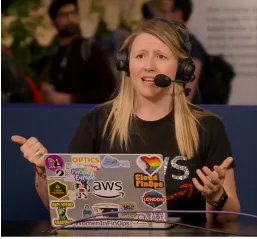
Welcome back to our weekly AWS optimization series! In this episode, Senior Optimization Solutions Architect Advocate, Steph Gooch, and Technical Account Manager, Darius Seroka, dive into the newly released Kiro usage dashboard. They explore how it can help organizations understand their Kiro spending, identify potential waste, and optimize their usage across multiple accounts.
Introduction:
Welcome back to our weekly AWS optimization series! In this episode, Senior Optimization Solutions Architect Advocate, Steph Gooch, and Technical Account Manager, Darius Seroka, dive into the newly released Kiro usage dashboard . They explore how it can help organizations understand their Kiro spending, identify potential waste, and optimize their usage across multiple accounts.
Welcome back to our weekly AWS optimization series! In this episode, Senior Optimization Solutions Architect Advocate, Steph Gooch, and Technical Account Manager, Darius Seroka, dive into the newly released Kiro usage dashboard . They explore how it can help organizations understand their Kiro spending, identify potential waste, and optimize their usage across multiple accounts.
Key Takeaways:
- Understanding Kiro: Kiro is a set of tools for agentic development, allowing users to turn natural language into code. It operates on a credit system rather than tokens.
- The Need for a Dashboard: The dashboard was created in response to customer inquiries about Kiro usage across their organization, aiming to prevent credit depletion and ensure productivity.
- Data Sources: The dashboard pulls data from two sources: the Kiro user activity file and cost and usage reports, providing a comprehensive view of Kiro usage and spending.
- Deployment Prerequisites: To deploy the dashboard, users must have the Cloud Intelligence Dashboards set up, enabling activity reports on source accounts and allowing read access through a bucket policy.
- Dashboard Features: The dashboard offers insights into active and inactive users, subscription tiers, model usage, and overage tracking, helping organizations make informed decisions about their Kiro usage.
- Tiering Recommendations: The dashboard provides recommendations for right-sizing subscriptions based on usage patterns, helping organizations optimize their Kiro spending.
- Feedback and Updates: Users are encouraged to provide feedback to improve the dashboard, with an email address provided for submissions.
Call to Action:
Don't miss out on the valuable insights from this episode. Watch the on-demand live stream here to learn more about optimizing your Kiro usage with the new dashboard.
Don't miss out on the valuable insights from this episode. Watch the on-demand live stream here to learn more about optimizing your Kiro usage with the new dashboard.
Enjoyed reading this content? Let the author know!
Your likes, comments, shares, and saves help creators reach more builders.

Loading recommendations
Loading article