

Agent Context Management
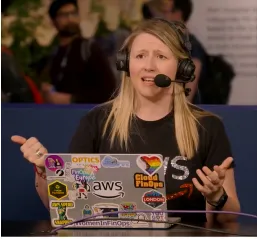
As AI workloads grow, we are seeing the same story we saw when we first moved to the cloud. Spiky spend, hard-to-forecast usage, and costs landing in the hands of developers who did not realise the meter was running. At the recent FinOps Foundation conference, this topic came up in nearly every conversation I had. It mattered so much that next year the conference is being renamed Tokenomics.
Have you ever asked your AI assistant one small question and watched your token count jump like you had asked it to rebuild your whole application? I have. I asked a coding assistant a simple question about an AWS service, and before I had done anything else, a chunk of my tokens was already gone. No code written. No big request. So where did they all go?
The answer, more often than not, is context. And context is quietly costing you more than you think.
As AI workloads grow, we are seeing the same story we saw when we first moved to the cloud. Spiky spend, hard-to-forecast usage, and costs landing in the hands of developers who did not realise the meter was running. At the recent FinOps Foundation conference, this topic came up in nearly every conversation I had. It mattered so much that next year the conference is being renamed Tokenomics. So let's dive deep into one of the biggest hidden drivers of token spend, context, and the practical habits you can use to keep it under control.
Why AI context matters so much
To put it very simply, context is all the information that gets sent to the model every time you interact with it. Tokens are the smallest unit of text a model processes, and they are both your input and your output. Your cost is heavily aligned with how many of them you use.
Here is the part that surprises people. When you are in a conversation with an AI assistant, every time you type a new prompt, it does not just send that prompt. It sends everything that came before it. Your first message, its reply, your second message, its reply, and so on. There is no expensive GPU sitting there holding your conversation in its head. Instead, the whole history goes over the wire each time.
So you go from maybe 10 tokens on the first message, to 50 on the next, to 100 on the next, and it keeps adding and adding. Without you noticing, a friendly back-and-forth chat has become an expensive one. This is where I am starting to see customers accidentally spend a lot of money behind the scenes, simply because their context keeps growing and nobody is watching it.
The hidden cost of MCP servers
Here is the one that really caught me out. When I looked into why my simple question cost so much, it was not my prompt at all. It was my MCP servers.
Every MCP server you enable loads its tool definitions into context. Every session. Whether you use those tools or not. If you have enabled a dozen MCP servers "just in case", you are paying input tokens for all of them, on every single interaction, before you have even typed a word.
Think of it like walking into a meeting and handing everyone a 40-page briefing pack when the question on the table is "what time is lunch?". The information is there, but you paid to print all of it and nobody needed most of it.
The fix is not complicated. Be intentional about which MCP servers you enable, and enable them per project rather than globally. If a tool is not relevant to what you are building right now, turn it off. Your context, and your bill, will thank you.
Filtering context: give it what it needs, not everything
Imagine you have a new colleague joining your project. You could forward them every email and every meeting note you have ever written. Or you could hand them the five most relevant documents and say "read these, then help me". Which one gets you a useful result faster?
This is context filtering, and it is one of the most effective habits you can build. In your AI applications, give the model what it needs to know, not everything you have. In a service like Amazon Bedrock, you can attach metadata within your knowledge base so that before a vector search happens, the model reads the smaller metadata first, finds the right document, and only then dives in. If you have a thousand documents in Amazon S3 and a question about one customer, that metadata step means you are not pushing all thousand documents' worth of context through the model. Your input tokens drop dramatically.
Managing the context window
For anything conversational, like a chatbot, you need a deliberate strategy for that ever-growing history we talked about. There are two approaches I recommend.
The first is a sliding window. Instead of keeping everything, you keep only the last few exchanges and move the window along as the conversation continues. This reduces tokens in a very hardline way. The trade-off is that if you need to refer back to the very start of the conversation, that information may be gone. So it depends on the kind of application you are running.
The second is progressive summarization. Here you summarize after a set number of messages. For example, after every five messages you compress the context down to just the useful information, then carry on. Rather than a context that balloons to 800 tokens, you might cap it at 40. Both approaches are worth considering, and the right one depends on whether your users need to reach back into earlier parts of the conversation.
Speak like a computer
There is one more habit that makes a real difference, and it starts with how you write your prompts. I have been talking about this a lot lately, so much so that the idea got picked up by Wired.
We tend to talk to our AI assistants the way we talk to humans. "Could you please help me by doing this thing, and thank you very much." All the pleasantries, all the padding. You can often summarize that down to a much smaller number of tokens while keeping every bit of the relevant information. In one example I use, that is a 55% reduction in input tokens.
And it does more than save tokens. When you are explicit about what you want, you are less likely to need multiple iterations to get there. You avoid the "no, I meant this, oh wait, I also need that" loop that quietly multiplies your spend. Be clear, be direct, get the result the first time. If you use an AI assistant like Amazon Quick, you can even set up a skill that helps you write a more efficient prompt from the start.
Caching: pay once, reuse many times
The good thing about a lot of this is that these are concepts you already know from traditional cloud, just reframed for AI. Caching is a perfect example.
Prompt caching lets an AI application store and reuse a previous input. In Amazon Bedrock, within a five-minute window, if it sees an identical prompt it will return the cached response rather than reprocessing everything. And identical is the key word here. It has to be an exact match. When it works, it can reduce cost by up to 90% and latency by up to 85%.
The best opportunity for this is any application where you have pre-configured prompts that customers select from, because you control the input and it will consistently take advantage of the cache. One thing worth knowing about the five-minute window, though: if you step away mid-session for a coffee, the cache may expire, and you will pay full price when you come back. Keep your focused work sessions tight.
You cannot manage what you cannot see
None of this works if you are flying blind. Just as we track EC2 utilization and application latency, we need to track our AI usage. Within AWS, there are native Bedrock dashboards in Amazon CloudWatch that surface tokens, utilization, and latency. Set alarms on them. A CloudWatch alarm on a token spike will trigger far sooner than a cost alarm, which means you catch a runaway session, or even a prompt injection attack draining your tokens, before the damage is done.
If you are using a coding assistant, most of them let you check your usage directly. Get into the habit of looking. When you can see a session with your MCP servers enabled next to one without them, the difference is undeniable, and that is usually the moment the habit sticks.
Build a healthy AI assistant environment
So how do we pull this together into something sustainable? This is not a one-and-done exercise. A few habits, applied consistently, keep your environment healthy:
- Enable only the MCP servers you actually need, per project rather than globally.
- Keep sessions short and focused so your context does not balloon and you stay inside the cache window.
- Filter your context so the model gets the relevant few documents, not everything.
- Manage your context window with a sliding window or progressive summarization for anything conversational.
- Speak like a computer and write lean, explicit prompts.
- Monitor and alarm on token usage so surprises get caught early.
And here is why it matters. These invisible costs do not add up on one session. They add up across every session, every day, and every developer on your team. A little bit of context discipline, multiplied across an organisation, is the difference between AI that quietly drains your budget and AI that keeps you thriving.
Next steps
Start small. Pick one habit from the list above and apply it this week. Open your assistant, run the usage command, and look at what your context is actually costing you before you type anything. I think you will be surprised, in the same way I was.
If you want to go deeper, see this episode on MCPs effecting Claude costs , and you can explore the Amazon Bedrock documentation for prompt caching, model evaluation, and intelligent prompt routing. Don't miss out on the savings that are sitting right there in your context window.
💰 This is a clear and conspicuous disclaimer that I am an AWS employee and all opinions are my own 💰
Enjoyed reading this content? Let the author know!
Your likes, comments, shares, and saves help creators reach more builders.

Loading recommendations
Loading article