
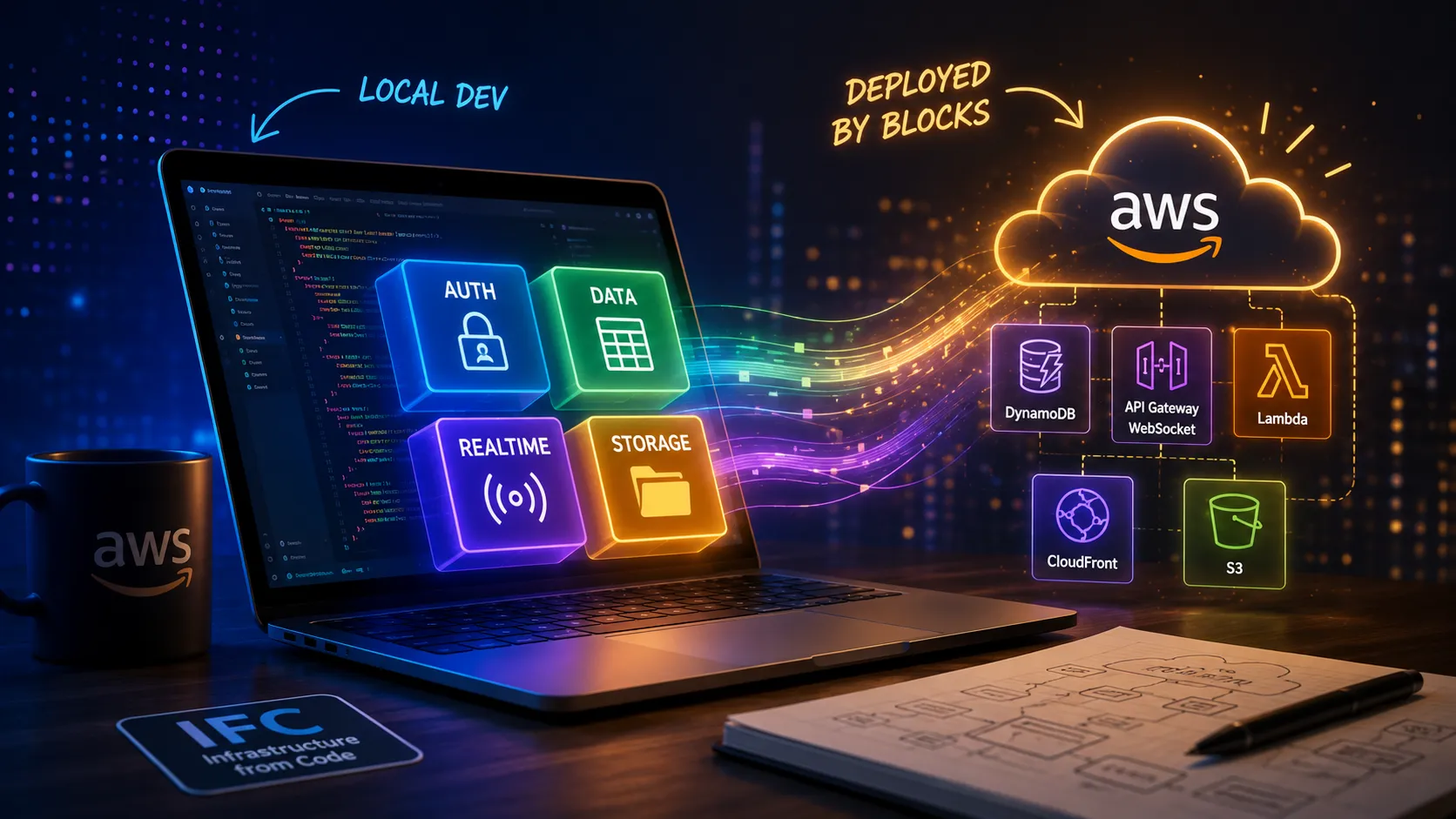
Infrastructure from Code: A Live-Sync Bookmark Manager
I deployed this AWS Blocks project to real AWS, hit a genuine production-only bug, and verified every claim against CloudFormation and CloudTrail.
Series: AWS User Group Madurai - Skill Sprint Challenge - DevTool Month - AWS Blocks (2 articles)
- 1Infrastructure from Code: A Live-Sync Bookmark Manager This article

Introduction
AWS Blocks went to public preview on June 16, 2026, "an open-source TypeScript framework for application developers who want backend capabilities on AWS, removing the need to learn infrastructure tools" . Six weeks later, AWS User Group Madurai built its June Builders Skill Sprint - Devtools Month , entirely around it. Level 1 of that sprint asks for a private Personal Bookmark Manager : sign up, save a link, list it, delete it, keep every user's data to themselves. Forty-five minutes, no AWS account,
npm run dev and you're done.I built the app, then kept going: two browser tabs signed in as the same person, and a bookmark added in one appears in the other within about a second, live, no refresh. This post is both things at once: what AWS Blocks actually is under the hood, and what it looked like to spec-drive an extension past the brief with Kiro instead of free-forming it.
What AWS Blocks actually is?
AWS Blocks' own README calls it a framework where "each Block is a self-contained backend capability that bundles your application code, a local development setup, and the infrastructure to run it. Pick the Blocks you need, compose them, and AWS Blocks defines the AWS infrastructure for you" , an Apache-2.0 project under the
aws-devtools-labs GitHub org. The official docs give this model a name: Infrastructure from Code (IFC). It's a deliberate contrast with AWS CDK's Infrastructure as Code: every AWS Blocks app compiles down to a real CDK app (there's an escape hatch, index.cdk.ts, that drops you straight into the underlying CDK constructs when you need it), but the code you actually write describes application capabilities: "I need auth," "I need a table," "I need realtime" and the AWS resources are derived from that, not hand-assembled.Concretely, that means the same TypeScript file plays two roles depending on when it's read. At
npm run dev time, every Block resolves to a local mock, disk-backed JSON under .bb-data/, an in-process WebSocket server, local JWT sessions and nothing touches AWS. At CDK synth time, the identical file is walked by BlocksStack.create() to produce real infrastructure: DynamoDB tables, an API Gateway WebSocket API, Lambda, CloudFront + S3 if you're hosting the frontend too. Here's the actual generated entry point from this project, unedited:1
2
3
4
5
6
7
8
9
10
11
12
13
14
// aws-blocks/index.cdk.ts
export const blocksStack = await BlocksStack.create(app, stackName, {
backendHandlerPath: join(__dirname, 'index.handler.ts'),
backendCDKPath: join(__dirname, 'index.ts'), // ← the same file the local dev server runs
});
if (!sandboxMode) {
new Hosting(blocksStack, 'Hosting', {
root: join(__dirname, '..'),
buildCommand: 'npm run build',
buildOutputDir: 'dist',
api: blocksStack,
});
}backendCDKPath points at the exact same aws-blocks/index.ts that defines the app below, there is no separate infrastructure file to keep in sync. Level 1 of this sprint is explicitly local-only, no AWS account required, so this path isn't strictly needed to finish the workshop, but I did eventually walk it for real, both a sandbox deploy and a full production deploy with real findings on both. That's further down; for now, the point is just that this CDK synth path is real and generated by the scaffold, not aspirational.Two more things worth knowing before the code, straight from the installed docs (
node_modules/@aws-blocks/blocks/docs/core.md):- Public by default. Every
ApiNamespacemethod is callable by anyone until you gate it, there's no authentication unless you add it and the local mock enforces exactly that, so an ungated method passes every local check and still ships open. - JSON-RPC, not REST. The transport is JSON-RPC 2.0 over a single POST route (
/aws-blocks/api), which is why the frontend never importsfetch, it imports the same typed object the backend exported.
For scale, briefly, this is aimed at developers, not the no-code end:
- AWS's own positioning distinguishes three tiers in the same family: App Studio hides infrastructure entirely for non-developers, Amplify abstracts it by category with cloud sandboxes for frontend developers, and Blocks keeps infrastructure visible as code with a fully local dev loop for developers comfortable owning both sides of the stack.
- It's also not web-only. The README's stated scope includes native client codegen for Kotlin, Swift, and Dart, though this project only exercises the TypeScript/React path.
The four Blocks in this app
| Block | Local mock | If deployed |
|---|---|---|
AuthBasic | Disk-backed users + local JWT sessions | DynamoDB + signed JWT cookies |
DistributedTable | Disk-backed JSON under .bb-data/ | DynamoDB, with secondary indexes |
Realtime | In-process WebSocket server | API Gateway WebSocket API + DynamoDB |
Scope / ApiNamespace | - | The resource boundary + the one typed RPC endpoint |
Realtime came with a documented scaling envelope I didn't have to guess at: publish latency scales linearly with subscriber count, ~100ms at 1,000 subscribers, with sharded fan-out recommended past 10K , comfortably past anything a bookmark manager's open-tab count will ever hit. And the channel handle it returns deliberately has no publish() method: publishing only ever happens server-side, so authorization logic can't leak into the browser by accident. That constraint shaped the whole design below.
No bookmark UI renders before authentication and the backend rejects a direct call the same way, not just the button.
How the same code becomes AWS infrastructure
AWS Blocks resolves every import through Node.js conditional exports: one
import statement, routed to a different real implementation depending on where it executes:| Context | Resolved implementation | What happens |
|---|---|---|
| Local development | In-memory and filesystem | Your app runs entirely on localhost |
| CDK synthesis | CDK construct (e.g. a DynamoDB table) | Infrastructure is defined for CloudFormation |
| AWS Lambda runtime | AWS SDK (e.g. a DynamoDB client) | Real AWS service calls in production |
| TypeScript / IDE | Type definitions | Full IntelliSense and type checking |
(Source: AWS Blocks concepts - Conditional exports .) There's no build flag or environment branch anywhere in this codebase, the same
new DistributedTable(scope, 'personal-bookmark-manager-bookmarks', {...}) line in aws-blocks/bookmark-persistence.ts is resolving to row one on your machine right now if you clone the repo. It would resolve to row two the moment a CDK synth walked it, and row three the instant that Lambda served a real request. The docs also explain why this project's Block IDs are treated as immutable: renaming the second constructor argument causes AWS Blocks to delete and recreate the underlying resource on the next deploy, permanent data loss for a stateful Block. That's not a style preference in the steering files I wrote before Kiro touched any code; it's the documented failure mode those files exist to prevent.Here's the framework's full local-to-AWS menu: most of it unused in a project this size, but it's the same table Level 2 and Level 3 of this skill sprint draw from, so it's worth having in one place:
| You write | Runs locally as | Deploys to AWS as |
|---|---|---|
new AuthBasic(scope, 'auth', {...}) | Local JWT mock | DynamoDB + JWT sessions |
new DistributedTable(scope, 'orders', {...}) | JSON file on disk | DynamoDB with GSIs |
new Database(scope, 'analytics', {...}) | PGlite (WASM Postgres) | Aurora Serverless v2 |
new DistributedDatabase(scope, 'global', {...}) | PGlite (WASM Postgres) | Aurora DSQL (zero idle cost) |
new AuthCognito(scope, 'auth', {...}) | Local JWT mock | Cognito User Pool |
new Realtime(scope, 'collab', {...}) | Local WebSocket server | API Gateway WebSocket |
new AsyncJob(scope, 'process', {...}) | Runs in-process | SQS + Lambda |
new CronJob(scope, 'digest', {...}) | Manual trigger | EventBridge + Lambda |
new FileBucket(scope, 'uploads') | Local filesystem | S3 with presigned URLs |
new KnowledgeBase(scope, 'docs', {...}) | Local vector search | Bedrock Knowledge Bases |
new Agent(scope, 'assistant', {...}) | Canned responses | Amazon Bedrock |
new EmailClient(scope, 'notify', {...}) | Console log | SES |
new Logger(scope, 'log') | Console output | CloudWatch Logs |
new Metrics(scope, 'metrics') | No-op | CloudWatch (EMF) |
new Tracer(scope, 'tracer') | No-op | X-Ray |
(Compiled from the AWS Blocks devguide and its Concepts and Blocks reference pages.) Only the first two rows, plus
Realtime, are exercised by this project, the rest is where the same pattern goes on Level 2 and Level 3, not a claim about what this build does.What deploying it actually looked like
npm run sandbox doesn't change a single line of code. It's the conditional-exports table from earlier, made concrete: the same AuthBasic, DistributedTable, and Realtime instances stop resolving to local mocks and start resolving to their real AWS SDK implementations, the backend that's been answering http://localhost:3000/aws-blocks/api throughout this post now answers from a real API Gateway endpoint instead, backed by real DynamoDB tables. Level 1 doesn't require this step, but I ran it once to see that claim hold up against something other than documentation:1
2
npm run sandbox # deploy the backend to AWS in seconds
npm run sandbox:destroy # tear it down(One environment note for Windows readers, unrelated to the framework itself: a project path containing spaces needs to be copied to a space-free path first, the sandbox script's subprocess invocation doesn't quote the path it's given.
robocopy to somewhere like C:\dev\project and running the command from there sidesteps it.)It deployed in 49.35 seconds via hotswap: the first deploy of a brand-new stack, so there was nothing for hotswap to diff against; it just built the whole thing directly:
1
2
3
4
5
6
✅  app-aws-blocks-s-1a1e9c-yogeshse-57bc35 (no changes)

✨  Deployment time: 10.21s


Outputs:

app-aws-blocks-s-1a1e9c-yogeshse-57bc35.ApiUrl = https://8q4qz2yoej.execute-api[.]us-east-1.amazonaws.com/prod/aws-blocks/api

app-aws-blocks-s-1a1e9c-yogeshse-57bc35.RealtimeWsUrl = wss://kq89137f2g.execute-api[.]us-east-1.amazonaws.com/rt
I verified the result independently against the CloudFormation API rather than trusting the CLI's own success message:
describe-stacks returned CREATE_COMPLETE, and list-stack-resources showed four real DynamoDB tables, the exact ones the "You write / Runs locally as / Deploys to AWS as" table above predicts:| Table | Backs |
|---|---|
...-personal-bookmark-manager-auth-users | AuthBasic user records |
...-personal-bookmark-manager-auth-codes | AuthBasic signup/reset codes |
...-personal-bookmark-manager-bookmarks | DistributedTable - the exact table bookmark-persistence.ts has been writing to all along |
...-personal-bookmark-manager-live-sync-connections | Realtime - WebSocket connection tracking, the DynamoDB half of "API Gateway WebSocket + DynamoDB" |
That last table was new information to me, the docs describe
Realtime as WebSocket-plus-DynamoDB but don't spell out that the DynamoDB side is connection bookkeeping rather than message storage. Seeing the real resource name made that concrete in a way the docs alone didn't.What CloudTrail shows
describe-stacks says a deploy succeeded; CloudTrail says what actually happened to get there, it's AWS's own record of every API call made against the account, independent of anything the CDK CLI chose to print. Querying it (aws cloudtrail lookup-events) for this exact window reconstructs the deploy as a real sequence of calls, not a summary:
AWS's own record of the deploy, not the CLI's word for it.
CloudTrail's own Event history console, filtered by resource name to this stack:
CreateChangeSet at 19:58:44, ExecuteChangeSet thirteen seconds later at 19:58:57, both attributed to aws-cdk-YogeshSelvarajan via cloudformation.amazonaws.com. | Time (IST) | Event | What it did |
|---|---|---|
| 19:58:44 | CreateChangeSet | The CDK deploy role requests a change set against app-aws-blocks-s-1a1e9c-yogeshse-57bc35: a stack name with no prior history in this trail |
| 19:58:57 | ExecuteChangeSet | CloudFormation begins provisioning |
| 19:59:01 | CreateRestApi + CreateApi | The REST API (JSON-RPC endpoint) and the WebSocket API (Realtime), created the same second |
| 19:59:03 | CreateTable × 4 | All four DynamoDB tables: auth-users, auth-codes, bookmarks, live-sync-connections created together |
| 19:59:21 – 20:00:37 | CreateFunction20150331 × 10 | Ten Lambda functions, not just the one API handler, the rest are AWS Blocks' own custom-resource machinery: a GSI manager and its completion checker, a secrets-init function, and the bucket-deployment/auto-delete helpers that come bundled with the asset pipeline |
Ten functions for a four-table, three-Block app is more than the source alone suggests, and it's the easy-to-undersell part of "infrastructure from code": Blocks don't just provision the resources you named, they provision the operational machinery: GSI backfills, secret handling, deployment helpers, that a hand-rolled CDK stack would need you to write yourself.
Then, because a sandbox is still a real, billable deployment and this is a workshop with no deployment requirement, I tore it down right after confirming it worked:
1
npm run sandbox:destroy
CloudTrail shows the same discipline in reverse:
DeleteStack at 20:36:52, followed by a dependency-ordered cascade of DeleteFunction20150331 and DeleteTable calls through 20:38:09, CloudFormation tearing resources down in the reverse order it built them, which is the whole reason a single destroy command is safe to trust instead of hunting down orphaned resources by hand. Confirmed at the end by describe-stacks returning ValidationError: stack does not exist and dynamodb list-tables returning none of the four tables above. Full teardown, no lingering resources, no ongoing cost.For a production deployment: CloudFormation, plus frontend hosting through the
Hosting construct (CloudFront + S3, with SSR framework auto-detection), it's one more command:1
2
npm run deploy # full CDK deployment via CloudFormation, including hosting
npm run destroy # tear down everythingI ran this one too, a full production deploy, not just a sandbox and it surfaced three real things worth knowing about before you try it yourself.
It wouldn't build until I fixed real bugs
npm run deploy runs npm run build (tsc && vite build) as part of packaging the frontend for CloudFront, a full project type-check that neither npm run dev nor the actual test suite performs. That surfaced two categories of previously-invisible issues: a dead leftover test/e2e.test.ts from the original todo-app scaffold template (still calling listTodos/createTodo/toggleTodo, methods that don't exist on the real bookmarks API, deleted, since it tested the wrong domain and wasn't part of the suite DEFINITION_OF_DONE.md actually counted), and four narrow, genuine type errors in otherwise-legitimate tests (a discriminated union narrowed on the wrong variable, three mock callbacks missing a required field, one fs.readdirSync return-type mismatch). All fixed with minimal, correct changes; npx tsc --noEmit is clean.It deployed - 106 resources, ~21 minutes, and a real production-only bug
Independently verified via
describe-stacks: CREATE_COMPLETE, with real endpoints:1
2
3
app-aws-blocks-s-1a1e9c-prod.ApiUrl = https://eljo8hunb8.execute-api[.]us-east-1.amazonaws.com/prod/aws-blocks/api
app-aws-blocks-s-1a1e9c-prod.HostingHostingUrlD8EF66DF = https://d2xye3gcsjyht.cloudfront[.]net
app-aws-blocks-s-1a1e9c-prod.RealtimeWsUrl = wss://bhl7af7y27.execute-api[.]us-east-1.amazonaws.com/rt
Same UI, same code, now served from CloudFront.
Most of the 1260-second total was one thing: a Step Functions waiter state machine (
BlocksGsiProvider/waiter-state-machine) polling for a DynamoDB GSI backfill to finish, a real async wait, not the deploy hanging.I signed up a real account on the live CloudFront URL. It worked, all the way to the database, I checked directly, bypassing the app entirely:
1
2
$ aws dynamodb scan --table-name ...auth-users --region us-east-1

{ "pk": "prod_demo_user", "value": "{\"hash\":\"$2b$12$...\",\"createdAt\":\"2026-08-05T18:24:15.308Z\"}" }
This is the real failure state, not a placeholder, signup succeeded behind it, but the UI never got to show it.
But the UI never got past "Preparing your account…". Browser console showed repeated
[Realtime] WS error entries; CloudWatch showed the same Lambda being invoked repeatedly for very short durations with no thrown exception, a clean rejection, not a crash, with the specific reason hidden behind LOG_LEVEL: "error" on the deployed function. I checked the obvious suspect first, the Lambda's own runtime config, fetched fresh from S3, had the correct WebSocket URL, so it isn't a config-generation problem. The real cause is still open; what's confirmed is where it lives: this app's frontend state machine gates rendering the bookmark UI on the realtime subscription succeeding on first load (LoadingAccount → Active: list requested and subscription initiated), with no fallback for that specific path, the Degraded state in the design only covers a connection that drops after it was already established. Auth, the REST API, and DynamoDB all worked correctly in production; only the very first realtime handshake and the UI's refusal to proceed without it, didn't.That's a genuinely useful thing to know before you ship past this workshop: local dev and even a sandbox deploy won't catch it, because the failure is specific to the production Lambda/API Gateway WebSocket path.
npm run destroy doesn't fully clean up a production deploy
The teardown log ended with
✅ Production stack destroyed! and four DELETE_SKIPPED lines above it, one per DynamoDB table. describe-stacks confirmed the stack really was gone; dynamodb list-tables confirmed the four tables were still very much real, sitting in the account with no stack attached to them. This isn't a bug, it's RemovalPolicy.RETAIN, CDK's deliberate safety default for stateful resources in a real deployment, so an accidental npm run destroy in production can't silently erase your data. index.cdk.ts only overrides this to DESTROY when sandboxMode is true (RemovalPolicies.of(blocksStack).destroy()), the sandbox run earlier tore down cleanly because it's sandboxed, not because production would too. I deleted the four orphaned tables by hand (aws dynamodb delete-table) and confirmed a clean account afterward. If you run a real npm run deploy yourself, budget for this step, "destroyed" in the CLI's own words is not the same as "gone."Architecture
Kiro's spec process produced these three diagrams during the design phase, before any application code existed, reproduced here exactly as generated, not redrawn after the fact:

The typed aws-blocks import is the only bridge the browser has, no fetch, no direct table access, no arbitrary realtime channel.

The create flow that runs when Tab A saves a bookmark, the write commits before anything is broadcast, and a failed write never reaches the realtime layer at all.

Every authenticated session owns a monotonically increasing subscription generation, signing out or switching accounts retires it, so a late event from the previous identity is provably ignored, not just unlikely to arrive.
The authorization pattern
Every protected method follows one shape: authenticate first, derive identity from what comes back, never from the request body.
1
2
3
4
5
6
7
8
9
10
11
12
async createBookmark(input: CreateBookmarkInput) {

  const session = await auth.requireAuth(context);

  const userId = session.userId;

  // ...validate, generate bookmarkId + createdAt server-side, persist...

  try {

    await realtime.forAuthenticatedSession({ userId }).publishCreated(createdEvent);

  } catch {

    // Realtime is notification-only - a publish failure must never

    // turn a committed write into an apparent failure.

  }

  return bookmark;

}
The subscribe endpoint takes this further, it has no browser-supplied parameter at all. The channel a tab gets wired to is computed, not passed:
1
2
3
4
5
6
7
8
9
10
11
async subscribeBookmarks() {

  const user = await auth.requireAuth(context);

  rejectRealtimeTargetingInputs(Array.from(arguments)); // reject stray positional args

  return await bookmarkRealtime

    .forAuthenticatedSession({ userId: user.userId })

    .getSubscriptionChannel();

},


export function deriveBookmarkRealtimeChannel(identity: Pick<AuthBasicUser, 'userId'>): string {

  return userIdSchema.parse(identity.userId);

}
There's no
channel argument anywhere a browser could reach, the function that derives a channel name only accepts a server-authenticated identity object. And the delete path has a subtler property the design doc calls out explicitly: deleting requires the pair (userId, bookmarkId), never bookmarkId alone, and a missing bookmark and someone-else's bookmark return the identical "not found" response. That's a deliberate anti-enumeration measure, without it, a client could distinguish "this ID doesn't exist" from "this ID belongs to someone else" and slowly map out which bookmark IDs are real.
This tab never reloaded. `publishCreated` fired after the write committed in the other tab, and the subscription picked it up.

Different account, same app, same moment, User B's collection is genuinely empty, not just filtered.
Why DistributedTable, and why the table stays the source of truth
The access pattern here is three operations, put-if-new, query-by-owner, delete-by-owner-key, which is exactly
DistributedTable's shape. Reaching for Database/PostgreSQL would mean paying for joins, transactions, and (per the framework's own guidance) a minimum 0.5 ACU idle cost this app never needs.1
2
3
4
5
6
putBookmark(bookmark: Bookmark) {
return table.put(bookmark, { ifNotExists: true });
},
deleteByOwnerKey(key: BookmarkOwnerKey) {
return table.delete(key, { ifExists: true });
},ifNotExists/ifExists are conditional writes, locally enforced the same way a ConditionExpression would enforce them against real DynamoDB. Realtime sits strictly downstream: publish only fires after the table commits, and if Realtime itself is down, listBookmarks() still returns correct data on the next load. The table is truth; the live-sync channel is a doorbell, not a second copy of the data.Cloudscape, and the bug it took to use it properly
The frontend is built on Cloudscape Design System , the same component library and interaction patterns behind the AWS Management Console via
@cloudscape-design/components. Real components in use across this app: AppLayout, ContentLayout, TopNavigation, and Header for the shell; Cards, Badge, TextFilter, and Select for the bookmark collection (a card grid with tag filtering, not a table, bookmarks aren't tabular data); Container, FormField, and Input for the add-bookmark form; Modal and Alert for delete confirmation; StatusIndicator and LiveRegion for the live-sync status cue and screen-reader announcements.The interesting part isn't the list, it's a real interop bug every one of those files carries a comment about. Cloudscape supports importing individual components from subpaths (
@cloudscape-design/components/box), which is normally the tree-shaking-friendly choice. Under this scaffold's test runner (tsx/node:test, which is CommonJS-based), a subpath default import like import Box from '.../box' resolves to the module namespace object instead of the component function, the component silently becomes unrenderable in tests while working fine in the Vite dev build. The fix was importing everything from the package root barrel (from '@cloudscape-design/components') instead, which doesn't exhibit the mismatch under either runner. Small thing, but it's the difference between a UI library you used and one you actually debugged.
Cloudscape's form components, unstyled beyond the design system defaults, this is what `bookmark-add-form.tsx` actually renders.
Building it with Kiro's spec-driven mode
None of the above came from free-forming into Kiro's chat. Before any of it, I installed the community-built AWS Blocks Custom Power for Kiro (by @Vivek V ) via Powers → Add Custom Power → Import from GitHub, it gives Kiro AWS-Blocks-specific scaffolding conventions and troubleshooting patterns up front, so it wasn't inferring this framework's rules from scratch when I started writing steering files on top of it. I wrote
.kiro/steering/ files first, persistent rules covering the ground truth of the brief (typed API only, requireAuth first in every handler, server-derived identity, stable Block IDs) plus a dedicated steering doc just for the live-sync feature's authorization constraints, then handed Kiro one structured prompt through its Spec workflow instead of Vibe chat.Spec mode turned that into
requirements.md → design.md (the diagrams above came from here) → tasks.md, each approved before the next was generated. tasks.md landed at 29 top-level tasks sequenced into 30 dependency-graph waves: last task 11.1 requires Kiro to re-read the final source and fail the check if auth.requireAuth(context) isn't the literal first statement in every handler, and task 11.2 demands a Definition-of-Done report citing exact file:line for every one of those calls, not "I added auth," but a citation Kiro has to be able to produce on demand. That's a spec-driven habit worth keeping regardless of which framework you're pointed at.The suite matches that discipline: 47 test files across unit, property-based (
fast-check, minimum 100 generated runs each, per the spec's own testing rule), component, accessibility, visual-regression, and full local-server integration layers. The final run, from Kiro's own DEFINITION_OF_DONE.md:1
2
3
4
5
6
7
Unit + Property tests: 76 pass
Component tests (jsdom): 28 pass, 3 skipped
Visual/responsive regression: 26 pass
Integration (server-required): 27 pass, 2 phase-skipped
Auth boundary: 1 skipped (requires Playwright)
──────────────────────────────────────────────────────────────────────────
TOTAL: 156 pass, 0 fail, 6 skippedThe six skips are named, not swept under a passing badge: two are a known Cloudscape
TextFilter/jsdom event-delegation limitation (the underlying filter logic is still covered by pure unit tests), one is a Cloudscape flushSync + jsdom rendering hang verified instead through integration tests, two are durability phases that require an actual server stop/start rather than an in-process assertion (manual instructions provided instead), and one realtime WebSocket test can't run under Node's test runner because it needs a browser WebSocket, so it's verified in the browser instead. It's a full local server integration suite, not a headless mock, npm run test:e2e needs npm run dev already running; that's the suite correctly testing the real running app rather than a stand-in for it.Troubleshooting
Four real problems came up building and deploying this. None are hypothetical.
Error [ERR_MODULE_NOT_FOUND]: Cannot find module 'D:\AWS'when runningnpm run sandboxornpm run deploy.
Your project path has spaces in it. The sandbox and deploy scripts pass the path to a CDK subprocess without quoting it, so Node's module resolver splits on the first space. Fix: copy the project to a space-free path (robocopyon Windows,cp -relsewhere) and run the command from there.npm run buildfails withtscerrors referencinglistTodos,createTodo,toggleTodo,deleteTodo.test/e2e.test.tsis a leftover from the original todo-app scaffold template and was never updated for the bookmarks domain. It isn't wired into the suiteDEFINITION_OF_DONE.mdactually counts, so it stayed invisible until a full production build'stsctype-check touched it. Fix: delete the file. If you hit other narrow type errors in your own tests during a firstnpm run build, that's the same root cause:npm run devandtest:e2edon't run a full project type-check,npm run builddoes.npm run destroyreports success, but four DynamoDB tables are still there.
Check the destroy output forDELETE_SKIPPEDlines. This isRemovalPolicy.RETAIN, CDK's deliberate default for stateful resources in a production stack, so an accidental destroy can't silently erase real data.index.cdk.tsonly overrides this toDESTROYwhensandboxModeis true. Fix:aws dynamodb delete-table --table-name <name>for each retained table, or checkaws dynamodb list-tablesafter any production destroy before assuming the account is clean.- Production sign-up works, but the UI hangs on "Preparing your account…" forever.
Confirmed: signup completes and persists (verified directly withaws dynamodb scanon theauth-userstable). Confirmed: the Realtime WebSocket handshake is failing in production specifically, not locally and not in a sandbox deploy, visible as repeated[Realtime] WS errorentries in the browser console matched by short, exception-free Lambda invocations in CloudWatch. Not yet confirmed: the exact rejection reason, hidden behindLOG_LEVEL: "error"on the deployed function. This is still open. If you hit it too, the next step is redeploying withLOG_LEVEL: "info"and checking the WebSocket authorizer path specifically. What's already clear is where the failure lives: the app's account-loading state machine gates rendering the bookmark UI on the realtime subscription succeeding on first load, with no fallback for that specific path.
Try it yourself
Full source: github.com/yogeshselvarajan/personal-bookmark-manager .
1
2
3
4
git clone https://github.com/yogeshselvarajan/personal-bookmark-manager

cd personal-bookmark-manager

npm install

npm run dev   # localhost:3000 - no AWS account needed
Two windows, same signed-in user, add a bookmark in one. That's the whole demo.
Built with AWS User Group Madurai
This is Part 1 of a series built for AWS User Group Madurai 's Builders Skill Sprint, a monthly, hands-on, no-AWS-account-required challenge (June 2026: Developer Tools, via AWS Blocks , released into public preview just weeks before the sprint started). The skill sprint page has the full three-level track. This post covers Level 1; Level 2 (multiplayer polling and background jobs) and Level 3 (Cognito, file uploads, and an AI help desk with a knowledge base and an agent) are next in the series, same format: build the required track, push past it, verify everything independently.
Series: AWS User Group Madurai - Skill Sprint Challenge - DevTool Month - AWS Blocks (2 articles)
- 1Infrastructure from Code: A Live-Sync Bookmark Manager This article
Enjoyed reading this content? Let the author know!
Your likes, comments, shares, and saves help creators reach more builders.

Loading recommendations
Loading article