
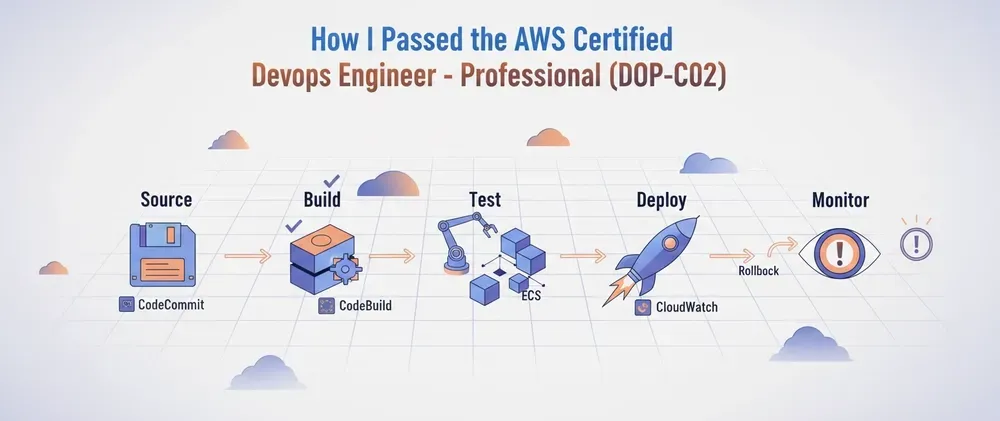
How I Passed the AWS Certified DevOps Engineer - Professional Certification🏅
If you’re preparing for the AWS Certified DevOps Engineer – Professional (DOP-C02) exam, this guide walks through the study strategy, resources, hands-on experience, and lessons that helped me pass one of AWS’s most challenging certifications. It includes practical tips, curated study notes, recommended practice exams, and insights into the real exam experience to help you prepare with confidence.

Senior Software Engineer at Encora Inc | AWS Community Builder | 9X AWS Certified
Passing the AWS Certified DevOps Engineer – Professional exam is no joke. It’s one of the toughest AWS certifications—not because it’s purely theoretical, but because it tests how well you actually understand real-world DevOps on AWS.
I recently passed it, and in this post, I’ll break down:
- My study strategy
- The resources I used
- My notes - cleaned-up notes you can actually study from
- My exam experience
🧠 My Strategy
I didn’t start from zero—I already had multiple AWS certifications—so my approach was more about refinement and depth rather than learning everything from scratch.
Step 1: Refresh Concepts
I started with a hands-on course to reconnect everything:
- Udemy course (hands-on refresh): AWS Certified DevOps Engineer Professional 2026 - DOP-C02 by Stephane Maarek
This helped me:
- Revisit core services (CodePipeline, ECS, CloudFormation, etc.)
- Understand integration patterns (very important for this exam)
- Think in DevOps workflows, not isolated services
- Discover things that I didn't know or need to review in detail
- The course is not up-to-date with some of the latest changes, but a lot of the content is still valid.
Another thing that I did was read a lot of AWS whitepapers.
Step 2: Practice Exams (Game Changer)
This is where the real preparation happened.
I used (ranked from most useful based on my perspective):
- Tutorials Dojo practice exams [AWS Certified DevOps Engineer Professional Practice Exams DOP-C02 2026 by Jon Bonso] ( https://portal.tutorialsdojo.com/courses/aws-certified-devops-engineer-professional-practice-exams/ ). On this one, I recommend using the review mode.
- Multiple Udemy practice exam sets
These helped me:
- Identify weak areas fast
- Understand AWS wording and tricky scenarios
- Learn why answers are wrong, which is critical
👉 My advice: Don’t just pass the exams—review every explanation.
Step 3: Hands-on Labs
This exam is extremely scenario-based. If you haven’t:
- Deployed pipelines
- Debugged failures
- Worked with IAM permissions
…you’ll struggle.
Labs helped me connect things like:
- Why a deployment fails silently
- How rollback mechanisms actually behave
- How services integrate under pressure
🔥 My Notes (Organized by Service)
Here are my improved and structured notes—this is the kind of knowledge that shows up in tricky questions.
Amazon ECS
- Supports deployment lifecycle hooks.
Automatic deployment validation and rollback:
-
AfterAllowTestTrafficRuns after test traffic is routed to the green task set and before production traffic is shifted.
AWS Lambda is a good fit for this hook because:
- Execution time is usually under 5 minutes
- No infrastructure to manage
- Native integration with CodeDeploy
If the Lambda hook returns failure, CodeDeploy will:
- Fail the deployment automatically
- Roll back to the blue (previous) version.
No need to manually call
aws deploy stop-deployment .
AWS CodePipeline
- For an AWS Service Catalog portfolio integrated with CodePipeline, use AWS Lambda where custom logic is required.
- For cross-account artifact access:
- Specify a customer-managed AWS KMS key. Otherwise, CodePipeline may use the default encryption key, which can cause access issues across accounts
AWS CodeDeploy
- A deployment group may be skipped due to:
- Permission issues
- Connectivity issues such as missing NAT Gateway access
- Canary deployment settings are only supported for:
- AWS Lambda
- Amazon ECS
- Rollbacks are triggered using CloudWatch alarms, not raw CloudWatch metrics
AWS CodeBuild
- A Jenkins plugin is available for integration with CodeBuild.
AWS CloudTrail
- CloudTrail records AWS API activity
- It does not include login activity inside an EC2 instance; in; in those cases, you should use CloudWatch Agent log and based on those logs take action.
Amazon CloudWatch
- CloudWatch Logs Insights can query:
- CloudTrail logs for API activity
- CloudWatch Agent logs for application/system logs
- Supports cross-account observability with AWS Organizations to visualize child accounts
- Reminder:
- Subscriptions are used to stream logs/events to AWS services
- Metrics/alarms are used for alerting
AWS CloudFormation
- Use the
NoEchoparameter property to mask sensitive parameter values
-
AutoScalingReplacingUpdatecan replace the entire Auto Scaling group only after the new group is created
Amazon API Gateway
- API Gateway supports only encrypted endpoints
- For some HTTP integration scenarios, an alternative pattern is:
- ALB + Lambda
- API Gateway can integrate with:
- AWS Lambda
- AWS Step Functions
AWS Tagging
- Use Auto Scaling group launch templates to propagate tags such as cost center to EBS volumes
Amazon Inspector
- Focuses on vulnerability and exposure management
- CVEs
- Missing patches
- Does not detect:
- Active compromise
- Malicious runtime behavior
- Inspector does not automatically launch EC2 instances
- You must launch and terminate them yourself
- You can tag instances, for example:
-
CheckVulnerabilities=true
Amazon GuardDuty
- Designed to detect:
- Compromised EC2 instances
- Malicious activity
Application Load Balancer (ALB)
- ALB listeners support:
- HTTP
- HTTPS
- ALB does not support TCP listeners
Amazon EC2
Status checks
- Instance status checks relate to the instance itself
- System status checks relate to the underlying AWS infrastructure
System status check failure examples
- Loss of network connectivity
- Loss of system power
- Software issues on the physical host
- Hardware issues on the physical host affecting network reachability
Auto Scaling note
- Auto Scaling health checks do not rely on EC2 system status checks
EBS
- Snapshots can be triggered directly with EventBridge
- No Lambda is required for that workflow
AllowTraffic issue
-
AllowTrafficcan fail without clear logs
- Verify ELB health checks are configured correctly
Logs
- Logs can be sent directly to Amazon S3 using AWS Systems Manager
Standby in Auto Scaling Group
- Putting an instance in Standby:
- Removes it from ALB health checks
- Prevents ASG from replacing it if desired capacity is decremented
- Keeps the instance running indefinitely
- Useful for:
- SSH access
- Log inspection
- DB connectivity testing
- Configuration changes
Amazon RDS
- Common configurable variable:
-
EngineVersion: This is used when you need to update your RDS.
AWS Elastic Beanstalk
- Environment tiers:
- Web environment tier
- Worker environment tier
AWS Glue
- EventBridge events from AWS Glue can be used to trigger SNS alerts
- However, SNS alerts may not be specific enough in all cases
- For more precise notifications, such as:
- Glue job fails after retry
- Use AWS Lambda for custom filtering and alerting
Amazon S3
- To protect against corruption on upload:
- Send an MD5 checksum with the PUT request
- S3 compares it with its own calculated MD5
- If they do not match, the request fails
- ETag may represent the MD5 digest in some cases
AWS Systems Manager (SSM)
- Patch documents:
-
AWS-RunPatchBaselinesupports multiple platforms
-
AWS-ApplyPatchBaselinedoes not support Linux
AWS Trusted Advisor
- Can identify low-utilized EC2 instances
Amazon SNS
- In AWS Config, SNS topics can stream:
- All notifications
- All configuration changes
- To isolate alerts for a single Config rule, use:
- CloudWatch Events / EventBridge
AWS OpsWorks
- Lifecycle hooks:
- setup: runs only at startup
- configure: runs at startup and termination
AWS Health
- Example event:
-
AWS_RISK_CREDENTIALS_EXPOSED
AWS Config
- Managed rule
cloudtrail-enabled:
- Available only for periodic trigger
- Not available for configuration changes
Amazon DynamoDB
- GSI does not support strongly consistent reads
- Use LSI if consistent reads are required
Amazon Aurora
- You cannot convert to a Multi-AZ/AZ-based setup after the cluster is created
AWS Directory Service / Microsoft AD
- To join an instance to a domain, use:
-
AWS-JoinDirectoryServiceDomainAutomation runbook
EC2 Image Builder
- Can distribute images directly to multiple AWS Regions
Amazon ECR
Basic scanning
- Uses Clair
- Scans OS packages only
- Does not scan language dependencies
Enhanced scanning
- Uses Amazon Inspector
- Scans:
- OS vulnerabilities
- Programming language packages such as:
- npm
- pip
- Supports continuous scanning
AWS CodeArtifact
Core concepts
- Domains and repositories
- Domain: namespace shared across multiple repositories
- Repository: contains packages for a team or project
- A domain can contain multiple repositories
- Upstream repositories enable package sharing
Best practice for multi-account sharing
- Create one domain in a shared services account
- Use it as the central place for common libraries
- Create repositories per team
- Each team manages its own packages independently
Package version status
Status | Effect |
|---|---|
unlisted | Not returned in normal queries, but still downloadable if explicitly referenced |
archived | Retained for reference, cannot be updated or restored, still downloadable |
📝 My Exam Experience
The exam took me around 2 hours to complete.
Overall, I found it challenging but fair. As expected for a professional-level AWS certification, many questions were not about simply recalling facts—they were about choosing the best solution in realistic DevOps scenarios, often with multiple answers that looked correct at first glance or similar.
A few questions made me hesitate, especially around:
- Malware detection/security scenarios (I need to refresh Amazon Guard Duty)
Usually, during certification, time management matters especially in professional certification, but I never felt completely rushed. I had enough time to review flagged questions and rethink the ones I was unsure about.
And the best part: I scored 1000/1000.
Honestly, I was very happy & surprised with that result; it’s actually my highest score on any AWS certification so far (This is my 9th AWS certification). That was a great confirmation that the study strategy worked: labs, lots of practice exams, careful review of mistakes, and learning from those.
I had to rank the difficulty. I am still leaning toward the AWS Certified Solutions Architect - Professional being tougher, but maybe it's because it was one of my first certifications.
🧠 Conclusion
This exam is not about memorization—it’s about:
- Understanding how services fail
- Knowing what AWS tool solves what problem
- Recognizing subtle differences between similar services
What made the biggest difference for me:
- Practice exams (seriously, do a lot)
- Reviewing wrong answers deeply
- Hands-on debugging experience & labs
Enjoyed reading this content? Let the author know!
Your likes, comments, shares, and saves help creators reach more builders.

Loading recommendations
Loading article