
AWS Kiro - Walkthrough
This article shares what I learned along the way to use Kiro for developing my project: what Kiro is, why it's different from other AI coding tools, and how to get the most out of it.


I built Pulse, an uptime monitoring tool, primarily a help of Kiro. This article shares what I learned along the way: what Kiro is, why it's different from other AI coding tools, and how to get the most out of it.
I'm not claiming to be the ultimate authority on AI-assisted development, but I've spent some time with Kiro to have formed strong opinions. If you're evaluating AI IDEs or looking for ways to improve your current workflow, I hope you might find this article useful.
Why Kiro?
As a AWS Community Builder program member, I’ve at least heard a lot about Kiro before trying it, if you ask most engineers what AI tooling they use, the answers are usually Claude, Codex, Copilot, Cursor, or OpenCode. Kiro doesn't always come up first - and I’d like to improve that situation by telling about Kiro.
The goal of this article is to put Kiro on your radar. Let me show you what it brings to the table.
What Is Kiro?
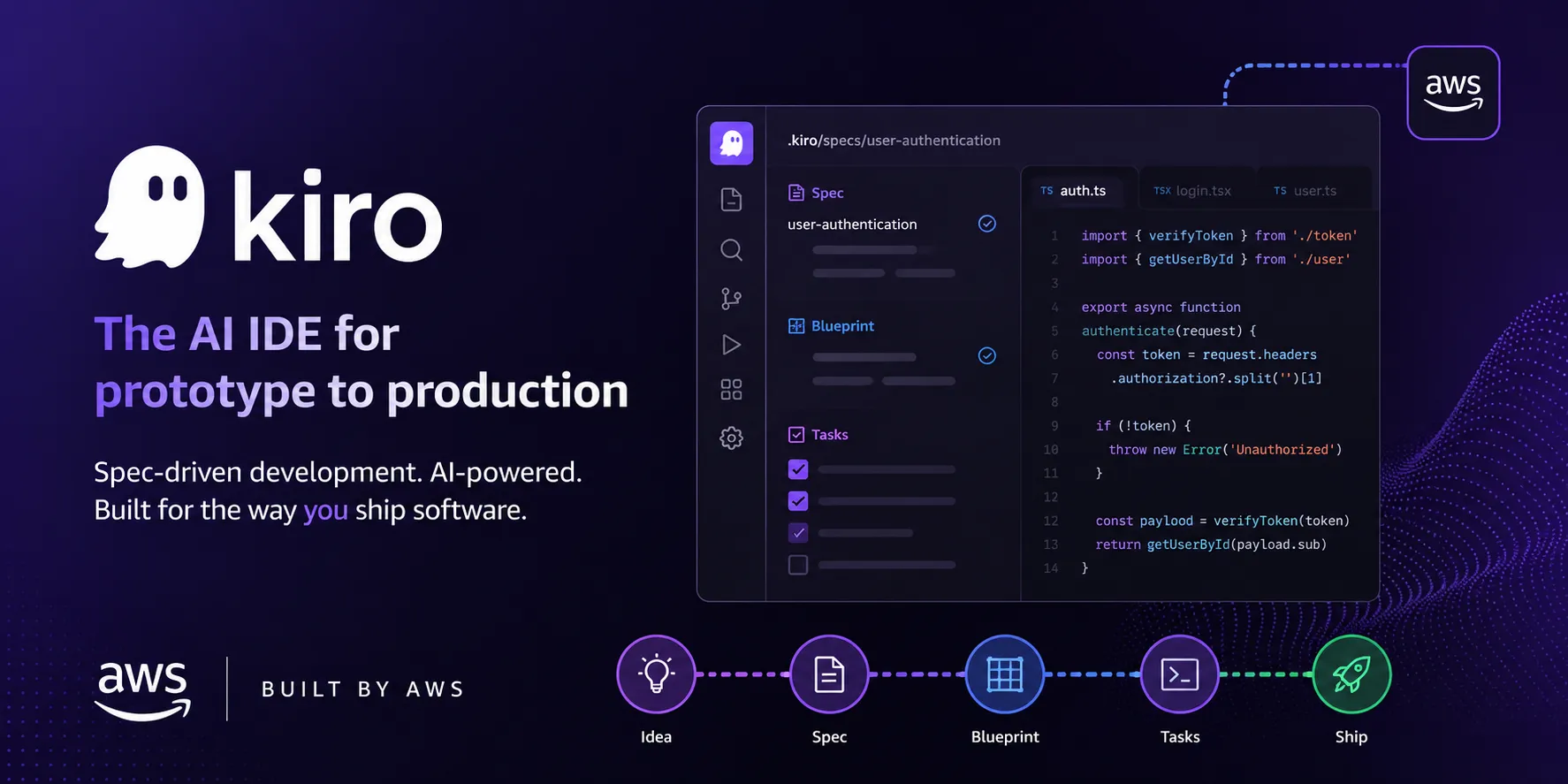
Kiro is an AI-powered, agentic IDE and CLI created by AWS. It's built on Code OSS (the same foundation as VS Code), so the learning curve is minimal if you're already in that ecosystem. I'm going to speak mostly about the IDE, but these points can be fully applied to the CLI as well.
Kiro supports all of the industry leading models from Anthropic, OpenAI and other providers - and the Kiro team is impressively fast at adopting newly released models, often within days of launch.
Supported models and comparision: https://kiro.dev/docs/models/
Blog with model anouncement: https://kiro.dev/blog/
What makes Kiro genuinely different is its plan-first, specification-driven approach. While other tools give you a chat window and hope for the best, Kiro structures the entire development process.
The Two Modes: Vibe and Spec
Kiro supports two session types:
Vibe mode works like any AI coding assistant — you ask, Kiro does. It's great for quick tasks, exploratory coding, and one-off questions.
Spec mode implements Specification-Driven Development (SDD) out of the box. This is where Kiro's real value lives.
What Is Specification-Driven Development?
SDD is a programming approach where a formal written specification guides the creation of code, tests, and AI agent behavior. In practice, it means you build documentation before you build code.
Here's how the workflow looks in Kiro:
- Requirements. You describe what you want to build. Kiro asks clarifying questions, collects requirements, and produces a formal requirements document. You review, edit, and approve it.
- Design. Based on the approved requirements, Kiro creates a design document covering architecture decisions: frameworks, component relationships, API contracts, data models, state management, routing structures, and more. For backend features, you'll see method signatures, database schemas, and service interactions. For frontend features, you'll see component hierarchy, UI interactions, and data flow.
- Tasks. Kiro breaks the design into ordered implementation steps with dependencies mapped out. It distinguishes mandatory tasks from optional enhancements. Each task has clear acceptance criteria.
- Execution. The agent works through tasks sequentially, respecting dependencies. You can review progress, provide feedback, and steer the implementation at any point.
To summarize the flow: you describe your feature, define all your needs, prepare the design, decompose it into tasks, and then move to execution. Each phase produces a document you can review before moving forward.
For example, for the pulse, we can pick up one of the feature which was done following this workflow to add support of MCP server in Pulse (https://github.com/VitaliAndrushkevich/pulse/tree/main/.kiro/specs/mcp-server):
- Requirements Document (
.kiro/specs/mcp-server/requirements.md) with detailed plan of the adding support of MCP to pulse. What data gets exposed, who the consumers are, what operations are supported, and what constraints apply. Kiro asked me clarifying questions during this phase - things like whether it should be read-only or support write operations, what authentication model to use, and which monitoring data points to expose. After a few exchanges, the requirements were formalized and I approved them. - Design Plan (
.kiro/specs/mcp-server/design.md). Contains the main architectural decisions and technical specifications. Which MCP protocol version to target, how the server integrates with Pulse's existing data layer, tool definitions with input/output schemas, and security considerations. This is where I caught a design issue early - Kiro initially proposed a separate database connection, but I steered it toward reusing the existing data access layer. - Task execution plan (
.kiro/specs/mcp-server/tasks.md) with the ordered list of implementation steps with dependencies between them. Setting up the package structure, implementing each MCP tool, wiring up authentication, writing tests. Each task has acceptance criteria and the files it will touch. Mandatory tasks are separated from optional enhancements.
From there, execution was straightforward. Kiro worked through each task, I reviewed the output, and provided corrections where needed. The entire feature followed a documented, reviewable path — and that documentation stays in the repo as a permanent record of what was built and why.
Why Is This Better Than Vibe Coding?
In vibe mode (in any tool, not just Kiro), the AI only has your single prompt and whatever it can infer from context. Over long implementations, this leads to drift, inconsistencies, and rework.
Structured specs solve this by:
- Giving the AI complete context before any code is written
- Creating review checkpoints at requirements, design, and task planning stages
Producing a contract that both human and AI can reference throughout implementation - Catching architectural mistakes before they become 500 lines of wrong code
The real value isn't that the AI writes code — it's that the AI writes code against a reviewed plan.
Further reading on SDD:
- https://specdriven.ai/
- https://martinfowler.com/articles/exploring-gen-ai/sdd-3-tools.html
- https://github.com/github/spec-kit
Beyond SDD: The Features That Complete the Picture
Kiro wouldn’t be a Kiro with just powerful SDD out of the box. It does have dedicated settings panel where we can manage our specs, agent hooks, agents steerings and skills, and connected MCP servers. Let me walk through them:
- Specs.
Every feature you build in Spec mode gets listed here. Requirements, design documents, and task lists are all stored and accessible. This becomes your living documentation — always in sync with what was actually built. (Before I’ve mention specs) - Agent Hooks.
Hooks let you automate actions you don't want to forget. They trigger on events like file saves, agent completions, or tool usage, and can either prompt the agent or run a shell command.
Practical examples from my workflow:Hooks are configured as simple JSON files. You can ask Kiro to create them for you or write them manually. The key insight: hooks encode your team's workflow into the environment so nothing gets forgotten, regardless of who's coding.- Update the OpenAPI spec whenever a new endpoint is configured
- Sync locale files when feature implementation touches i18n
- Run tests automatically after task completion
- Update Swagger documentation on API changes
- Lint TypeScript files on save
- Agent and steering files.
Steering files (located in .kiro/steering/*.md) provide persistent context and instructions that shape how Kiro works with your project. This is one of the most underrated features.Why steering files matter:Powerful capabilities:A practical hack: Use fileMatchPattern to load different coding standards depending on what part of the codebase you're in. Frontend files get React conventions, backend files get your API patterns, infrastructure files get Terraform best practices — all automatic, zero effort from the developer.- Always-on steering — Loads on every interaction (default behavior)
- Conditional steering — Only activates when specific files are read. Use inclusion: fileMatch with a fileMatchPattern to load React conventions only when working on .tsx files, Terraform best practices only for .tf files, etc.
- Manual steering — Available on-demand via the # context key in chat
- External spec references — Include OpenAPI specs, GraphQL schemas, or any document via #[[file:relative_path]] syntax, so implementation stays aligned with your API contracts
- Team standards — Encode your coding conventions, naming patterns, and architectural rules. Every team member gets the same AI behavior without configuring anything.
- Project context — Describe your architecture, key decisions, and domain knowledge so the AI doesn't need to rediscover it every session.
- Workflow instructions — Define how to build, test, deploy, and document for your specific project.
- MCP Servers. MCP (Model Context Protocol) lets you extend Kiro's capabilities with external tool servers. Configuration can be project-level (shared with your team via
mcp.json) or global (personal tools across all projects at~/.kiro/settings/mcp.json).MCPs I find really useful:A word of caution: almost every product now has its own MCP server. Maintain critical thinking when adding them. Know exactly what each one does and why you need it. More isn't always better — each loaded MCP consumes context and can add noise. How it looks in UI:- Context7 — Provides up-to-date documentation for libraries and frameworks, so the AI doesn't hallucinate outdated APIs
- Engram — Local memory that persists across sessions, reducing token consumption and helping the AI understand what was done in previous iterations without re-explaining everything
What’s Kiro Powers?
Next stop I’d like to say is Kiro Powers.
https://kiro.dev/docs/powers/
Kiro Powers are modular capability bundles (tools + guidance + optional automation hooks) that activate only when your prompt matches relevant keywords. The agent loads just-in-time expertise instead of all integrations at once.
Why this matters: Powers reduce context overload and token waste while improving output quality in specialized domains.
Concrete example: When working with AWS Lambda durable functions (https://github.com/aws/aws-durable-execution-docs/tree/main/aws-lambda-durable-functions-power. ), dedicated power activates on keywords like "lambda," "durable," "workflow," "orchestration," and "state machine." Without it, I had to manually explain the execution model and patterns every time. With it, Kiro already understood durable function patterns, retry semantics, and state management - the conversation started at a higher level immediately.
Powers are particularly interesting for AWS services, Stripe integrations, Datadog observability, and other complex domains where the AI needs specialized knowledge beyond general programming. And also I cannot not mention, that you can add your powers for your specific needs.
Getting Started: My Recommendation
If you want to try Kiro for the first time:
- Install it — it's built on Code OSS, so it'll feel familiar immediately
- Start with Vibe mode on a small task to get comfortable with the interface
- Try Spec mode on your next real feature — even a small one. The requirements → design → tasks flow will immediately show you the difference.
- Add one steering file with your project's key conventions and watch how it shapes the AI's output
- Set up one hook for something you always forget (running tests, updating docs)
Closing Thoughts
I'm still exploring Kiro, but over the last few months it became my primary tool for building Pulse. The first impression was strong and it has held up with continued use.
What makes Kiro different isn't any single feature — it's the philosophy. The Kiro team has put AWS's expertise in development process engineering into an AI IDE. The spec-driven approach, the hooks, the steering files, the powers — they all reinforce the same idea: structured, reviewable, team-friendly AI development rather than uncontrolled code generation.
From my subjective experience, there were tricky debugging and architectural questions I couldn't resolve with other tools but could with Kiro. As a platform/DevOps engineer, I found it particularly strong for AWS and Kubernetes work — which makes sense given its heritage.
Even if Kiro doesn't become your primary IDE, the practices it embodies — spec-driven development, persistent project context, automated workflow enforcement — can be adopted in any AI-assisted workflow.
Pulse, the uptime monitoring tool I built with Kiro, is self-hosted and useful for tracking availability of internal and external services for pet projects and organizations. It's a testament to what's possible when AI development is structured rather than ad-hoc.
Thanks for reading. Give Kiro your attention - it absolutely deserves it.
Enjoyed reading this content? Let the author know!
Your likes, comments, shares, and saves help creators reach more builders.

Loading recommendations
Loading article