
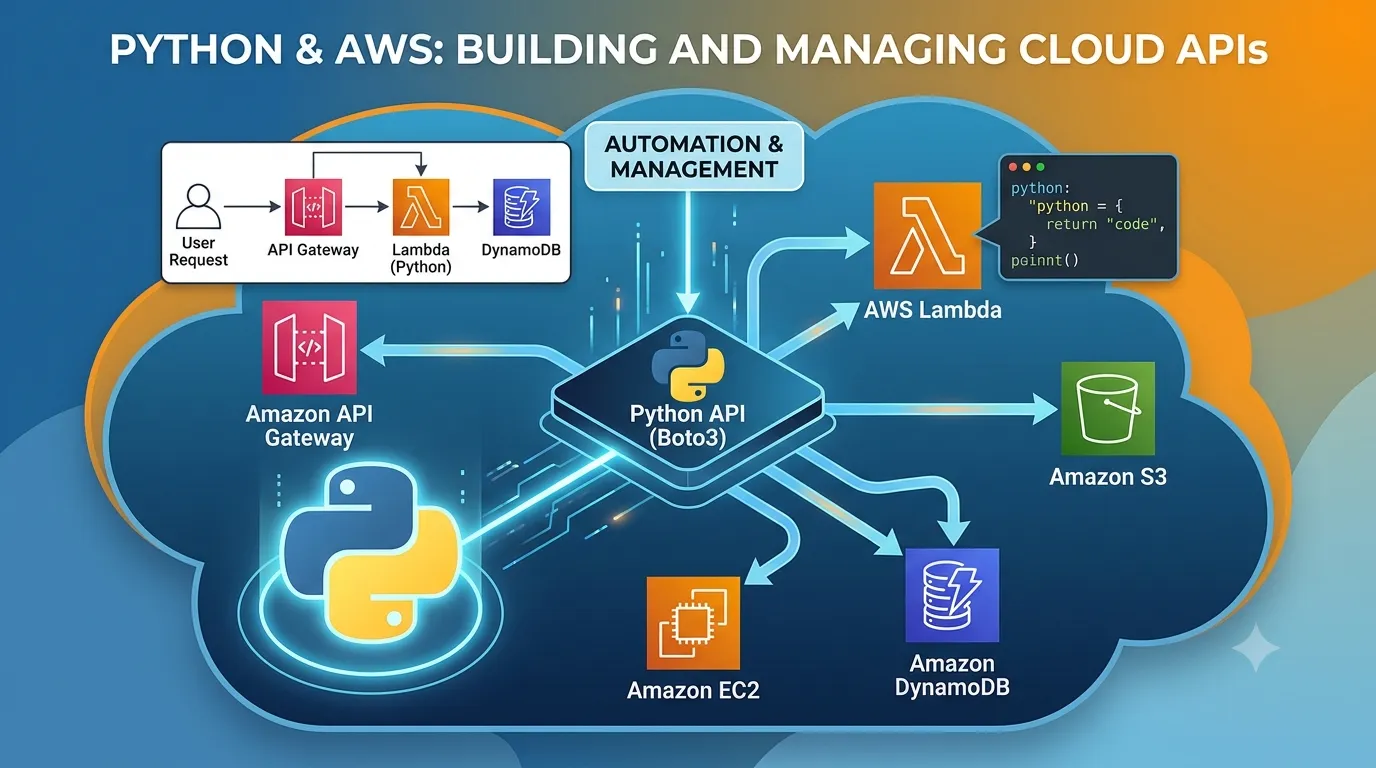
Creating a Rest API with Infrastructure as Code (Terraform) & Serverless (Lambda + Python)
Deploying an API in minutes instead of days

Deployment Anti-Patterns 🙅🏻♂️
- Manually created infrastructure
- Deploying at specific times due to lack of technical capacity (production errors, unstable software, service unavailability) rather than business decisions
- Having to send emails to another team for deployment
- Branches like "development" that differ from what exists in "main" and sometimes generate conflicts during merging
- Manual testing
- Tickets for deployment
- SOAP as the only alternative
All the points mentioned above, along with excessive bureaucracy, committees, and meetings, are still the norm in many organizations, and it was my reality for many years. But there is an alternative, a way of seeing the software development process where simplicity is key, both in deployments with pipelines and automation, and in the creation of software, where the focus should be on reducing accidental complexity, building modular, testable applications that are easy to understand for the team.
A Brighter Future 💻
- Unit testing and automation
- Trunk-based development
- AI, ChatGPT, Copilot
- DevOps as a mindset, not just a role
- Infrastructure as code
- Serverless and containers
- REST, SOAP, GraphQL, gRPC
The purpose of this post is to showcase an essential part of software delivery with Terraform and Serverless.
Let's talk about the code!
Code on GitHub: serverless-terraform
Project Structure 🏭
The following files are typical in a Terraform project, and this is the convention we are using in this project.
- main.tf - Entry point for Terraform
- variables.tf - Input variables
- terraform.tfvars - Variable definition file
- providers.tf - Provider declarations
- outputs.tf - Output values
- versions.tf - Provider version locking
Why Terraform ☁️
- Open source
- Multi-cloud
- Immutable infrastructure
- Declarative paradigm
- Domain-specific language (DSL)
- Does not require agents or master nodes
- Free
- Large community
- Mature software
Why Serverless and Python 🐍
- Automatic scalability
- Pay-per-use
- High availability
- Easy development and deployment
- Integration with managed services
Code
Lambda: The code for a Lambda function should generally be simple and adhere to the single responsibility principle or reason to change. The name of the method should correspond to the entry point defined in the Terraform code.
1
2
3
4
5
6
7
8
9
10
11
12
13
14
15
16
17
18
import json
import requests

def lambda_handler(event, context):
    response = requests.get("https://test-api.k6.io/public/crocodiles/")
    if response.status_code == 200:
        data = response.json()
        random_info = data
    else:
        random_info = "No data!"

    return {
        "statusCode": 200,
        "body": json.dumps({
            "message": "hello world - We are going to create a DevOps as a service powered by AI",
            "random_info": random_info
        }),
    }
.gitignore: Definition of files that we do not want to add to the repository. It is crucial not to publish AWS credential information.
1
2
3
4
5
6
7
8
9
10
11
12
13
# Terraform-specific files
.terraform/
terraform.tfstate
terraform.tfstate.backup
*.tfvars

hello_world.zip
response.json
.layer
layer.zip

# AWS credentials file
.aws/credentials
Provider: The first step is usually to define the provider, where we typically specify the cloud and deployment region.
1
2
3
4
5
6
7
8
9
provider "aws" {
  region = var.aws_region

  default_tags {
    tags = {
      created-by = "terraform"
    }
  }
}
Lambda Resources: Configures the Lambda to retrieve the source code from a bucket also created by Terraform, and we define
lambda_handler as the method that will receive and process the API event.1
2
3
4
5
6
7
8
9
10
resource "aws_lambda_function" "hello_world" {
function_name = "HelloCommunityBuilders"
s3_bucket = aws_s3_bucket.lambda_bucket.id
s3_key = aws_s3_object.lambda_hello_world.key
runtime = "python3.9"
handler = "app.lambda_handler"
source_code_hash = data.archive_file.lambda_hello_world.output_base64sha256
role = aws_iam_role.lambda_exec.arn
layers = [aws_lambda_layer_version.lambda_layer.arn]
}Permissions: Defines the required permissions to execute the Lambda and access AWS services.
1
2
3
4
5
6
7
8
9
10
11
12
13
14
15
16
17
18
19
20
21
22
resource "aws_iam_role" "lambda_exec" {
  name = "serverless_lambda"

  assume_role_policy = jsonencode({
    Version   = "2012-10-17"
    Statement = [
      {
        Action    = "sts:AssumeRole"
        Effect    = "Allow"
        Sid       = ""
        Principal = {
          Service = "lambda.amazonaws.com"
        }
      }
    ]
  })
}

resource "aws_iam_role_policy_attachment" "lambda_policy" {
  role       = aws_iam_role.lambda_exec.name
  policy_arn = "arn:aws:iam::aws:policy/service-role/AWSLambdaBasicExecutionRole"
}
API Definition: Specifies the verb and resource name according to the conventions of a REST API.
1
2
3
4
5
6
7
8
9
10
11
12
13
14
resource "aws_apigatewayv2_integration" "hello_world" {
  api_id             = aws_apigatewayv2_api.lambda.id
  integration_uri    = aws_lambda_function.hello_world.invoke_arn
  integration_type   = "AWS_PROXY"
  integration_method = "POST"
}

resource "aws_apigatewayv2_route" "hello_world" {
  api_id    = aws_apigatewayv2_api.lambda.id
  route_key = "GET /hello"
  target    = "integrations/${aws_apigatewayv

2_integration.hello_world.id}"
}
Terraform Deployment
Deploying the API should be as simple as cloning the code and running a couple of Terraform commands.
The
terraform init command is used to initialize a project in a working directory. This command downloads provider code and configures the backend, where state and other key data are stored.1
terraform initThe
terraform apply command is used to apply the changes defined in your infrastructure configuration and create or modify the corresponding resources in your infrastructure provider.1
terraform applyFinally, you can retrieve the information from the Outputs and make the API call.
1
http "$(terraform output -raw base_url)/hello"
Conclusion 🤔
In this article, we have explored the combination of Terraform and Serverless to create an API in minutes.
By leveraging CI/CD best practices, infrastructure as code, and automated testing, we can achieve faster and more reliable deployments while maintaining high-quality code.
Not too long ago, deploying an API in production was a tedious task that involved multiple actors. Nowadays, we have a wealth of open-source software and developer-focused tools that emphasize immutability, automation, productivity-enhancing AI, and powerful IDEs. In summary, there has never been a better time to be an engineer and create value in society through software.
It is important to emphasize that the major issues in the software development and delivery process are organizational and human. Ultimately, building applications is a social activity, but the more we solve technical problems and improve communication, the easier it should be to reach production. Happy coding! 🎉
Enjoyed reading this content? Let the author know!
Your likes, comments, shares, and saves help creators reach more builders.

Loading recommendations
Loading article