
Fixing a Broken Event Attendance API with Kiro Autopilot - Kiro Birthday Challenge Day 3
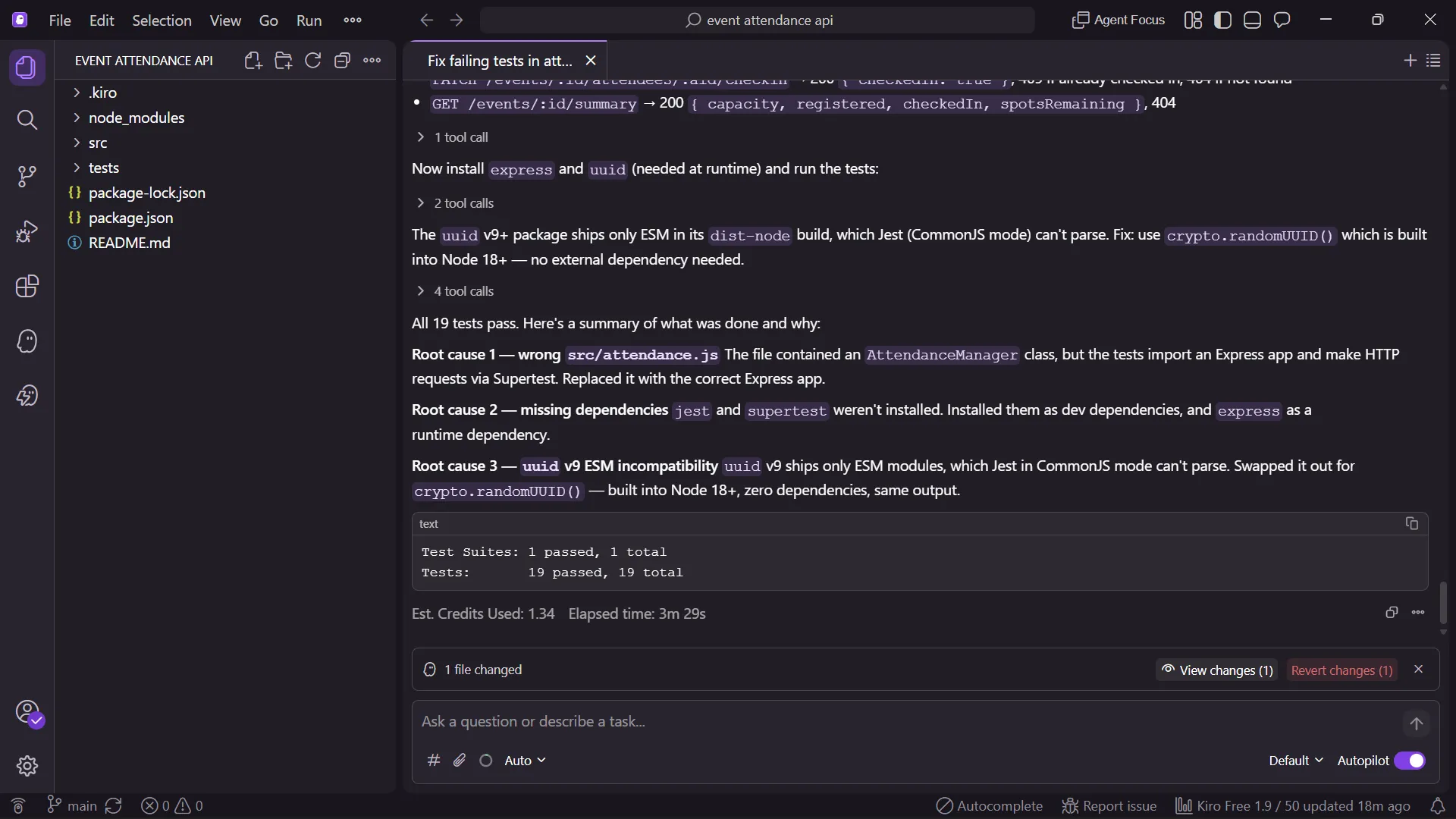
How I used Kiro's Steering file and a single Autopilot prompt to diagnose and fix 5 semantic logic errors in a Node.js Event Attendance API — going from 7 failing tests to 19 passing in under 3 minutes, using just 1.34 credits. Built for AWS User Group Madurai as part of Kiro's 1st Birthday Week celebration.

Introduction
Kiro, AWS's agentic IDE, just turned 1! To celebrate, the Kiro team organized a week-long birthday challenge (July 13–17, 2026) with daily coding tasks and bonus credits. Day 3's challenge was simple but powerful: take a project with failing tests, use Kiro Autopilot to diagnose and fix it, and document the red-to-green journey.
No removing tests. No trivial typos. Real diagnostic work.
The Project: Event Attendance API
I built an Event Attendance API — a practical backend system for managing AWS User Group Madurai event operations:
- Register attendees for upcoming meetups
- Mark check-ins on event day
- Calculate attendance rates (registered vs. showed up)
- Filter upcoming events by date
- Identify repeat attendees (members who attend 2+ events)
This isn't a throwaway project — it's something our community can actually use to track engagement across meetups and workshops.
Tech Stack
- Node.js + Express
- Jest + Supertest (testing)
- Kiro IDE (Autopilot + Steering)
The Bugs: 5 Semantic Logic Errors
I intentionally introduced 5 bugs that mimic real-world logic errors developers encounter in production code:
| # | Bug Description | Impact |
|---|---|---|
| 1 | Case-sensitive duplicate check — "Sankar" !== "sankar" allowed duplicate registrations | Data integrity issue |
| 2 | Check-in pushed to wrong array — registrations[] instead of checkIns[] | Attendance tracking broken |
| 3 | Attendance rate formula inverted — registered/checkedIn instead of checkedIn/registered | Showed 200% instead of 50% |
| 4 | Upcoming events filter backwards — date < now returned past events | UX completely broken |
| 5 | Repeat attendee threshold wrong — === 1 instead of >= 2 | Returned wrong members |
These caused 7+ test failures out of 19 total tests.
The Kiro Process
Step 1: Steering File (Context is King)
Before running Autopilot, I created a
.kiro/steering.md file with domain rules:1
2
3
4
5
- Case-insensitive matching for attendee names
- Attendance rate = (checkedIn / registered) * 100
- Repeat attendee = attended 2+ different events
- Upcoming events = event date > current date
- registrations[] and checkIns[] must remain independent arrays
This steering file is what transforms Kiro from a generic fixer into a domain-aware reasoning engine. Without it, Kiro can't distinguish whether the code is wrong or the tests are wrong.
Step 2: Single Autopilot Prompt
"Runnpm test. Investigate why tests are failing. Read the steering file at.kiro/steering.mdfor domain rules. Fix all bugs insrc/attendance.jsonly. Do NOT modify any test files."
Step 3: Kiro's Approach
Kiro Autopilot:
- Ran the test suite and analyzed each failure
- Read the steering file for domain context
- Cross-referenced test expectations with source code behavior
- Identified semantic inversions (not syntax errors)
- Applied minimal, targeted fixes
- Re-ran tests to confirm all pass
The Result
| Metric | Value |
|---|---|
| Before | 7+ tests failing ❌ |
| After | 19 tests passing ✅ |
| Autopilot sessions | 1 |
| Credits used | 1.34 |
| Test files modified | 0 |
| Time taken | ~3 minutes |
Key Takeaways
1. Steering Files Are Essential
The steering file was the single most important factor. It provided Kiro with:
- Domain semantics — what "correct" means in this context
- Business rules — case-insensitivity, formulas, thresholds
- Boundaries — what NOT to touch
Without it, an AI debugger is guessing. With it, it's reasoning.
2. Kiro Understands Semantic Bugs
These weren't missing semicolons or undefined variables. They were logically valid code that produced wrong results. Kiro identified:
- Inverted comparisons (
<vs>) - Wrong array targets (push to A instead of B)
- Formula inversions (numerator/denominator swap)
- Threshold errors (
=== 1vs>= 2)
This is the kind of debugging that costs teams hours in production.
3. Minimal Credits, Maximum Impact
At just 1.34 credits, this was incredibly efficient. The key was:
- Clear, specific prompt
- Good steering context
- Well-structured test suite as the "spec"
Real-World Application
This Event Attendance API is now a working tool for AWS User Group Madurai. We can use it to:
- Track which members consistently show up
- Calculate engagement rates per event
- Identify our most active community members
- Plan capacity for future meetups based on historical data
Get Involved
The Kiro Birthday Challenge runs through July 17, 2026. Each day features a new challenge with bonus credits and streak bonuses.
🔗 Challenge: kiro.dev/birthday
🔗 GitHub: github.com/Sankar2316/event-attendance-api
🔗 Kiro Blog: kiro.dev/blog/birthday-2026
🔗 GitHub: github.com/Sankar2316/event-attendance-api
🔗 Kiro Blog: kiro.dev/blog/birthday-2026
Enjoyed reading this content? Let the author know!
Your likes, comments, shares, and saves help creators reach more builders.

Loading recommendations
Loading article