
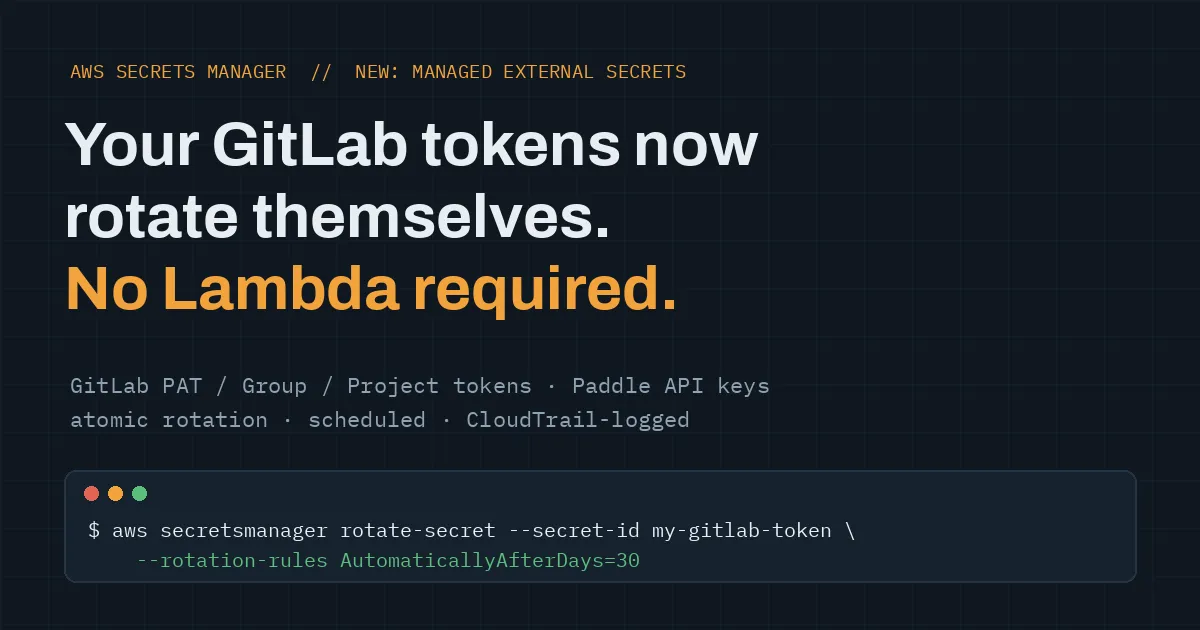
AWS Secrets Manager Now Rotates Your GitLab Tokens For You — No Lambda Required
Automatic GitLab token rotation with AWS Secrets Manager managed external secrets — no Lambda, atomic rotation, CloudTrail-logged.
Cloud @ Sudo | 14x AWS Certified | 2x Claude Certified | 2x Oracle | 2x CNCF(KCNA , KCSA)
Every AWS account I audit has the same skeleton in the closet: a GitLab token pasted into a CI/CD variable two years ago, scopes nobody remembers, owned by someone who left the company. It works, so nobody touches it. That's the problem.
The reason this keeps happening isn't laziness. Rotating third-party tokens the "proper" way meant writing a custom Lambda rotation function per credential, handling the partner's API, dealing with half-rotated states when something failed mid-flight, and then maintaining all of that forever. So people hardcode, and pipelines quietly run on immortal tokens.
AWS just removed the excuse. Secrets Manager's managed external secrets now supports GitLab access tokens and Paddle API keys. Secrets Manager talks to the partner's own rotation API directly — no Lambda function, no custom code, no rotation logic to maintain.
What actually launched
Managed external secrets is Secrets Manager's first-class integration with third-party services. It already covered BigID, Confluent Cloud, Datadog, MongoDB Atlas, Salesforce, and Snowflake. The new additions:
- GitLab — rotates Personal Access Tokens, Group Access Tokens, and Project Access Tokens, using GitLab's atomic rotation mechanism. Atomic matters: the rotation either fully completes or doesn't happen, so you don't end up with a dead token on one side and a live one on the other.
- Paddle — rotates live and sandbox API keys through Paddle's native rotation API, with a configurable grace period so running workloads can drift over to the new key without a hard cutover.
Rotation runs on the schedule you set. Every access and rotation lands in CloudTrail.
Setting it up
The flow for a GitLab token:
- Create the token in GitLab and mark it rotatable.
- Store it in Secrets Manager as a managed external secret, with the GitLab secret type.
- Turn on automatic rotation and pick a schedule. Console works, or CLI:
bash
aws secretsmanager rotate-secret \ --secret-id my-gitlab-token \ --external-secret-rotation-role-arn arn:aws:iam::123456789012:role/rotation-role \ --rotation-rules AutomaticallyAfterDays=30That's the whole thing. No rotation Lambda to write, deploy, or debug at 2 AM.
Closing the loop: pipelines that never see a stale token
Rotation on the AWS side is half the story. The other half is that GitLab CI can pull secrets from Secrets Manager natively — GitLab Runner 18.3+ supports an
aws_secrets_manager keyword, authenticating via OIDC so there's no AWS credential stored in GitLab either:yaml
variables:  AWS_REGION: us-east-1  AWS_ROLE_ARN: 'arn:aws:iam::123456789012:role/gitlab-oidc-role'
deploy:  id_tokens:    AWS_ID_TOKEN:      aud: 'sts.amazonaws.com'  secrets:    DEPLOY_TOKEN:      aws_secrets_manager:        secret_id: 'my-gitlab-token'  script:    - ./deploy.sh
Put the two together and the loop closes: the token lives only in Secrets Manager, rotates automatically on schedule, and every pipeline run fetches whatever is current. Nothing stored in GitLab variables, nothing to update when rotation happens, and a compromised token has a shelf life measured in your rotation window instead of in years.
Why I'd move on this
From the consulting side, the pattern I see is that secret hygiene fails at the point of friction. Teams know tokens should rotate. They don't rotate them because the old way required real engineering effort per credential. When the secure path becomes the low-effort path, behavior actually changes — that's the significance here, more than the feature itself.
Practical order of operations if you run GitLab with AWS:
- Audit what you have. Grep pipelines and CI/CD variables for long-lived tokens. You'll find some.
- Recreate them as rotatable tokens in GitLab with the minimum scopes they need.
- Store each as a managed external secret and set a rotation schedule — 30 days or less is a reasonable default.
- Switch pipelines to the
aws_secrets_managerkeyword and delete the token from GitLab variables.
- Watch CloudTrail for a cycle to confirm rotations are happening and nothing else was quietly using the old token.
Step 5 is where the surprises live. In my experience the scariest part of rotating an old token isn't the rotation — it's discovering what breaks, because that's the map of everything that depended on a credential nobody was tracking.
Boring, automatic, and logged. That's exactly what secret rotation should be.
Enjoyed reading this content? Let the author know!
Your likes, comments, shares, and saves help creators reach more builders.

Loading recommendations
Loading article