
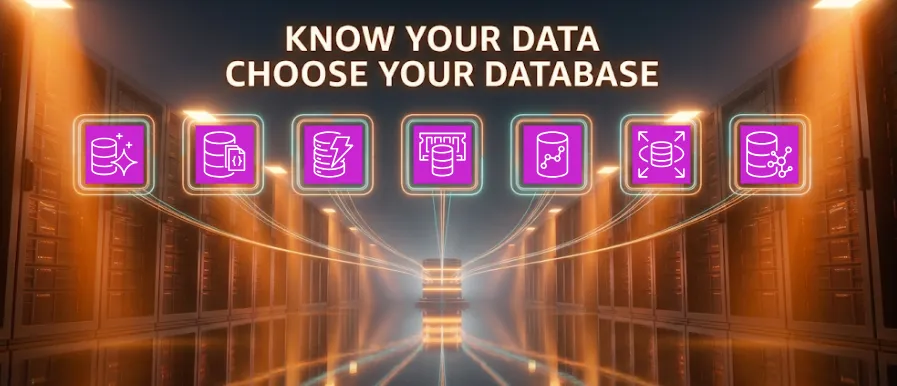
The Startup That Tried to Use One Database for Everything
One database is easy — until it isn’t. The one you choose on day one rarely fits a year later, because as your app grows, your data changes shape. No single database can do everything well. That’s why AWS offers a family of them, each built for a specific job. The tricky part is knowing when to use which. A comparison table won’t teach you that. A good disaster will.

So here’s one.
It started, like most disasters, with confidence. “We’ll just use one database,” said Priya, the founder, waving a hand. “Users, orders, products. How complicated can it get?” Her engineer, Dev, said nothing. Dev had seen things.
Month 1: The easy days
The app was simple, and a relational database handled it beautifully. Relational databases store data in neat tables of rows and columns, linked by relationships, and they answer almost any question you can phrase in SQL. Amazon Aurora — AWS’s high-performance take on MySQL and PostgreSQL — served up clean joins with query latency around 15ms. Nobody thought about databases for weeks.
“See?” said Priya. “One database.”
“Sure,” said Dev.
This is the trap. Relational databases are so good at the general case that you forget they aren’t built for every case. The easy days always ends the same way — with success.
Month 3: The shopping cart betrayal
Traffic went from hundreds to 40,000 concurrent users after a lucky influencer post. Every cart update hammered the relational database with writes it was never designed to absorb at that rate. Checkout latency climbed from 15ms to 2.3 seconds. Carts emptied themselves. Support caught fire.
“Why is the database dying?” Priya asked, staring at a dashboard that was entirely red.
“Because a cart isn’t a relational problem,” said Dev. “It’s a key-value problem. You look it up by one key. Millions of times a second.”
They moved carts to Amazon DynamoDB — a serverless key-value database that does one thing extraordinarily well: fetch data by a key, at massive scale, in single-digit milliseconds. It shrugged off the traffic and served cart reads in 6ms flat.
“So… why not just buy a bigger Aurora server?” Priya asked.
“Because a bigger box still has a ceiling,” said Dev. “A cart doesn’t need joins or transactions across tables — it needs one key, fast, a million times over. DynamoDB spreads that across partitions, so it scales sideways with no ceiling. It’s the shape of the work that’s different, not the size.”
Priya blinked. “So… two databases now.”
“Two databases,” Dev agreed.
Month 5: The homepage that wouldn’t load
The homepage ran the same “top 20 products” query on every visit. At 3 million visits a day, the database computed the identical answer 3 million times. Page loads dragged to 1.8 seconds.
“We’re asking the same question over and over,” said Dev, “and paying full price for the answer every time.”
They put Amazon ElastiCache in front of the database — an in-memory cache that keeps hot data in RAM and returns it in microseconds. The homepage dropped from 1.8s to 90ms.
“Why not cache it in DynamoDB?” Priya asked.
“Because a cache isn’t a database — that’s the point,” said Dev. “ElastiCache is deliberately throwaway. If it vanishes, Aurora is still the source of truth, so we get the speed with none of the risk.”
Later, they built a live leaderboard that needed that same speed but couldn’t lose data on a restart. For that they chose Amazon MemoryDB — ElastiCache’s sibling, with the same in-memory speed but real durability. Same family, different job. The difference between them was never speed; it was whether losing the data mattered.
“Four databases,” said Priya, weakly.
Month 7: The catalog that outgrew its columns
The product team kept adding fields. Shoes had sizes. Blenders had wattage. Snacks had ingredient lists. The relational table became a graveyard of mostly-empty columns and a notes field people were stuffing JSON into by hand.
“I found a product where someone stored the entire spec sheet in the color column,” said Dev.
Priya put her head in her hands.
The catalog wanted to be documents — flexible, nested, JSON-shaped objects. They moved it to Amazon DocumentDB, which stores each record as its own JSON document and still lets you query across their fields.
The catalog wanted to be documents — flexible, nested, JSON-shaped objects. They moved it to Amazon DocumentDB, which stores each record as its own JSON document and still lets you query across their fields.
“Couldn’t we just add more columns?” Priya asked.
“A table forces every row to share the same shape,” said Dev. “Our products don’t have a shared shape — that is the requirement. DocumentDB lets each product carry its own structure instead of us faking it.” The color-column war crime was retired.
Month 9: “Customers who bought this…”
Priya wanted recommendations. In the relational database, “people who bought X also bought Y” meant joining orders to orders to products in recursive knots. The query took 11 seconds, and Dev learned two new swear words writing it.
“The data’s fine,” said Dev. “The relationships are the problem. That’s a graph.”
They used Amazon Neptune — a graph database that stores connections as first-class citizens, so following them is fast no matter how many hops deep you go. Recommendations that used to time out came back in 40ms.
“Why is a graph so much faster here?” Priya asked.
“In Aurora, every ‘who-connects-to-who’ hop is another join, and the cost multiplies,” said Dev. “Neptune stores the relationships directly, so traversing them barely costs anything.” Fraud detection — “these five accounts share one device and one card” — came almost for free on the same graph.
Month 11: The firehose
The company shipped a hardware gadget that phoned home every second: temperature, usage, location. Two million timestamped readings a day. The relational database tried, valiantly, and fell over.
“It’s a timeline,” said Dev. “It’s literally just time-stamped events forever.”
They used Amazon Timestream — a database purpose-built for time-series data. It understands time natively, automatically tiers recent data to fast memory and older data to cheap storage, and answers “average temperature per device, last 24 hours” instantly.
“Aurora choked on both the write volume and the time-range scans,” Dev explained. “Timestream is built around exactly the way this data is written and read.”
When they later acquired a company running on-prem Apache Cassandra, Amazon Keyspaces took that workload without a rewrite — because it’s wire-compatible with Cassandra. “That one wasn’t about speed,” said Dev. “It was about moving a live system without rebuilding it.” He refused to tell the rest of that story sober.
The architecture they actually ended up with
Not “one database.” A team of them, each doing the one thing it’s best at:

The moral
Priya was right about one thing: one database is simpler. It’s simpler right up until you succeed — and success is exactly what breaks it.
The real skill was never memorizing a feature matrix. Every switch came down to a single question: what does this data need that our current database can’t give it? And every database earns its place by making a trade-off:

None of these replaced the relational database. They joined it. The mature architecture wasn’t “one database” — it was the right database for each job, working together.
Before you reach for a new database, ask these questions
Priya’s team learned by breaking things. You don’t have to. Before adding any database, run your workload through these questions — they’re the same signals Dev was reading each time.
- How will you query the data? This is the biggest clue. If you only ever fetch by a single key, a key-value store is enough. If you fetch by many different fields, you want relational or document. If you need free-text or fuzzy search, that’s a job for a search engine, not a database. And if the value is in the connections between records, that’s a graph.
- Do you need strong consistency? If you must read data the instant after you write it — every time, no exceptions — lean relational. If “a moment later is fine” (eventual consistency), you open the door to more scalable options. This matters most when data spans multiple regions.
- How much data will you store? Some databases are bound by disk size or start straining as nodes and shards grow. If you need effectively unlimited storage, object storage (like S3) with tiered pricing is often the smarter home for large or rarely-accessed data.
- What throughput and latency do you need? Every database slows as traffic climbs. If you need very high throughput at very low latency, purpose-built and managed options shine — but keep an eye on cost, because that speed isn’t free.
- What will it actually cost? Managed databases usually bill by read/write traffic and storage. Read the fine print and match the pricing model to your usage pattern — a database that’s cheap for one workload can be expensive for another.
Run a new workload through these six questions and the answer usually picks itself. The story above is just what happens when you skip them.
References
Enjoyed reading this content? Let the author know!
Your likes, comments, shares, and saves help creators reach more builders.

Loading recommendations
Loading article