
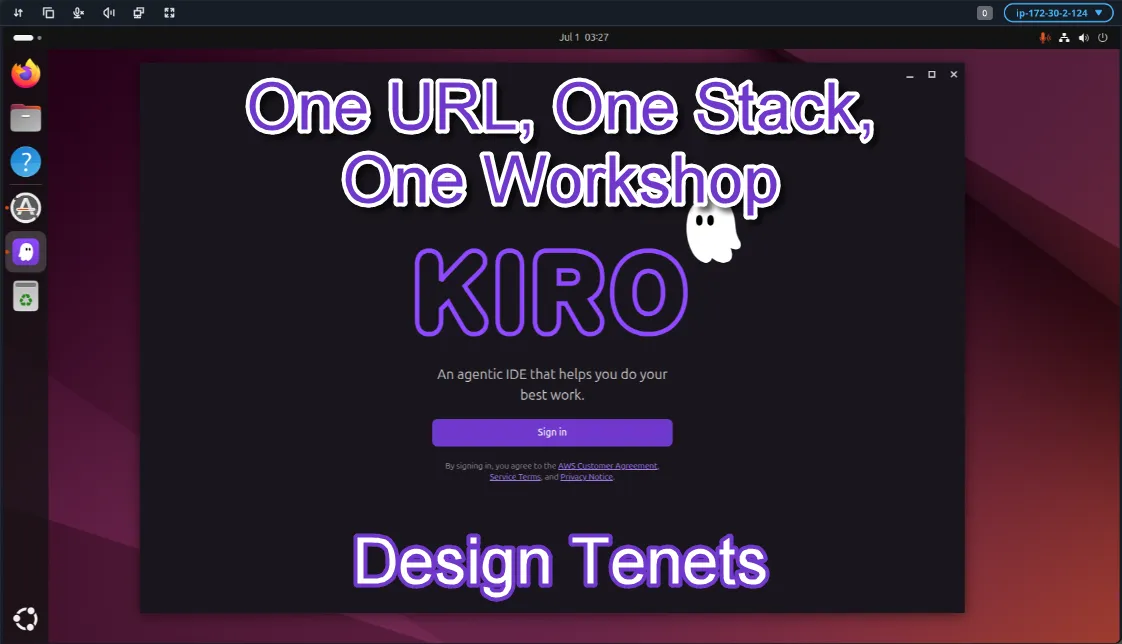
One URL, One Stack, One Workshop – Kiro Workshop Platform Design Tenets
The Kiro Workshop Platform (KWP) is an AWS-based platform that removes the undifferentiated heavy lifting of setting up and managing workshop environments – whether your workshop is about Kiro or simply benefits from having Kiro as a pre-configured IDE. Designed around three core tenets – keep it simple, keep it secure, and keep it self-contained – the KWP provisions everything needed to run a workshop from a single CloudFormation URL.
Series: One URL, One Stack, One Workshop - Kiro Workshop Platform (1 article)
- 1One URL, One Stack, One Workshop – Kiro Workshop Platform Design Tenets This article

In my previous post, I introduced the Kiro Workshop Platform (KWP) - a platform for running an AWS-based workshop which helps remove the undifferentiated heavy lifting associated with setting up and managing a workshop environment. Check out this post for the full story.
In this post, I'd like to expand upon the design of the KWP, in particular from the user POV - both the organizer and the participant. Fundamentally, the KWP was designed with three basic tenets in mind - keep it simple, keep it secure, and keep it self-contained. We’ll look at each in turn.
For those like me who like visuals, I’ve included a conceptual architecture diagram that can help with orienting you to many of the services and tools involved. It includes components of Workshop Central, the included centralized management tool.

Kiro Workshop Platform Architecture – User View
Keep It Simple
Keeping things simple was an important tenet because few workshop organizers want to learn a new tool just to run a workshop. Maybe it's not their area of expertise, maybe it's something they don't do very often, or maybe it is. Keeping it simple allows any workshop organizer to use the KWP. Including hooks to allow customization makes it extensible for more advanced use cases.
Setting up the KWP consists of taking a single URL for the core CloudFormation template, then pasting it into the create stack flow in the CloudFormation console. Give the stack a name, adjust parameters like number of participants and instance size, and then create the stack. All the necessary resources are provisioned, including a serverless management tool. Perhaps you're thinking you said no one wants to learn a new tool. Fair point, although until telepathy is mainstream, something will be required. In this case, a single central tool, named Workshop Central, is provided. This is where the organizer can manage the workshop, including participants and instances, at a one-stop shop. Alternatively, you would have to visit multiple tools to handle discrete tasks which is a much heavier learning curve. Additionally, the organizer can add additional admins, so more than one person can administer the workshop.
Workshop Central is not just for the admins - participants use it to gain access to their assigned resources. How are resources assigned? The organizer provides a list of participants, who then can authenticate with the tool, which then assigns them a participant slot along with the associated resources. This keeps this step simple for the organizer.
Once the participant connects to their "Kiro Instance", they are ready to start. The platform pre-installs both the Kiro IDE and the Kiro CLI on each participant’s EC2 instance. Python & Node? Pre-installed. AgentCore? Strands? Check and check. Need something else specific to the workshop? There's a way to pre-load files and a way to run install scripts.
While the KWP was originally motivated by a workshop focused on Kiro itself, it's equally useful for any workshop that benefits from a capable IDE. As Kiro is a VS Code fork, participants familiar with VS Code will feel right at home. Sign in with a free Builder ID (Kiro has a free tier), and you have a full-featured IDE with extensions like the AWS Toolkit ready to go.
Cleaning up is also simple. Delete the stack and all the workshop platform resources are removed. This keeps things simple if you want to try the platform out, or if you're done using it. Organizers can add workshop-specific resources using extension templates, and if used, those resources will also be removed, subject to any resource-specific considerations.
Meta-Tenet: Keep It Frugal
A quick aside on something that didn’t feel quite like a full tenet: frugality. Worried about these "Kiro Instances" sitting idle and running up your AWS bill? The first line of defense here is to select an appropriate instance type to be used by the CloudFormation stack. The default keeps frugality in mind; however, it doesn't suggest something so inexpensive that you pay for it in poor performance. Once the platform is set up, admins can stop and start all instances with the click of a button in Workshop Central. Lastly, since it runs in one of your accounts, any savings plans or the like would apply. All in all, cost is no more a concern than with any workload running in AWS.
Keep It Secure
Keeping it simple is great, but only if it's kept secure as well. For instance, the password to access the instance is dynamically generated at the time a participant is assigned. That means no hard-coded passwords, and the only one the password is shared with is the participant. For console access, a federated sign-in URL is provided so not only is it simple to log in by clicking the link, there is also no password to share. Instances do need to be reached via the Internet, but security groups restrict access to the IP address of the participant, which is detected when the participant is assigned a slot by Workshop Central.
To gain access to Workshop Central, first a participant needs to have the workshop URL. Organizers can copy that and create a shortened link for ease of access. Once there, a participant will enter their email, which the organizer pre-loaded into Workshop Central, to get an authentication code. This process uses the Simple Notification Service (SNS), so no email service needs to be tied into the tool. SNS can also be used for communication between the participants and the admins, should the need arise during the workshop.
Within both the Workshop Central portal, and an info page on their assigned instance, participants can access details about the workshop and their assigned resources. This alleviates this distribution task from the organizer. Finally, the instance role and console access role will have permissions assigned based on their role type, plus permissions tied to their specific resources. These restrictions allow them access to their assigned resources and only their assigned resources, so multiple participants can work within the same AWS account without stepping on each other's toes.
Keep It Self-Contained
Keeping it both simple and secure could almost cover the third tenet - keep it self-contained. The CloudFormation stack defines the boundaries of the platform resources, plus allows them to be easily removed. The Workshop Central interface constrains the number of tools an organizer needs to contend with. The security policies keep participants in their lanes. The last aspect of keeping it self-contained is the CloudFormation URL itself. The organizer doesn't need to install any software, doesn't have to know any programming language. The single URL approach keeps everything self-contained. Can it be extended? Yes. Is that required? No. Is extending it hard? No, and a skill usable in Kiro can even help with generating the extensions. More on that later.
Each workshop is going to be different: different resources, different learning objectives. The workshop’s starting point – the platform – is going to be the same. Being simple to set up, secure by design, and self-contained by default, the Kiro Workshop Platform handles the platform so you can focus on the workshop.
PS - if you're looking for the URL to try out the Kiro Workshop Platform, it's still in beta, so DM me to get in on that.
Series: One URL, One Stack, One Workshop - Kiro Workshop Platform (1 article)
- 1One URL, One Stack, One Workshop – Kiro Workshop Platform Design Tenets This article
Enjoyed reading this content? Let the author know!
Your likes, comments, shares, and saves help creators reach more builders.

Loading recommendations
Loading article