
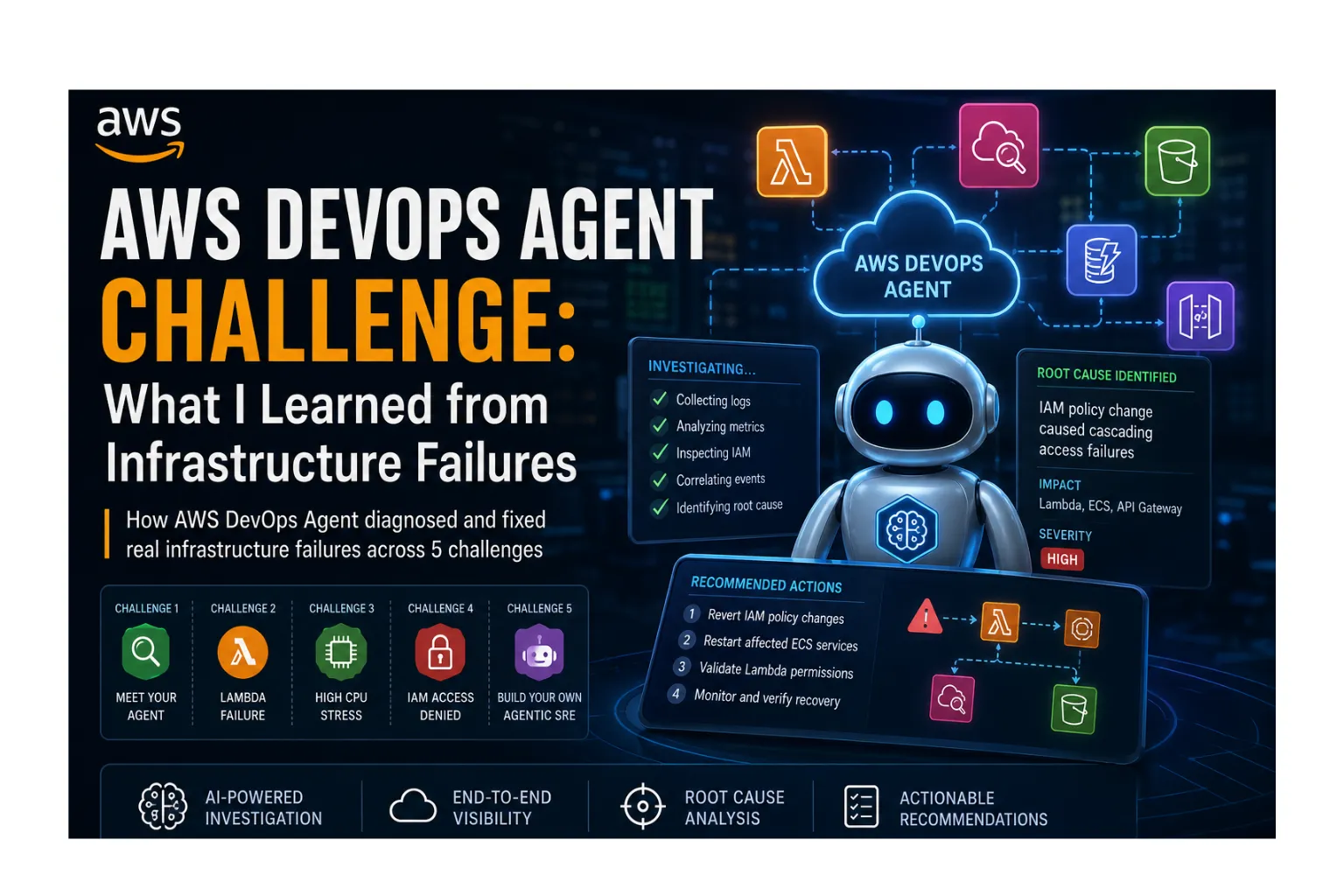
AWS DevOps Agent Challenge: What I Learned from Infrastructure Failures
How AWS DevOps Agent Diagnosed and Fixed Real Infrastructure Failures Across 5 Progressively Harder Challenges
Series: AgentOps on AWS: From Chaos to Intelligent Recovery (2 articles)
- 1AWS DevOps Agent Challenge: What I Learned from Infrastructure Failures This article

Introduction
What if you could hand your 3 AM production incident to an AI that already knows your entire AWS topology, reads your CloudWatch logs, inspects your IAM policies, and tells you exactly what's wrong in plain English?
That's the promise of AWS DevOps Agent, and I put it through a gauntlet of increasingly brutal infrastructure failures to see if it could actually deliver. Five challenges. Five different failure modes. One agent.
Here's the full story.
The Setup
AWS DevOps Agent is an AI-powered operational assistant that connects to your AWS account and continuously monitors your infrastructure. It builds a topology map of your resources, watches CloudWatch metrics and alarms, and when something breaks, it can investigate the issue end-to-end from reading logs to inspecting CloudFormation templates to tracing IAM permission chains.
For this challenge series, I set up:
- An AWS account with various production-like services running
- An Agent Space named
bss-may-2026monitoringus-east-1 - CloudFormation templates that deploy deliberately broken infrastructure
The rules were simple: deploy the broken thing, ask the agent to diagnose it, then fix it based on what the agent finds.
Challenge 1: Meet Your Agent
Difficulty: Easy | Goal: Prove the agent works and understands your account

Before breaking things, I needed to verify the agent could actually see my infrastructure. I started with three simple questions.
"What resources do I have in this account?"
The agent came back with a complete inventory: 407 resources across 5 regions. It categorized everything 29 Lambda functions, 20 DynamoDB tables, 5 API Gateways, 11 S3 buckets, 35 IAM roles and even identified the logical applications they belong to (AI Serverless App, Safety Companion, Serenova, RetailMind AI, TurfArena).
It also flagged potential orphaned resources: MemoryDB parameter groups with no clusters, a Neptune parameter group in ap-south-1 with nothing attached. Useful housekeeping insights I hadn't asked for.
"Is anything unhealthy right now?"
All green. Zero Lambda errors, zero API Gateway 5xx responses, zero DynamoDB throttles, all alarms in OK state. The agent checked the last 30 minutes across all services and confirmed everything was healthy.
"Give me a health summary of my environment"
This produced a structured report broken down by service and by application, with notes about idle resources (Serenova's App Runner showing no traffic).
Takeaway: The agent doesn't just list resources it understands the relationships between them and can reason about their health as interconnected applications.
Challenge 2: First Investigation
Difficulty: Medium | Scenario: Lambda function fails on every invocation

I deployed a CloudFormation stack containing a Lambda function called
challenge2-broken-fn. The function was deliberately broken, but I didn't know how until the agent told me.The Failure
Every test invocation returned an error. The CloudWatch alarm
challenge2-broken-fn-errors went red within minutes.The Investigation
I asked: "The Lambda function challenge2-broken-fn is failing on every invocation. Investigate and tell me the root cause and how to fix it."
Within seconds, the agent:
- Found the error in CloudWatch Logs:
NameError: name 'config' is not defined - Identified the exact line:
index.py line 4trying to accessconfig["value"] - Explained why: The variable
configwas never defined not in code, not passed as an argument, not set via environment variables - Ruled out other causes: Not a timeout (4.94ms vs 10s limit), not memory (36MB used / 128MB available), not throttling, not IAM, not a runtime issue
The Fix
I added an environment variable
VALUE = "Hello from AWS Lambda!" and updated the code to os.environ["VALUE"]. Function started succeeding immediately.What Impressed Me
The agent didn't just find the error it systematically eliminated every other potential cause before concluding. That "what ruled out other causes" table is exactly how a senior SRE thinks through a problem.
Challenge 3: Stress & Diagnose
Difficulty: Hard | Scenario: EC2 instance at 100% CPU, nobody knows why
This one was nastier. A
t3.micro instance called challenge3-stress was pinned at 100% CPU the moment it booted. The alarm challenge3-high-cpu went red, and users were complaining about slowness.
The Investigation
The agent's response was remarkably detailed:
Timeline reconstruction: CPU spiked from ~47% to 100% within 1-2 minutes of boot at 04:00 UTC. The alarm transitioned from OK to ALARM at 04:06:19Z. CPU credits were fully exhausted (balance = 0) and the instance was accumulating surplus credits.
Root cause identification: The agent traced the issue all the way back to the CloudFormation template's UserData script:
1
2
3
for i in $(seq $(nproc)); do

  setsid bash -c 'while true; do :; done' >/dev/null 2>&1 < /dev/null &

done
This spawns one infinite busy-loop per vCPU (2 on a t3.micro), using
setsid to detach them from the parent process so they survive after cloud-init completes. Clever sabotage.The Fix
Connected via Session Manager and ran:
1
sudo pkill -9 -f "while true; do :; done"
CPU dropped from 100% to 0.65% immediately. The alarm returned to OK state.
The Agent's Remediation Plan
The agent didn't just tell me how to fix it. it provided a complete 4-step operational runbook:
- Prepare - document current state
- Pre-validate - confirm CPU is at 100% and alarm is firing
- Apply - kill the processes
- Post-validate - confirm CPU dropped and alarm cleared
It also provided a rollback plan (reboot restores the loops) and a permanent fix specification for the CloudFormation template, complete with acceptance criteria.
What Impressed Me
The agent found the root cause in infrastructure-as-code, not just in the running system. It understood that killing the processes was a temporary fix and that the real solution required a template change. That's the difference between firefighting and engineering.
Challenge 4: Bad Deploy Detective
Difficulty: Expert | Scenario: Correct code fails after deploy
This was the trickiest challenge. The Lambda function
challenge4-app-fn reads from a DynamoDB table called challenge4-data. The code is completely correct proper imports, correct table name, valid SDK calls. But every invocation fails with AccessDeniedException.The trap: after a "deploy," the function's execution role was stripped down to only
AWSLambdaBasicExecutionRole (CloudWatch Logs access). The DynamoDB permission was "accidentally" left out of the CloudFormation template.
The Investigation
I asked: "My app challenge4-app-fn started failing on every request after a deploy, but the code looks correct. Investigate the root cause."
The agent immediately identified it wasn't a code problem. It:
- Read the CloudWatch Logs and found the
AccessDeniedException - Inspected the Lambda's execution role
- Compared what the function needed (
dynamodb:GetItem) vs. what the role allowed (only CloudWatch Logs) - Concluded: the IAM role is missing DynamoDB permissions
The Fix
Added an inline policy granting
dynamodb:GetItem on the challenge4-data table:1
2
3
4
5
6
7
8
9
10
11
aws iam put-role-policy \
--role-name challenge-4-AppRole-cHhA6ZiyIALD \
--policy-name DynamoDBReadAccess \
--policy-document '{
"Version": "2012-10-17",
"Statement": [{
"Effect": "Allow",
"Action": ["dynamodb:GetItem"],
"Resource": "arn:aws:dynamodb:us-east-1:466742534146:table/challenge4-data"
}]
}'The function immediately started returning:
{"statusCode": 200, "body": "{\"item\": {\"id\": {\"S\": \"1\"}, \"product\": {\"S\": \"Builders Hoodie\"}, \"price\": {\"N\": \"49\"}}}"}Prevention Advice
When I asked "how do I prevent this class of problem in future deploys?", the agent suggested:
- IAM Access Analyzer for pre-deploy policy validation
- cfn-guard rules to enforce that Lambda functions with DynamoDB references must have matching permissions
- Integration tests in staging that exercise actual code paths
- SAM's DynamoDBReadPolicy pattern that auto-derives permissions from resource references
What Impressed Me
This challenge specifically tests whether the agent can think beyond code. Many debugging tools stop at "the code has an error." This agent understood the entire permission model and could trace through IAM policy chains to find what was missing.
Challenge 5: Build Your Own AgentOps Chaos Lab
Difficulty: Innovate | Status: Completed
The final challenge encouraged participants to go beyond troubleshooting a single AWS resource and design an agentic AI-powered operations platform capable of investigating complex, multi-service failures.
Instead of creating another isolated infrastructure issue, I built AgentOps Chaos Lab a multi-agent chaos engineering platform where specialized AI agents collaborate to investigate deliberately injected failures across AWS services. The platform combines chaos engineering with agentic AI to detect incidents, correlate signals from CloudWatch, CloudTrail, Lambda, ECS, and IAM, identify root causes, and generate prioritized recovery plans.
Highlights
- Built a multi-agent investigation system with Infrastructure, Security, Deployment, Cost, MCP Health, and Recovery agents.
- Created a Chaos Engine capable of injecting real and simulated AWS failures.
- Correlated signals from multiple AWS services into unified incidents.
- Generated automated recovery runbooks and CLI commands.
- Validated investigation results against the AWS DevOps Agent for comparison and confidence.
This project expands the ideas from the first four challenges by moving from AI-assisted troubleshooting to AI-orchestrated incident response.
Read the complete technical deep dive here:
AgentOps Chaos Lab: Multi-Agent Chaos Engineering with Autonomous Investigation
Key Takeaways
What the Agent Does Well
- Systematic elimination - It doesn't jump to conclusions. It checks timeout, memory, throttling, IAM, and runtime before declaring a root cause.
- Infrastructure-as-code awareness - It reads CloudFormation templates to understand why things are configured the way they are, not just what is currently running.
- Topology understanding - It knows which resources belong together and how they depend on each other (Lambda → DynamoDB, EC2 → CloudWatch).
- Actionable remediation - Every diagnosis comes with copy-paste commands, both for immediate fixes and permanent infrastructure changes.
- Prevention thinking - It doesn't just fix the immediate problem; it suggests guardrails, monitoring improvements, and process changes to prevent recurrence.
Lessons for Real Incidents
| Challenge | Real-World Equivalent |
|---|---|
| Undefined variable | Bad merge deploys code without required config |
| CPU saturation | Crypto miner, fork bomb, or runaway process after compromise |
| Missing IAM permission | Infrastructure-as-code drift after role refactoring |
The Agent's Limitations
- It needs time to discover new resources - freshly deployed stacks take a few minutes to appear in the agent's topology
- It can't fix things autonomously - it diagnoses and recommends, but you still need to apply the changes
- Complex multi-service failures may require multiple conversational turns to fully untangle
Conclusion
After running all five challenges, I'm convinced that AI-powered operational agents represent a genuine shift in how we handle infrastructure incidents. The AWS DevOps Agent doesn't replace an SRE it gives every engineer the investigative capabilities of a senior SRE at 3 AM when the pager goes off.
The challenges escalated from "can you see my stuff?" to "can you trace through IAM policy chains to find a missing permission that isn't in the code?" and the agent handled each one with the methodical approach of an experienced operator.
The first four challenges demonstrate how the AWS DevOps Agent investigates real infrastructure failures, while the fifth challenge extends those concepts into a complete multi-agent chaos engineering platform. If you're interested in autonomous incident response, check out my dedicated AgentOps Chaos Lab article for the full architecture and implementation details.
If you want to try this yourself, the entire challenge series is available with CloudFormation templates ready to deploy. Break things. Let the agent find them. Learn how infrastructure investigations actually work.
Tools & Services Used
- AWS DevOps Agent - AI-powered investigation and diagnosis
- CloudFormation - Infrastructure as Code for deploying challenge stacks
- CloudWatch - Alarms, metrics, and logs
- Lambda - Serverless compute
- EC2 - Virtual servers
- DynamoDB - NoSQL database
- IAM - Identity and access management
- Systems Manager (SSM) - Remote instance access
Built with ❤️ by DD for the AWSUG MDU May Skill Sprint 2026. This article documents my experience with the AWS DevOps Agent May 2026 Challenge Series. All challenges were completed in a personal AWS account using the DevOps Agent free trial.
Resources link:
Thank you for taking the time to read my article! If you found it helpful, feel free to like, share, and drop your thoughts in the comments; I’d love to hear from you.
If you want to connect or dive deeper into cloud, AI and DevOps, feel free to follow me on my socials:
💼 LinkedIn
👨💻 DEV Community
🛡️Medium
🐙 GitHub
Series: AgentOps on AWS: From Chaos to Intelligent Recovery (2 articles)
- 1AWS DevOps Agent Challenge: What I Learned from Infrastructure Failures This article
Enjoyed reading this content? Let the author know!
Your likes, comments, shares, and saves help creators reach more builders.

Loading recommendations
Loading article