
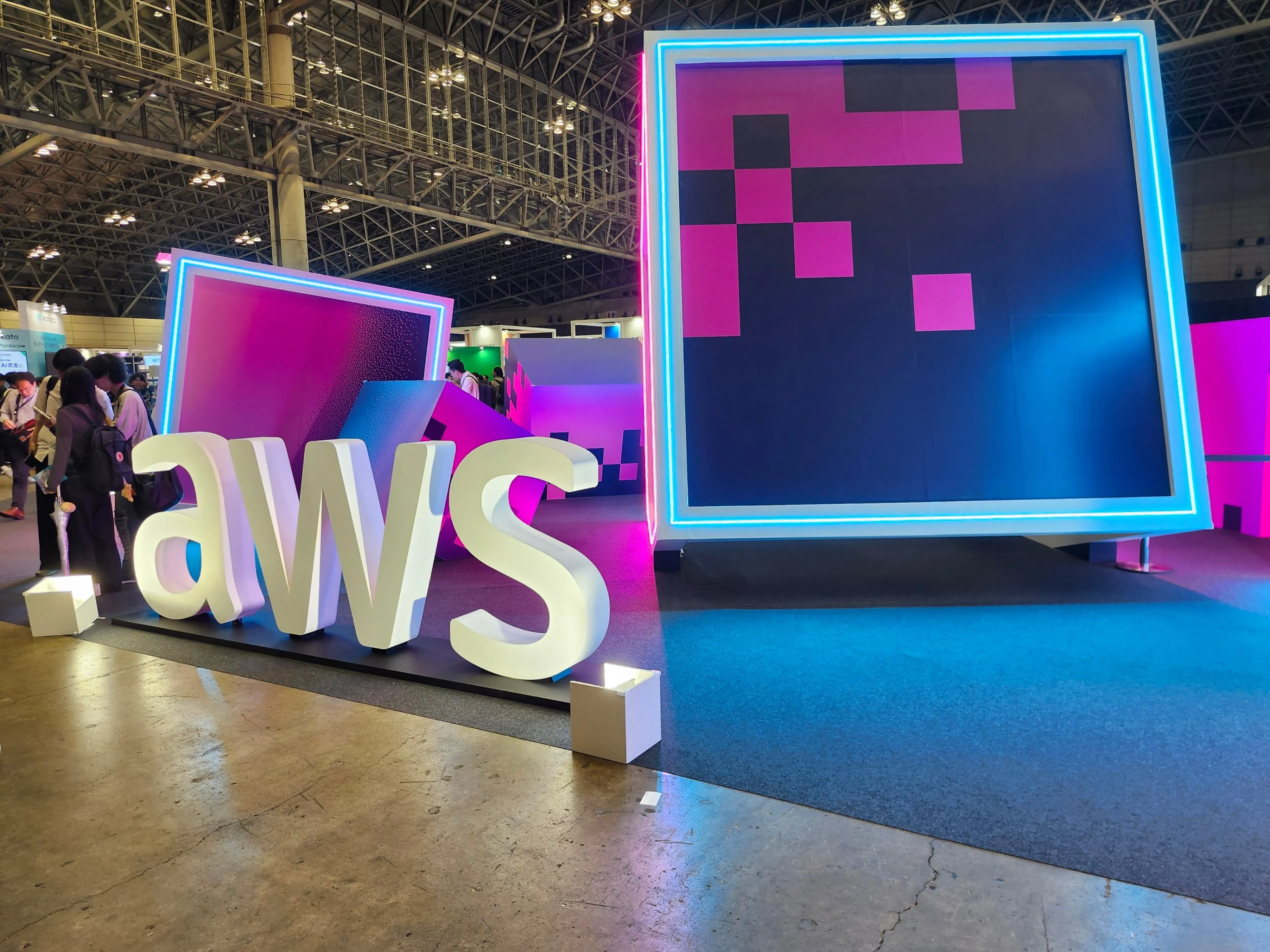
AWS Summit Tokyo 2026 Day 1 Diary
Good evening! This is Sato from the SRE team. I made it to AWS Summit Tokyo again in 2026, so I figured I'd write it up as both a record for myself and a shareable post.
Two years ago it was all about generative AI, last year it was AI agents, and this year… well, using generative AI and AI agents is now taken for granted. It felt like the event had shifted to "what kind of solutions can you actually deliver using them."
| Time | Activity | Notes |
|---|---|---|
| 08:45 | Arrived at Makuhari Messe | Massive line |
| 10:00 | Check-in complete / Entry | Got a boxed-lunch ticket |
| 10:00 – 10:50 | Keynote | Standing room. Kept an eye on DevOps Agent Release Management / Transform Continuous Modernization |
| ~12:00 | AWS Village | AI-driven & Edge Services demo, Innovation Sandbox on AWS (ISA), QuickSight consultation, generative-AI agent consultation booth |
| 12:00 – 12:30 | Boxed lunch | Struggled to find a place to sit |
| ~14:00 | Partner Solution Expo | Felt spacious |
| 14:00 – 14:20 | Session: 3 Multi-Agent Design Patterns | Knowledge sharing from an AWS support engineer based on real-world experience |
| ~17:00 | Partner Solution Expo, etc. | Free time |
| 17:00 – 17:20 | Session: AWS Interconnect – Hassle-free multicloud connectivity | Not yet available in the Tokyo region. Wandered in by chance |
Arrival at Makuhari Messe (8:45)
My hometown is Chiba City, so it's close — but I got complacent, overslept, and didn't arrive until 8:45… and there was already a huge line.
Check-in Complete (10:00)
I made it in right at 10:00! (A lot of things changed this year, didn't they?) I didn't get a cushion, but I did get a boxed-lunch ticket.
Keynote (10:00 – 10:50)
Naturally I couldn't get a seat for the keynote either, so it was standing room — but in past years, once you sat down in a chair you couldn't move at all, so I figured standing wasn't so bad. (Tough on the legs after that long line, though.)
As announced recently at AWS Summit New York, DevOps Agent Release Management and Transform Continuous Modernization are worth watching. Day 2 should have some gaps in my schedule, so quizzing the AWS folks about these is my homework.
https://aws.amazon.com/jp/blogs/news/aws-devops-agent-adds-release-management-capabilities-to-assess-code-changes-before-production-preview/
https://aws.amazon.com/jp/transform/continuous-modernization/
They talk about the "flywheel" every year, but it felt like it came up especially often this year.
AWS Village
Defense Demo Using AI-Driven & Edge Services
This demo simulated DDoS attacks, SQL injection attacks, and the like against a site, visualized the attackers' countries of origin in real time, used Bedrock to recommend WAF rule changes, and made it possible to apply the recommended configuration changes just by clicking a displayed button. Some teams still change WAF rules manually, so I found this a really interesting solution. They said it isn't released as OSS, but I was told that if you hand the mockup screens and architecture diagram to an AI and ask, it'll build it for you — so I think I'll give that a shot sometime next week.
Let's Make Sandbox Environment Management More Efficient!
Personally, this was my single biggest takeaway from Day 1 (lol). It's an OSS called Innovation Sandbox on AWS (ISA), apparently released around last year. It's a solution for when you want to temporarily hand out an AWS account for a PoC, hands-on workshop, and so on. Administrators can set an expiration date and a spending cap, and when AWS usage hits the configured amount, it can alert, temporarily suspend (freeze), or terminate the account. At my company we use Claude Code via Bedrock, and honestly there were parts we couldn't control. This solution looks like it could solve exactly that, so I'm really excited about it. Some caveats they mentioned:
- Resources created by users can't be preserved
- Because it uses aws-nuke, watch out for the newest services that nuke doesn't yet support
- You can't extend the expiration date
Given that you can't extend the expiration, you really need to think through your operational approach — but it looks usable in a wide range of scenarios. The freeze feature in particular is fantastic. The default expiration cap is apparently one week, but you can extend it by changing the AppConfig setting value!
Other
I asked about preprocessing data sources for QuickSight. The advice was that data cleansing and schema transformation are ultimately just for visualization — if your need is to query and analyze data across sources, QuickSight can handle it well enough as-is. I'd assumed such preprocessing was just something you naturally did, so it really hit me that I'm not keeping up with the generative-AI era (lol).
At the generative-AI agent consultation booth, they showed an arrangement of FAST. The arrangement made all of the internal processing fully closed-network, and it was a great lesson in an aspect that really matters when moving from PoC to production.
Boxed Lunch (12:00 – 12:30)
The lunch pickup line moved fast, so I got mine without much of a wait. There were fewer seats than in past years, though, so finding a spot to eat was a struggle…
Partner Solution Expo
Maybe because they cut back on seating, but it felt more spacious this year.
3 Multi-Agent Design Patterns (14:00 – 14:20)
An AWS support engineer shared knowledge on multi-agent design drawn from real-world experience. I'd been building supervisor-style multi-agent setups without giving it much thought, but I came away feeling that you shouldn't just vaguely split agents because their roles differ — you also have to be conscious of splitting them from a performance (context volume) perspective.
AWS Interconnect – Hassle-free Multicloud Connectivity (17:00 – 17:20)
It hasn't reached the Tokyo region yet, but I sat in on a session about AWS Interconnect for multicloud connectivity. (I just happened to wander in.)
Since we currently connect GCP and AWS over VPN, this is a service I'd want to adopt right away — price permitting — once it expands to Tokyo. The big appeal is how simple the setup is: you don't have to configure VLAN/BGP/MACsec yourself. They said it connects to a DXGW, so I'm now wondering how routing separation with on-prem works…
Postscript
Step count: 16,138 steps
Enjoyed reading this content? Let the author know!
Your likes, comments, shares, and saves help creators reach more builders.

Loading recommendations
Loading article