
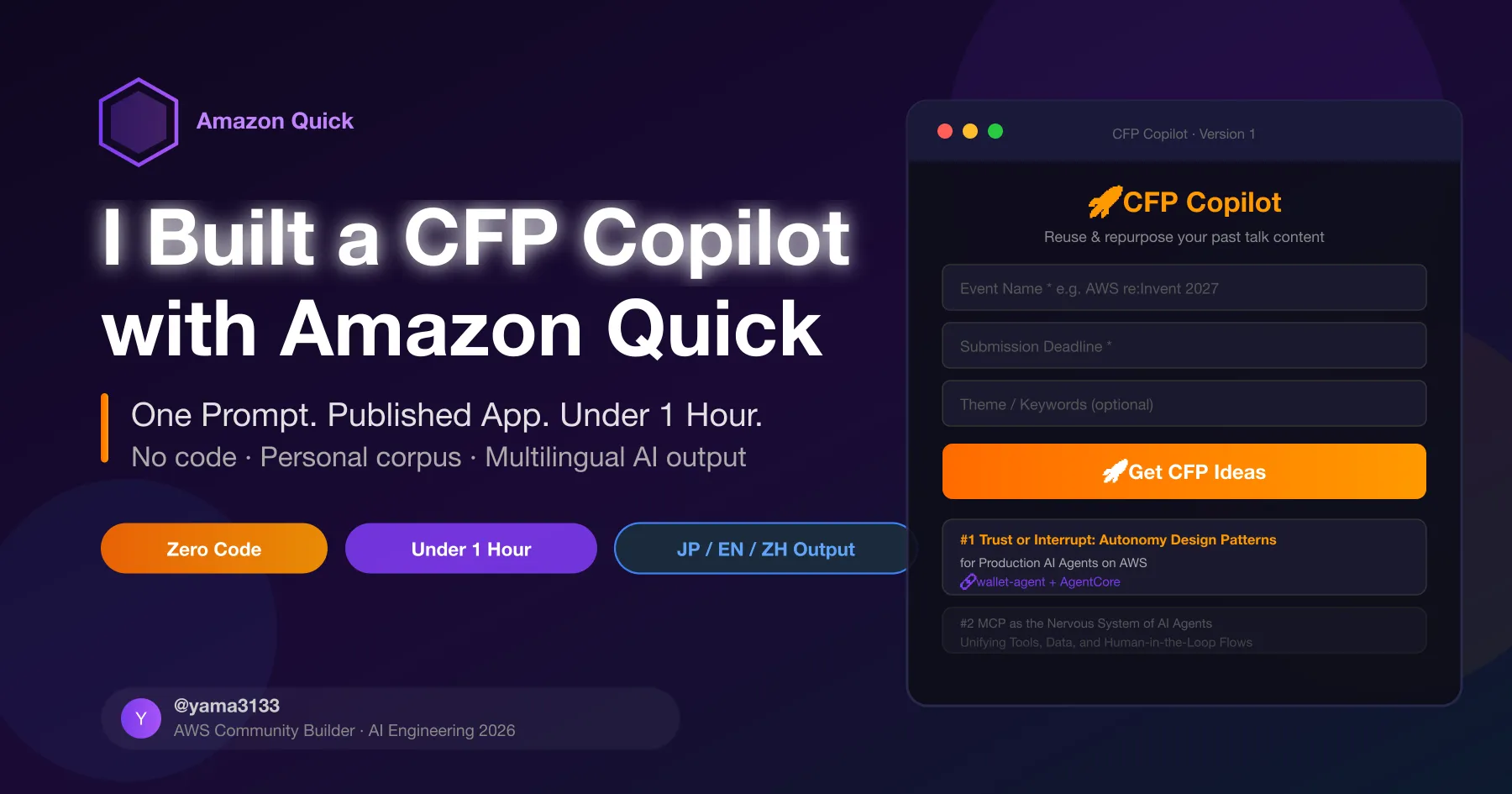
How I Used Amazon Quick to Supercharge My CFP Submissions as an AWS Community Builder
As an AWS Community Builder in the AI Engineering category, I'm always looking for ways to apply the services I advocate for to real problems I face. CFP season is one of those problems.

The Challenge
Every conference cycle, I find myself doing the same thing: scrolling through my past talks, trying to figure out which project angle would work for which event, rewriting abstracts, translating between Japanese and English. It's manual, repetitive, and frankly beneath what AI should be handling by now.
So I built CFP Copilot using Amazon Quick - and the whole process took under an hour.
What Amazon Quick Brings to the Table
Amazon Quick is AWS's newest agentic AI workspace, evolved from Amazon QuickSight. The Apps in Amazon Quick feature (currently in Preview) lets you build interactive web applications by describing what you need in natural language - no code, no deployment, no infrastructure.
As a Community Builder, this is exactly the kind of "build something real with AWS" story worth telling.
Building CFP Copilot
The Prompt
A single prompt generated the entire app:
1
2
3
4
5
6
Build a web app called "CFP Copilot" that helps a conference speaker reuse
and repurpose their past talk content. Include fields for event name, deadline,
and theme keywords. Output Top 3 talk suggestions with bilingual titles,
project connections, and CFP abstract drafts. Dark theme, AWS orange accents.
Speaker profile: AWS Community Builder (AI Engineering), themes around
AI agent autonomy, MCP, Amazon Bedrock AgentCore, Aurora DSQL.
Result: a fully functional, styled web app in ~2 minutes.

Adding Context: The Corpus Approach
The real power came from connecting personal data. I built a Python script that:
- Pulls README files from all my public GitHub repos (25 repos)
- Fetches article content from Qiita API (50+ articles)
- Reads project memory files from my local knowledge base
- Outputs everything into a single
cfp_corpus.md(~250KB)
Attaching this file to a Quick chat session transformed generic suggestions into specific, actionable proposals that referenced my actual projects by name.
Multilingual Output
One follow-up prompt added Japanese, English, and Chinese language support. Chinese required 2 retries (a known limitation worth flagging in your own testing), but all three ultimately produced high-quality output.
Results That Matter
For a hypothetical re:Invent 2027 submission (AI agents theme), CFP Copilot proposed:
- "Trust or Interrupt: Autonomy Design Patterns for Production AI Agents on AWS" - draws from wallet-agent and Aegis projects
- "MCP as the Nervous System of AI Agents" - builds on our MCP + AgentCore work
- "Stateful Agents at Global Scale with Aurora DSQL" - extends the DROPZERO EC implementation
All three were production-ready abstract drafts, not placeholder text.
Community Builder Angle
This experiment highlights a few things relevant to our community:
Amazon Quick lowers the bar for AI-powered tooling. You don't need to spin up infrastructure or write application code to build something useful. The barrier is literally "describe what you want."
Your existing content is an asset. Years of blog posts, GitHub repos, and talk recordings become a training corpus that makes AI tools significantly more personalized and useful.
The meta-story is worth telling. Using an AWS service to improve how you advocate for AWS services is a compelling narrative for blog posts, talks, and community contributions.

Technical Notes for Community Builders
- Free plan: 30-day trial includes Apps, Desktop, and full Plus features. No credit card required.
- Data privacy: Files uploaded to Quick chat are used for your session context. Review AWS's data handling policies before uploading sensitive content.
- Published apps: Require viewers to have an Amazon Quick account (free). Plan your distribution strategy accordingly.
- MCP support: Amazon Quick Desktop supports local MCP server connections - a powerful extension point for Community Builders building custom integrations.
Try It
- Sign up at quick.aws.com (free)
- Go to Apps → paste the prompt above
- Customize the speaker profile
- Attach your own content corpus
Enjoyed reading this content? Let the author know!
Your likes, comments, shares, and saves help creators reach more builders.

Loading recommendations
Loading article