
How I'm Building My MVP Without Spending a Dime — Without Cutting Corners
SDD, Supabase, Cloudflare Turnstile, and why manual code review actually matters

I'm building Monfily, a personal finance app. Solo. With zero budget for tooling.
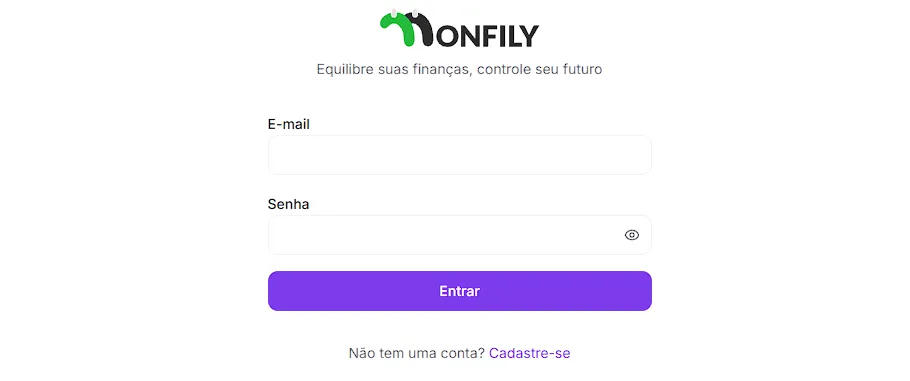
Today was a long day. I implemented the complete authentication flow — login, signup, password recovery — and refined the development process I've been running. I want to share the decisions I made, the problems I ran into, and what I learned.
What is SDD and why I adopted it
SDD (Spec Driven Development) is an approach where you specify before you code. Before writing a single line, you create three files:
requirements.md— what the system needs to do (user stories, business rules)design.md— how it will be built (architecture, database schema, component patterns)tasks.md— the execution plan broken into phases, with acceptance criteria
The idea isn't bureaucracy. It's having a clear contract with yourself — and with the AI that's helping you build.
When you work with LLMs without a spec, you get code that works today and breaks tomorrow. With specs, the model has enough context to make consistent decisions. And you have something to review.
The SMTP problem
My original plan for email confirmation: use Brevo as the SMTP provider in Supabase. Free, easy to configure, solves deliverability.
It didn't work out.
Supabase sends confirmation emails via SMTP configured in the dashboard, but limitations on the free tier made this route unviable for me right now. I wasn't going to pay for an email provider before having a single real user.
Decision: remove email confirmation from the flow.
That sounds risky. It is. Without confirmation, anyone can sign up with an email that isn't theirs. The solution I found to compensate for this security gap was Cloudflare Turnstile.
Cloudflare Turnstile: CAPTCHA without friction
Turnstile is Cloudflare's CAPTCHA. The difference from traditional reCAPTCHA: it's nearly invisible to the user. No "click all the traffic lights" challenges. It analyzes session behavior in the background and only presents a challenge when genuinely necessary.
For Monfily, I implemented it like this:
On the frontend (Next.js +
@marsidev/react-turnstile):tsx
1
2
3
4
5
6
import { Turnstile } from '@marsidev/react-turnstile'

<Turnstile
  siteKey={process.env.NEXT_PUBLIC_TURNSTILE_SITE_KEY!}
  onSuccess={(token) => form.setValue('captchaToken', token)}
/>
On Supabase: Turnstile integrates natively with Auth. You configure the Secret Key in the dashboard and Supabase validates the token before creating the user. The bot never gets to create an account — validation happens at the authentication layer, not just on the frontend.
Cloudflare's free tier covers this completely. Zero cost.
Result: frictionless signup for real users, effective barrier against bots and mass registrations.
The complete auth flow
With Supabase + Next.js 15 App Router, the flow ended up like this:
1
2
3
4
/login          → signInWithPassword() → redirect /home
/cadastro       → signUp() + Turnstile → redirect /home
/recuperar      → resetPasswordForEmail()
/auth/callback  → exchangeCodeForSession() → redirect /home
The Next.js middleware protects all authenticated routes — if there's no active session, it redirects to
/login before the component even renders:ts
1
2
3
4
5
6
// src/middleware.ts
const { data: { user } } = await supabase.auth.getUser()

if (!user && !isAuthRoute) {
  return NextResponse.redirect(new URL('/login', request.url))
}
No
getSession(). No tokens in localStorage. The session lives in HttpOnly cookies managed by @supabase/ssr. This matters: getSession() doesn't validate the JWT — getUser() does. It makes a call to Supabase's server to confirm the token is still valid.The part where I learned the most: QA and code review in tasks.md
This was the most significant change to my process today.
I added two new layers to the workflow for each phase in
tasks.md:1. Code review — before closing any phase, review the diff of what was generated. It doesn't need to be perfect. It needs to be understood. If there's code you don't understand, it's a risk you're carrying blindly.
2. Manual QA — test scenarios written before implementation, in a table format:
| Scenario | Action | Expected result |
|---|---|---|
| Login with valid credentials | Fill correct email/password | Redirects to /home |
| Login with wrong password | Fill incorrect password | Error message displayed |
| Signup with existing email | Try to create duplicate account | Supabase error handled gracefully |
| Bot attempts signup | Invalid Turnstile token | Request blocked at Supabase |
Does it take longer? Yes. A lot longer.
But there's a benefit I didn't expect: the act of thinking through scenarios surfaces bugs before you write the code.
When I wrote the scenario "bot attempts signup without Turnstile," I realized my original implementation only validated on the frontend — nothing was stopping a direct call to Supabase's API. I fixed it before pushing.
It takes longer. It's worth it.
I could have given the AI unrestricted permissions, accepted every suggested commit, and "finished" in half the time. Many people do.
The problem is that "finishing" that way is an illusion. The code exists, but you don't know what it does. When something breaks — and it will — you have no foundation to debug from.
What I've been doing:
- AI proposes — code, architectural decision, SQL query
- I review — understand what was generated, question what doesn't make sense
- Manual QA — test the scenarios written beforehand
- Report bugs — go back to the AI with what I found
- Commit — only then, with a descriptive message following Conventional Commits
It's slower. But each phase I complete, actually completes. And I learn something new in each one.
The stack, for the curious
- Next.js 15 with App Router and React Server Components
- Supabase — Auth, PostgreSQL with RLS, Storage
- Cloudflare Turnstile — free anti-bot protection
- Zustand — client-side UI state
- TanStack Query v5 — server state cache and sync
- Tailwind CSS v4 — design tokens via CSS variables
- Shadcn/ui — accessible components
Current infrastructure cost: $0.
What's next
Auth is done. Next phase: Home screen with consolidated balance, month navigation, and income/expense summary. Supabase already has the tables and RLS configured — now it's time to fill them with data.
If you're also building something solo and want to talk about the process, reach out.
Jonathan — building Monfily in public
Enjoyed reading this content? Let the author know!
Your likes, comments, shares, and saves help creators reach more builders.

Loading recommendations
Loading article