AWS Builder Center
Unlocking Bedrock Cost Allocation

Unlocking Bedrock Cost Allocation

Welcome back to "The Keys to AWS Optimization," the show dedicated to sharing stories, concepts, and solutions to help you manage your AWS spend. In this episode we dive deep into Bedrock cost allocation, exploring new features and techniques to optimize your AWS costs.
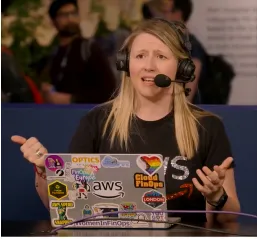
Brief Introduction: Welcome back to "The Keys to AWS Optimization," the show dedicated to sharing stories, concepts, and solutions to help you manage your AWS spend. In this episode we dive deep into Bedrock cost allocation, exploring new features and techniques to optimize your AWS costs.
Key Takeaways:
  1. Understanding Bedrock Pricing: Bedrock pricing is based on tokens, a fundamental unit used by Large Language Models (LLMs) for inputs and outputs. Cost allocation for Bedrock has been challenging due to its API-call-based usage.
  1. New Tagging Capabilities: AWS now allows tagging IAM roles and sessions data to connect to Amazon bedrock, making it easier to allocate costs to specific applications or users. This scalability is a significant improvement over managing numerous application inference profiles.
  1. Enabling Cost Allocation Tags: To utilize the new tagging features, ensure you are on CR 2.0 and enable IAM principal allocation data in your cost and usage reports. Additionally, activate the IAM principal tag type in cost allocation tags.
  1. Visualizing Cost Data: Utilize tools like Kudos dashboard version 5.8 to visualize cost data by various dimensions such as application, department, and environment. This provides granular insights into your Bedrock usage and costs.
  1. Model Lifecycle Management: Track the usage of older models to manage costs effectively. AWS marks models as end-of-life or end-of-support, and understanding who is using these models can help in cost optimization.
  1. Tagging Best Practices: Establish a tagging taxonomy and strategy. Use consistent tag values and consider using IDs instead of names to avoid issues when department names change. Integrate tagging into your infrastructure as code.
  1. Aligning Costs with Business Value: Beyond cost allocation, aim to align your AWS spend with business metrics such as cost per customer, cost per transaction, and customer satisfaction to measure the ROI of your Bedrock applications.
Call to Action: Don't miss out on these valuable insights! Watch the on-demand live stream of this episode  here  to dive deeper into Bedrock cost allocation and AWS optimization techniques.
Any opinions in this article are those of the individual author and may not reflect the opinions of AWS.
Enjoyed reading this content? Let the author know!

Your likes, comments, shares, and saves help creators reach more builders.

Loading recommendations

Loading article