
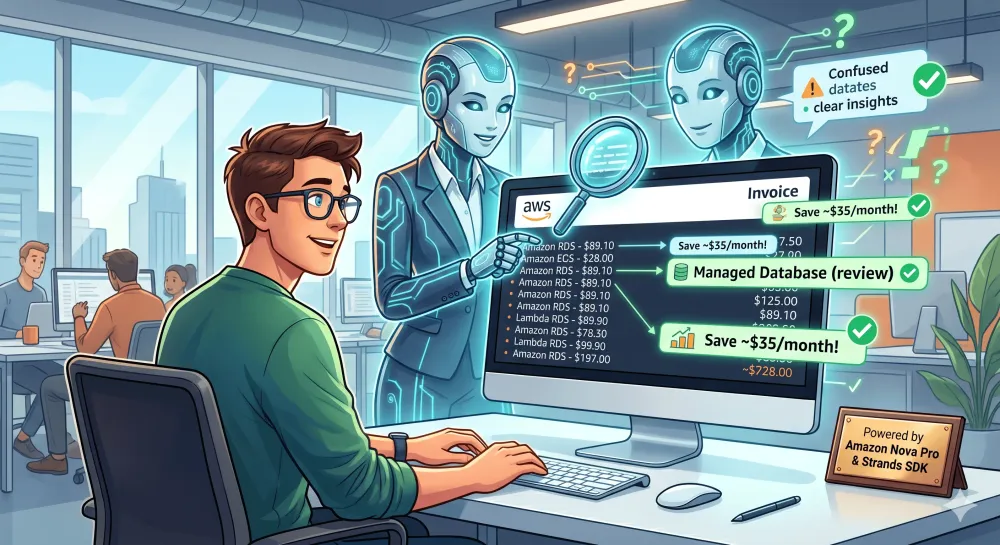
From Confused Bills to CloudCFO: Building AI Agents with Strands and Amazon Nova Pro
What if an AI agent could act like a patient, friendly CFO? One that explains every line of the bill in plain English, flags suspicious charges, and tells you exactly what question to ask your tech team.

The Bill That Started It All
Picture this: It's the first of the month. A perfectly caffeinated, non-technical startup founder opens their inbox, expecting a nice product newsletter, and gets hit with the monthly AWS bill instead. $212.47.
They stare at it.
1
2
3
4
5
6
Amazon EC2           $47.32
Amazon RDS           $89.10
Amazon CloudFront    $12.44
AWS Data Transfer    $23.80
Amazon S3             $4.20
AWS Lambda           $35.61
It reads less like an invoice and more like an alien ransom note. They know their app is "in the cloud" because the CTO set it up six months ago, but what exactly is an "Elastic Compute Cloud"? Are they paying for the actual weather? They screenshot the damage and send it to their CTO with a polite, “Hey, are we hemorrhaging money or is this normal?”
The CTO, currently fighting for his life in a sprint planning meeting, replies 72 hours later with a 3-minute voice note heavily featuring the words "containerized microservices" and zero actual financial reassurance.
This happens every single month.
Many non-technical founders, product managers, and startup operators sit with AWS bills they simply cannot decode. The gap between "cloud infrastructure" and "plain English" is massive, and no tool was bridging it in a way that felt human.
That frustration sparked an idea: What if an AI agent could act like a patient, friendly CFO? One that explains every line of the bill in plain English, flags suspicious charges, and tells you exactly what question to ask your tech team.
That idea became CloudCFO.
Enter CloudCFO: The AWS Bill Explainer
CloudCFO is an AI agent designed specifically to translate AWS billing jargon into actionable business insights for non-technical operators.
Here is how the experience works: You paste your AWS bill into the chat, and CloudCFO goes to work.
- Explains each service in plain English — using real AWS documentation, not hallucinated answers.
- Flags cost concerns — comparing your charges against typical startup baselines.
- Gives a bill health score — 🟢 Healthy / 🟡 Review Needed / 🔴 Action Required.
- Suggests savings — ranked by estimated dollar impact, explained without the jargon.
- Answers follow-up questions — maintaining context without needing the bill pasted again.
The Architecture: Powered by MCP and Amazon Nova Pro
Under the hood, CloudCFO is powered by Amazon Nova Pro on Bedrock and built using the Strands Python SDK. The magic, however, comes from integrating MCP (Model Context Protocol) servers.
MCP is an open standard that acts like a plugin system for AI agents, allowing them to connect to external tool servers.
1
2
3
4
5
6
7
8
9
10
11
12
13
User input (pasted bill)
       ↓
   Strands Agent (Nova Pro)
       ↓
  ┌────────────────────────────────────────┐
  │           Tool Pool                    │
  │  • AWS Docs MCP tools (6 tools)        │  ← explains what services are
  │  • AWS Pricing MCP tools (8 tools)     │  ← benchmarks and compares costs
  │  • save_to_session()                   │  ← stores bill in FAISS memory
  │  • recall_from_session()               │  ← retrieves context for follow-ups
  └────────────────────────────────────────┘
       ↓
  Streaming response (word-by-word)
Two MCP servers run simultaneously alongside standard Python functions for memory retention:
Python
1
2
3
4
5
6
7
8
9
10
11
12
13
14
15
16
17
18
19
20
21
22
23
24
25
26
27
28
29
30
31
32
33
34
35
from strands.tools.mcp import MCPClient
from mcp import StdioServerParameters, stdio_client

aws_docs_mcp = MCPClient(
    lambda: stdio_client(
        StdioServerParameters(
            command="uvx",
            args=["awslabs.aws-documentation-mcp-server@latest"],
            env={**os.environ, "FASTMCP_LOG_LEVEL": "ERROR"},
        )
    )
)

aws_pricing_mcp = MCPClient(
    lambda: stdio_client(
        StdioServerParameters(
            command="uvx",
            args=["awslabs.aws-pricing-mcp-server@latest"],
            env={**os.environ, "FASTMCP_LOG_LEVEL": "ERROR"},
        )
    )
)

with aws_docs_mcp, aws_pricing_mcp:
    docs_tools  = aws_docs_mcp.list_tools_sync()
    cost_tools  = aws_pricing_mcp.list_tools_sync()

    all_tools = docs_tools + cost_tools + [save_to_session, recall_from_session]

    agent = Agent(
        model=MODEL,
        tools=all_tools,
        callback_handler=stream_callback,
        system_prompt=SYSTEM_PROMPT,
    )
MCPClient spins up the servers as subprocesses. The agent dynamically fetches all available tools using list_tools_sync(). Instead of relying on its own static training data, the agent now has live, programmatic access to AWS's actual documentation and pricing databases.The System Prompt as an Instruction Manual
The system prompt is the brain dictating how CloudCFO behaves. It forces a repeatable, predictable workflow for every single interaction:
Python
1
2
3
4
5
6
7
8
9
10
11
12
13
14
15
16
SYSTEM_PROMPT = """
You are CloudCFO 💼 — an AWS bill explainer for non-technical startup founders.

WHEN THE USER PASTES A BILL:
1. SAVE THE BILL to session memory immediately
2. EXPLAIN EACH SERVICE using AWS Documentation MCP tools (use plain-English analogies)
3. FLAG COST CONCERNS using AWS Pricing MCP tools
4. GIVE A BILL HEALTH SCORE: 🟢 Healthy / 🟡 Review Needed / 🔴 Action Required
5. LIST TOP SAVINGS with 💡 tips ranked by estimated monthly saving
6. SAVE the health score and flags to session memory

FOR FOLLOW-UP QUESTIONS:
- Always use recall_from_session first to get the bill context
- Answer in plain English — you are talking to a founder, not an engineer
...
"""
A Real Session
Plaintext
1
2
3
4
5
6
7
8
9
10
11
12
13
14
15
16
17
18
19
20
21
22
23
24
25
26
27
28
29
30
31
32
33
34
35
36
37
38
╔══════════════════════════════════════════╗
║       💼  CloudCFO — AWS Bill Explainer  ║
╚══════════════════════════════════════════╝

You: Amazon EC2 $47.32, Amazon RDS $89.10, AWS Data Transfer $23.80, Amazon S3 $4.20

  🔍 Looking up: search_documentation...
  🔍 Looking up: get_pricing...

CloudCFO:
Here's your bill breakdown in plain English:

🖥️ Amazon EC2 — $47.32
Think of EC2 as renting a computer in Amazon's data centre. Your app runs on it
24/7. $47 is typical for a small server running full-time.

🗄️ Amazon RDS — $89.10  ⚠️
RDS is your managed database — like a filing cabinet that stores all your app's
data. $89 is on the higher side for an early-stage startup.
Ask your team: "Is this database running 24/7, even on weekends?"

📡 AWS Data Transfer — $23.80  ⚠️
This is what you pay when data moves between AWS regions or out to the internet.
$23.80 suggests significant cross-region traffic — often avoidable.
Ask your team: "Are any of our services in different regions by mistake?"

🪣 Amazon S3 — $4.20
S3 is cloud storage — like Google Drive for your app's files. $4.20 is very
normal and nothing to worry about.

━━━━━━━━━━━━━━━━━━━━━━━━
Bill Health Score: 🟡 Review Needed
2 of 4 services have potential savings opportunities.

💡 Top savings:
1. Schedule RDS to stop on nights/weekends → save ~$35/month
2. Review data transfer paths with your team → save ~$15-20/month
━━━━━━━━━━━━━━━━━━━━━━━━
(Note: During development, the original AWS pricing MCP package was deprecated. If you're building this yourself, ensure you use
awslabs.aws-pricing-mcp-server@latest rather than the old cost-analysis package!)The Road to CloudCFO: The Builders Skill Sprint
Along with this MCP-powered agent, this entire build was actually part of a broader journey: the April 2026 Builders Skill Sprint organized by AWS User Group Madurai.
The format of the Builder's Skill Sprint is brilliant. Every month, a new theme drops with progressive challenges. You start simple, get stuck on real problems, and learn by building. April's theme was Getting Started with AI Agents using Strands SDK and Amazon Nova Pro on Bedrock.
CloudCFO was my submission for the final, open-ended Challenge 5. But reaching that level required starting the building blocks laid out in the first four challenges.
Here is a quick breakdown of how the foundation was built:
Challenge 1: The Local Agent The sprint started with zero cloud dependencies. Building a simple chatbot running entirely locally using Python, Strands, and
llama3.2:3b via Ollama. It proved that the Agent abstraction in Strands is clean and intentional. Switching from a local 3B model to a massive cloud model later required changing exactly one line of code.Challenge 2: Equipping Tools An agent without tools is just a chatbot. Transitioning to Amazon Nova Pro, this challenge focused on the
@tool decorator. Writing custom functions for weather and age calculation revealed a massive insight: the docstring is the agent's brain. The model reads the Python docstring to decide if and when to use a tool. Vague docstrings break the agent; specific docstrings make it look like a genius.Challenge 3: Persistent Memory (FAISS) The goal was memory that survives a restart. While trying to use the built-in
mem0_memory tool, the search retrieval broke due to a missing user_id parameter. Bypassing the pre-built tool and writing a custom implementation using mem0 and a local FAISS vector store proved highly valuable. It demonstrated how text is converted to 1536-dimensional embeddings (via Amazon Titan) and stored on disk, allowing the agent to recall specific user facts across sessions.Challenge 4: Streaming & Integration Bringing it all together—tools, memory, and streaming text. Implementing a
callback_handler allowed the text to stream word-by-word like ChatGPT, while simultaneously broadcasting 🔍 Using tool: ... events to the terminal. It made complex, multi-intent queries feel instantaneous and transparent.Key Insights from the Journey
1. MCP unlocks the real power of agents Custom Python functions are great for controlled tasks. MCP servers give the agent access to entire external ecosystems (documentation, pricing, GitHub) that you'd never want to maintain yourself.
2. System prompts are programs, not suggestions A vague prompt produces inconsistent behavior. A structured prompt with explicit steps, tool names, and conditional logic produces a reliable, repeatable agent. Treat it like code.
3. The founder problem is underserved Most developer tools are built for developers. CloudCFO targets the person sitting next to the developer. Building for a non-technical audience requires stripping jargon not just from the UI, but from the model's underlying outputs.
If you're interested in building on AWS, the AWS User Group Madurai Builder's Skill Sprint is an incredible way to go from zero to deployed on a real stack.
Explore my build: https://github.com/madhumithaa-08/AWS_UGMDU_NOVA_CHALLENGES
Built with Strands Agents SDK, Amazon Nova Pro, Amazon Bedrock, FAISS, mem0, and a lot of curiosity.
Enjoyed reading this content? Let the author know!
Your likes, comments, shares, and saves help creators reach more builders.

Loading recommendations
Loading article