
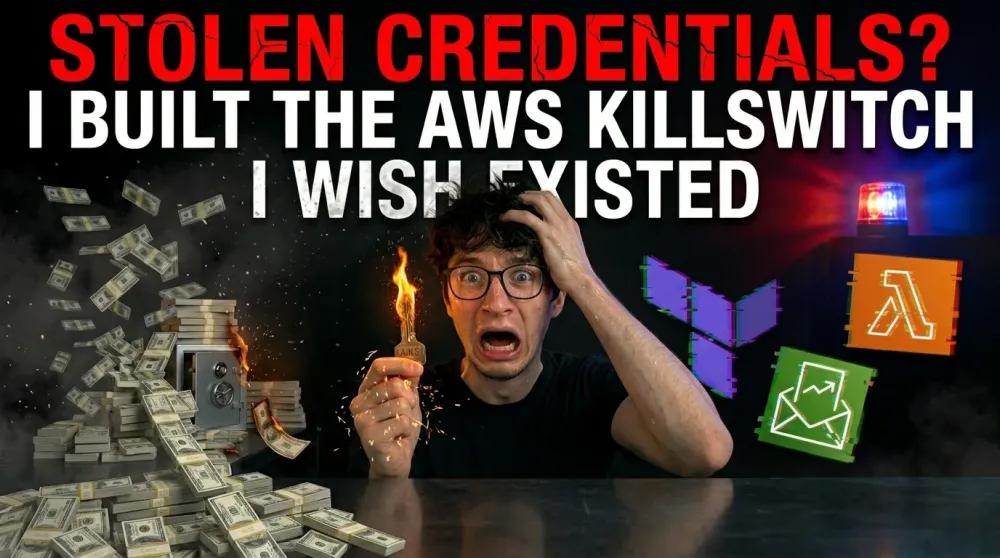
Stolen credentials ? I Built the AWS Kill Switch I Wish Existed
AWS Budgets can notify you when spending exceeds expectations, but notifications alone don’t stop abuse. Learn how I built AWS AccessKey KillSwitch, an automated solution that revokes IAM access keys when abnormal spending patterns are detected.

I Built the AWS Kill Switch I Wish Existed
A $96,000 AWS bill.
It sounds unreal, until you realize how quickly a leaked access key can turn into someone else’s mining infrastructure — paid with your credit card.
For companies, cloud security usually comes with guardrails: AWS Organizations, SCPs, centralized IAM, automated controls, monitoring teams, approval workflows.
But what if you are not a company?
What if you are a student, an indie builder, or a developer experimenting on a personal AWS account?
For many individual builders, an AWS access key is one of the most dangerous secrets they own. If it leaks, the impact is not just technical. It can become financial, personal, and terrifying.
AWS Budgets can warn you when spending gets too high. AWS Budget Actions can trigger IAM policies, SCPs, or target specific EC2/RDS instances, but they still do not provide a simple universal “freeze my account before this ruins me” button.
That gap is what pushed me to build AWS AccessKey KillSwitch.
The idea is simple:
When abnormal spending is detected, revoke the access keys before the damage becomes catastrophic.
The problem
Most cloud security advice assumes you are already operating like a mature organization:
- use roles instead of long-lived access keys
- use AWS Organizations
- enforce SCPs
- centralize logs
- automate rotation
- apply least privilege everywhere
That advice is correct.
But it does not fully match the reality of many small builders.
Sometimes you are learning.
Sometimes you are testing something quickly.
Sometimes you are using a personal account.
Sometimes you do not have a full organization setup.
Sometimes an access key exists because a tutorial, script, CLI workflow, or side project needed one.
Sometimes you are testing something quickly.
Sometimes you are using a personal account.
Sometimes you do not have a full organization setup.
Sometimes an access key exists because a tutorial, script, CLI workflow, or side project needed one.
And if that key leaks, “you should have used better practices” is not very helpful.
At that moment, what matters is stopping the bleeding.
The idea
AWS AccessKey KillSwitch is a lightweight Terraform-based project that deploys a Lambda function.
The workflow is:
- You define a monthly spending threshold.
- When spending becomes abnormal, for example 200% of your expected monthly budget, the Lambda is triggered.
- The Lambda revokes IAM access keys in the account.
- A Slack alert is sent so you know something happened.
The goal is not to make credential leaks impossible.
The goal is to reduce the blast radius when they happen.
Why revoke access keys?
Because access keys are often the persistence mechanism.
If an attacker gets a valid access key, they may be able to create resources, explore permissions, generate cost, or maintain access depending on what the key can do.
Revoking access keys does not magically stop everything.
It does not terminate already running resources.
It does not invalidate every possible STS session.
It does not replace proper IAM design.
It does not make bad permissions safe.
It does not invalidate every possible STS session.
It does not replace proper IAM design.
It does not make bad permissions safe.
But it can cut off one of the most dangerous paths an attacker has: continued access through compromised long-lived credentials.
For a personal AWS account, that can be the difference between a scary alert and a life-changing bill.
Why not just use AWS Budgets?
AWS Budgets is useful, but notifications are not enough when the risk is runaway spend.
An email saying “you exceeded your budget” does not stop an attacker.
And while AWS Budget Actions exist, they are not the same as a simple emergency shutdown mechanism for individual developers. They can apply IAM policies, SCPs, or target specific EC2/RDS resources, but SCPs require AWS Organizations, and resource targeting does not cover every expensive action an attacker could take. (Documentation AWS )
I wanted something simpler:
A panic button that reacts when spending becomes suspicious.
Who this is for
This project is mainly for:
- students using AWS
- indie developers
- people learning cloud
- small side projects
- personal AWS accounts
- builders who cannot justify a full enterprise governance setup
It is not a replacement for strong cloud security.
It is a last-resort safety net.
What I learned
The most interesting part of this project was not writing the Lambda.
It was realizing how exposed small builders can be in the cloud.
Cloud platforms are incredibly powerful, but that power comes with financial risk. For companies, that risk is managed through teams, processes, contracts, and governance.
For individuals, the risk often sits behind one leaked key.
That should make us uncomfortable.
Final thoughts
Access keys should be treated like emergency-level secrets.
If one leaks, the question is not only:
“Can someone access my account?”
It is also:
“How much could this cost me before I notice?”
AWS AccessKey KillSwitch is my attempt to answer that question with automation.
Not perfect.
Not magic.
But simple, open source, and built for the builders who need protection before they have enterprise-level guardrails.
Check the repository
If you want to check what I built and maybe deploy it on your personnal account, you can go check the repository directly :
Repository link : View on Github
Enjoyed reading this content? Let the author know!
Your likes, comments, shares, and saves help creators reach more builders.

Loading recommendations
Loading article