

Stop Making Your S3 Bucket Public: Build a Secure Static Website with CloudFront, Route 53 and Terraform
Learn how to replace a public S3 website with a secure setup. I keep the S3 bucket private and serve the site through CloudFront with Origin Access Control, add HTTPS with ACM, connect a custom domain with Route 53, and build it all with Terraform. Includes full code and a test to prove the bucket is private.

Introduction
Hosting a website from a public S3 bucket is very easy. You can do it in five minutes. But it has big problems:
- The bucket is open to the whole internet.
- You do not get HTTPS on your own domain.
- Your site is slow for people who live far from your AWS region.
In this article, I show how I fixed these problems. I kept the S3 bucket private. Then I used Amazon CloudFront to serve the website. I built everything with Terraform, so I can create it again with one command.
I used a free
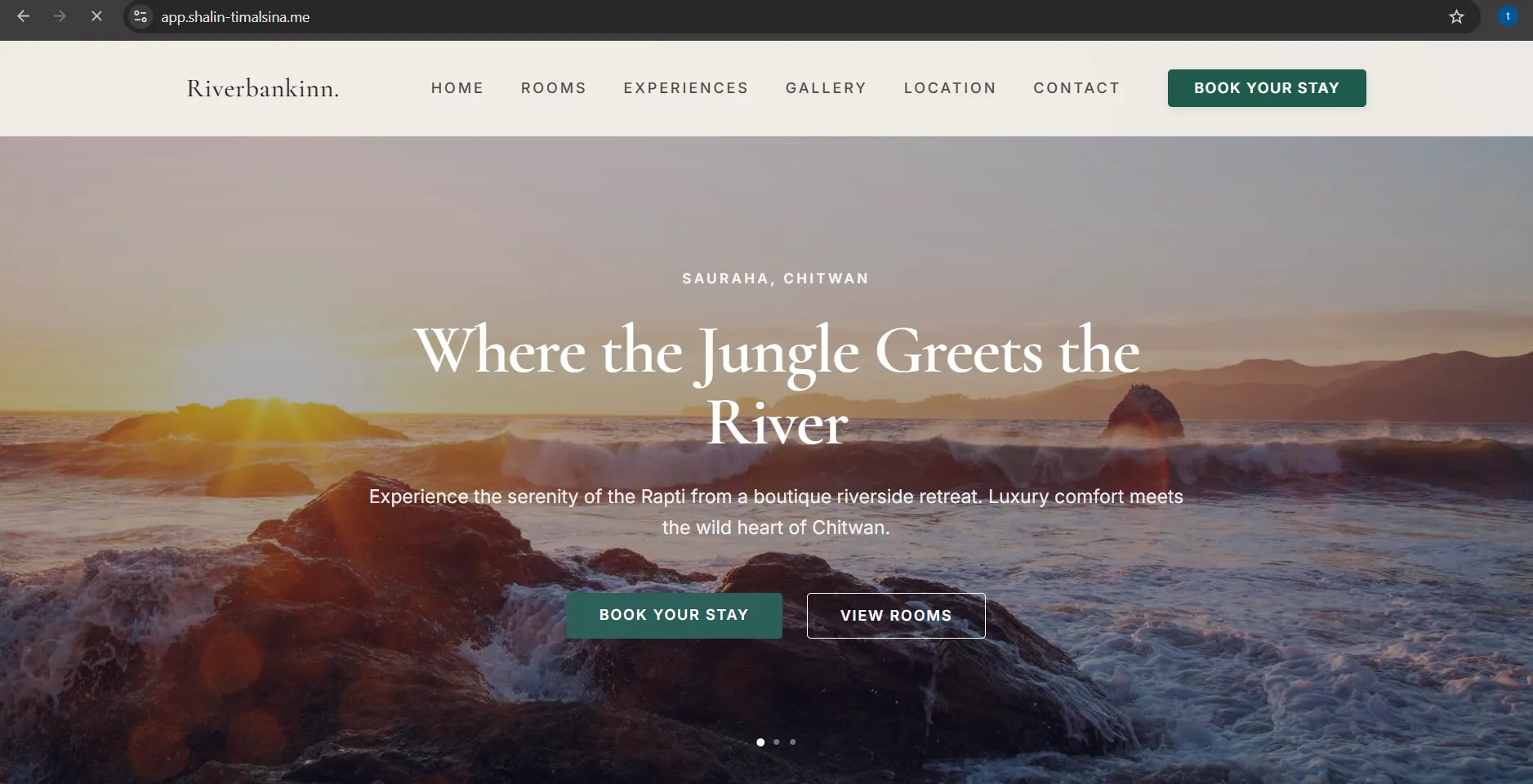
.me domain from the GitHub Student Developer Pack (through Namecheap). I tested the setup with a hotel landing page called "Riverbankinn".Full code: GitHub repository
What you will learn
- Why a public S3 website is not a good habit
- How CloudFront and Origin Access Control (OAC) keep your bucket private
- How to get HTTPS on a custom domain
- How to build the whole setup with Terraform
- How to test that your bucket is really private
Who is this for?
This article is for students and beginners who know a little about AWS. You do not need to be an expert. I explain each service in simple words.
Why not use a public S3 website?
A public S3 website works, but it has limits:
- The bucket must be open to everyone.
- The S3 website address does not support HTTPS.
- There is no caching, so far-away users wait longer.
- You have little control over security and delivery.
This is fine for a small test. It is not a good habit for a real project.
The solution
We use five tools. Each tool has one job.
| Tool | Its job |
|---|---|
| Amazon S3 | Stores the website files (kept private) |
| Amazon CloudFront | The only public door to the website. It adds HTTPS and caching |
| AWS Certificate Manager (ACM) | Gives a free security certificate for HTTPS |
| Amazon Route 53 | Connects your domain name to CloudFront |
| Terraform | Builds all of the above from code |
The key idea is Origin Access Control (OAC). OAC lets CloudFront read from the private bucket. Nobody else can read it.
How a request flows
- A user opens your domain in the browser.
- Route 53 sends the user to CloudFront.
- CloudFront checks its cache. If the file is there, it sends it right away.
- If not, CloudFront gets the file from the private S3 bucket using OAC.
- The user gets the page over HTTPS.

What you need before you start
- An AWS account
- A domain name
- A Route 53 public hosted zone for your domain
- Terraform installed
- AWS CLI installed and configured
- IAM permissions to create these resources
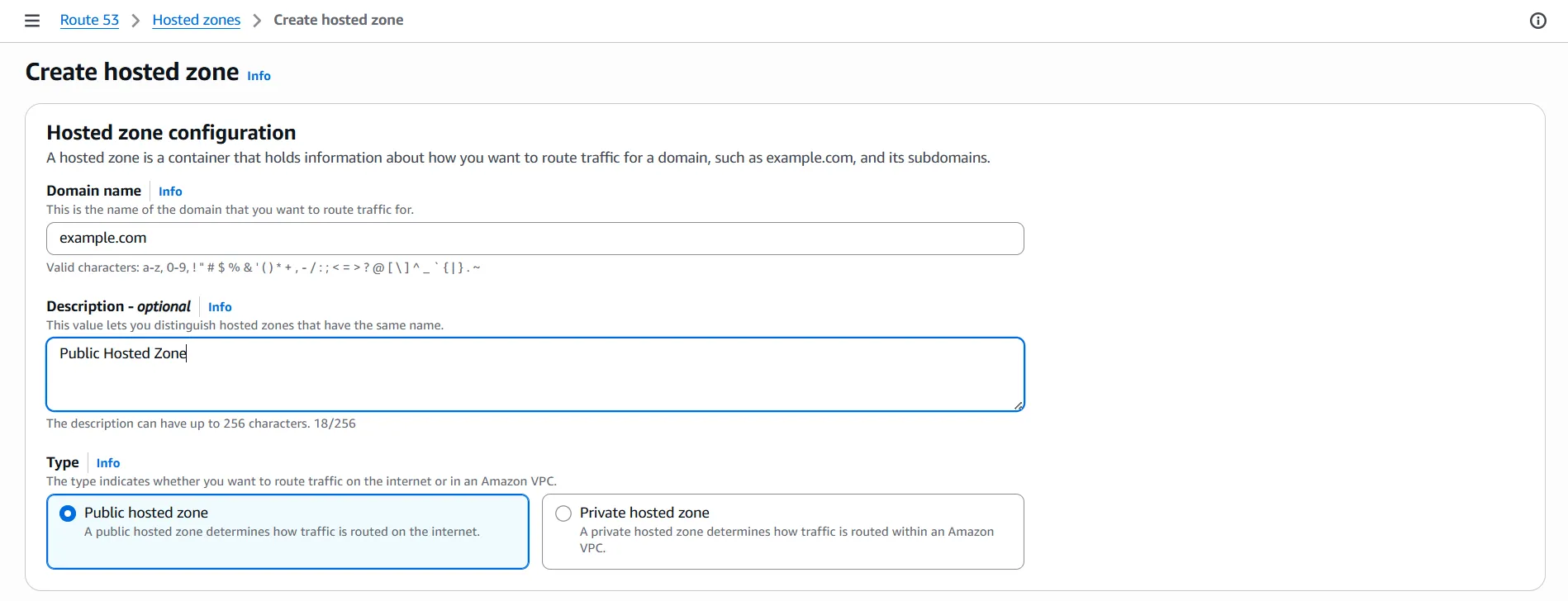
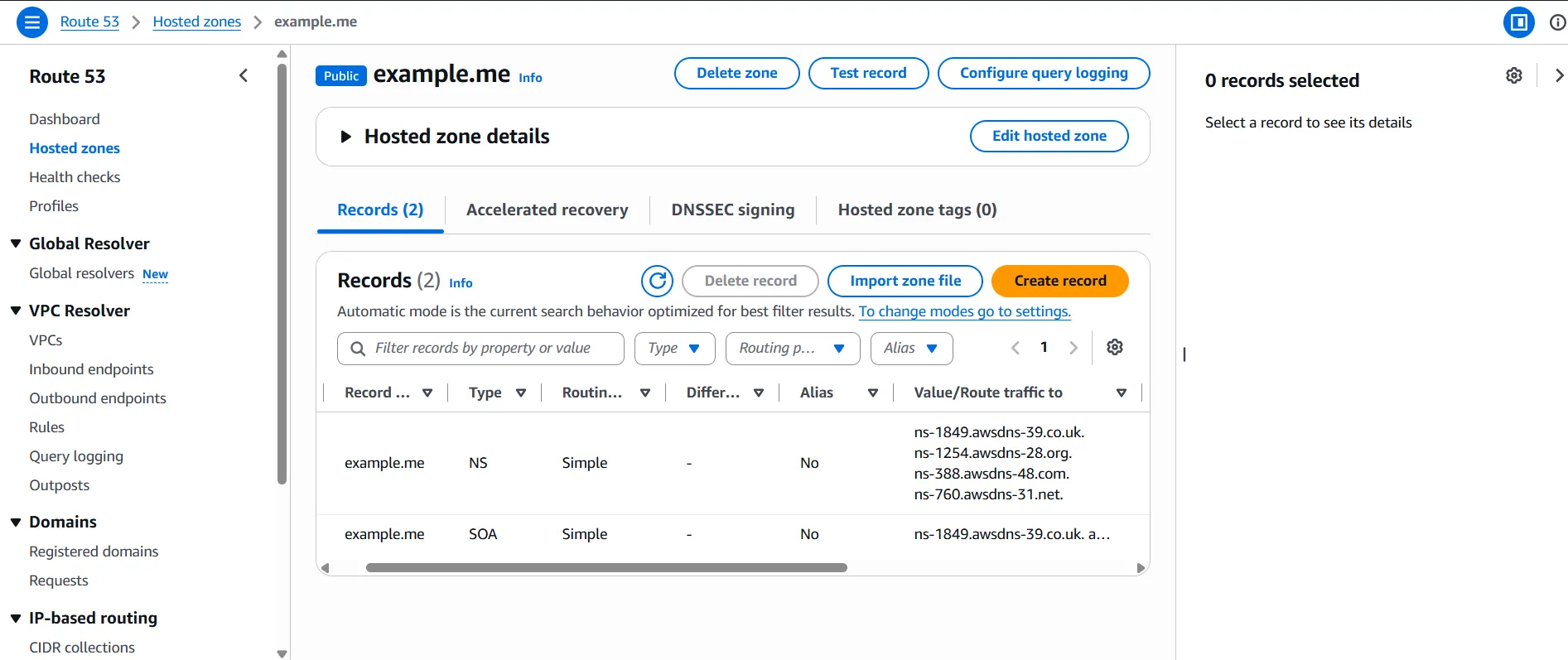
Set up the hosted zone
I create the hosted zone by hand in the AWS console. One zone can be used for many projects. Terraform then finds it using a "data source".
My domain is from Namecheap, not Route 53. So I did two things:
- I created a public hosted zone in Route 53.
- I copied the four Route 53 name servers into my Namecheap domain settings.
Project structure
1
2
3
4
5
6
7
8
9
10
11
12
terraform/
├── main.tf           # providers and default tags
├── variables.tf      # inputs
├── terraform.tfvars  # your own values
├── locals.tf         # reusable values and file types
├── s3.tf             # private bucket, uploads, policy
├── cloudfront.tf     # certificate, OAC, distribution
├── route53.tf        # DNS records
├── outputs.tf        # useful results
└── Website-assets/   # your website files
    ├── index.html
    └── Images/
I split the code into small files, one for each service. This makes it easy to find and change things.
The code, step by step
1. main.tf: providers
A provider tells Terraform which cloud to use. I use two AWS providers. The second one is fixed to
us-east-1. We need it for the certificate (more on this later).1
2
3
4
5
6
7
8
9
10
11
12
13
14
15
16
17
18
19
20
21
22
23
24
25
26
27
28
29
30
terraform {
required_providers {
aws = {
source = "hashicorp/aws"
version = "6.44.0"
}
random = {
source = "hashicorp/random"
version = "3.9.0"
}
}
}
provider "aws" {
region = var.aws_region
default_tags {
tags = {
project_name = var.project_name
environment = var.environment
owner = var.owner
}
}
}
# Second provider, used only for the ACM certificate
provider "aws" {
alias = "us_east_1"
region = "us-east-1"
}The
default_tags block adds the same tags to every resource. This helps you track cost and ownership.2. variables.tf and terraform.tfvars: your settings
I do not write values like the domain name inside the code. I keep them in variables. To reuse the project, you only change the
terraform.tfvars file.1
2
3
4
5
6
7
8
9
10
11
12
13
14
15
16
17
18
19
20
21
22
23
24
25
26
27
28
29
30
31
32
33
34
35
36
37
38
39
40
41
42
43
44
45
46
47
# variables.tf
variable "aws_region" {
description = "AWS region for the S3 bucket"
type = string
}
variable "s3_bucket_name" {
description = "Base name of the bucket"
type = string
}
variable "domain_name" {
description = "Public hosted zone name, for example example.me"
type = string
}
variable "sub_domain" {
description = "Sub-domain such as www, app or blog"
type = string
default = "www"
}
variable "default_root_object_s3" {
description = "Default file, for example index.html"
type = string
}
variable "price_class" {
description = "CloudFront price class"
type = string
default = "PriceClass_100"
}
variable "project_name" {
description = "Name of the project"
type = string
}
variable "environment" {
description = "Environment such as dev, test or prod"
type = string
}
variable "owner" {
description = "Name of the project owner"
type = string
}1
2
3
4
5
6
7
8
9
10
# terraform.tfvars (change these to your own values)
aws_region = "ap-south-1"
s3_bucket_name = "my-static-site"
domain_name = "example.me"
sub_domain = "www"
default_root_object_s3 = "index.html"
price_class = "PriceClass_100"
project_name = "Static-hosting"
environment = "test"
owner = "your-name"💡 Tip:PriceClass_100uses the cheapest set of edge locations. It is a good choice for learning.
3. locals.tf: reusable values
Locals are small values that we use many times. Here we also list the file types, so each file gets the right
Content-Type.1
2
3
4
5
6
7
8
9
10
11
12
13
14
15
16
locals {
origin_id = "s3-origin"
full_domain = "${var.sub_domain}.${var.domain_name}"
all_images = fileset("${path.module}/Website-assets/Images", "**")
mime_types = {
html = "text/html"
css = "text/css"
js = "application/javascript"
png = "image/png"
jpg = "image/jpeg"
jpeg = "image/jpeg"
gif = "image/gif"
webp = "image/webp"
}
}4. s3.tf: the private bucket
Bucket names must be unique in the world. So I add a random ending to the name. Then I block all public access. Finally, I add a policy that lets only my CloudFront distribution read the files.
1
2
3
4
5
6
7
8
9
10
11
12
13
14
15
16
17
18
19
20
21
22
23
24
25
26
27
28
29
30
31
32
33
34
35
36
resource "random_id" "unique_id" {
  byte_length = 4
}

resource "aws_s3_bucket" "web_bucket" {
  bucket = "${var.s3_bucket_name}-${random_id.unique_id.hex}"
}

resource "aws_s3_bucket_public_access_block" "public_access" {
  bucket                  = aws_s3_bucket.web_bucket.id
  block_public_acls       = true
  block_public_policy     = true
  ignore_public_acls      = true
  restrict_public_buckets = true
}

resource "aws_s3_bucket_policy" "cloudfront_access" {
  bucket     = aws_s3_bucket.web_bucket.id
  depends_on = [aws_s3_bucket_public_access_block.public_access]

  policy = jsonencode({
    Version = "2012-10-17"
    Statement = [{
      Sid       = "AllowCloudFrontRead"
      Effect    = "Allow"
      Principal = { Service = "cloudfront.amazonaws.com" }
      Action    = ["s3:GetObject"]
      Resource  = "${aws_s3_bucket.web_bucket.arn}/*"
      Condition = {
        StringEquals = {
          "AWS:SourceArn" = aws_cloudfront_distribution.s3_distribution.arn
        }
      }
    }]
  })
}
The
SourceArn line is important. It allows only your distribution, not every CloudFront distribution in the world.Next, the upload code. It uploads the HTML file and all images:
1
2
3
4
5
6
7
8
9
10
11
12
13
14
15
16
17
18
19
20
21
22
resource "aws_s3_object" "html_file" {
  bucket       = aws_s3_bucket.web_bucket.id
  key          = "index.html"
  source       = "${path.module}/Website-assets/index.html"
  etag         = filemd5("${path.module}/Website-assets/index.html")
  content_type = "text/html"
}

resource "aws_s3_object" "images" {
  for_each = toset(local.all_images)

  bucket = aws_s3_bucket.web_bucket.id
  key    = "Images/${each.value}"
  source = "${path.module}/Website-assets/Images/${each.value}"
  etag   = filemd5("${path.module}/Website-assets/Images/${each.value}")

  content_type = lookup(
    local.mime_types,
    lower(element(split(".", each.value), length(split(".", each.value)) - 1)),
    "application/octet-stream"
  )
}
The
etag = filemd5(...) line makes Terraform upload a file again when you change it.5. cloudfront.tf: certificate, OAC and distribution
First, the HTTPS certificate.
Note: CloudFront only accepts certificates from theus-east-1region. That is why we use the second provider here.
1
2
3
4
5
6
7
8
9
10
11
12
13
14
15
16
resource "aws_acm_certificate" "certificate" {
  provider                  = aws.us_east_1
  domain_name               = var.domain_name
  subject_alternative_names = [local.full_domain]
  validation_method         = "DNS"

  lifecycle {
    create_before_destroy = true
  }
}

resource "aws_acm_certificate_validation" "validation" {
  provider                = aws.us_east_1
  certificate_arn         = aws_acm_certificate.certificate.arn
  validation_record_fqdns = [for r in aws_route53_record.acm_records : r.fqdn]
}
Now the OAC and the CloudFront distribution:
1
2
3
4
5
6
7
8
9
10
11
12
13
14
15
16
17
18
19
20
21
22
23
24
25
26
27
28
29
30
31
32
33
34
35
36
37
38
39
40
41
resource "aws_cloudfront_origin_access_control" "oac" {
  name                              = "${var.project_name}-oac"
  origin_access_control_origin_type = "s3"
  signing_behavior                  = "always"
  signing_protocol                  = "sigv4"
}

resource "aws_cloudfront_distribution" "s3_distribution" {
  enabled             = true
  is_ipv6_enabled     = true
  default_root_object = var.default_root_object_s3
  price_class         = var.price_class
  aliases             = [var.domain_name, local.full_domain]

  origin {
    domain_name              = aws_s3_bucket.web_bucket.bucket_regional_domain_name
    origin_id                = local.origin_id
    origin_access_control_id = aws_cloudfront_origin_access_control.oac.id
  }

  default_cache_behavior {
    target_origin_id       = local.origin_id
    viewer_protocol_policy = "redirect-to-https"
    allowed_methods        = ["GET", "HEAD"]
    cached_methods         = ["GET", "HEAD"]
    compress               = true
    cache_policy_id        = "658327ea-f89d-4fab-a63d-7e88639e58f6" # Managed-CachingOptimized
  }

  viewer_certificate {
    acm_certificate_arn      = aws_acm_certificate_validation.validation.certificate_arn
    ssl_support_method       = "sni-only"
    minimum_protocol_version = "TLSv1.2_2021"
  }

  restrictions {
    geo_restriction {
      restriction_type = "none"
    }
  }
}
redirect-to-https sends anyone who types http:// to the safe https:// version.6. route53.tf: DNS records
These records do two things. They point your domain to CloudFront. They also prove to ACM that you own the domain.
1
2
3
4
5
6
7
8
9
10
11
12
13
14
15
16
17
18
19
20
21
22
23
24
25
26
27
28
29
30
31
32
33
34
35
36
37
38
39
40
41
42
43
44
45
46
47
48
49
# Find the hosted zone you already created
data "aws_route53_zone" "main" {
  name = var.domain_name
}

# Root domain (example.me)
resource "aws_route53_record" "root" {
  name    = var.domain_name
  zone_id = data.aws_route53_zone.main.zone_id
  type    = "A"

  alias {
    name                   = aws_cloudfront_distribution.s3_distribution.domain_name
    zone_id                = aws_cloudfront_distribution.s3_distribution.hosted_zone_id
    evaluate_target_health = false
  }
}

# Sub-domain (www.example.me)
resource "aws_route53_record" "sub_domain" {
  name    = local.full_domain
  zone_id = data.aws_route53_zone.main.zone_id
  type    = "A"

  alias {
    name                   = aws_cloudfront_distribution.s3_distribution.domain_name
    zone_id                = aws_cloudfront_distribution.s3_distribution.hosted_zone_id
    evaluate_target_health = false
  }
}

# Records that ACM needs to check domain ownership
resource "aws_route53_record" "acm_records" {
  for_each = {
    for dvo in aws_acm_certificate.certificate.domain_validation_options :
    dvo.domain_name => {
      name   = dvo.resource_record_name
      record = dvo.resource_record_value
      type   = dvo.resource_record_type
    }
  }

  allow_overwrite = true
  name            = each.value.name
  records         = [each.value.record]
  ttl             = 60
  type            = each.value.type
  zone_id         = data.aws_route53_zone.main.zone_id
}
7. outputs.tf: useful results
Outputs print important values after Terraform finishes.
1
2
3
4
5
6
7
8
9
10
11
12
13
14
15
output "bucket_name" {
  value = aws_s3_bucket.web_bucket.id
}

output "cloudfront_domain_name" {
  value = "https://${aws_cloudfront_distribution.s3_distribution.domain_name}"
}

output "root_url" {
  value = "https://${aws_route53_record.root.fqdn}"
}

output "subdomain_url" {
  value = "https://${aws_route53_record.sub_domain.fqdn}"
}
Deploy the project
Run these four commands in order.
Step 1: Initialize. This downloads the providers.
1
terraform init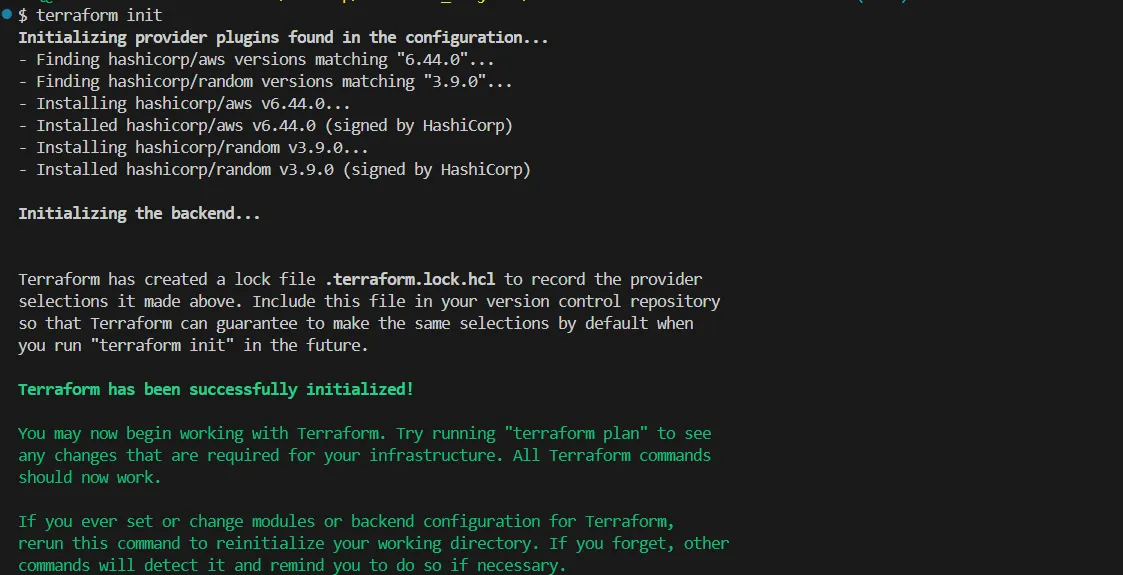
Step 2: Validate. This checks your code for syntax mistakes.
1
terraform validate
Step 3: Plan. This shows what Terraform will create. Nothing is built yet.
1
terraform plan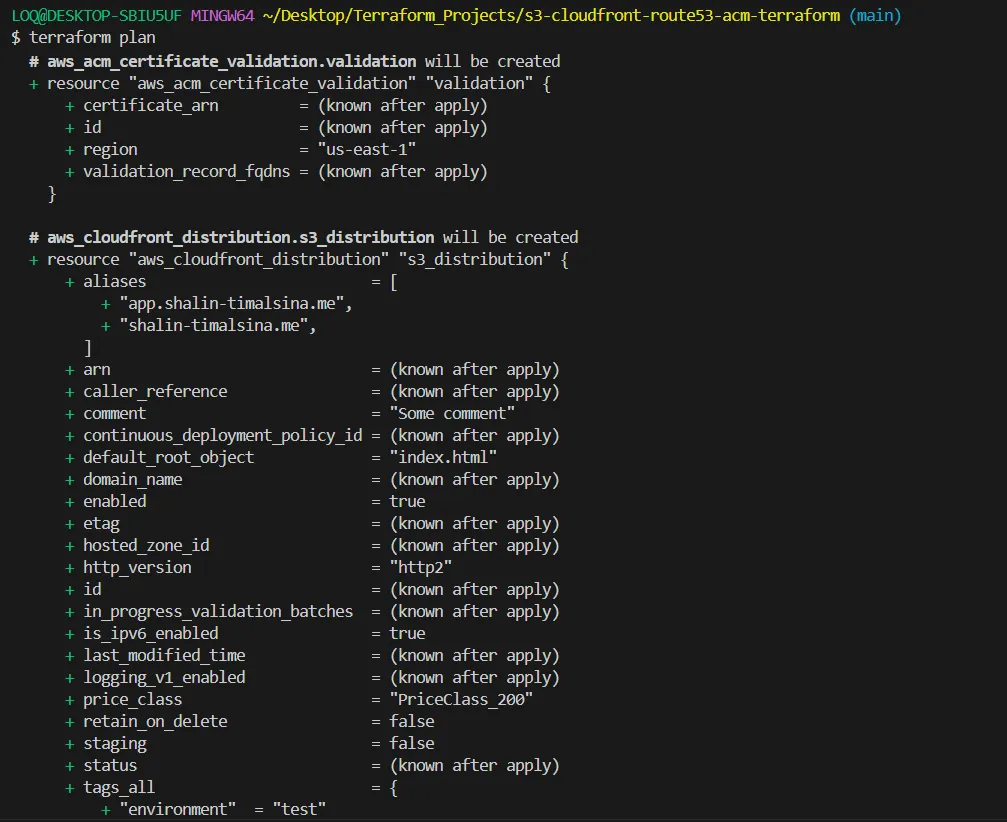
Step 4: Apply. This builds everything.
1
terraform apply
In my run, CloudFront took 4 minutes and 7 seconds to create. Do not worry if apply looks stuck. Everything else finished in seconds.
See the result
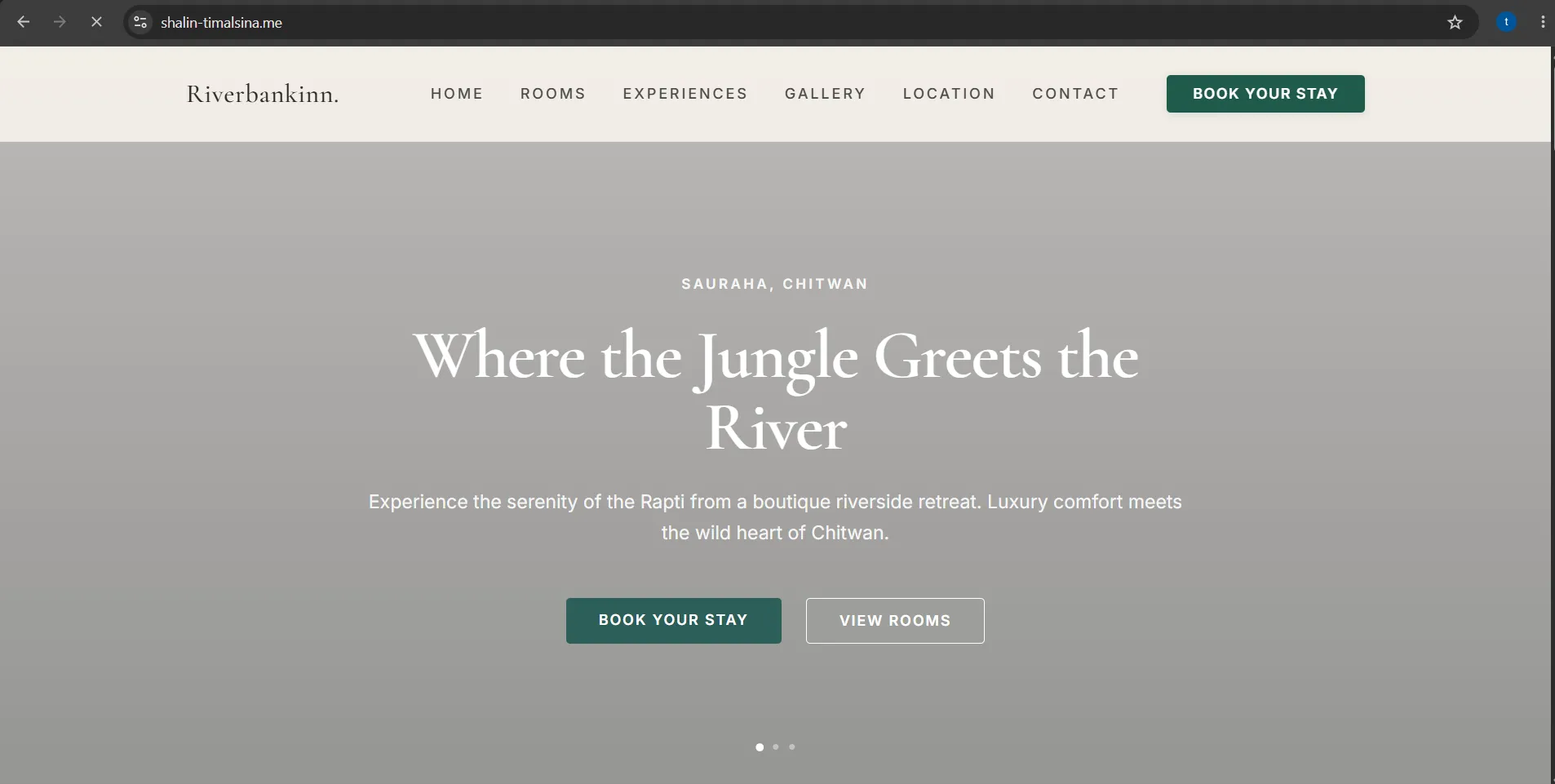
After the deploy, wait a few minutes for DNS to update. Then open your domain.
Check that the bucket is really private
Do not trust only the browser. Use
curl to test. Direct access to S3 should fail. Access through CloudFront should work.1
2
3
4
5
# Direct S3 access: you should see 403 Forbidden
curl -I https://<bucket-name>.s3.<region>.amazonaws.com/index.html
# Through CloudFront: you should see 200 OK
curl -I https://<your-domain>If you change your website later, the old version may stay in the cache. Clear it with this command:
1
aws cloudfront create-invalidation --distribution-id <ID> --paths "/*"
Clean up (optional)
If you are only learning, delete everything so you do not pay for it.
1
terraform destroy
CloudFront took about 2 minutes 43 seconds to delete in my run.

Mistakes I found in my own code
Before I wrote this article, I reviewed my code line by line. I found four mistakes. Each one could cause trouble for you if you copy my code.
1. Wrong file types (MIME types)
I wrote
png = "Images/png" instead of "image/png". Terraform accepted it with no error. But browsers would get a wrong Content-Type.Lesson:terraform validatechecks syntax, not meaning. Always test withcurl -I.
2. A missing provider
The
aws_acm_certificate_validation resource also needs the us-east-1 provider. My code worked only because my default region was already us-east-1. In any other region, it would fail.Lesson: if one resource must use a special region, check the resources linked to it too.
3. ignore_changes = [etag]
I used this on the S3 uploads. It means that when you edit
index.html, Terraform does not upload the new file.Lesson: useetag = filemd5(...)so Terraform notices when a file changes.
4. A confusing output name
One output was called
cloudfront_distribution_id, but it returned a web address that started with http://.Lesson: name outputs for what they return, and use HTTPS.
How much does it cost?
For a small, low-traffic website, the cost is very low.
| Service | Typical cost |
|---|---|
| S3 | Less than $1 per month |
| ACM certificate | Free |
| CloudFront | The free tier covers most small sites |
| Route 53 | About $0.50 per month for one hosted zone |
In total, expect about $2 to $5 per month at most. Prices change, so check the AWS pricing pages for your region.
Common problems
| Problem | What to do |
|---|---|
| Certificate in the wrong region | The ACM certificate must be in us-east-1 |
| DNS is slow to update | Name server changes can take time. Early errors are normal |
| Old content still shows | Wait for the cache to expire, run an invalidation, or add version numbers to your file names |
What I would add next
This setup is production-style, but a real production site needs more:
- A remote Terraform state in S3 with locking, instead of a local state file
- Security headers using a CloudFront response headers policy
- AWS WAF in front of CloudFront
- Access logs and S3 bucket versioning
- A custom 404 error page
These are good ideas for your next project.
Conclusion
Moving from a public bucket to CloudFront with OAC was not much harder than the basic setup. Once it is in Terraform, you can rebuild it any time with one command.
The biggest lesson for me was this: code can be valid, applied and still wrong. So test the real behavior. Do not trust only a green "Apply complete" message.
Try it with your own site, and share what you build in the AWS Builder Center.
Enjoyed reading this content? Let the author know!
Your likes, comments, shares, and saves help creators reach more builders.

Loading recommendations
Loading article