
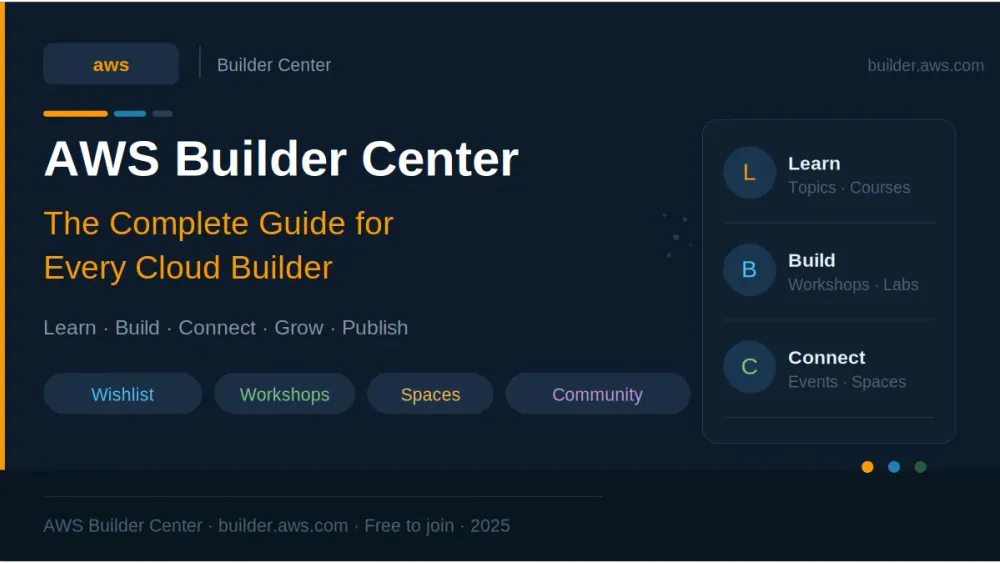
AWS Builder Center: The Complete Guide Every Cloud Builder Needs in 2025
Discover everything AWS Builder Center offers — from free workshops and community programs to the Wishlist feature that puts your ideas in front of AWS product teams. Your complete beginner's guide to builder.aws.com.


AWS Builder Center: The Complete Guide Every Cloud Builder Needs in 2025
Who is this for? Students, beginners, developers, cloud enthusiasts — anyone starting or growing their AWS journey. Reading time: ~15 minutes | Level: Beginner-friendly
Table of Contents
- Introduction — A New Home for AWS Builders
- What Exactly Is AWS Builder Center?
- Getting Started — Sign Up in 5 Minutes
- The Four Pillars: Learn, Build, Connect, Community
- The Wishlist Feature — Your Voice Reaches AWS Product Teams
- Spaces — Collaborate With Builders Around the World
- Workshops — Hands-On Learning Inside Builder Center
- Community Programs — Heroes, Community Builders & User Groups
- Your Builder Profile — Build Your Cloud Identity
- Why AWS Builder Center Matters for Students Especially
- Tips to Get the Most Out of Builder Center
- Conclusion and Key Takeaways
1. Introduction — A New Home for AWS Builders
If you have ever felt overwhelmed trying to figure out where to start with AWS — which course to take, which community to join, where to find real builders to learn from — you are not alone.
Before July 2025, the AWS learning and community experience was scattered across multiple platforms:
- AWS Developer Center for technical resources
- community.aws for community content
- AWS Skill Builder for courses
- re:Post for Q&A
- AWS Heroes & Community Builders programs in different places
You had to juggle multiple logins, multiple websites, and multiple feeds. It was fragmented and confusing, especially for beginners.
AWS fixed this with one bold move: AWS Builder Center — a single unified platform at builder.aws.com that brings everything together under one roof with one login.
📝 In Simple Words: AWS Builder Center is AWS's official home for every cloud builder on the planet — whether you are a student writing your first Lambda function, a developer building production systems, or a community leader running a User Group. It is the central hub where you learn, build, connect, and grow in the AWS ecosystem.
Launched officially on July 9, 2025, it is already home to millions of builders worldwide — and it is completely free to join.
2. What Exactly Is AWS Builder Center?
AWS Builder Center is not just a website. It is a community-first platform that combines:
| What It Replaces / Unifies | What You Get Instead |
|---|---|
| AWS Developer Center | One unified homepage at builder.aws.com |
| community.aws | Integrated article publishing & reading |
| Scattered community programs | Community Builders, Heroes, User Groups — all in one place |
| Multiple logins | Single AWS Builder ID sign-in |
| Disconnected learning resources | Learn section with Topics, Workshops, Skill Builder |
| No direct feedback channel to AWS | The Wishlist — submit ideas directly to AWS product teams |
Think of it like this: if AWS were a university, Builder Center would be the main campus — the place where the library, the labs, the student community, and the faculty office hours all exist in one location.
💡 Key fact: AWS Builder Center is free. No credit card. No AWS account required to join. Just an AWS Builder ID — a free personal profile you create with your email address.
3. Getting Started — Sign Up in 5 Minutes
Getting on AWS Builder Center is one of the easiest things you will do today.
Step 1 — Go to builder.aws.com
Open your browser and navigate to builder.aws.com . You will land on the homepage showing trending articles, featured community content, and learning resources.
Step 2 — Create Your AWS Builder ID
Click Sign in and choose Create a new AWS Builder ID. This is a free personal identity — separate from your AWS account — that you use specifically for Builder Center, AWS Training, AWS re:Post, and related tools.
- Enter your email address
- Verify with the code sent to your inbox
- Set your display name and a unique alias (this becomes your public profile URL)
Step 3 — Set Up Your Profile
Once signed in, complete your profile:
- Add a photo and bio
- Select your areas of interest (AI/ML, Serverless, Security, etc.)
- Choose your skill level so the platform serves you relevant content
Step 4 — Explore
You are in. Start reading articles, join a Space, browse Workshops, or submit your first Wishlist idea.
⚠️ Important: Choose your alias (username) carefully — it becomes your permanent public Builder Center URL and appears on your shareable profile card. Keep it professional, especially if you plan to add it to your resume or LinkedIn.
4. The Four Pillars: Learn, Build, Connect, Community
AWS Builder Center is organized around four main sections. Understanding each one helps you navigate it like a pro.
🎓 Learn
The Learn section is your starting point for skill development. It brings together everything you need to expand your AWS expertise in one place:
- Topics — Browse content organized by subject: Agentic AI, Serverless, Security, Containers, DevOps, Machine Learning, and dozens more. Each topic page surfaces trending articles, official tutorials, and community content relevant to that area.
- AWS Skill Builder Courses — Over 600 on-demand courses directly accessible from Builder Center, covering everything from AWS Cloud Practitioner prep to advanced solution architecture.
- Gamified Experiences — Interactive challenges and learning games that make picking up AWS skills engaging rather than dry.
- Trending Content — A curated feed of the most-read and most-liked articles from the builder community right now.
🔧 Build
The Build section is where you get your hands dirty:
- AWS Tutorials — Step-by-step guides written by AWS experts that walk you through real deployments.
- AWS Workshops — Hundreds of hands-on labs (added November 2025) covering Machine Learning, Security, Serverless, and more — beginner through expert level.
- AWS Free Tier — Direct access to try AWS services at zero cost, with clear limits shown for each service.
- Generative AI & Agentic AI Playgrounds — Interactive environments to experiment with Amazon Bedrock and agentic AI services without writing any infrastructure code.
- AWS Capabilities by Region — A powerful tool (launched November 2025) to compare AWS service availability across regions side by side — invaluable when planning global deployments.
🤝 Connect
The Connect section is about people:
- Who to Follow — Discover AWS Heroes, Community Builders, and top contributors who share content in your areas of interest. Follow them to see their posts in your feed.
- Events — Browse upcoming AWS-led events, AWS Summits, Community Days, and virtual sessions worldwide.
- Spaces — Community collaboration groups built around specific topics (more on this below).
- AWS User Groups — Find local user groups near you organized by region and city.
👥 Community
The Community section is your gateway to the official AWS community ecosystem:
- AWS Community Builders program — Apply to join a program that gives emerging technical thought leaders access to AWS product teams, resources, and a global network.
- AWS Heroes — Learn about and connect with AWS Heroes — the most recognized independent technical experts in the AWS community.
- AWS User Groups — Start or join a user group in your city.
- AWS Cloud Clubs — Student-focused peer-led groups that offer mentorship, AWS credits, and certification vouchers.
5. The Wishlist Feature — Your Voice Reaches AWS Product Teams
Of all the features in AWS Builder Center, the Wishlist is arguably the most unique and powerful — and the most underused by beginners.
Here is what it does: it gives you a direct line to AWS product teams.
You can:
- Submit a wish — Describe a feature you want, an improvement to an existing AWS service, or an idea that would help you and your team.
- Browse existing wishes — See what other builders have requested.
- Upvote wishes — Support ideas from the community you agree with.
AWS internal teams actively monitor the Wishlist. Wishes with high community traction are brought to the attention of AWS service teams and can directly influence the product roadmap.
💡 Real Impact: Features in AWS services have historically emerged from community feedback loops like this. The Wishlist formalizes and scales that process — now any builder anywhere in the world can put their idea in front of the people who build AWS services.
How to Submit a Wish
- Sign in to Builder Center
- Navigate to the Wishlist section from the main menu
- Click Create a wish
- Write a clear title and description of the feature or improvement
- Add relevant tags so it surfaces in the right searches
- Submit — it is now visible to the community and AWS teams
📝 Pro Tip: Be specific. A wish like "Make S3 faster" gets ignored. A wish like "Allow S3 event notifications to filter by object metadata tags, not just key prefixes" gets upvoted by hundreds of engineers who have the same exact need.
6. Spaces — Collaborate With Builders Around the World
Spaces (launched November 2025) is AWS Builder Center's community collaboration tool. Think of it as a focused community group built around a specific AWS topic, use case, or interest.
Types of Spaces
| Space Type | Who Can Join | Visibility |
|---|---|---|
| Public | Any signed-in builder — join instantly | Discoverable by everyone |
| Private | Request membership; admin approval required | Visible but gated |
| Invite-Only | Only accessible via direct invitation | Hidden from discovery |
What You Can Do in a Space
- Create posts with text and images
- Comment on and react to other posts
- Search for specific discussions within the space
- Collaborate with builders who share your exact interest area
Why Spaces Matter for Beginners
If you are just starting out, joining a public Space around your area of interest — like
serverless, amazon-bedrock, or getting-started — immediately connects you with thousands of builders at different skill levels. You can ask questions, share what you are learning, and get feedback without fear of judgment. It is a much more focused and supportive environment than general social media.7. Workshops — Hands-On Learning Inside Builder Center
In November 2025, AWS added the full AWS Workshops catalog directly into Builder Center — and it is one of the best learning resources available for free anywhere.
Workshops are step-by-step, hands-on labs written by AWS experts that guide you through real deployments in your own AWS account. Unlike watching a video, workshops make you actually do the thing.
Workshop Catalog Highlights
- Hundreds of workshops covering practically every AWS service
- Advanced filtering by:
- Category (Machine Learning, Security, Serverless, Databases, etc.)
- AWS Service (EC2, Lambda, S3, DynamoDB, Bedrock, etc.)
- Complexity level (100-Beginner → 400-Expert)
- Real-time search across titles, descriptions, services, and categories
Recommended First Workshops for Beginners
If you are brand new to AWS, here are great starting points you can find in the Workshops catalog:
| Workshop Name | What You Build | Level |
|---|---|---|
| AWS Cloud Quest: Cloud Practitioner | Gamified cloud fundamentals | 100 |
| Introduction to Amazon S3 | Upload, manage, and host files | 100 |
| AWS Lambda Foundations | Build your first serverless function | 100 |
| Amazon DynamoDB — Getting Started | Create and query a NoSQL database | 100 |
| Build a Serverless Web Application | Full app: Lambda + API Gateway + S3 | 200 |
⚠️ Note: Workshops run in your own AWS account and may incur small charges if you exceed Free Tier limits. Always check the workshop's estimated cost section before starting, and remember to delete resources when done.
8. Community Programs — Heroes, Community Builders & User Groups
AWS Builder Center is the home of AWS's three flagship community programs. Understanding these programs — even just as a beginner — helps you see the path ahead.
AWS Heroes
AWS Heroes are the most recognized independent technical experts in the AWS ecosystem. This is an invitation-only recognition program for individuals who have made exceptional, sustained contributions to the AWS community through technical writing, open-source projects, conference talks, or community leadership.
Heroes are organized into specialty areas: Machine Learning Heroes, Serverless Heroes, Security Heroes, Community Heroes, and more. On Builder Center, you can follow Heroes, read their content, and learn from the best practitioners in each field.
AWS Community Builders
The Community Builders program is where most motivated AWS enthusiasts should aim. It is an application-based program (not invitation-only) open to technical enthusiasts and emerging thought leaders who are passionate about sharing AWS knowledge.
What Community Builders get:
- Direct access to AWS subject matter experts
- Early access to new AWS service information
- Best practices for creating technical content
- Networking with AWS Heroes and product teams
- Support for growing your technical community presence
How to apply: Through the Community section of AWS Builder Center. Applications open periodically throughout the year.
💡 For Students: Publishing articles on AWS Builder Center and building a visible community presence is exactly the kind of activity that strengthens a Community Builders application. Start writing now — even as a beginner.
AWS User Groups & Cloud Clubs
User Groups are community-run, in-person or virtual meetup groups organized by city or region. They hold regular technical sessions, workshops, and networking events. You can find your nearest group through the Connect section of Builder Center.
AWS Cloud Clubs are specifically for students. They offer peer-led learning, mentorship from Community Builders and Heroes, AWS credits, and certification vouchers. If your university does not have one, you can start one.
9. Your Builder Profile — Build Your Cloud Identity
Your AWS Builder Center profile is more than a social media page — it is a professional cloud identity that you can take with you everywhere.
What Your Profile Contains
- Unique public URL —
builder.aws.com/u/your-alias - Shareable QR code — For your resume, business card, or LinkedIn bio
- Published articles — Your technical writing history, publicly visible
- Community contributions — Posts, Spaces activity, Wishlist submissions
- Skill tags — Areas of expertise that help the platform personalize your feed
Why This Matters for Your Career
For students and early-career professionals especially, your Builder Center profile is evidence of technical engagement. When you share it on LinkedIn or add it to your resume, it shows:
- You are actively learning and writing about AWS topics
- You are part of the global AWS community
- You contribute knowledge — not just consume it
Hiring managers and recruiters in cloud roles increasingly look for this kind of visible community engagement. A profile with even two or three well-written technical articles is genuinely differentiating.
10. Why AWS Builder Center Matters for Students Especially
If you are a student — in computer science, engineering, or any technical field — AWS Builder Center offers something that most free platforms do not: a direct bridge between learning and professional credibility.
Here is what that looks like in practice:
| Student Activity on Builder Center | Real-World Career Benefit |
|---|---|
| Write an article about what you learned | Builds portfolio; demonstrates communication skills |
| Join the Community Builders program | Official AWS recognition; networking with professionals |
| Submit a Wishlist idea | Shows product thinking and AWS depth |
| Complete Workshops at 100-200 level | Practical AWS experience beyond coursework |
| Join a Cloud Club | Access to AWS credits, certification vouchers, mentorship |
| Follow AWS Heroes in your interest area | Exposure to cutting-edge industry practices |
| Engage in Spaces | Community presence; connections with hiring managers |
The AWS ecosystem is one of the largest job markets in cloud computing. Starting your Builder Center profile while still a student means you arrive at job interviews with a publicly verifiable track record — not just a degree and a list of bullet points.
📝 Sai's Note (from a fellow student): I started using AWS Builder Center as a CSE student and it completely changed how I approach learning. Instead of just taking courses and forgetting, I started writing articles about what I built. That writing forced me to truly understand the concepts — and the published articles became the best items on my resume.
11. Tips to Get the Most Out of Builder Center
These are practical habits that separate builders who grow fast from those who stay stuck:
Start with one topic, not everything. Pick one area — Serverless, Generative AI, Security — and follow that topic's feed for two weeks before expanding. Depth beats breadth when you are starting out.
Read before you write. Spend your first week reading the top-liked articles in your chosen topic. Notice how the best articles are structured, what kind of depth they go into, and how they explain concepts. Then write yours.
Write your first article within 30 days. It does not need to be perfect. A beginner's honest account of building something for the first time — including what went wrong — is genuinely valuable to other beginners. The best articles on Builder Center are not always the most advanced.
Use the Wishlist actively. Every time you hit a frustrating limitation with an AWS service, turn it into a Wishlist submission. This builds your product instincts and contributes to the community.
Join one Space immediately. Find a public Space in your interest area and introduce yourself. Ask one question you have been wondering about. Engagement compounds over time.
Follow five AWS Heroes in your domain. Their articles and posts are the fastest way to absorb cutting-edge AWS best practices. Most Heroes are genuinely generous about sharing detailed technical knowledge.
Complete at least one Workshop per month. Hands-on time in your actual AWS account builds intuition that no amount of reading can replace. One workshop per month is 12 real deployments per year.
12. Conclusion
AWS Builder Center is not just another platform. It is AWS's answer to a question the cloud community has asked for years: "Where is home?"
It brings together the global cloud community with everything needed to be successful in the cloud — articles on trending topics, community programs, direct feedback to AWS product teams, and hands-on learning resources — all under a single Builder ID sign-in.
Whether you are a student writing your first article, a developer looking for a community that matches your technical depth, or an enthusiast who wants their ideas to actually reach AWS product teams, Builder Center has a place for you.
The barrier to entry is zero. The upside — in learning, in community, in career visibility — is enormous.
Go to builder.aws.com , claim your alias, and start building your cloud identity today.
Key Takeaways
✅ AWS Builder Center launched in July 2025 — a single unified platform replacing AWS Developer Center and community.aws.
✅ It is completely free to join — just an AWS Builder ID, no credit card or AWS account needed.
✅ Four core sections: Learn (courses, topics), Build (workshops, tutorials), Connect (events, spaces), Community (programs, groups).
✅ The Wishlist lets you submit feature ideas directly to AWS product teams — and they actually read them.
✅ Spaces (Nov 2025) enables focused community collaboration around any AWS topic.
✅ Workshops (Nov 2025) gives you hands-on labs at every skill level, 100-Beginner through 400-Expert.
✅ AWS Community Builders is the program to aim for — apply through Builder Center after building your presence.
✅ Students benefit enormously: Cloud Clubs offer AWS credits and certification vouchers; published articles build your professional portfolio.
✅ Your Builder Profile with its unique URL and QR code is a career asset — add it to your LinkedIn and resume.
✅ Visit builder.aws.com — your cloud home is waiting.
Any opinions in this article are those of the individual author. AWS service names, features, and platform details are accurate as of June 2026.
Enjoyed reading this content? Let the author know!
Your likes, comments, shares, and saves help creators reach more builders.

Loading recommendations
Loading article