
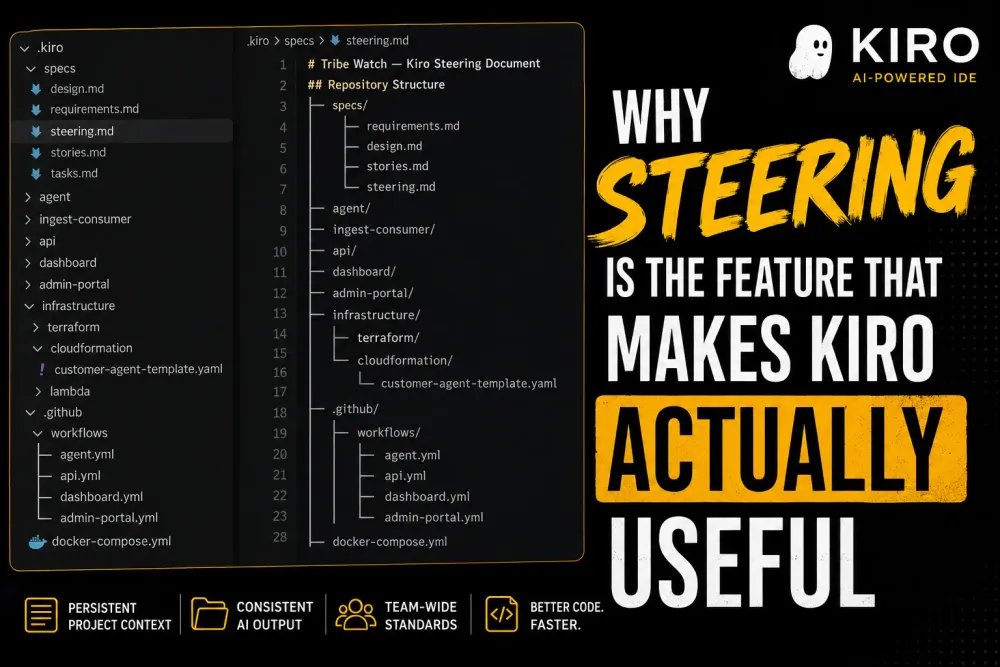
Kiro Steering: Bringing Infrastructure-Level Consistency to AI-Assisted Development
AI coding tools are powerful, but without persistent context, they often generate code that ignores your team’s architecture, standards, and engineering conventions. This article explores how Kiro Steering solves that problem by giving AI agents project-aware memory through structured steering files.

If you've started using Kiro - AWS's AI-powered IDE, you've probably experienced this: you open a new chat session, ask the agent to write a component, and it produces something perfectly functional but completely out of step with how your team actually builds things. Wrong naming conventions. A library you deprecated six months ago. Tests written in a style nobody on your team uses.
Then you spend five minutes explaining your standards again. And again tomorrow. And again the day after that.
This is the problem Kiro Steering was built to solve, and once you understand how it works, it changes the way you think about AI-assisted development entirely.
What Is Steering?
Steering gives Kiro persistent, project-aware context through plain markdown files stored in a
.kiro/steering/ folder at the root of your repository. These files define your team's coding conventions, architecture decisions, tech stack choices, and any other standards you want the agent to consistently follow.Instead of treating every session as a blank slate, Kiro reads your steering files at the start of each conversation. The result is an agent that already knows how you work — before you've typed a single word.
Out of the box, Kiro scaffolds three starter files when you initialise steering:
product.md- What the product does, its goals, and key user personasstructure.md- How the codebase is organised, folder conventions, and architectural patternstech.md- The tech stack, approved libraries, and tooling decisions
These three files alone dramatically reduce the gap between "what the AI generates" and "what actually belongs in our codebase."
Why It Matters More Than You Might Think
1. Consistency Across Every Developer on the Team
AI coding tools have a subtle inconsistency problem: the output you get depends heavily on the context you provide. Two developers on the same team, asking the same question, can get meaningfully different code just because their prompts framed things differently.
Steering fixes this at the source. When your conventions live in
.kiro/steering/, every developer — from a new joiner on their first week to a senior engineer, gets the same baseline. The agent isn't guessing what your team's standards are. It knows.2. No More Repeating Yourself
Think about how often you've typed something like: "We use React Query for data fetching, not SWR" or "Our error handling follows this pattern..." in an AI chat. Every session. Every time.
With steering, you write it once. It applies everywhere, forever (or until you decide to change it). That's not just a quality-of-life improvement; it's a genuine reduction in the cognitive overhead of working with AI tools.
3. New Developers Onboard Faster
Steering files are, in effect, a living documentation of how your project is built. When a new developer joins and fires up Kiro, the agent already reflects your team's decisions. They get to learn by doing, with an AI assistant that models correct patterns from the start — rather than one that confidently teaches them the bad habits.
4. Your Architecture Decisions Actually Stick
One of the harder problems in growing codebases is enforcing architectural decisions over time. You decided to use a specific database access pattern. You agreed on a service layer structure. You have rules about where business logic lives.
Without steering, an AI agent has no way to know any of this. With it, those decisions are codified and applied consistently every time the agent generates code.
Workspace vs. Global Steering
Kiro supports two scopes for steering files, and understanding both is important for getting the most out of the feature.
Workspace steering (
/.kiro/steering/) applies only to the current repository. This is where your project-specific conventions live — the tech stack for this particular service, the folder structure, the team's agreed patterns.Global steering (
~/.kiro/steering/) applies across every workspace on your machine. This is ideal for personal preferences that span all your work: how you like tests structured, your preferred commenting style, or response language settings.When both exist, workspace steering takes priority. This design is intentional, it lets you set sensible global defaults while still allowing any specific project to override them cleanly.
For teams, global steering can also be deployed via MDM tools (Jamf, Intune) or a central Git repository, so that company-wide standards propagate automatically to every developer's machine. Write the rules once, enforce them everywhere.
Steering vs. Agent Skills: Knowing Which to Use
As Kiro has matured, a companion feature called Agent Skills has emerged. The two look similar on the surface, so it's worth being clear about the difference.
| Steering | Agent Skills | |
|---|---|---|
| Best for | Project rules, coding conventions, Kiro behaviour | Specialised, reusable capabilities |
| Scope | Workspace or global | Workspace or global |
| Triggered by | Loaded automatically | Triggered by context or description |
| Examples | "Use Tailwind, not CSS Modules", "Responses in English" | PDF generation, a deployment workflow, a custom code review checklist |
The practical rule of thumb: if it's about how Kiro should behave in your project, use Steering. If it's about a specific capability you want Kiro to have, use Skills.
Getting Started: A Practical Approach
Here's how to introduce steering to an existing project without it becoming a big project in itself:
Step 1: Start with the three defaults. Run Kiro's steering initialisation and fill in
product.md, structure.md, and tech.md. Even rough versions of these are better than nothing.Step 2: Add to steering whenever you correct the agent. Every time you find yourself explaining a convention in chat, ask yourself: Should this be in a steering file? If it's something you'd have to explain next session again, the answer is probably yes.
Step 3: Commit your steering files to version control. Treat them like any other code. They should go through review, be updated when decisions change, and reflect the current state of how your team builds.
Step 4: Use global steering for cross-cutting preferences. Things like "always include JSDoc comments" or "prefer functional components" don't need to be repeated in every workspace. Put them in
~/.kiro/steering/ and let them apply everywhere.The Bigger Picture
Steering reflects a shift in how we should think about AI coding tools. The early mental model was: the better your prompt, the better the output. That's true at the individual level, but it doesn't scale to a team or a codebase that spans years.
Steering moves the locus of control from the individual prompt to the project itself. Your conventions, your decisions, your standards, baked into the repository, applied consistently, and visible to every collaborator (human or AI) who touches it.
For teams serious about using Kiro at scale, steering isn't optional. It's the foundation everything else is built on.
Enjoyed reading this content? Let the author know!
Your likes, comments, shares, and saves help creators reach more builders.

Loading recommendations
Loading article