
Building Near Real-Time Data Pipelines with AWS DMS: Full Load + CDC
A technical recap of my AWS Summit Bangalore 2026 demo showing how RDS MySQL, AWS DMS, binlog-based CDC, and monitoring fit together in a near real-time data pipeline.

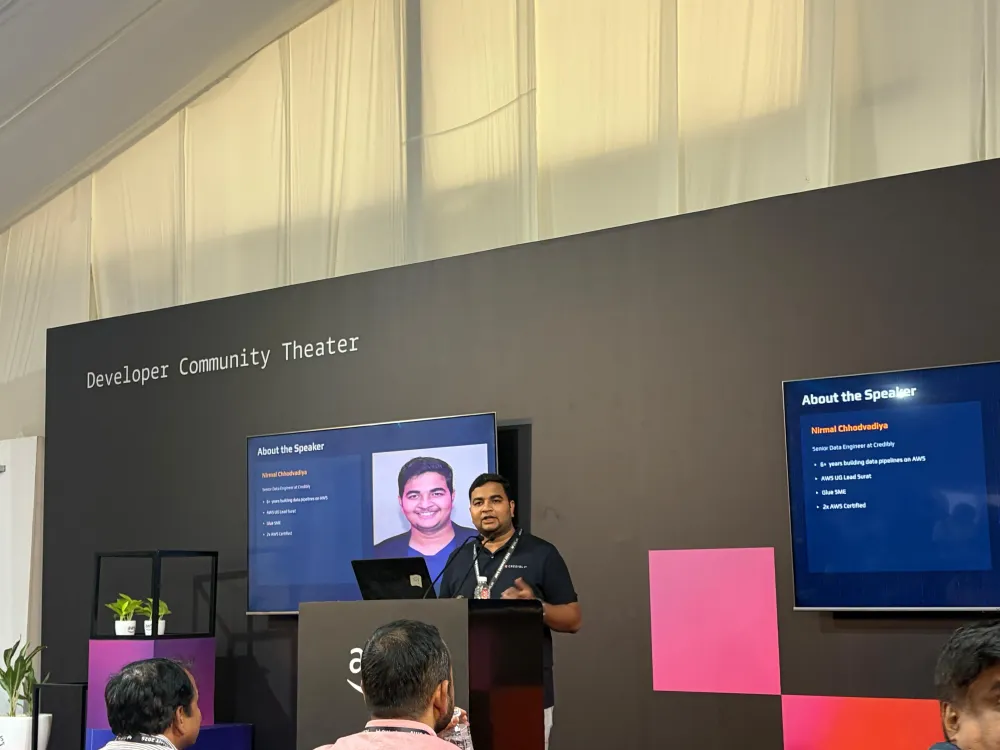
At AWS Summit Bangalore 2026, I presented a session titled:
Building Near Real-Time Data Pipelines with AWS DMS: MySQL to MySQL(Full Load + CDC)
The session focused on a common data problem: how do we move operational data into another database or analytics layer without waiting for nightly batch jobs?
Many teams start with batch reporting. Data is exported once a day, transformed, and then consumed by dashboards or downstream systems. That works for some use cases, but it breaks down when teams need faster visibility into transactions, user activity, payments, or operational events.
For this demo, I wanted to show how AWS Database Migration Service can be used not only for migration, but also as a managed change data capture engine.
What the Demo Covered
The core idea was simple:
- Start with a source relational database.
- Run a full load into a target database.
- Continue capturing new changes using CDC.
- Verify that new inserts arrive on the target with low delay.
- Show how this pattern can support near real-time analytics.
The original session title mentioned Aurora to Aurora. For the live demo implementation, I used RDS MySQL to RDS MySQL because it gave more control over VPC and parameter configuration for the demo environment. Also, this demo you can perform in the Free-tier AWS account.
The CDC behavior is still the same for the learning objective: AWS DMS reads changes from the MySQL binary log and applies them to the target.
Architecture
The demo architecture looked like this:
1
2
3
4
5
6
RDS MySQL Source

  -> MySQL Binary Log

  -> AWS DMS Replication Instance

  -> AWS DMS Source and Target Endpoints

  -> AWS DMS Replication Task

  -> RDS MySQL Target
AWS DMS handles two phases:
1
2
3
4
5
Full Load:

Copy existing rows from source to target.


CDC:

Continue reading new changes from the source binlog and apply them to the target.

RDS MySQL Source -> AWS DMS -> RDS MySQL Target using full load + CDC.
Why Full Load + CDC Matters
A full load alone is not enough for near real-time systems.
If you copy a table at 10:00 AM and the application continues writing new records at 10:01 AM, the target is already stale.
CDC solves this by allowing the pipeline to continue after the initial copy.
This is why the
full-load & cdc mode in AWS DMS is useful. It lets the replication task first copy the existing data and then keep applying new inserts, updates, and deletes.For analytics projects, this means dashboards and downstream systems can work with data that is much fresher than a daily batch export.
Source and Target Databases
In my demo, both source and target were RDS MySQL databases.
The source database contained synthetic finance-domain data:
1
2
3
4
5
6
7
8
customers

accounts

merchants

regions

devices

transactions

payments

user_events
The target database received the replicated copy through AWS DMS.
This setup made it easy to explain the flow:
1
2
3
4
5
6
7
8
9
10
11
12
13
14
15
Application / Live Event Generator

        |

        v

RDS MySQL Source

        |

        |  MySQL binlog captures inserts, updates, deletes

        v

AWS DMS Replication Task

        |

        |  Full load + ongoing CDC

        v

RDS MySQL Target

        |

        v

Analytics Queries / KPI Layer
Binlog-Based Change Data Capture
For MySQL, DMS relies on the binary log to capture changes.
The source database needs the right binlog-related settings, including row-based logging. In the demo, the source parameter group was configured with CDC-friendly settings:
1
2
3
binlog_format = ROW

binlog_row_image = FULL

binlog_checksum = NONE
With this setup, DMS can read row-level changes from the source and replicate them to the target.
This is an important concept for learners: CDC is not magic. The database must expose a reliable change stream, and DMS uses that stream to keep the target updated.
What I Demonstrated Live
During the demo, I showed:
1
2
3
4
5
6
7
Source and target RDS MySQL databases

AWS DMS replication instance

Source and target DMS endpoints

Full load + CDC replication task

Live writes on the source

CDC inserts arriving on the target

Replication freshness and table statistics
In the current live version of the project, the DMS task shows:
1
2
3
4
Status: running

Full load progress: 100%

Tables loaded: 8

Tables errored: 0

DMS Task
At this point in the demo, the DMS table statistics clearly showed both phases of the pipeline.
The initial full load copied the existing rows:
1
2
3
4
5
6
7
8
transactions: 5000

payments: 5000

user_events: 24750

customers: 1000

accounts: 1000

devices: 1200

regions: 8

merchants: 200
After the live event generator started writing new records, CDC inserts continued to increase:
1
2
3
4
5
6
7
transactions: 3534 CDC inserts

payments: 3534 CDC inserts

user_events: 17670 CDC inserts

customers: 3409 CDC inserts

accounts: 3409 CDC inserts

devices: 3409 CDC inserts

Replication Lag vs Data Freshness
One useful learning from the project was the difference between replication lag and data freshness.
1
2
3
4
5
Replication lag:

How far DMS is behind in applying source changes to the target.


Data freshness:

How old the latest event is in the target database.
These are related, but not the same.
For example, if no new source events are generated for 15 minutes, the dashboard may show 15 minutes of freshness delay. That does not always mean DMS is slow. It may simply mean no new data was produced.
When the live event generator is running, new transactions, payments, customers, accounts, devices, and user events are continuously inserted into the source database. DMS captures those changes from the MySQL binary log and applies them to the target.
In the running project, the target showed:
1
2
3
4
5
+------+---------------------+---------------+

| dau  | conversion_rate_pct | freshness_sec |

+------+---------------------+---------------+

| 4956 |               96.57 |             5 |

+------+---------------------+---------------+
Freshness / KPI output
Transaction Consistency
Another important part of the demo was transaction consistency.
The live writer inserts related records together:
1
2
3
4
5
6
customer

account

device

transaction

payment

user events
These records are written inside a database transaction.
That matters because analytics pipelines should not show half-complete business events. For example, a payment should not appear without its related transaction, and funnel events should remain logically connected.
AWS DMS reads from the source change stream and applies changes to the target while preserving transaction ordering for the replicated workload.
For business metrics, this is important because KPIs depend on consistent relationships between events.
Monitoring and Observability
A CDC pipeline is only useful if you can trust that it is still running and that the target is close to the source.
For the demo, I treated monitoring as part of the pipeline design, not an afterthought.
The key questions are:
1
2
3
4
5
6
Is the DMS task running?

Did the full load complete?

Are tables still receiving CDC changes?

Is replication lag increasing?

Are there table-level errors?

How fresh is the target data?
AWS DMS provides task-level and table-level visibility that helps answer these questions. You can read more about Monitoring AWS DMS tasks .
In the demo, I checked:
1
2
3
4
5
6
Task status

Full load progress

Tables loaded

Tables errored

Table statistics

CDC inserts
For a production version, I would extend this with:
1
2
3
4
5
6
7
Amazon CloudWatch metrics for DMS task health

DMS task logs for failures and retries

CloudWatch alarms for replication lag

SNS or email notifications for task failure

Reconciliation checks between source and target

Freshness checks on important event tables

Schema drift checks for source table changes
This is the difference between a pipeline that only works during a demo and a pipeline that teams can actually operate.
A near real-time pipeline should not just move data. It should also explain whether the data is complete, current, and trustworthy.

DMS Metrics
From Demo to Analytics Project
After the summit, I extended the original DMS demo into a broader project:
Near Real-Time Business Metrics Pipeline & Dashboard
The project now includes:
1
2
3
4
5
6
7
8
Synthetic finance-domain data

AWS DMS full load + CDC

KPI SQL queries

Streamlit dashboard

Amazon QuickSight dashboard

Data freshness checks

Live event generation

CloudFormation deployment and teardown scripts
I will cover the extended dashboard and analytics project separately, because this article is focused on the original DMS full load + CDC foundation.
Key Takeaways
AWS DMS is not only useful for one-time migrations. It can also help demonstrate managed change data capture patterns.
Full load + CDC is a practical pattern when you need to:
1
2
3
4
5
Copy existing data

Continue capturing new changes

Reduce reporting delay

Feed downstream analytics systems

Validate freshness and consistency
The most important lesson from the demo is this:
Near real-time analytics starts with reliable change capture.
Once the data is being replicated continuously, you can build KPI queries, dashboards, observability checks, and business-facing insights on top of it.
How to Run This Demo
The project is organized so the DMS demo can be deployed, validated, and deleted using scripts.
Key files:
1
2
3
4
5
6
7
8
cloudformation/dms-demo.yaml

scripts/deploy.sh

scripts/start-task.sh

scripts/11-generate-live-finance-events.sh

scripts/12-run-kpis.sh

scripts/teardown.sh

data/synthetic-schema.sql

scripts/10-seed-finance-source.sql
High-level flow:
1
2
3
4
5
6
1. Deploy the AWS infrastructure

2. Create and seed the source schema

3. Start the AWS DMS full load + CDC task

4. Generate live source writes

5. Validate CDC inserts and KPI freshness

6. Tear down resources
Commands:
1
./scripts/deploy.sh
1
2
mysql -h <source-endpoint> -u admin -p demo < data/synthetic-schema.sql

mysql -h <source-endpoint> -u admin -p demo < scripts/10-seed-finance-source.sql
1
./scripts/start-task.sh
1
./scripts/11-generate-live-finance-events.sh
1
./scripts/12-run-kpis.sh
1
./scripts/teardown.sh
The scripts use local environment variables for credentials and endpoints. Secrets are kept in a local .env file and are not committed to GitHub.
GitHub Repo
The project is available here :
1
https://github.com/nirmalpatel008/near-realtime-business-metrics
What’s Next
This article focused on the original AWS Summit demo: using AWS DMS for full load + CDC between source and target MySQL databases.
In the next article, I’ll cover how I extended this demo into an end-to-end analytics project:
Near Real-Time Business Metrics Pipeline & Dashboard
That project adds:
1
2
3
4
5
6
7
8
9
10
11
Synthetic finance-domain data

KPI SQL layer

Daily Active Users

Conversion Rate

Funnel Analysis

Payment Success Rate

Data Freshness

Streamlit dashboard

Amazon QuickSight dashboard

Natural-language-style KPI querying

CloudFormation-based deployment and teardown
The goal is to show how a short conference demo can evolve into a practical, portfolio-ready project for learning near real-time analytics on AWS.
Enjoyed reading this content? Let the author know!
Your likes, comments, shares, and saves help creators reach more builders.

Loading recommendations
Loading article